

Best Donation Management Software for Nonprofits
Pricing as of May 2026. Check vendor websites for current pricing.
Quick Answer: Best Donation Tracking Software for Nonprofits
The best donation tracking system for most nonprofits is the one that records every gift in one place—who gave, how much, which fund or campaign, receipt status, and whether the gift was cash, in-kind, or a matching gift—and connects those records to accounting without a monthly spreadsheet merge.
Look for software that handles recurring gifts, restricted designations, donor giving history, and board-ready reports. If development and finance still reconcile in separate tools, the tracking system is not doing enough.
Quick Answer: In-Kind, Matching Gifts, and Giving History
| Need | What to track | Why it matters |
|---|---|---|
| In-kind donations | Fair market value, description, acknowledgment date | IRS rules and audit trails differ from cash gifts |
| Matching gifts | Employer match status, pledge, payout | Development and finance need the same match record |
| Donor giving history | Gifts, events, notes, communication | Stewardship and LYBUNT/SYBUNT work depend on complete history |
Donation management software should store all three in the donor record and flow fund designations into fund accounting reports.
In-Kind Donations
In-kind gifts need the same care as cash donations, but the record looks different. Your system should capture a description of the item or service, fair market value, the date received, and acknowledgment status. Finance may need to post the gift to a non-cash revenue account or track it for grant reporting without treating it like a bank deposit.
When staff can log in-kind donations in the donor record, development and finance stop rebuilding the same list at year-end. Look for software that ties in-kind gifts to fund designations and produces acknowledgment letters that meet IRS expectations for non-cash gifts.
What to track for in-kind gifts
- Item or service description and quantity
- Fair market value and valuation method
- Donor name and gift date
- Fund or program designation
- Acknowledgment letter sent date
Matching Gifts
Matching gifts add a second layer to donor records. A supporter gives $500, and their employer pledges a match. Development needs to track the pledge, submission status, and payout. Finance needs to know when the match clears and which fund it supports.
Strong donation management software stores the employer name, match status, expected amount, and actual payout in the same donor record as the original gift. That keeps LYBUNT/SYBUNT lists accurate and prevents finance from hunting through email for match confirmations.
Matching gift fields worth comparing
- Employer or matching program name
- Match eligibility and submission status
- Expected match amount vs. amount received
- Link to the original donor gift
- Fund designation for the matched dollars
Donor Giving History
Donor giving history is more than a list of transactions. It is the full story of how someone supports your mission: one-time gifts, recurring donations, event attendance, volunteer hours, notes from phone calls, and communication preferences.
When that history lives in one record, staff can thank donors personally, spot lapsed supporters early, and prepare board or grant reports without exporting three systems. The best donation tracking software connects giving history to donor management workflows so stewardship is repeatable, not heroic.
Giving history should include
- Gift amounts, dates, and designations
- Recurring gift status and changes
- Event registrations and campaign responses
- Notes, tasks, and communication log
- Volunteer activity tied to the same person
You know the scene. Your development report says one thing, your bookkeeper's numbers say another, and the board meeting starts in an hour. Someone exported gifts from one system, someone else tagged restrictions in a spreadsheet, and now you're trying to explain why the totals don't quite match.
That's where donation management software should help. The right system doesn't just track gifts. It gives you one place to manage donors, record what happened, and connect fundraising to the financial reality your organization has to report.
Your Guide to Smarter Nonprofit Operations
Most nonprofit leaders don't wake up wanting new software. They want fewer spreadsheets, cleaner reports, and less staff time spent hunting for missing details. If you're running month-end reports from one tool and reconciling deposits in another, the problem usually isn't your team. It's the gap between systems.
I've seen this pattern in small and mid-sized nonprofits again and again. Development enters gifts in one place. Finance records deposits somewhere else. Programs keep notes in email or shared documents. By the end of the month, everyone is working hard, but no one is looking at the same record.
That disconnect creates familiar problems:
- Receipts go out late: Staff need to confirm gift details before acknowledging them.
- Board reports take too long: Numbers must be checked against separate reports.
- Restricted gifts become stressful: You know the money is there, but tracing it takes effort.
- Donor history stays incomplete: Event attendance, volunteer activity, and giving often live in different tools.
The best software decision usually starts with a simple question. Where does your team lose time every single month?
A practical system gives you one operating view of the donor, the gift, and the fund it supports. That matters more than a flashy dashboard. If your tools can't support both fundraising and finance work, your team will keep rebuilding the same report in different formats.
That's why more leaders are moving toward all-in-one nonprofit management software. Not because every feature belongs under one roof in theory, but because disconnected tools create daily friction in practice.
If you're skeptical, that's healthy. Software can be oversold. But donation management software is worth a serious look when it removes duplicate entry, improves donor follow-up, and gives finance cleaner records from the start.
What Is Donation Management Software Really
At its simplest, donation management software is the system that helps you keep track of who gave, what they gave, why they gave, and how you should respond. But that plain definition still fails to convey its true significance.
A basic contact list tells you a donor's name and maybe their last gift. A useful donor system keeps the full relationship history. It shows giving, communication preferences, prior appeals, notes from calls, recurring gifts, and engagement over time.
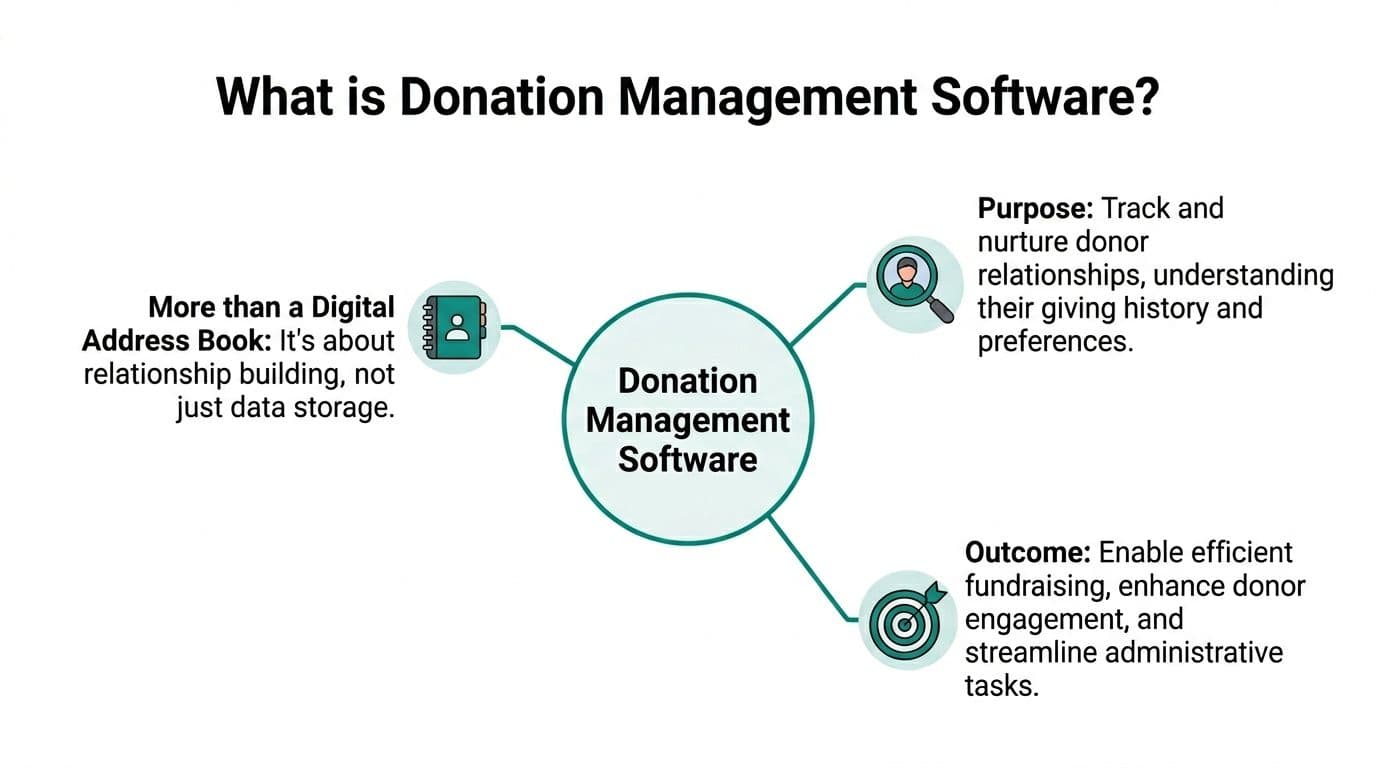
It's a relationship tool, not a digital filing cabinet
That distinction matters because fundraising isn't only about processing transactions. It's about remembering context. When a longtime supporter gives in memory of a family member, your team should know that. When a first-time donor came through an event page, your follow-up should reflect that too.
Good software helps you answer practical questions quickly:
- Who gave for the first time this month
- Who used to give regularly but has gone quiet
- Who prefers email, text, or direct mail
- Which donors support a specific campaign or program
A donor record should feel less like a rolodex and more like a complete file. That's why tools with donor management features matter. You're not just storing names. You're building a usable history your staff can act on.
The value shows up in retention
The software proves its worth. Bloomerang reports that the top 20% of nonprofits using its CRM achieve an average first-time donor retention rate of 47%, compared with an industry average of 18.5% in its discussion of donor management software and retention. That gap is one of the clearest reasons these tools matter.
The lesson isn't that a platform alone fixes retention. It doesn't. Staff still need to thank people well, segment thoughtfully, and follow up on time. But software makes that work possible at a level spreadsheets rarely can.
Practical rule: If your system can't tell you who needs a thank-you call today, it's not helping enough.
The strongest donation management software makes routine stewardship easier. It keeps donor details organized, supports better follow-up, and reduces the chance that loyal supporters feel invisible after they give.
Core Features That Save You Time
The best features are the ones your staff notices because work gets easier. Not because the vendor demo looked polished. If a tool saves time, you'll feel it in fewer workarounds, faster answers, and cleaner handoffs between development and finance.
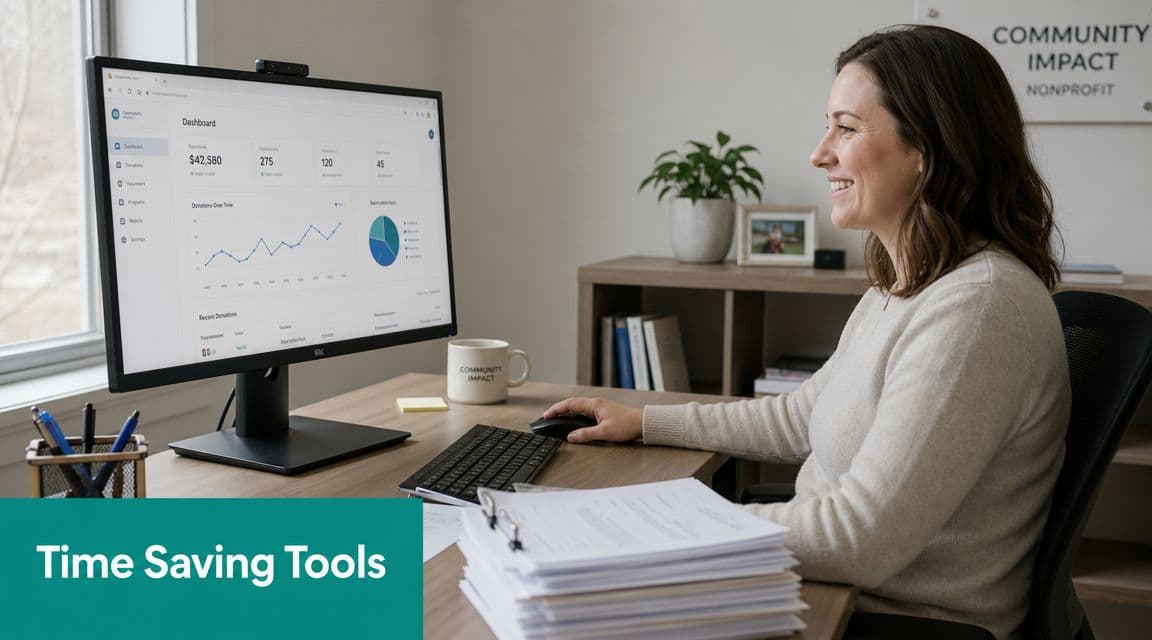
Find donor history without digging
When staff can see the full donor record in one place, they stop asking each other for basic facts. A useful system stores giving history, contact details, notes, communication preferences, and campaign activity together.
That setup isn't just convenient. GiveCentral explains in its guide to donor management software that a donor-centric data model should store giving history, communication preferences, and engagement patterns. It also notes that this design improves targeting accuracy and reduces manual list-building.
Here's what that means day to day:
- Your development director sees context fast: Last gift, last event, last conversation.
- Your executive director stays prepared: You can walk into a donor meeting without chasing details.
- Your staff sends better outreach: Messages fit the donor's history instead of sounding generic.
Thank donors quickly and accurately
Fast acknowledgments build trust. They also prevent year-end cleanup when someone realizes a batch of receipts never went out or the wrong language was used.
Look for software that handles:
- Automatic receipts: Gifts trigger acknowledgment right away.
- Recurring gift records: Monthly donors don't need hand fixes.
- Campaign tagging: Appeals and fund designations stay attached to the gift.
- Online form connection: A gift entered online lands in the right record automatically.
If your organization is still copying online gifts into spreadsheets, this is one of the easiest areas to improve. Modern online donation pages should feed clean data into the donor record instead of creating more cleanup.
See your fundraising health at a glance
Leaders don't need twenty reports. They need a few reliable views they can trust. A good dashboard should help you answer simple questions without asking a staff member to build a custom export.
A practical reporting setup usually includes:
| Need | What the feature should show |
|---|---|
| Current giving activity | Recent gifts, recurring gifts, and campaign response |
| Donor follow-up | New donors, lapsed donors, and pending acknowledgments |
| Appeal performance | Which campaigns are drawing responses |
| Leadership reporting | Clear summaries for staff, board, and finance review |
A dashboard should shorten conversations, not create new arguments about which number is right.
Build lists without manual cleanup
Segmentation is where many teams either gain hours back or lose them. If your staff spends too much time exporting, filtering, and removing duplicates, the software is making simple work too hard.
You want list-building that can separate supporters by gift history, campaign response, donor type, or communication preference. That helps you send the right message to first-time donors, recurring donors, event attendees, or major supporters without rebuilding the list from scratch each time.
Beyond the Basics Advanced Capabilities
Once your donor records are stable, the next question is bigger. Does your software only track fundraising activity, or does it help your whole organization work from the same information?
That matters because donors don't interact with you in one narrow lane. They give, attend events, volunteer, reply to texts, open emails, and sometimes support restricted projects that finance must report separately. If those details live in different places, your team loses the full picture.
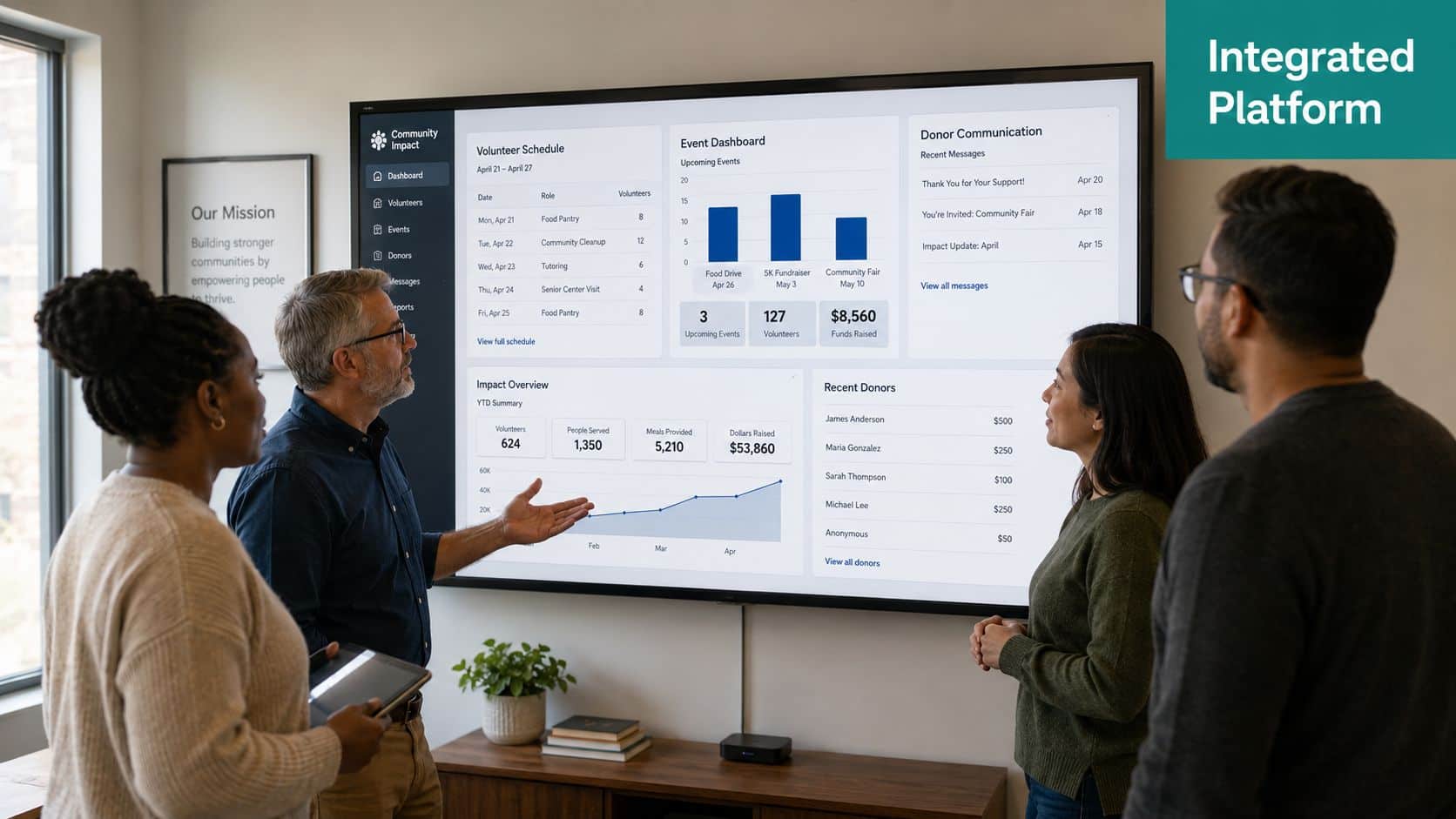
One record for donors, volunteers, and events
An all-in-one approach begins to make sense. When volunteer hours, event registrations, and donations connect to the same person, staff can see actual engagement instead of isolated transactions.
A donor who volunteers twice a month may deserve different outreach than a donor who only gives at year-end. A gala attendee who hasn't made a gift yet may still be one of your warmest prospects. Separate tools hide those patterns.
Bonterra's overview of donor management software shows how mature this category has become. It notes that its network includes over 16,000 nonprofits and that more than $3.5 billion in donations have been made through its donor management software. It also describes modern expectations such as customizable profiles, predictive analytics, and multi-channel communication tools. That tells you the market has moved well beyond simple recordkeeping.
Bonterra and similar platforms have real strengths on engagement and outreach. The trade-off for some nonprofits is that they may still need a separate accounting tool, which means staff are back to reconciling across systems.
Plain-language answers are becoming more useful
A growing number of leaders want software that answers questions without a custom report. That's where AI tools can help, if they're tied to your real data and not just offering generic summaries.
For example, a plain-language assistant should help with questions like:
- Which donors gave to our spring appeal but not last year
- What gifts are still missing acknowledgments
- Which campaigns brought in first-time donors
- What restricted balances need attention
That kind of support is especially useful for executive directors who don't want to learn report builders. Tools such as AI assistants for nonprofit teams can make your data more accessible, provided the underlying records are clean.
The overlooked issue is fund accounting
This is the gap many donation management conversations miss. Fundraising software often handles donor communication well, but finance still needs restricted funds, grants, project codes, and reporting that holds up under audit.
If your donor system can't connect gifts to the accounting structure you use, staff will keep doing manual reconciliation. That's where a platform like AlignMint may fit some organizations. It combines donor management with true fund accounting, volunteer and event tools, marketing features, and plan-based user allowances (1 on Free, up to 10 on Plus, up to 25 on Pro, and unlimited on Enterprise). For leaders who need one record across fundraising and finance, that structure can reduce handoffs between departments.
The real test is simple. Can finance trust the fundraising data without rebuilding it?
If the answer is no, the software may still be helpful. It just isn't solving the full operational problem.
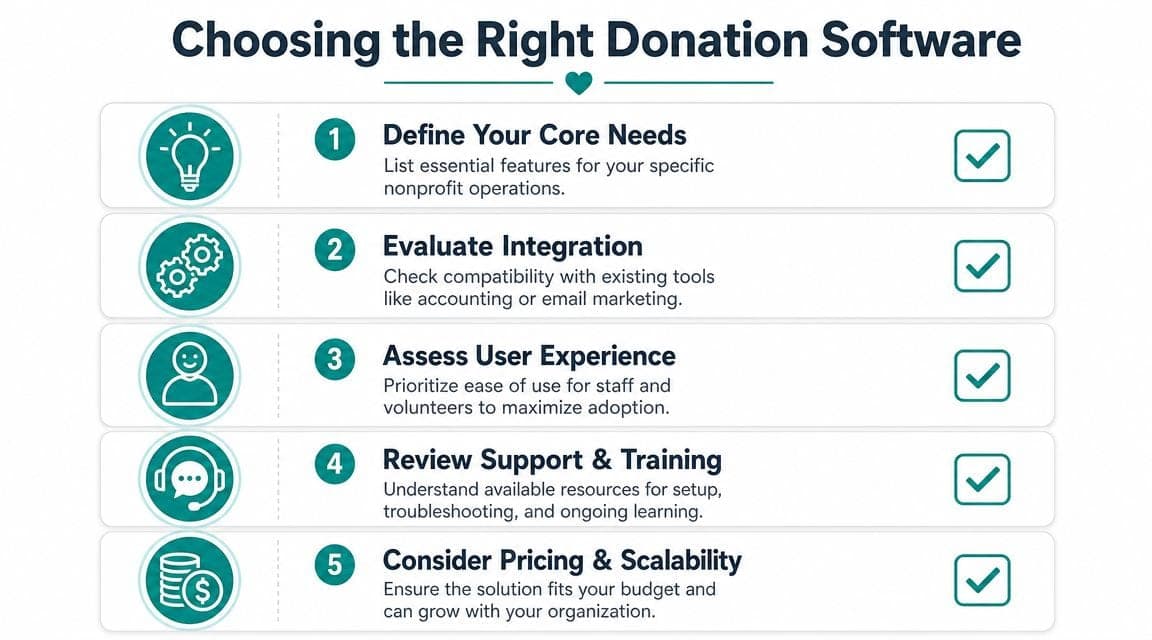
How to Choose the Right Software for Your Nonprofit
Most demos are designed to impress your development team first. That makes sense. Donation management software is often sold through fundraising benefits. But executive directors and finance staff need to ask harder questions, especially if reporting and compliance are already painful.
The key is to compare systems based on what your team does each month, not the features list on a website.
Ask questions that reveal the real fit
Start with your reporting process. If your development and finance teams produce separate versions of the truth, that's the first issue to solve.
Here are the questions worth asking every vendor:
-
How does fundraising data move into accounting Double the value of the demo by asking whether the system supports two-way flow between fundraising and finance, or whether staff still need exports and manual entry.
-
Can the system track restricted gifts clearly This matters if you manage grants, donor restrictions, or project-specific support.
-
What does pricing really depend on Some tools price by contacts, some by modules, some by user count. Hidden limits often show up later.
-
What will my board packet still require outside the system If major reports still need spreadsheet work, note that early.
-
How many staff can work in the system without extra cost This sounds minor until programs, finance, development, and leadership all need access.
Doubleknot's donor management software guidance makes one point especially clear for finance-focused nonprofits. The most critical capability is bidirectional integration between fundraising and accounting, with the ability to track restricted funds and move transactions into finance automatically. That's the kind of detail that reduces errors and helps month-end close move faster.
Compare all-in-one versus connected tools
There's no single right answer for every nonprofit. Some organizations prefer a specialist CRM plus separate accounting software. Others want one platform because their staff is small and reporting is already stretched.
This comparison usually helps:
| Approach | Strength | Trade-off |
|---|---|---|
| Separate best-of-breed tools | Strong depth in one function | More exports, more reconciliation, more training |
| All-in-one platform | Shared data across teams | You need to confirm each area meets your real needs |
If you're still evaluating the finance side, this guide to selecting nonprofit accounting solutions is worth reviewing alongside donor software options. It helps frame the accounting questions that many fundraising demos skip.
Good software should reduce your monthly closing work. If it adds another reconciliation step, keep looking.
Pay attention to what competitors do well, and where they stop
Bloomerang is often a strong fit for donor engagement and retention-focused teams. Bonterra offers broad fundraising capabilities and operates at significant scale. QuickBooks remains familiar for many finance teams.
The issue isn't that these tools are weak. It's that nonprofits often assume one strong tool will handle adjacent work it wasn't built to do. QuickBooks classes, for example, may help with basic tracking, but they aren't the same as true fund accounting. A donor CRM may support campaigns well while still leaving restricted gift reporting to finance workarounds.
That's why your buying decision should focus less on popularity and more on the handoff points where your team currently loses time.
Making the Switch Common Pitfalls and Migration Tips
A software change goes wrong for predictable reasons. Not because your staff resists change, but because the organization tries to move everything at once, with messy data, unclear roles, and too many assumptions.
The easiest way to avoid that is to treat migration as an operations project, not an IT project.
Clean your data before import
If duplicate donors, outdated addresses, or unclear fund names exist in your old system, importing them into a new one won't fix anything. It will just move the confusion.
Start with the basics:
- Merge duplicate records: Decide which name and contact details are correct.
- Standardize campaign names: "Year End Appeal" and "YE Appeal" shouldn't both survive.
- Review fund labels: Make sure restrictions are named consistently.
- Archive what you don't need: Old test records and inactive fields only create noise.
A careful nonprofit data migration process usually saves more time than any shortcut taken during setup.
Involve more than development staff
Donation management software affects more people than the title suggests. Your bookkeeper needs to understand gift flow. Program leaders may need to see donor or volunteer activity. Executive leadership needs reporting they can trust.
That's why the migration team should include:
- Finance: To confirm coding, reconciliation, and restrictions
- Development: To define donor history, campaigns, and receipts
- Leadership: To clarify reporting priorities
- Program or volunteer staff: If the system will track broader engagement
When one department chooses software in isolation, the rest of the team usually pays for it later.
Move your core records first. Fancy features can wait until the basics are stable.
Roll out in phases
Many nonprofits get into trouble by turning on events, volunteers, email, text, and every custom workflow at once. The better path is steadier.
A practical sequence often looks like this:
- Import donor records and giving history
- Set up receipts and core reports
- Connect finance processes
- Add donation pages and campaigns
- Bring in events, volunteers, or advanced automation
That phased approach builds confidence. It also gives your staff room to learn one process well before the next one arrives.
A Simpler Approach for Growing Nonprofits
For many organizations, the primary problem isn't a lack of fundraising tools. It's the daily drag of disconnected systems. One tool manages donors. Another manages accounting. A third handles email. Staff spend too much time translating between them.
That's why the smartest software decision is often the one that reduces handoffs. The University of San Diego's discussion of donor management software and nonprofit operations points to the issue directly. Most guides treat the software as a fundraising tool, but many nonprofits need it to solve finance and compliance problems too.
If that sounds familiar, an integrated model is worth serious attention. When donor records, fund accounting, volunteers, events, online giving pages, marketing, and team communication live together, your reports get cleaner and your staff spends less time stitching systems together.
For smaller organizations, pricing structure matters just as much as features. A free tier for nonprofits under $100K can remove a real barrier. Plan-based user allowances (1 on Free, up to 10 on Plus, up to 25 on Pro, and unlimited on Enterprise) can also matter more than leaders expect, because restricting access by seat count often pushes staff back into side spreadsheets and email chains.
The point isn't to buy the tool with the longest feature list. It's to choose software that matches how your nonprofit operates. If your team needs fundraising and financial reporting to support each other, keep that standard front and center.
If you're trying to connect donor management with true fund accounting, volunteer tracking, events, marketing, and day-to-day reporting, take a look at AlignMint. We built it for nonprofit leaders who want one system for operations, not a stack of disconnected tools.
Related guides
- Donor management software — buyer checklist and comparison criteria
- Donation management — day-to-day gift processing workflows
- Nonprofit donor management — retention, acknowledgements, and board reporting
- Donation page best practices — setup, design, and conversion optimization
- Donor management feature — giving history, receipts, and LYBUNT/SYBUNT in one platform
- Donation pages feature — point-and-click giving page builder with accounting integration
Ready to try AlignMint with your nonprofit?
Start free — set up donor tools, giving pages, and Minty. Upgrade when you need accounting.