

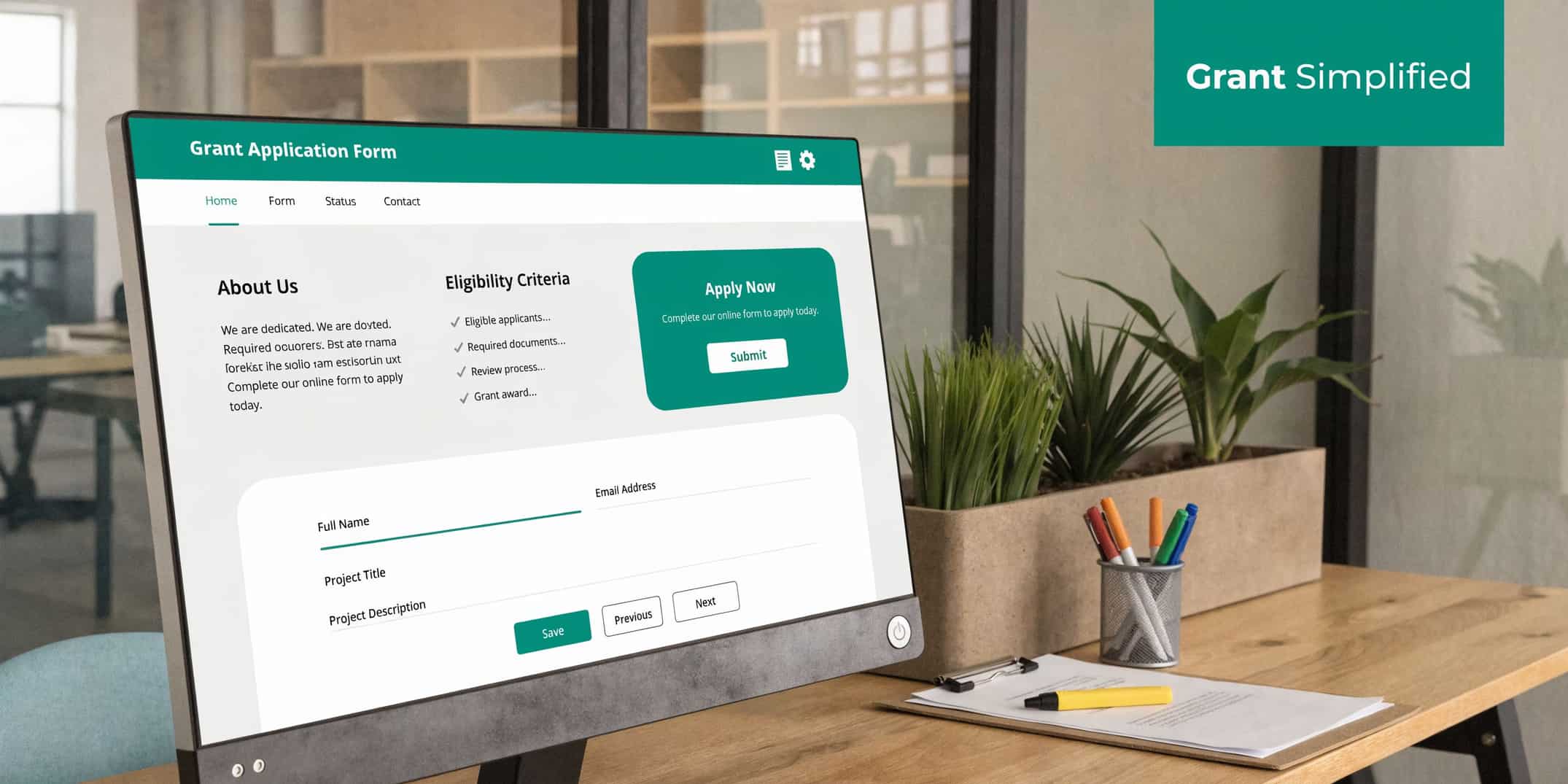
Grant Management Software for Nonprofits
Quick Answer: Grant Management Software for Nonprofits
Grant management software for nonprofits: deadlines, documents, budgets, and why true fund accounting matters so restricted balances match your board packet. The sections below walk through practical steps, examples, and what to watch for.
You are probably dealing with this right now. A grant is active, expenses are coming in, and a board packet is due. Somewhere in a spreadsheet, someone has marked which dollars are restricted, which report is due next, and which expenses belong to which program.
That works until it does not. Grant management software for nonprofits matters because it replaces that fragile patchwork with one place to track deadlines, spending, documents, and reporting. The key question is not whether software can track a grant. It is whether it can track the money correctly.
Your Guide to Finding Calm in Grant Management
I have sat in that late afternoon meeting where the numbers look almost right. The program team says the grant still has room. Finance says part of that balance is already committed. Development is looking for the last funder report. No one is careless. The system is just scattered.
That stress is why so many nonprofit leaders are moving away from spreadsheets. The grant management software market is projected to reach USD 8.09 billion by 2035, growing at a 10.17% CAGR, a shift driven by nonprofits seeking better control over compliance and reporting, according to Precedence Research’s grant management software market analysis.
This is not about becoming more technical. It is about being able to answer basic questions with confidence.
- What is left in this grant
- Which expenses are allowable
- When is the next report due
- Can I trust this balance before I show it to the board
For many directors, the hardest part is not the grant application. It is the months after award, when restricted dollars must be tracked with care. Confusion often grows at this stage. A lot of tools can help you chase deadlines. Fewer can help you protect restricted funds and produce clean financial reports.
The relief comes when your team stops rebuilding the same answer in three different places.
If you have felt skeptical about software promises, that skepticism is healthy. Some tools are good at grant tracking. Some are good at accounting. The trouble starts when a product does one well and leaves you to patch the other half together yourself.
From Application to Audit How Software Simplifies Grants
A simple way to think about grant software is this. It is a digital filing cabinet plus a project manager. It stores the record, reminds your team what is due, and helps you prove what happened after the money arrives.
With average grant success rates around 10%, careful tracking of applications, deadlines, and reporting is not optional. It improves your odds of staying organized and competitive, as noted in this Ignyte guide to grants management software for nonprofits.
Before the award
At the front end, software helps you keep opportunity research from turning into sticky notes and browser tabs.
You can store:
- Funder details
- Submission deadlines
- Required attachments
- Internal task assignments
- Notes from prior conversations
For teams that also want cleaner bill payment after a grant is awarded, this overview of accounts payable automation is useful background. It helps explain why finance teams want fewer manual handoffs.
After the award
After the award, many leaders are surprised. Winning the grant is only the beginning. Now you have to connect dollars, restrictions, activities, and reporting periods.
Good software gives each grant its own operating record. You can see the budget, the award terms, the spending to date, and the next required report in one place. If your organization manages drawdowns, it also helps to understand how grants receivable works in practice.
During the grant period
This is the daily work. Expenses come in. Staff allocate time. Program costs hit the books. A grant tool should help your team answer practical questions quickly.
A useful system should make it easier to:
- Track spending against the approved budget
- Keep grant documents attached to the correct record
- Set reminders for progress and financial reports
- Coordinate finance, development, and program staff
At reporting and audit time
At reporting and audit time, relief appears. Instead of rebuilding the story from email and spreadsheets, your team can pull reports from the same record they have been using all along.
A grant should not become harder to understand after you receive it.
The best systems reduce the scramble because they preserve context. The invoice, the approval, the budget line, and the report are connected. That is what turns grant management from a recurring fire drill into a process your team can trust.
The Essential Features That Give You Back Your Week
Features matter only if they remove work from your plate. That is the test. If a tool gives you more screens but not more clarity, it is not helping.
The best grant management software for nonprofits usually gives you time back in five places.
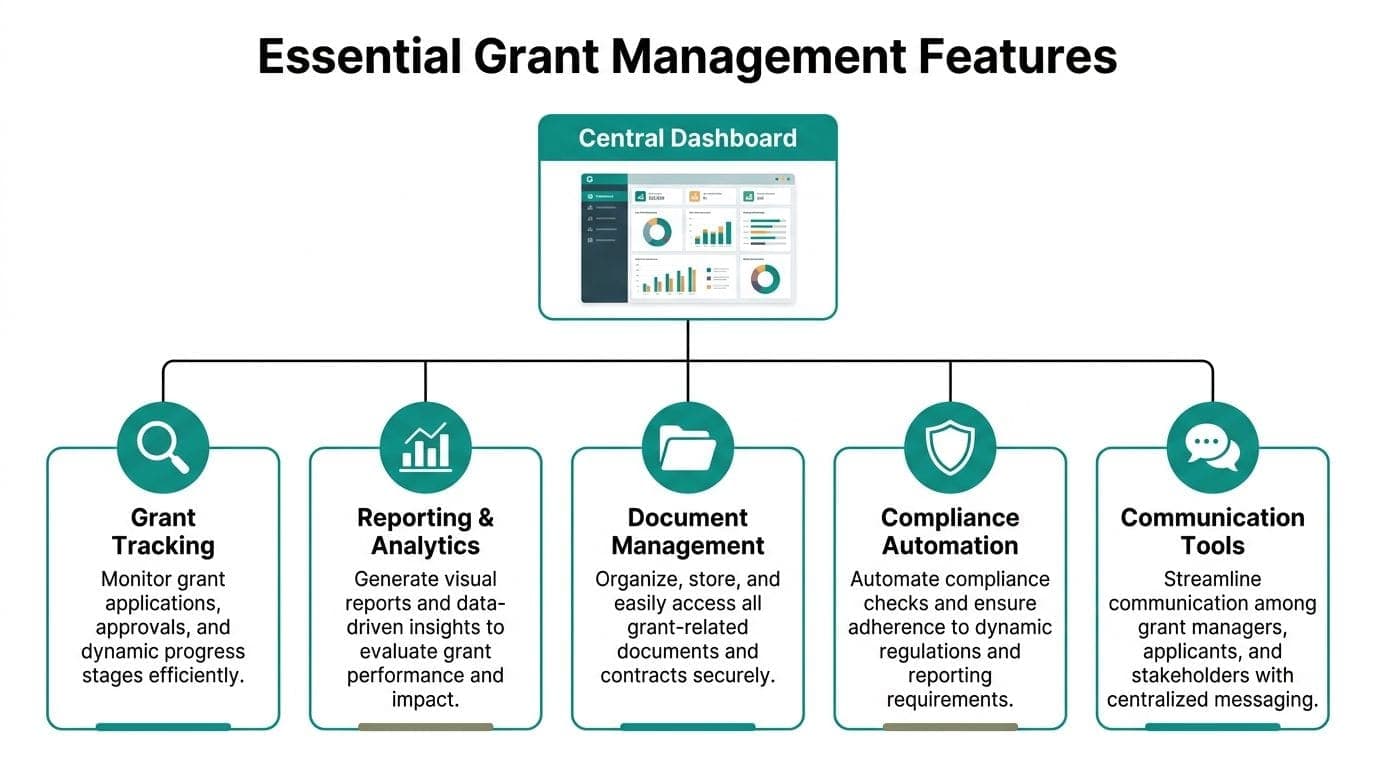
Organizations using dedicated software report a 30% increase in efficiency and a 20% reduction in compliance errors, according to a Fluxx summary of Grant Professionals Association survey findings.
One screen that tells the truth
A central dashboard saves energy because you stop hunting. You should be able to open one screen and see active grants, upcoming deadlines, budget status, and missing items.
That sounds small, but it changes the tone of your week. Your team spends less time asking where things stand.
Reminders that prevent quiet mistakes
Most grant problems do not start with major misconduct. They start with ordinary human forgetfulness.
A good system nudges people before something becomes urgent.
- Deadline reminders keep applications and reports from slipping.
- Task assignments show who owns the next step.
- Status updates help leadership see bottlenecks before they become crises.
Budget clarity while there is still time to act
The most valuable financial view is not last month’s summary. It is today’s position against the approved grant budget.
When software shows actual spending beside the plan, your team can catch drift early. That gives you options. You can adjust staffing, delay a purchase, or request a budget revision before the grant gets out of shape.
Reports that do not require a weekend
Reporting templates are one of the least glamorous features and one of the most helpful. Funders ask for different formats, but the substance underneath is often the same. You need correct dates, correct balances, and a clear account of how funds were used.
The right report tool does not make a hard story easy. It makes a true story faster to assemble.
Communication tools inside the record
Email is a poor archive. Notes get buried, attachments split off, and decisions disappear when staff change.
Software helps when it keeps conversations attached to the grant itself. That matters for continuity, especially for small teams, schools, churches, and fiscal sponsors where one person often wears several hats.
A short checklist can help you sort useful features from decorative ones:
| Feature | Why it matters |
|---|---|
| Central dashboard | Gives leadership a quick read on deadlines, balances, and risks |
| Document storage | Keeps proposals, award letters, budgets, and reports together |
| Compliance reminders | Prevents missed reporting and renewal dates |
| Budget tracking | Shows spending against approved grant limits |
| Team notes and tasks | Preserves context across finance, programs, and development |
If a product demo spends more time on pretty charts than on restricted spending and reporting workflow, ask harder questions.
Why Your Grant Software Must Have True Fund Accounting
This is the part that matters most. Many products can track a grant record. Far fewer can handle the accounting the way a nonprofit needs.
A 2025 report noted that 55% of nonprofits under a $1M budget still use spreadsheets for restricted fund tracking, which creates manual errors and compliance risk that true fund accounting software is meant to eliminate, according to NewOrg’s writeup on grant management software for nonprofits.
The bucket and sticky note problem
Here is the plain-language version.
If your accounting system puts all cash in one bucket, then marks some of it with labels, you can lose the trail. Not because the money is gone, but because the restrictions are easy to blur.
That is what happens when teams rely on spreadsheets, classes, or workarounds to track restricted grants. It is one bucket with sticky notes on top.
The glass jar approach
True fund accounting works more like separate glass jars. Each fund has its own purpose, balance, and rules. You can still see the whole shelf, but you do not confuse rent money with camp scholarship money.
For grants, that difference is huge.
With true fund accounting, you can more easily:
- Protect restricted dollars from accidental misuse
- Track balances by grant and program
- Support cleaner Form 990 reporting
- Give your board a clearer financial picture
- Prepare for audit questions without rebuilding history
If your auditor or one of your CPAs has ever asked for backup on restricted balances, you already know why this matters.
Why QuickBooks-style workarounds strain small teams
QuickBooks and similar business accounting tools can be useful for many organizations. They do many things well. The gap is that they were not built around nonprofit fund structure first.
That means staff often create extra spreadsheets, side reconciliations, and manual reports to answer nonprofit-specific questions. The software is not wrong. It is solving a different problem.
A director does not need to become an accountant to understand the risk. If the grant tracker says one thing, and the accounting file says another, your team is now reconciling trust, not just numbers.
For a deeper explanation of the difference, this guide on fund accounting for nonprofits lays out why native fund structure matters.
If a system can tell you a grant deadline but cannot protect the restricted cash behind it, it is only solving half the job.
That is the key distinction when you evaluate grant management software for nonprofits. Do not ask only, “Can it track grants?” Ask, “Can it account for grant funds properly?”
How to Choose the Right Grant Management Software
Once you know the fund accounting issue, the buying process gets simpler. You are no longer comparing feature lists. You are deciding what kind of operating model you want.

A practical way to choose is to ask a series of blunt questions.
Do you want one system or several connected tools
Some organizations prefer a point solution for grant discovery or application workflow. Tools such as Instrumentl, Submittable, GrantStation, and Grant Frog can be strong in those areas. Blackbaud often serves larger nonprofits that need broad development infrastructure. Aplos is commonly considered by churches and smaller nonprofits looking for accounting-first support.
Those can all be reasonable choices, depending on your needs.
The tradeoff is coordination. If grants live in one tool, accounting in another, donor records in a third, and volunteers in a fourth, your team becomes the integration layer.
An all-in-one platform reduces that handoff. AlignMint is one example in this category. It combines accounting, donor management, volunteers, events, marketing, grant tracking, and true fund accounting in one system, with plan-based user allowances (1 on Free, up to 10 on Plus, up to 25 on Pro, and unlimited on Enterprise).
Can it connect impact to future funding
This question gets missed. A grant report is not only about compliance. It is also part of your next ask.
Advanced platforms using AI can surface insights from your own data, and integrations with donor systems can support 25% higher success rates on re-applications by helping you show prior impact, according to Microsoft’s overview of nonprofit grant management.
That matters for schools, fiscal sponsors, and service organizations where outcomes are tied to donors, volunteers, events, and program activity. If those records stay disconnected, your staff has to reconstruct impact by hand.
Does pricing punish collaboration
A pricing model tells you a lot about a product. If every extra user costs more, some teams limit access. Then the people who know the program details cannot update the record directly.
Ask these questions:
- Can finance, development, and program staff all use it without extra seat costs
- Is there a free option for very small nonprofits
- Are core functions included, or sold as add-ons
- Will you need separate tools for marketing, volunteer hours, and events
Will it fit your kind of nonprofit
A church has different needs than a fiscal sponsor. A school often needs volunteer and event records tied to program activity. A fiscal sponsor needs visibility across multiple sponsored projects. An executive director may care less about software elegance than about whether the month-end numbers can be trusted. Comparison work helps in this regard. If you want a practical framework, these grant management best practices can help you score options with less guesswork.
A simple comparison can keep the discussion grounded:
| Question | Point solution | All-in-one platform |
|---|---|---|
| Where do grant deadlines live | In the grant tool | In the main operating system |
| Where do restricted balances live | Often in accounting or spreadsheets | In the same system |
| How do donor and grant data connect | Through exports or integrations | Natively connected |
| How many vendors do you manage | Several | Usually one |
The right choice depends on your team, not a trend. But if your current pain comes from duplicate entry and mismatched reports, adding another silo usually does not solve it.
A Practical Plan for Adopting Your New System
Switching systems feels bigger than it usually is. The trick is to treat it like a cleanup project, not a moon landing.
Start with your data. Gather active grant agreements, current budgets, reporting calendars, and restricted balances. You do not need perfect history on day one, but you do need a clean starting point.
Then bring your people in early. Ask finance, development, and program leads what they need to see each week. If a system only works for one department, the old side spreadsheets will return.
A calm rollout often looks like this:
- Clean the core records. Active grants, due dates, budgets, and documents first.
- Start small. Put one or two new grants into the system before moving everything.
- Get one visible win. Run a report that used to take hours and show the team the difference.
Adoption gets easier when staff feel relief in the first month, not after a long promise of future benefits.
For skeptical teams, that early win matters more than any demo.
Your Next Step Toward Financial Clarity
Most nonprofit leaders do not want more software. They want fewer blind spots.
That is why the distinction in this article matters. Grant tracking is helpful. Grant tracking tied to true fund accounting is what gives you confidence in your balances, your reports, and your board conversations.
When your accounting, donor records, volunteer activity, events, and communications live apart, every grant report becomes detective work. When they live together, you get a cleaner story of what happened and what is still available.
If you are rethinking your systems, focus on the question beneath the feature list. Can this tool help you protect restricted funds, explain spending clearly, and reduce the weekly scramble. If the answer is yes, you are not just buying software. You are buying back attention for the programs only your organization can run.
Frequently Asked Questions
Is grant management software only for large nonprofits
No. Small and mid-sized nonprofits often feel the need more sharply because fewer people are carrying more roles. One director, one bookkeeper, and one development lead can manage a surprising amount, but only if the information stays organized.
For smaller groups, ease of use matters more than a giant feature set. Churches, schools, and startup nonprofits usually need clarity, not complexity.
How does this work for fiscal sponsors
Fiscal sponsors need a clear view by sponsored project, fund, and reporting period. That means simple grant tracking alone is usually not enough.
They often need software that can separate restricted balances, expenses, and reporting by project while still giving leadership a consolidated view. That is where true fund accounting becomes especially important.
Can grant software connect with volunteers and events
It should, especially for schools and community nonprofits. Many grant-funded programs depend on volunteer hours, attendance, and event activity to show outcomes.
When those records sit in separate tools, staff often re-enter information for funder reports. A connected system makes it easier to match program activity with the grant that supported it.
What if we already use QuickBooks
You may still benefit from grant software, especially for deadlines, documents, and workflow. The key question is whether your current setup handles restricted balances clearly enough for your team, your board, and your auditor.
Some organizations can manage with add-ons and careful process. Others reach a point where manual reconciliation takes too much time and creates too much risk.
Does AI help, or is it just marketing language
It can help when it answers practical questions from your own data. For example, it may help surface upcoming deadlines, missing data, or patterns in past reporting.
The useful version of AI is quiet and specific. It should save staff time, not ask them to trust a black box.
Related:
- Federal grant finder - Search open Grants.gov opportunities by keyword and deadline
- Free nonprofit tools - Calculators, checklists, and grant search in one hub
- Nonprofit grant management - From application to reporting
- Grant management best practices - Score options with less guesswork
- Fund accounting - How AlignMint tracks grants inside accounting
Frequently Asked Questions
Ready to try AlignMint with your nonprofit?
Start free — set up donor tools, giving pages, and Minty. Upgrade when you need accounting.