

Salesforce Donation Management: CRM Comparison Guide
Comparison data as of May 2026. Features and pricing may change.
Quick Answer: Salesforce Donation Management: CRM Comparison Guide
Salesforce donation management can be strong for donor relationships, campaign history, and fundraising workflows. Nonprofits should still compare setup effort, accounting fit, restriction tracking, reporting needs, and total cost before choosing it over an all-in-one platform.
You're probably in one of two places right now. Either someone on your team keeps bringing up Salesforce as the answer to donor management, or you already have it and still end up reconciling gifts, reports, and accounting by hand.
That's the central issue with salesforce donation management. It can be very strong for fundraising relationships, but that doesn't automatically mean it solves the day-to-day financial reality of running a nonprofit. The difference matters more than most software conversations admit.
Your Guide to Salesforce for Donations
If you're weighing Salesforce, your instinct makes sense. It's a well-known name, and many nonprofits use it to organize donor records, campaign activity, and gift history.
But brand recognition isn't the same as operational fit. What matters is whether your staff can run fundraising, reporting, and finance without building a patchwork behind the scenes.
| Question | Why it matters |
|---|---|
| Can it track donors well? | This affects stewardship, segmentation, and campaign follow-up. |
| Can it support finance cleanly? | This affects audits, board reports, and restricted gift handling. |
| How much setup does it need? | This affects staff time, consultant cost, and long-term maintenance. |
| Will it simplify your week? | This is the real test for a lean nonprofit team. |
For many directors, the software decision happens while everything else is already in motion. You're closing the month, preparing a board packet, chasing pledge payments, and trying not to lose donor history in the process.
That's why clarity matters more than feature lists.
Start with your actual operating model
If your organization mainly needs a strong fundraising CRM and has the capacity to configure it, Salesforce may be a serious option. If you also need accounting, grants, volunteer activity, and donor communications to stay connected without extra admin work, the answer may be different.
Practical rule: Don't ask whether a system is powerful. Ask whether your team can run it well by next month.
For leaders outside the U.S. or those advising cross-border work, it also helps to keep the legal setup in view. If you're looking at charity formation questions in Australia, Everglow Prosperity's guide to registering a charity in Australia is a useful starting point before you choose systems.
If you're already considering Salesforce's nonprofit path, this overview of Salesforce NPSP data migration is worth reading because migration decisions often lock in more than people expect.
What Salesforce Donation Management Really Means
At the center of salesforce donation management is a simple design choice. Salesforce documents state that donations are tracked as Opportunities in the Nonprofit Success Pack, and that makes the platform a CRM-first system for donor history and revenue tracking rather than a separate financial database, as explained in Salesforce's NPSP donation management documentation.
That sounds technical, but the practical meaning is straightforward. A gift lives in the same broad structure Salesforce uses to track revenue relationships. So your donor, their giving history, the campaign they responded to, and the amount given can all sit together in one relationship record.
What this structure does well
This is why many fundraising teams like Salesforce. It gives you a connected donor history instead of scattered spreadsheets and disconnected receipts.
Salesforce also states that NPSP includes the household account model and a standard data model for tracking donors and giving history in one system. For an executive director, that usually means your team can answer basic stewardship questions faster.
You can see things like:
- Who gave most recently and how often they tend to give
- Which campaign prompted the gift when campaign data is set up cleanly
- Whether a donor belongs to a household and how that family relationship affects outreach
- What your staff last did in the relationship, from acknowledgment to follow-up
That's not a small advantage. Many nonprofits improve by moving donor records into one place and stopping the duplicate entry cycle.
Where leaders can get confused
The confusion starts when people hear "tracks donations" and assume "handles nonprofit finance." Those are not the same job.
A CRM answers relationship questions. Accounting answers control questions.
A donor record can be perfectly organized while the finance team still has to do manual work to honor restrictions and close the books.
If your development director wants cleaner segmentation and your communications team wants better campaign follow-up, Salesforce can help. If your finance manager wants every gift automatically tied to the right restriction, grant balance, or reporting structure, that's a different conversation.
That difference also affects how you measure success. Fundraising leaders often care about response, retention, and campaign performance. Finance leaders care about whether reports tie out and whether restricted balances can be trusted. If your board keeps asking both sets of questions, you need to evaluate both sides with equal weight.
For teams trying to connect campaign reporting to actual returns, this practical overview of how to measure marketing ROI can help you think more clearly about what should sit inside the CRM and what should be tied back to finance and operations.
If your immediate concern is the fundraising side, this page on donor management lays out the core capabilities nonprofit leaders usually need from a system before they add complexity.
The Critical Gap Most Guides Ignore
Most articles about Salesforce stop at donation tracking, acknowledgments, and donor engagement. Those are important, but they're not what usually causes the deepest operational pain.
Strain becomes evident when the fundraising record and the finance record start telling different stories.
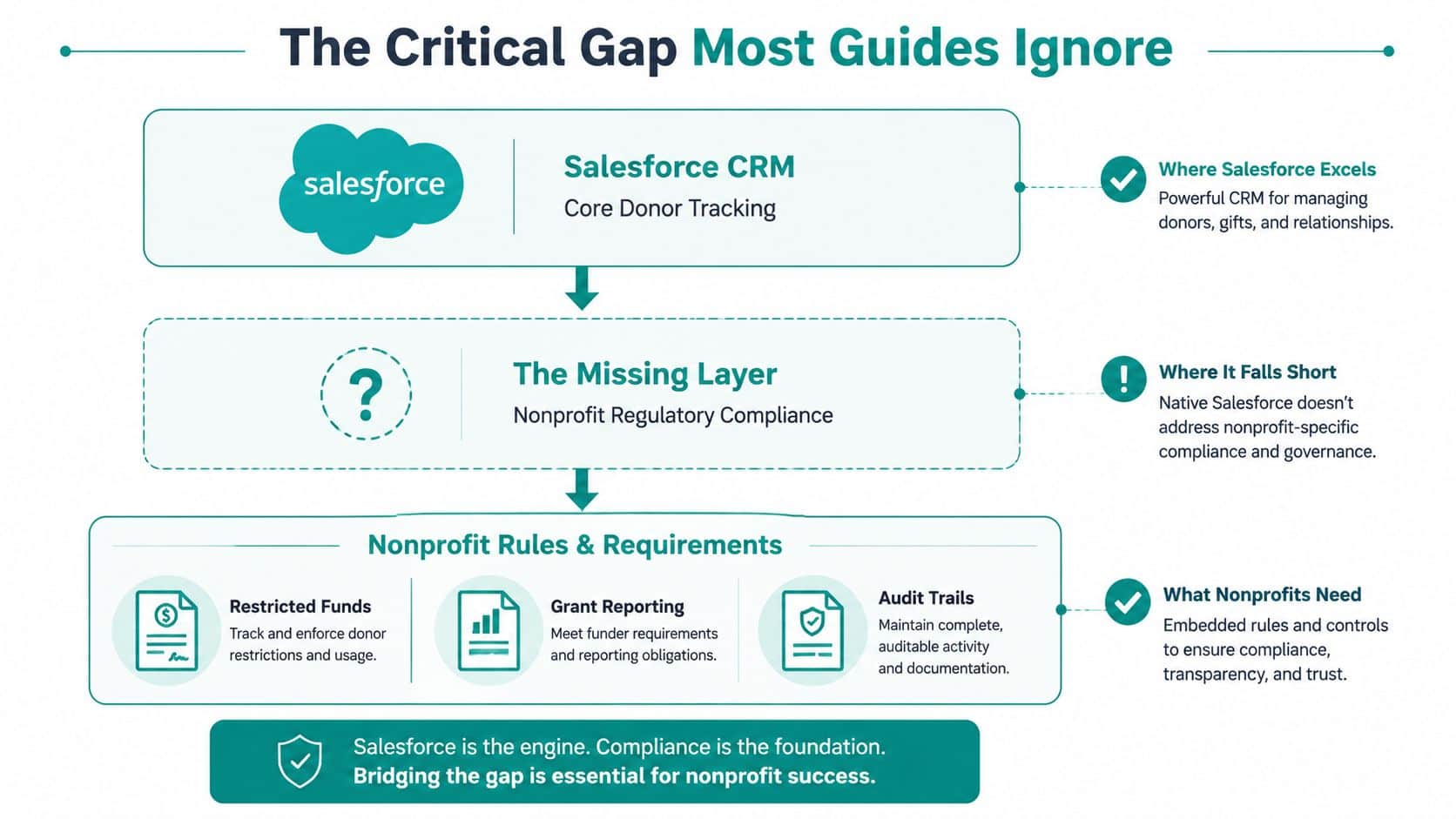
Mainstream Salesforce guidance focuses on tracking donations in Opportunity records, but it does not explain how those gifts are modeled for true fund accounting, restricted-fund reporting, or a Statement of Functional Expenses, as reflected in Salesforce Trailhead's donation management material on creating or editing donations in NPSP. That gap often leaves nonprofits needing separate accounting software.
Why this gap matters in real life
Your board doesn't just want to know what came in. They want to know what can be spent.
Your auditor doesn't just want a donor total. They want a defensible trail from donor intent to accounting treatment.
Your program leaders don't just want a campaign success report. They want to know whether restricted money is still available for the programs they promised to deliver.
Those are not edge cases. That is everyday nonprofit management.
What breaks when fundraising and accounting split apart
Here's the common pattern. Development enters the gift correctly. Finance then has to decide how it should be recorded, whether it's restricted, how it affects grant reporting, and where it belongs in the chart of accounts.
That handoff sounds manageable until volume grows, grants overlap, or a board member asks for a fund-specific report before tomorrow morning.
The pressure usually appears in a few places:
- Restricted gifts that need clear treatment beyond campaign tagging
- Grant reporting that depends on trusted balances and allowable use
- Functional expense reporting that finance must prepare outside the CRM
- Reconciliation between donation activity and bank or accounting records
- Board reporting where fundraising totals and finance totals don't match cleanly
Boardroom test: If development and finance export separate spreadsheets before every meeting, the system isn't giving you one source of truth.
Why workarounds wear teams down
A smart team can patch almost anything for a while. You can create naming conventions, custom fields, manual reconciliations, and special reports. You can also train a few trusted staff to keep the machine running.
But that isn't the same as having nonprofit accounting built into the system's core logic.
The danger isn't just inconvenience. It's that your most important controls depend on memory, workarounds, and a few people who know where the bodies are buried.
When people evaluate software, they often ask, "Can this track donations?" The sharper question is, "Can this connect donor intent to financial truth without another layer of cleanup?"
If that question is front and center for your team, this article on CRM with accounting integration is a useful next read because it gets closer to the day-to-day operating burden leaders feel.
Comparing Your Options Side-by-Side
At a practical level, you have two broad paths. You can build around Salesforce, or you can choose a system that starts with nonprofit operations already connected.
That isn't just a software preference. It changes how many tools you manage, how often your staff re-enters data, and how much time gets spent reconciling one team's truth against another's.
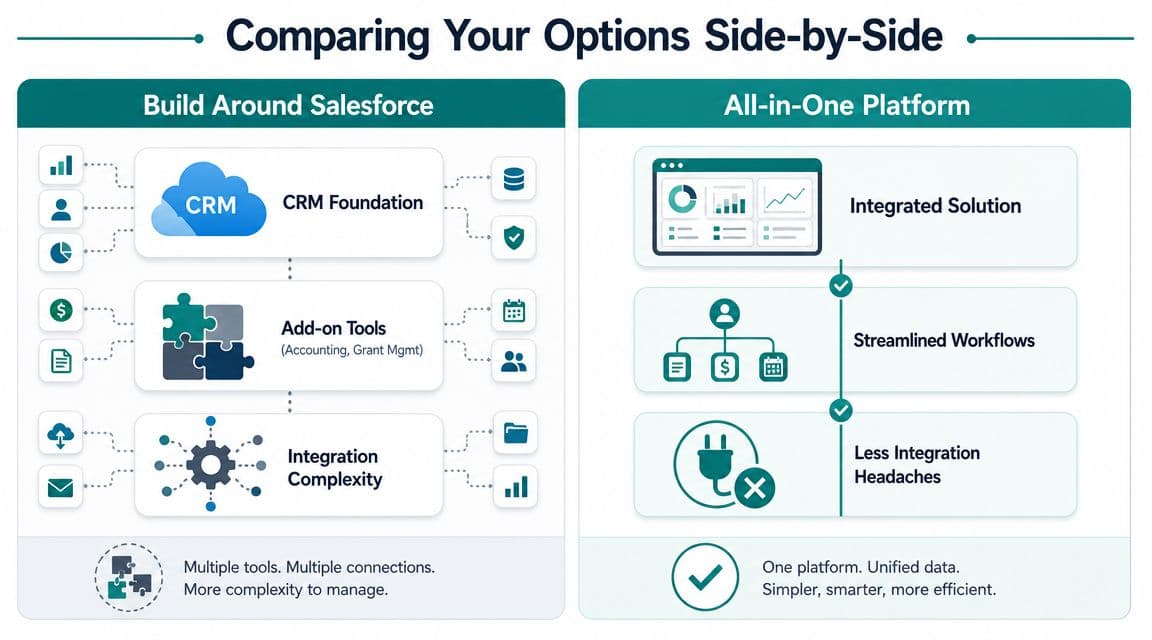
A comparative analysis from DonorPerfect notes that Salesforce often requires separate subscriptions for online forms and peer-to-peer tools, plus extra cost for services like automated card updaters, which can increase total cost and complexity compared with more all-inclusive systems, as shown in DonorPerfect's Salesforce comparison page.
Side-by-side comparison
| Area | Build around Salesforce | All-in-one nonprofit platform |
|---|---|---|
| Core strength | Donor CRM and relationship history | Shared operational record across teams |
| Donation tracking | Strong | Strong |
| Online giving | Often added through separate tools | Usually built in |
| Email marketing | Often added separately | Usually included |
| Accounting | Usually separate | Part of the same system |
| Restricted funds | Often handled outside the CRM | Native if fund accounting is built in |
| Volunteer and event data | Often separate or added later | More likely connected from the start |
| Admin burden | Higher as tools multiply | Lower if the platform fits your processes |
| Best fit | Teams that want customization and can support it | Teams that want fewer moving parts |
When the Salesforce path works well
Salesforce is a legitimate choice for organizations that have complexity, staff capacity, and patience for configuration. If your fundraising operation is mature and your organization values a highly customized CRM, the build approach can be worth it.
That's especially true when:
- You have internal admin capacity to manage fields, workflows, permissions, and reports
- Your finance stack is already settled and you don't expect one system to do both jobs
- Your leadership team accepts add-ons as part of the long-term operating model
- You need customization first and simplification second
For some nonprofits, that's the right trade. They prefer specialized tools and are willing to coordinate them.
Where the build approach starts to drag
Smaller and mid-sized nonprofits often feel the strain earlier. The issue isn't that Salesforce can't do enough. It's that getting the full operation to work can mean one platform plus a line of supporting tools.
You may end up with one system for donor records, another for forms, another for email, another for accounting, and a mix of exports to close the loop. None of those products are necessarily bad. The burden comes from how many handoffs your staff must manage.
The hidden cost of a software stack is the number of times your team has to ask, "Which report should we trust?"
What an all-in-one model changes
An all-in-one model starts from a different premise. Instead of asking which app should handle each function, it tries to keep fundraising, accounting, communications, volunteers, and events on one shared record.
That matters most when work crosses departments. A donation arrives through an online giving page. The donor should get a receipt. The gift should appear in the donor profile. Finance should see it correctly recorded. Leadership should be able to report on it without waiting for two exports and a spreadsheet cleanup.
For executive directors, this is often the deciding issue. Not feature depth in isolation, but whether staff work gets simpler after the software goes live.
If you're comparing categories rather than products, this library of nonprofit software comparisons is a useful way to frame the trade-offs before you commit to a stack.
Which Approach Is Better for You
The right answer depends less on brand and more on the shape of your organization. Team size, grant complexity, donor volume, and your tolerance for admin work matter more than most demos suggest.
Soliant makes a useful point in its Salesforce donor management discussion. For under-resourced organizations, the question is not whether Salesforce can store donation data, but whether it can reduce operational complexity, as discussed in Soliant's article on Salesforce donor management.
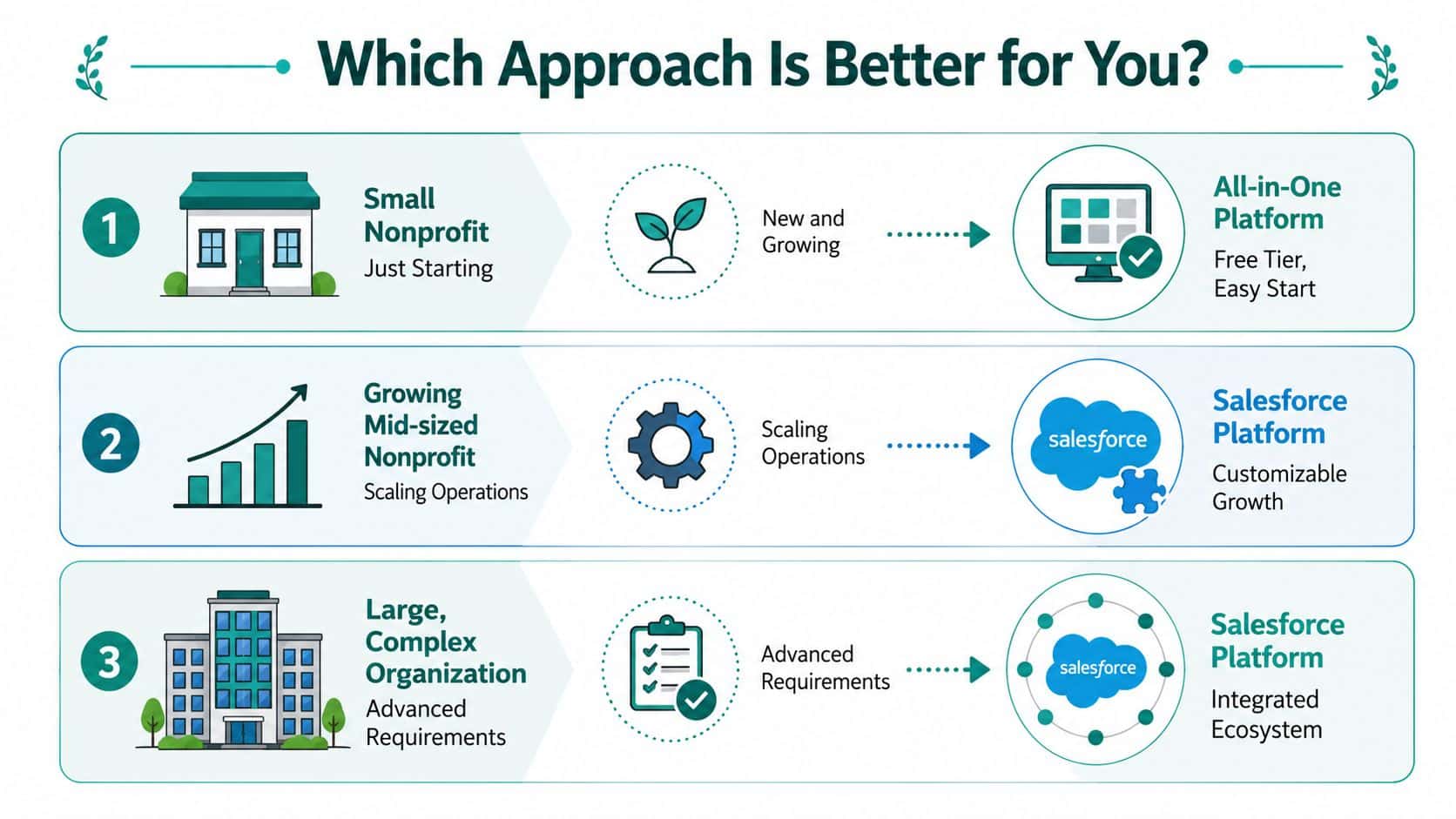
Small nonprofit just getting established
You have a few staff. Everyone wears two hats. Your donor records may still live partly in spreadsheets, and your finance process may depend on one careful person who knows where everything is.
In that situation, simplicity has real value. A system that combines fundraising and accounting usually serves you better than a customizable stack you'll need to babysit.
This is also where unlimited user access and a low-cost entry point matter. If only one or two people can afford to be in the system, the software won't change how your organization works.
Growing mid-sized nonprofit
Now, the decision gets sharper. You may now have grants, recurring donors, event revenue, volunteers, and board expectations for cleaner reports.
Salesforce can make sense here if your team wants to invest in a strong CRM foundation and is comfortable adding supporting tools around it. But this is also the stage where operational drag becomes expensive in staff time, even when the software itself looks capable.
A finance director at this stage usually wants fewer workarounds, not more.
Church, school, or fiscal sponsor
These organizations often have operational needs that plain donor tracking doesn't solve cleanly.
A church may need to track pledges, mission-restricted funds, event payments, and pastoral communications. A school may need donations, tuition-adjacent activity, events, volunteers, and development reporting. A fiscal sponsor may need clear separation across sponsored projects while still keeping leadership reporting under control.
Those are not fringe cases. They're common situations where the line between fundraising CRM and accounting gets very thin.
If your mission model depends on restrictions, designated funds, or multiple programs, the software question becomes a finance question fast.
Large organization with internal technical capacity
A larger nonprofit with a true admin team may decide Salesforce is worth the effort. If the organization already has a mature finance system, outside support, and a strategy for integrations, the flexibility can be attractive.
That path is often less about convenience and more about control. The organization chooses complexity because it wants deep customization and has the resources to support it.
For everyone else, the better question is still simpler. Will this choice reduce handoffs, or just move them into a different system?
If your next decision sits closer to finance than fundraising, this guide to nonprofit accounting software can help you evaluate the accounting side with the same seriousness people usually give the CRM side.
Making Your Decision A Simple Checklist
By the time leaders get to a software decision, they're often tired of vague promises. A short checklist works better than another feature demo.
An external analysis reports that nonprofits using Salesforce for fundraising "acquired 39% more donors and retained 31% more" on average, which points to its strength in CRM-driven donor engagement workflows, according to Cube84's article on donor retention strategies using Salesforce for nonprofit CRM.
That's meaningful. It tells you Salesforce can be strong at relationship-driven fundraising. It does not answer whether it will simplify your full operation.
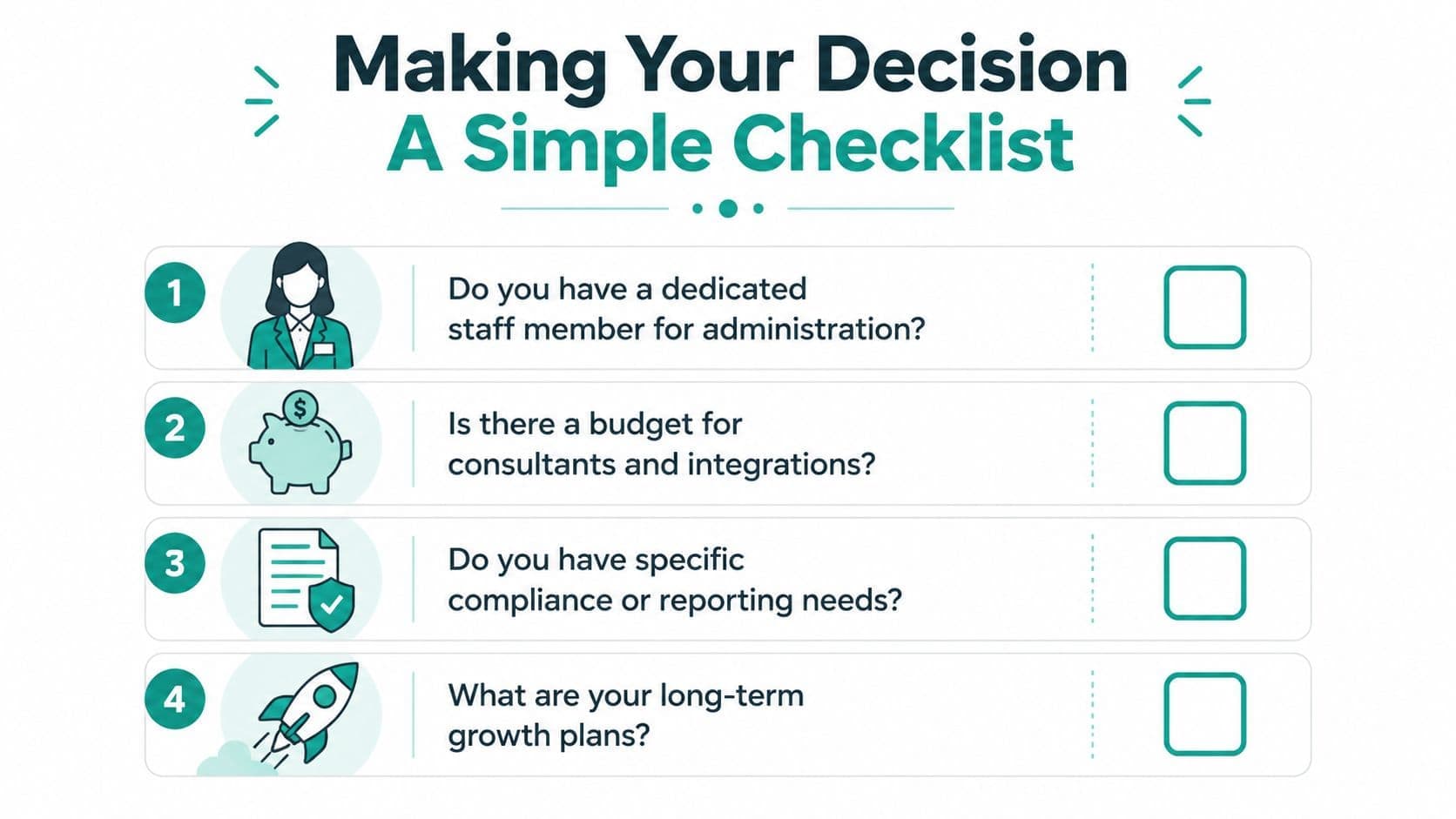
Ask these four questions
-
Who will own the system day to day If nobody on staff can manage admin tasks, configuration, and follow-up, a more assembled platform may become shelfware.
-
How many separate tools are you willing to supervise If your team already feels stretched, adding one more integration usually doesn't feel like "just one more."
-
Do fundraising and finance need to agree in real time If restricted gifts, grants, and board reporting drive your week, keep that requirement at the center.
-
Are you optimizing for flexibility or relief Those are different goals. One favors customization. The other favors fewer moving parts.
A practical next step is to map one month of work. Include gift entry, receipting, reconciliation, campaign reporting, and board prep. Then ask which path gives your team fewer handoffs.
If migration risk is part of your hesitation, this nonprofit data migration checklist can help you pressure-test the move before you commit.
If your nonprofit wants donor management without splitting fundraising from finance, AlignMint is built for that reality. We combine true fund accounting, donor CRM, volunteers, events, marketing, Minty, and plan-based user allowances (1 on Free, up to 10 on Plus, up to 25 on Pro, and unlimited on Enterprise) in one platform, with a free tier for nonprofits under $100K. If you're tired of reconciling across tools, take a look and see whether one shared system would give your team some breathing room.
Ready to see how AlignMint fits your workflow?
Schedule a free walkthrough — we will help you map donors, funds, and migration steps.