
Best Accounting Software Nonprofit: Your Director's Guide
Quick Answer: Best Accounting Software Nonprofit: Your Director's Guide
The best accounting software nonprofit teams can choose depends on complexity. Simple organizations may be fine with a basic accounting tool, but nonprofits managing restricted funds, grants, programs, donors, volunteers, and board reporting need software built around fund accounting and connected operations.
You're probably reading this because your finance process feels harder than it should. The numbers exist, but they live in spreadsheets, your donor system, email threads, and someone's memory. By the time the board asks a simple question, your team is already tired.
That isn't a sign your staff is weak. It's a sign your tools weren't built for nonprofit reality. This guide gives you a plain-English answer to the accounting software nonprofit question, with clear recommendations and no software theater.
Your Guide to Financial Clarity and Confidence
Monday morning. Your board chair wants a clean cash update before noon. A program lead needs to know what is left in a grant. Development is working from donor data that does not match finance. Your numbers exist, but they are scattered across spreadsheets, inboxes, and separate systems that do not agree with each other.
That setup is common. In a 2024/2025 research summary covered by Nonprofit Pro, 61% of nonprofits reported still relying on generic spreadsheets for financial work.
Weak accounting features are only part of the problem; the deeper issue is operational chaos. Finance, development, programs, and leadership all end up pulling from different records, then wasting time arguing over which version is right. An all-in-one platform fixes more than bookkeeping. It gives you one place to track money, restrictions, grants, contacts, and reporting logic so your team can stop reconciling the same story in four different tools.
What good software should change for you
Good nonprofit software should change the workday in three practical ways:
- Answers should come fast: You should be able to check grant balances, program spending, and available cash without building a custom spreadsheet first.
- Compliance should be built into the process: Restrictions, approvals, and reporting support should live in the system, not in someone's memory.
- Operations should stop duplicating effort: Your team should not enter gifts in one tool, expenses in another, and then spend month-end trying to make them match.
One test matters more than any feature checklist. If a board member asks a basic financial question, can your team answer it confidently the same day?
If not, your software is costing you time, trust, and focus.
My direct advice
Use a basic small-business system only if your organization is simple. If you have a small staff, limited restrictions, and straightforward reporting, QuickBooks can work for a while.
But if you manage multiple grants, restricted funds, programs, departments, or entities, stop patching together workarounds. Buy software built for nonprofit accounting and connected operations from the start. You will get cleaner reporting, fewer manual reconciliations, and a finance function that supports decisions instead of slowing them down.
If you want a clearer grounding in the structure behind that decision, read this guide to fund accounting for nonprofits.
Beyond Profit and Loss Understanding Fund Accounting
Profit and loss is a business lens. Fund accounting is a stewardship lens. That difference is where many nonprofit software decisions go wrong.
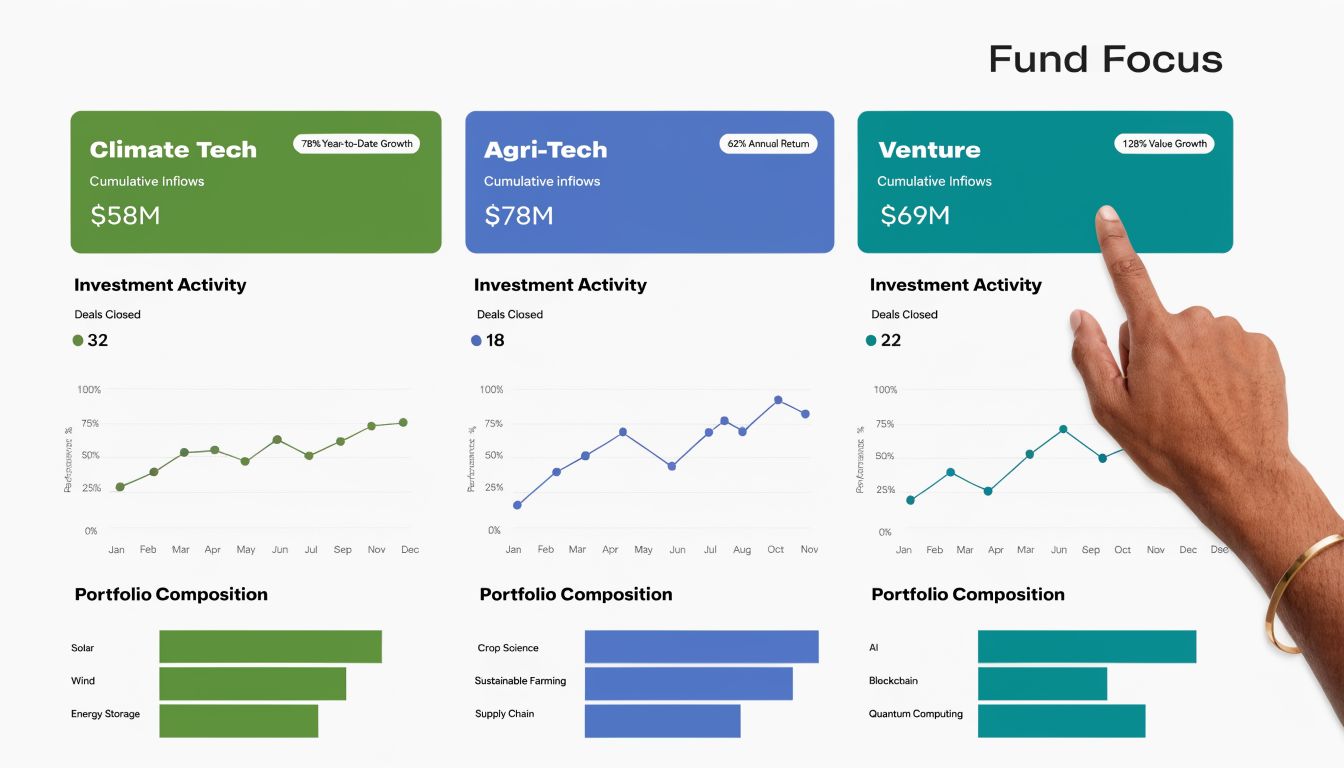
Think of your money as a set of labeled envelopes. One envelope is general operating support. Another is for a youth program. Another is a grant that can only pay for approved expenses. The total cash in your bank may look healthy, but if most of it sits in labeled envelopes, you can't spend it freely.
That's why nonprofit accounting software must show more than total revenue and total expense. It must preserve the purpose attached to each dollar.
Why classes are not the same as true fund accounting
This is the part many vendors gloss over. General business tools often let you patch together nonprofit reporting with classes, tags, or custom reports. That can work for a while. It also creates manual checking, staff dependency, and more room for mistakes.
Recent guidance on nonprofit accounting stresses that organizations need to track whether donations are restricted or unrestricted and tag income and expenses to specific grants, yet many articles still don't explain how teams get real-time grant balances without manual reconciliation, as noted in Wise's nonprofit accounting guide on restricted and unrestricted tracking.
If a system can't tell you, in real time, what remains in a restricted grant, you're not really controlling fund accounting. You're reconstructing it after the fact.
What true fund accounting looks like
A purpose-built nonprofit system should let you:
- Record restrictions at entry: Gifts should be coded to the right fund when they come in.
- Tag spending to purpose: Expenses should connect to the related program, grant, or department.
- Report by fund without rebuilding data: You should be able to pull fund statements directly from the ledger.
- See restricted balances clearly: Finance and leadership should know what is committed and what is available.
If you want a plain-language breakdown, our guide to fund accounting for nonprofits explains the operational side in more detail.
Simple test: If your bookkeeper exports data to Excel before every board packet, your software is still asking your team to do the real accounting work.
From Grant Tracking to Form 990 Readiness
Directors don't buy software because they love ledgers. They buy it because they want reporting stress to stop. That's the practical value of getting fund accounting right.
When your system captures the right coding at the moment a transaction is entered, reporting gets much easier later. You stop rebuilding grant reports by hand. You stop asking whether payroll was split correctly. You stop dreading tax season and audit prep.
The architecture that actually solves this
For nonprofits with several restricted funds or grants, the key requirement is a multi-dimensional general ledger. A nonprofit software comparison focused on Microsoft Dynamics 365 Business Central explains that when each transaction is coded to fund, grant, and program at entry, the system can generate consolidated reports without manual reclassification and answer questions like how much restricted grant balance remains in real time, as described in this overview of dimensional nonprofit accounting.
If the coding happens at the end of the month, your reporting will always lag behind your decisions.
What that means day to day
A stronger accounting software nonprofit setup should help you produce:
- Grant expenditure summaries: You should be able to show what was spent, what remains, and what costs were charged.
- Functional expense reporting: Program, management, and fundraising allocations should come from the operational ledger, not a side spreadsheet.
- Board-ready financials: Your leadership packet should be generated from the system you already use, not assembled by hand.
- Form 990 support: Your records should line up cleanly enough that preparation is organized instead of frantic.
For directors, the win is confidence. You're no longer saying, "Let me get back to you after finance checks three files." You can answer with clarity because the structure of the software supports the answer.
If your next filing cycle is already on your mind, this Form 990 checklist for nonprofits is a practical companion to your software review.
Connecting Finance to Your Mission's Heartbeat
Accounting should not sit in a back room, disconnected from fundraising, volunteers, events, and communications. That separation creates extra work and weaker decisions.
When finance lives apart from operations, your staff starts doing translation work all day. Development exports donation records. Programs explain expenses after the fact. Finance reconciles records that should have matched from the start.

Keep donor and finance records connected
Your donor history should inform your financial records. If a gift is restricted, pledged to a campaign, or tied to an event, that context matters in accounting. It also matters when a donor calls with a question.
All-in-one nonprofit systems become much more practical than they first appear for this reason. When donor CRM and accounting live together, the gift, receipt, restriction, and reporting trail stays connected. That reduces duplicate data entry and cuts down on avoidable errors.
Make volunteer activity part of your reporting story
Volunteer management often sits in a separate tool, or nowhere formal at all. That's a mistake. Volunteer hours, skills, schedules, and program assignments help explain impact, especially for schools, churches, and community-based nonprofits.
If a volunteer coordinator and finance lead are looking at different systems with different labels, your program story gets weaker. A connected platform gives both teams one shared record of what happened.
Your finance records should explain your mission activity, not just your bank balance.
The controls still matter
None of this works if the accounting side is loose. Current nonprofit software puts real emphasis on audit trails, role-based security, automated allocations, and bank-feed reconciliation because those controls directly reduce risk. GoGravity's overview of fund accounting software explains that automating the coding of transactions to funds and grants lowers manual errors, reduces the chance of misspent restricted dollars, and creates a defensible audit trail from source transaction to statement, as outlined in this guide to fund accounting controls.
Here's what I'd want in one system:
- Donor management tied to accounting: Gifts, pledges, receipts, and restrictions should live in one record.
- Volunteer management with program links: Hours and activities should connect to the programs they support.
- Marketing tools in the same platform: Appeals, online giving pages, event promotions, and follow-up should pull from the same data.
- Team communication with shared visibility: Program, development, and finance staff should see what they need without seat-count penalties shaping access.
That last point matters more than many directors realize. If every extra user costs more, people get left out. Then finance becomes the bottleneck again.
Choosing Your Software Point Solutions vs All-in-One
It usually breaks the same way. Finance closes the month in one system, development exports donor data from another, programs keep participation records somewhere else, and your team burns a day arguing about which report is right. That is the actual software decision. You are choosing between a stack your staff has to babysit and a platform that keeps the organization on one shared record.
The point-solution path
Point solutions can work. QuickBooks is familiar. Aplos often appeals to smaller nonprofits. Sage Intacct fits finance teams with heavier reporting needs. Blackbaud Financial Edge NXT is built for organizations that need stronger controls and more advanced reporting.
The trouble starts outside the general ledger. Once accounting lives in one tool, donors in another, volunteers in another, events in another, and email in another, your staff becomes the integration layer. They re-enter gifts, clean up imports, fix coding mistakes, and explain why one department's numbers never match another's.
Accounting Seed makes this point well in its analysis of nonprofit software fragmentation. The software itself is only part of the problem. The bigger issue is operational chaos created by duplicate records and disconnected workflows across finance, fundraising, and programs.
The all-in-one path
An all-in-one system earns its keep when you are tired of chasing the same transaction through five systems.
Here is the tradeoff:
| Approach | What you gain | What you give up |
|---|---|---|
| Point solutions | Deep features in one area, familiar tools, more vendor choice | More imports, more reconciliation, more handoffs, more chances for mismatched data |
| All-in-one | One record across departments, simpler reporting, fewer duplicate tasks, better visibility for the whole team | Less freedom to swap tools for every function |
I recommend all-in-one software sooner than many nonprofits think they need it. If your accounting system cannot easily connect gifts, restrictions, expenses, communications, and program activity, leadership never gets a clean view of what is happening. You get fragments instead of answers.
My recommendation by organization type
- Very small nonprofit with simple books: Choose software your team can maintain without outside rescue. Aplos is often positioned for smaller organizations, and its 2025 nonprofit accounting software guide focuses on fund accounting, ease of use, and affordability.
- Growing nonprofit with grants and board pressure: Get out of basic business accounting earlier. Waiting usually means a messier migration later.
- Multi-program, church, school, or fiscal sponsor structure: Pick software that handles funds, grants, departments, programs, and entities inside the core system.
- Team frustrated by disconnected tools: Stop chasing best-of-breed. Choose one platform and reduce the handoffs.
That is why finance leaders spend so much time choosing financial platforms for scalability. The goal is not trend-chasing. The goal is avoiding a software setup that forces another migration right when your organization is growing.
If you want to see what that model looks like in practice, all-in-one nonprofit management software can combine fund accounting, donor CRM, volunteer management, events, marketing, AI assistance, and unlimited users in one platform. That structure is often a better fit for nonprofits that are tired of reconciling across tools.
Your Practical Vendor Selection Checklist
Most demos are polished. That doesn't mean the product will solve your problem. The only way to cut through software marketing is to make vendors show real workflows using nonprofit scenarios.
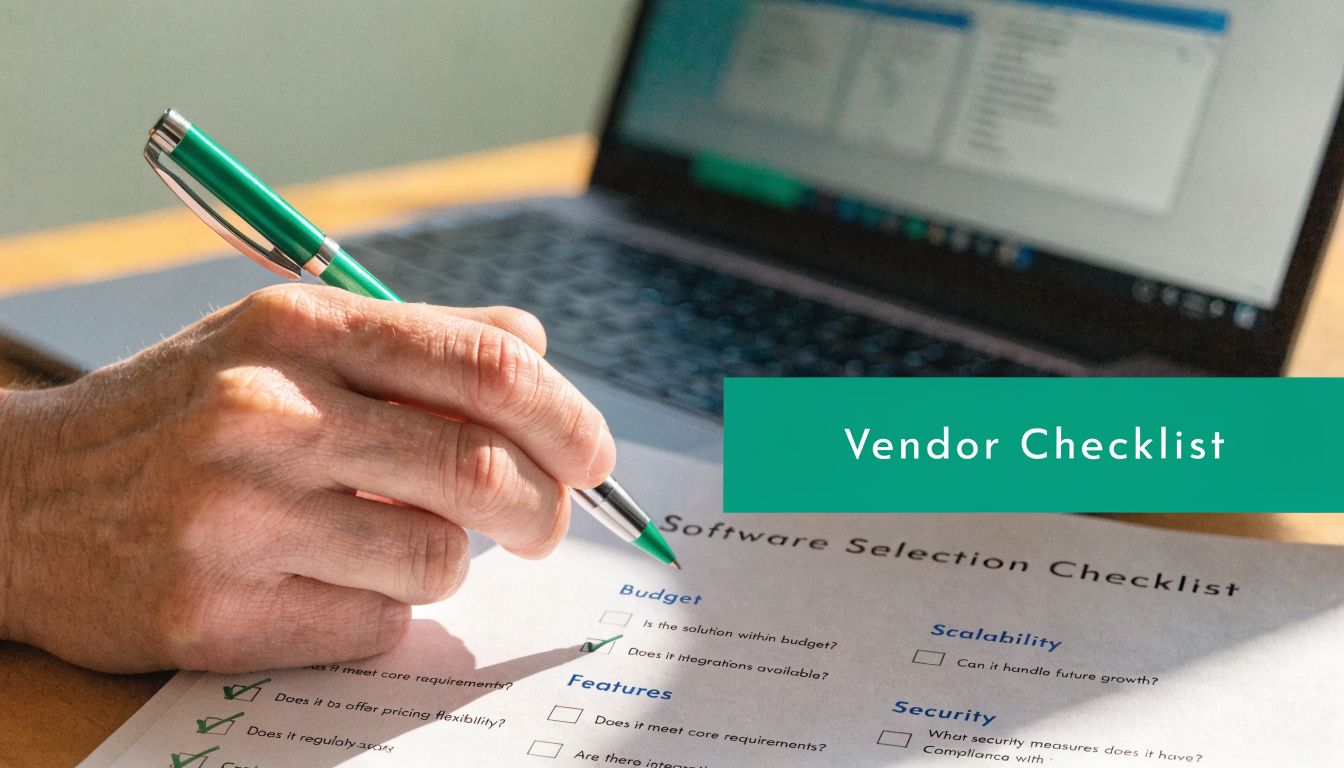
Questions that force a real demo
Ask these in the meeting, not afterward by email:
- Show restricted money from gift to expense: Ask them to enter a restricted donation, spend against it, and show the remaining balance.
- Run a grant report live: Don't accept screenshots. Ask for current spending and remaining budget by grant.
- Generate a functional expense statement: You want to see whether the system handles allocations inside the ledger.
- Show approval history: Ask where the audit trail lives for edits, approvals, and user actions.
- Demonstrate bank reconciliation: You need to know whether cash activity stays current without side work.
- Show donor and accounting connection: If someone gives online, where do the receipt, donor record, restriction, and ledger entry appear?
- Ask about volunteers and events: If those matter to your mission, make them show the actual workflow.
- Clarify pricing: Ask whether users, modules, or support tiers increase cost later.
My rule in demos: If they can't show it live, I assume my staff will be doing it manually.
Implementation questions that save pain later
A good product can still fail with a sloppy setup. Ask these before signing:
- How will data be cleaned before import? Old donor records, duplicate funds, and messy charts of accounts will follow you into the new system.
- Can we run in parallel for a short period? That gives your team a way to compare outputs before fully switching.
- Who on our side must own the project? If nobody owns decisions, implementation drifts.
- How are roles and permissions set up? Directors need visibility without exposing every function to every user.
For preparation work, a nonprofit data migration checklist will keep your team focused on the pieces that usually get missed.
What to watch for during selection
Some warning signs are simple:
- Too much talk about customization: That often means the base product doesn't fit nonprofits well.
- Heavy reliance on exports: If the answer starts with "you can always export to Excel," stop there.
- Separate answers for each department: If accounting, fundraising, and programs all need different systems, you're buying future reconciliation work.
The better vendor conversations feel boring in the best way. Clear answers. Real workflows. No magic.
The Right Tools Give You Time for Your Mission
The best accounting software nonprofit choice is the one that reduces rework, strengthens reporting, and lets your staff focus on people instead of patching systems together.
If your organization is simple, start simple. If your organization already has multiple funds, grants, departments, or reporting demands, don't pretend a workaround is a strategy. Buy software that respects nonprofit accounting from day one.
The biggest mistake I see is treating accounting as a standalone purchase. It isn't. It affects donor management, volunteer tracking, events, online giving, team communication, and the credibility of every report you hand to your board.
If you're also thinking about how better tools can answer questions faster, our article on AI in nonprofit accounting is worth a read.
The goal is simple. Fewer exports. Fewer hand fixes. More confidence. More time for the mission.
If you want one place to manage nonprofit accounting, donor CRM, volunteers, events, marketing, and AI-assisted reporting, take a look at Alignmint. We built it for nonprofit leaders who are tired of spreadsheets, disconnected tools, and software that makes simple reporting feel harder than it should.
Ready for One Clearer Nonprofit System
If you want accounting, donors, volunteers, events, marketing, and reporting in one place, Alignmint was built for that kind of day-to-day nonprofit work.
Ready to see how Alignmint works for your nonprofit?
Schedule a free walkthrough - we'll set everything up for you.