

QuickBooks Nonprofit Software: Features, Gaps & Alternatives
Comparison data as of May 2026. Features and pricing may change.
For related tools, see AlignMint features.
Quick Answer: QuickBooks Nonprofit Software: Features, Gaps & Alternatives
QuickBooks nonprofit software is best understood as a general accounting system that nonprofits can configure with classes, custom fields, reports, and outside tools. It can work for simpler teams, but it does not replace nonprofit-native fund accounting, connected donor records, grant tracking, volunteer management, events, and marketing in one system.
If you're staring at QuickBooks before a board meeting and still can't answer one simple question, how much is left in a restricted grant, you're not the problem. The software decision is. Many nonprofit leaders end up forcing a general accounting tool to act like nonprofit software, then paying for that choice in staff time, extra subscriptions, and audit stress.
The good news is that quickbooks nonprofit software can be a workable starting point for some organizations. The harder truth is that many teams outgrow the workaround model long before they admit it. What matters is knowing where QuickBooks helps, where it creates hidden operational cost, and when a nonprofit-specific platform makes life easier.
Your Guide to Choosing the Right Financial Tools
You know the scene. The board packet is due. Your bookkeeper has one report open in QuickBooks, another in Excel, and a third pulled from your donor system. Someone asks for a clean view of restricted revenue, program expenses, and what remains available. The room gets quiet while files are searched.
That moment is why software choices matter. Financial systems should reduce decision fatigue, not create more of it. If you're spending leadership time translating reports instead of using them, the tool is shaping your work in the wrong way.
For many executive directors, QuickBooks was the first serious step beyond spreadsheets. That's understandable. It's familiar, many accountants know it, and it often gets installed before a nonprofit has time to think through fund accounting, donor records, and grant reporting as one connected process.
Practical rule: If your finance process depends on staff memory, side spreadsheets, and manual report tweaks, your software isn't giving you enough structure.
A better decision starts by separating brand familiarity from operational fit. If you want a broader view of what nonprofit finance tools should handle, our guide to nonprofit accounting software is a useful place to compare categories before you compare vendors.
What QuickBooks Nonprofit Software Actually Includes
To be fair, QuickBooks is popular for a reason. By 2023, over 80% of small to mid-sized nonprofits with budgets under $5 million reported using QuickBooks in some form, according to surveys cited by Complete Balance CPA, and much of that adoption came from class tracking, which lets teams segment transactions by program or fund in this QuickBooks for nonprofits overview.
What it does well
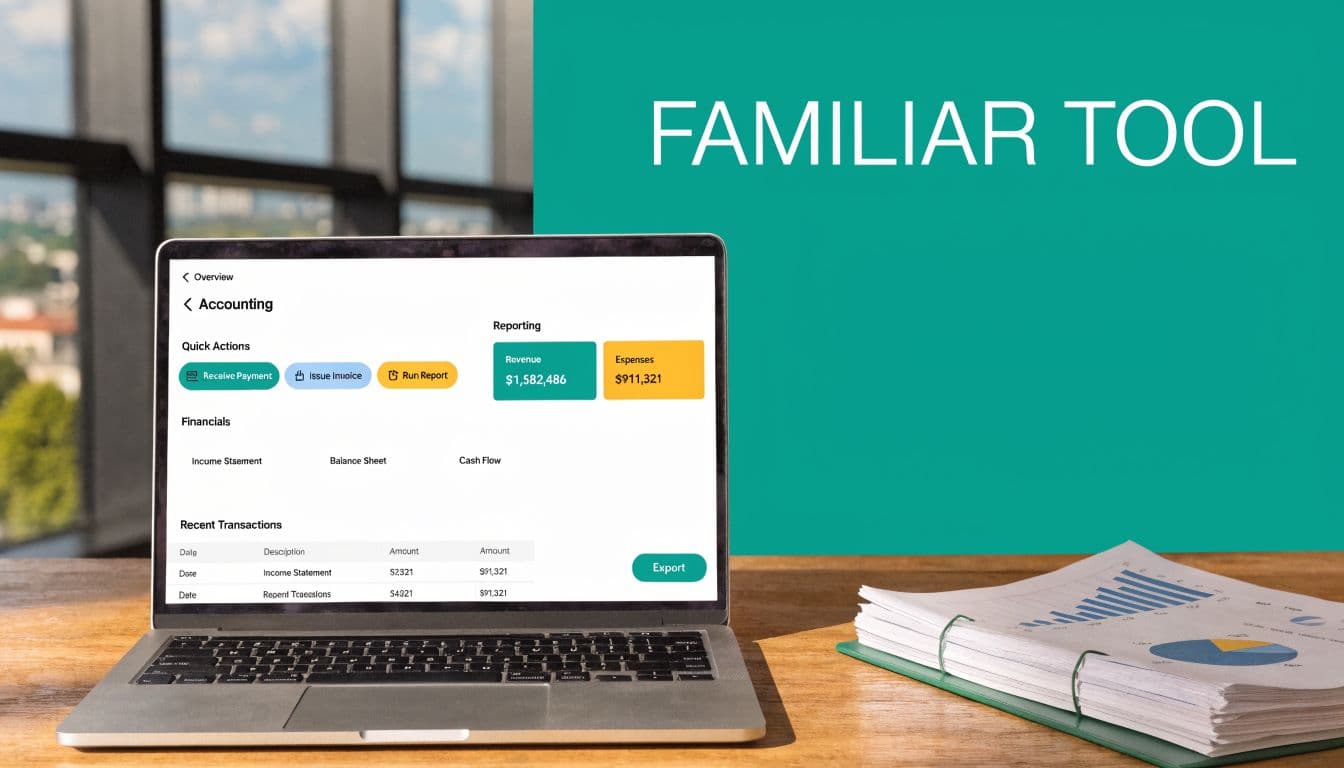
QuickBooks Online gives you solid core accounting functions. You can record income and expenses, connect bank feeds, reconcile accounts, build budgets, and produce standard financial statements. For a new or simpler nonprofit, that alone can be a meaningful improvement over spreadsheet bookkeeping.
The feature that matters most in nonprofit use is Class tracking. Teams often set up classes for programs, grants, or fund categories. That lets you tag transactions and then run reports such as Profit & Loss by Class to get a program-level view of activity.
QuickBooks also fits a common staffing reality. Outside accountants, fractional controllers, and finance committee members often already understand it. That lowers the learning curve when you're trying to keep things moving with a small team.
How nonprofits usually configure it
QuickBooks isn't nonprofit-native, so setup matters. Many teams create a nonprofit chart of accounts using UCOA-style numbering, including contribution accounts in the 4000-4999 range and separate expense ranges for program, management and general, and fundraising. They may also add custom fields for grant IDs and use monthly journal entries to allocate shared costs.
A practical setup often includes:
- Program classes: Track activity by program area or site.
- Grant identifiers: Add custom fields so staff can filter transactions tied to a grant.
- Allocation entries: Split salaries, occupancy, or shared costs across functions.
- Board reporting formats: Rename and customize reports so they resemble nonprofit statements.
That setup can work. It just needs discipline.
QuickBooks helps most when your organization needs accounting first, and nonprofit structure second.
If you're comparing plans, setup choices, and nonprofit-specific report options, our article on QuickBooks Online for nonprofits can help you sort through what belongs in the system and what still ends up outside it.
Where it starts to show strain
QuickBooks gives you a framework for tracking activity. It does not automatically give you nonprofit logic. That's the key distinction. When leaders say, "We use QuickBooks for nonprofit accounting," what they often mean is, "We configured a business accounting system carefully enough to support nonprofit reporting."
That can be perfectly reasonable for the right organization. It just shouldn't be mistaken for the same thing as true fund accounting.
Where QuickBooks Creates More Work for Your Team
The hidden cost of QuickBooks usually isn't the subscription. It's the labor around it. The software may look affordable at first glance, but the manual handling around restricted funds, donor records, grant reporting, and audit prep adds up quickly in real staff hours.
Fund accounting is still a workaround
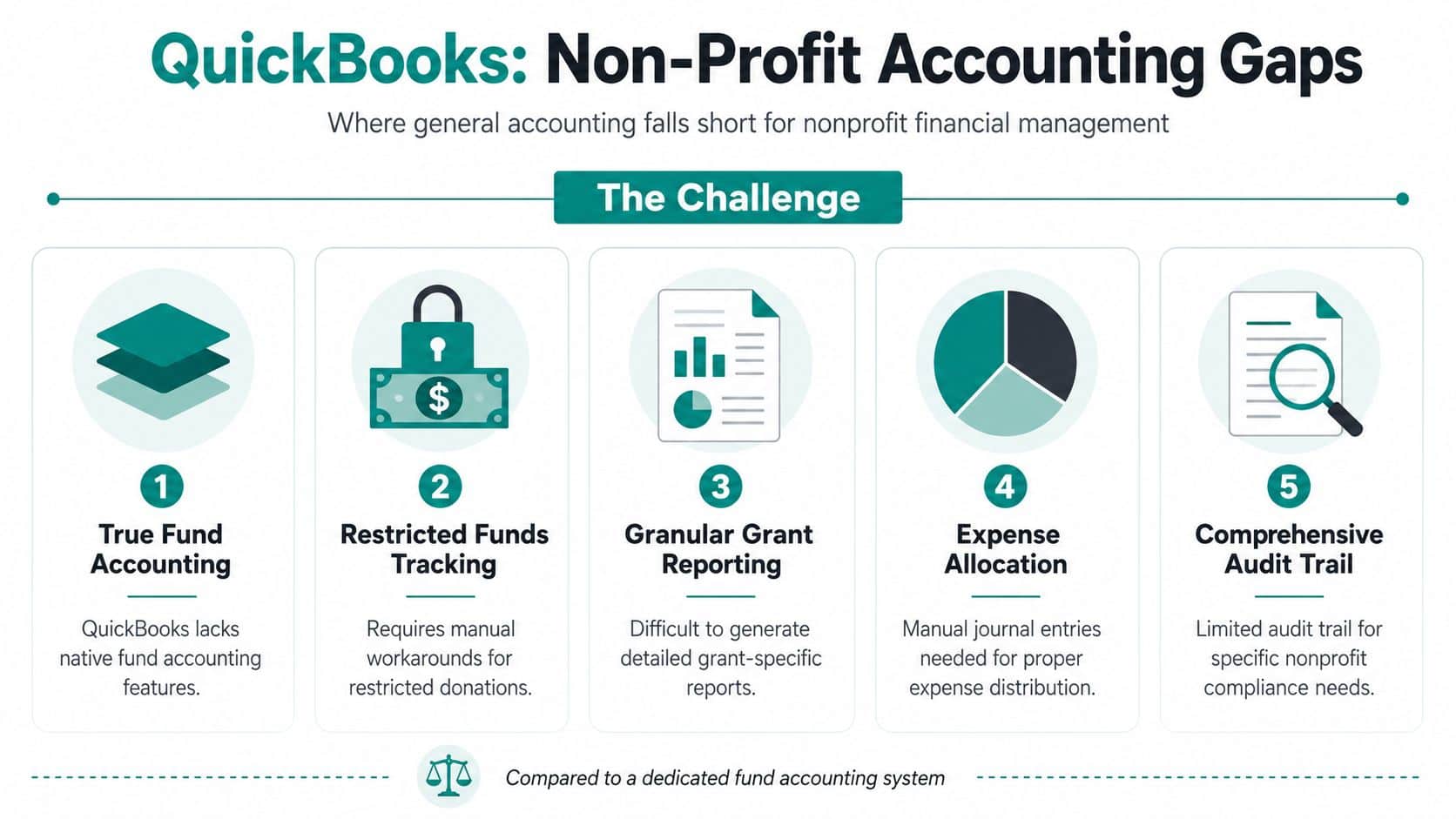
The biggest issue is structural. QuickBooks doesn't provide native fund accounting. Users have to configure Class tracking and customize Balance Sheet by Class reports to see fund balances, and that workaround does not enforce restrictions at the transaction level, as described by Wiss in its review of QuickBooks for nonprofits.
That matters in plain terms. A class can label a transaction after the fact. It doesn't automatically stop someone from charging an expense to money that shouldn't be used that way. It also means real-time fund balance visibility depends on report setup being right, every time.
Finance and fundraising stay split apart
A second problem is the wall between accounting and donor management. QuickBooks can hold a donor list in a basic way, but it doesn't include integrated CRM capability. It also becomes operationally unwieldy for nonprofits managing more than 15 simultaneous grants, because reporting depends on manual filtering instead of automated drawdown tracking, according to Aplos in this guide to QuickBooks for nonprofits and comparisons.
When donor data lives in one tool and financial truth lives in another, staff spend time reconciling records instead of serving supporters. That often leads to questions like these:
- Did this donor's pledge get entered in the CRM but not reflected in finance yet
- Did the event revenue import correctly
- Is this grant expense coded for accounting but missing from the grant tracker
- Did receipting happen in one system while the deposit was adjusted in another
Those aren't software features. They're extra jobs your team now owns.
If your development director and finance lead can't pull from the same record set, reporting drift is almost guaranteed.
The extra work shows up everywhere
QuickBooks can be made to support nonprofit reporting, but each layer usually requires another process. Functional expense allocations often need recurring journal entries. Grant tracking may depend on custom fields and filtered reports. Volunteer records live somewhere else. Event registration and marketing often sit in separate products again.
That is where an all-in-one nonprofit platform starts to change the daily picture. Tools like Blackbaud, Aplos, and other nonprofit-focused systems aim to close some of those gaps in different ways. AlignMint's church fund accounting guide is a useful example of how this issue appears in ministry settings where designated giving and program restrictions are common. In that same category, AlignMint combines accounting, donor CRM, volunteers, events, and marketing in one platform, with native fund accounting rather than class-based workaround tracking.
QuickBooks Workarounds vs. An All-in-One Solution
| Nonprofit Need | QuickBooks Approach (Manual Workaround) | AlignMint Approach (Built-in Feature) |
|---|---|---|
| Restricted fund tracking | Set up classes and custom reports | Funds modeled natively in accounting |
| Grant reporting | Filter by class or custom field | Grant records tied directly to transactions |
| Donor management | Keep a separate CRM or basic donor list | Donor history and finance records in one system |
| Volunteer management | Use another tool or spreadsheets | Volunteer records managed inside the platform |
| Functional expense reporting | Build allocations through journal entries | Reporting generated from nonprofit-specific structure |
| Events and marketing | Add separate event and email tools | Event, giving, and marketing tools together |
| Team access | Plan limits may shape user setup | Plan-based user allowances (1 on Free, up to 10 on Plus, up to 25 on Pro, and unlimited on Enterprise) |
None of this means QuickBooks is a bad product. It means your team may be carrying nonprofit complexity that the software doesn't absorb for you.
When to Choose QuickBooks or an All-in-One Platform
Two software choices can carry the same subscription price and still cost your nonprofit very different amounts to run.
I have seen teams keep QuickBooks because the monthly fee looked manageable, then spend that savings on staff time, connector apps, spreadsheet checks, and year-end cleanup. That is the real comparison. The question is not only whether QuickBooks can record transactions. The question is whether your team can afford the operational drag of making a general business tool behave like nonprofit software.
QuickBooks can still be the right call
QuickBooks fits some organizations well. A small nonprofit with straightforward donations, limited restrictions, and a finance lead who understands the setup can run cleanly for a while. If development, programs, and finance do not need to share much data day to day, separate systems may be tolerable.
That usually looks like this:
- A simple chart of accounts and few restrictions: Staff can track what matters without building many special processes.
- Limited audit complexity: Support for schedules and reconciliations stays manageable during close and year-end review.
- Low system sprawl: You are not paying for multiple integrations just to connect donors, events, and accounting.
- A team comfortable with manual controls: People know where to look, what to export, and how to verify reports before they go to leadership.
In that situation, QuickBooks can be a practical hold decision.
The real tipping point is total operating cost
The case for switching usually shows up before finance says, "we need new accounting software." It starts when staff members spend too much time translating between systems. A gift comes in through one tool, gets acknowledged in another, lands in QuickBooks through an app, and then someone checks whether the restriction, campaign, and deposit all match. Nothing is broken in a dramatic way. The team is just doing extra work every week.
That extra work has a price:
- Staff time: Re-entry, export cleanup, and cross-checking consume hours that should go to donors, programs, or close.
- Integration fees: Add-on tools and sync products often turn a low base price into a much higher annual software bill.
- Training burden: New employees have to learn not just one system, but your workaround method for keeping several tools aligned.
- Audit risk: The more handoffs and manual adjustments you use, the more likely it is that balances, restrictions, or functional allocations need explanation later.
That is often the point where an all-in-one platform starts making financial sense, even if the sticker price is higher.
Choose based on how your nonprofit actually runs
Stay with QuickBooks if finance is your main software need and the rest of the organization can work without tight operational connection.
Choose an all-in-one system if your nonprofit depends on coordinated work across fundraising, finance, programs, and administration. For a fuller picture of what that model includes, see this guide to all-in-one nonprofit management software.
A move away from QuickBooks usually makes sense if any of these are true:
- Your board expects fast, plain-English reporting: Staff should not need to rebuild reports every month to answer basic questions.
- Restricted gifts and grants drive decision-making: Current balances need to be visible without custom report gymnastics.
- Events, donors, and deposits need to reconcile cleanly: Revenue tracking should not depend on several systems lining up perfectly.
- Volunteers are part of service delivery: Hours, roles, and communication affect operations and belong in the same working system.
- Your team is paying for workarounds already: Separate CRM, event, email, and sync tools can erase the savings of a lower accounting subscription.
The same evaluation logic applies in adjacent software categories too. This outside piece on choosing the right CRM for UK businesses is useful because it asks the right practical question: does the system fit the way your team works, or are you forcing your process to fit the software?
Good software lowers coordination cost. It shortens month-end close, reduces reconciliation work, and gives leaders clearer answers with less staff effort. That is usually the dividing line between keeping QuickBooks and replacing it.
Considering a Move from QuickBooks Desktop or Online
Many nonprofits are facing this choice under pressure, not on a comfortable timeline. If you've used QuickBooks Desktop for years, the conversation is no longer just about preference.

Desktop users now have a forced decision
In mid-2024, Intuit discontinued QuickBooks Desktop for Nonprofits, which means affected organizations have to migrate, and groups with years of historical data face real difficulty because moving complex fund structures into QuickBooks Online can create data corruption risk and major workflow changes, as outlined in Mighty Nonprofits' article on why QuickBooks Online is now the only option for nonprofits and how to transition smoothly.
For leaders, that means this isn't a routine software refresh. It is a moment to ask whether you want to carry your old workaround model into a new interface, or whether this is the right time to adopt software built for nonprofit accounting from the start.
Treat migration like a redesign, not a copy job
The biggest mistake is assuming every old list, class, custom report, and donor record should move over exactly as is. Desktop systems often contain years of layered habits. Some of those habits made sense in the moment. Some now exist only because the old system couldn't handle the job directly.
Before any move, review these items:
- Fund structure: Which classes, accounts, and restrictions still reflect how you operate now.
- Grant history: Which active and historical grants need clean reporting after migration.
- Donor records: Whether finance and donor systems should remain separate.
- Custom reports: Which board and audit reports are required every cycle.
- Connected tools: Payroll, giving forms, event systems, and CRM links that may break or duplicate work.
Migrating bad structure into a new system only gives you newer confusion.
Online users should evaluate too
Even if you're already in QuickBooks Online, this is still worth reviewing. A move to any new system takes energy, and leaders should spend that energy once if possible. If your team is still maintaining donor records elsewhere, tracking volunteers in spreadsheets, and building grant views manually, it may be time to choose a platform that reduces those dependencies rather than preserving them.
The strongest migrations start with one question: what should your staff stop doing by hand after the move?
An Evaluation Checklist for Your Next Software
Software demos often focus on dashboards and price. That isn't enough. The critical question is whether the system removes recurring work from your team or merely gives that work a new screen.
A practical review should look at total operational cost, not just monthly subscription cost. That matters because QuickBooks can appear affordable while still requiring substantial staff time for reconciliation and Form 990 preparation, a burden noted in Tech.co's discussion of QuickBooks for nonprofits.
Ask the questions that expose hidden cost
Use this checklist in every demo. If the vendor can't answer plainly, that's useful information.
-
How does the system handle restricted funds
Ask whether restrictions exist natively in the accounting structure, or whether staff must mimic fund accounting through tags, classes, or report filters.
-
Can finance and donor records live in one place
If donations, receipting, pledges, and bank reconciliation sit in separate tools, your team will keep reconciling by hand.
-
What essential features require another subscription
Check for donor CRM, volunteer management, events, email marketing, online giving pages, and team communication. Add-on pricing changes the actual cost quickly.
-
What does reporting look like without spreadsheet cleanup
Ask to see board-ready financials, grant reporting, and functional expense reporting as they would appear in routine use.
-
How many users can access the system without extra seat fees
This affects collaboration across finance, development, operations, and program staff.
-
What happens during audit prep
Ask where documents live, how transactions are traced, and whether staff can produce support without chasing files across shared drives.
Look beyond accounting alone
For many organizations, the right software decision touches more than finance. Donors, volunteers, school programs, church giving, fiscal sponsorship reporting, and staff communication all cross the same operational backbone. If the software can't hold those relationships together, you'll pay for that separation every month.
That kind of broader vetting also matters outside finance. If your team is rethinking its public presence at the same time, this checklist for evaluating accessible nonprofit website builders is a good reminder that the best selections come from asking operational questions, not just admiring features.
What to listen for in a strong answer
A credible vendor should explain things in plain language. They should tell you what is native, what needs setup, and what still requires another tool. They should also be comfortable discussing trade-offs.
If you want a nonprofit-focused shortlist before you start demos, our guide to the best nonprofit accounting software can help you compare options with those questions in mind.
Find Financial Clarity and Get Back to Your Mission
The right financial system should help you answer questions quickly, trust the numbers, and move on to the mission that matters. If your current process depends on memory, exports, and careful report tweaking, the problem usually isn't your staff. It's that the software wasn't built around nonprofit reality.
QuickBooks remains a familiar and capable accounting product. For some organizations, especially simpler ones, that may be enough for now. But once your operations include restricted funds, donor stewardship, volunteers, events, grant oversight, or fiscal sponsorship, the hidden cost of patching together separate tools becomes hard to ignore.
The better path is usually the one that reduces translation between departments. You want one system of record, clear fund visibility, donor and finance alignment, and reporting that doesn't require heroics before every board meeting or audit.
If that's the stage you're in, look closely at whether your next platform gives you true fund accounting, built-in donor management, online giving pages, volunteer tools, marketing, team communication, and plain-language help from AI. Those aren't extras anymore. They're what keeps a lean nonprofit team from spending its week on software maintenance.
If you're weighing QuickBooks against a nonprofit-specific platform, AlignMint is worth a look. We built it for nonprofit directors who need accounting, donor CRM, volunteers, events, marketing, and real fund accounting in one place. If your organization raises under $100K per year, there's also a free tier, with plan-based user allowances (1 on Free, up to 10 on Plus, up to 25 on Pro, and unlimited on Enterprise).
Ready to see how AlignMint fits your workflow?
Schedule a free walkthrough — we will help you map donors, funds, and migration steps.