A Guide to Choosing the Best Nonprofit Software in 2026
For related tools, see AlignMint features.
Quick Answer: A Guide to Choosing the Best Nonprofit Software in 2026
The best nonprofit software helps your team manage donors, accounting, restricted funds, volunteers, events, marketing, and reporting from one reliable record. When choosing in 2026, compare daily operating fit first: can staff trust the numbers, see the full supporter relationship, and produce board-ready reports without rebuilding data from disconnected tools?
You know the scene. The board packet is due tomorrow, development has one donation total, finance has another, and your volunteer coordinator is working from a spreadsheet no one else trusts. You're not failing. Your systems are.
Good nonprofit software doesn't just store data. It gives you back time, makes your numbers believable, and lets you lead without guessing. If you're trying to choose wisely in 2026, the question isn't which app has the longest feature list. It's which setup helps your organization run with less friction and more clarity.
Your Guide to Choosing the Right Nonprofit Software
Most nonprofit leaders don't start by shopping for software. They start by trying to survive the week.
A grant report is due. A donor wants a tax receipt resent. Your finance committee asks for restricted fund balances. Someone on staff says the event list in Eventbrite doesn't match the donor list in the CRM. Then you spend half a day reconciling exports instead of doing what your mission requires.
That pattern is why this category keeps growing. One market projection values the nonprofit software market at USD 6.16 billion in 2024 and forecasts USD 14.51 billion by 2033, driven by organizations replacing outdated systems with more efficient digital tools, according to Business Research Insights on nonprofit software market growth.
The important point isn't the market size. It's what that growth says about your peers. Many nonprofits have reached the same conclusion. Patchwork systems might get you through a season, but they rarely support confident leadership over time.
You should be able to answer basic operating questions without opening five tabs and texting three staff members.
The right nonprofit software won't remove the actual pressures of fundraising, staffing, and compliance. It will remove the avoidable ones. It should help you see what's happening with your donors, your cash, your restricted funds, your volunteers, and your upcoming work in one place.
If you're skeptical, that's healthy. Software has been oversold to nonprofits for years. But there is a practical way to sort through the noise and choose tools that fit how your organization runs.
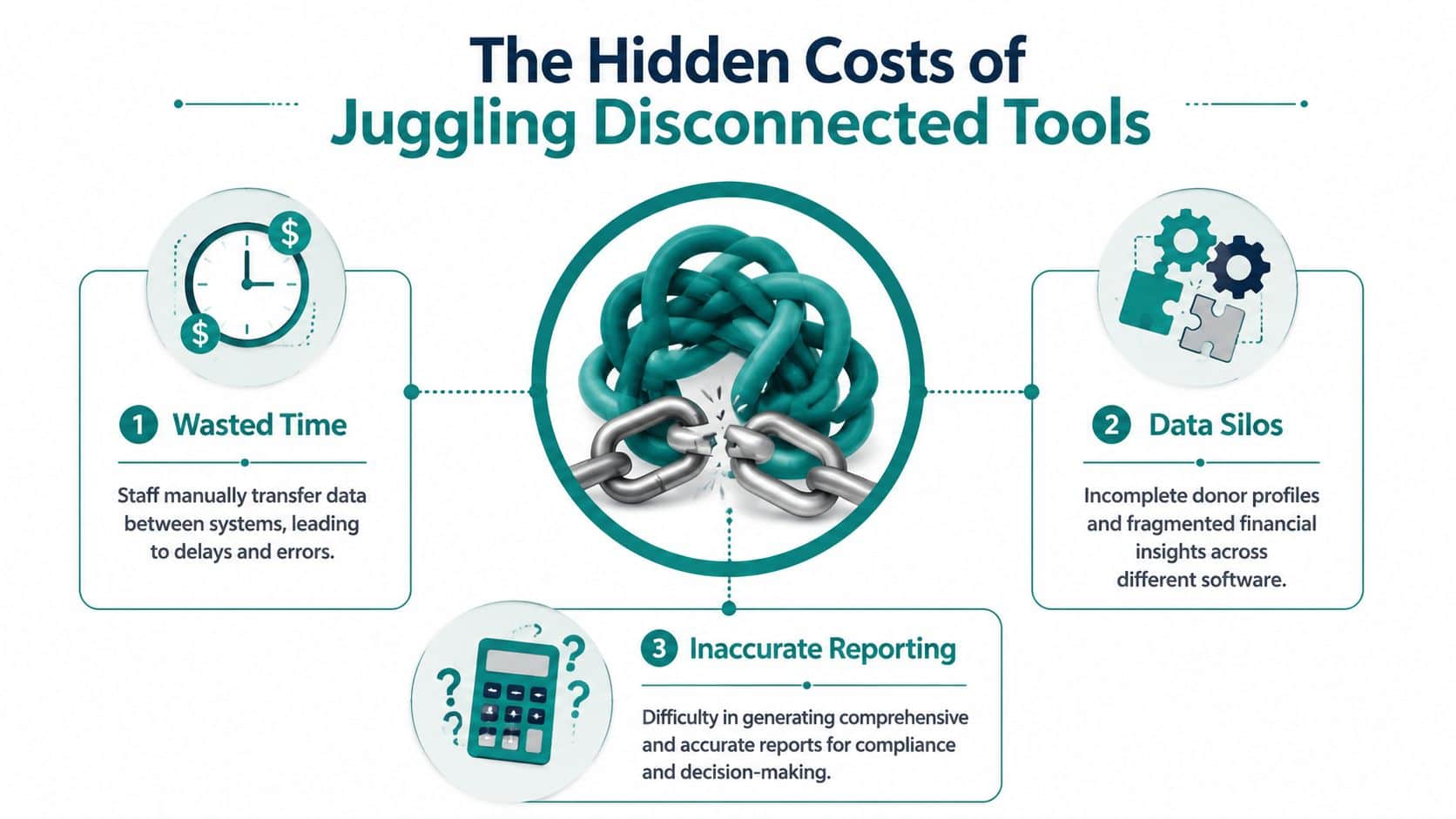
The Hidden Costs of Juggling Disconnected Tools
QuickBooks is useful for general bookkeeping. Mailchimp is strong for email. Eventbrite can handle registrations well. Many nonprofits also piece together tools like Google Sheets, donor databases, volunteer apps, and payment processors because each one solves a specific problem.
The trouble starts in the handoffs.
When donor data lives in one place, gift processing in another, and accounting somewhere else, your team becomes the integration layer. Staff copy and paste. They export CSV files. They rekey gift details. They chase down coding questions after deposits hit the bank. None of that work moves the mission forward.
That manual burden is still common. A NonProfit PRO and Unit4 study found 61% of nonprofits still depend on generic spreadsheets for financial management, a sign that many teams are still working through silos and slow reporting, as summarized by Mordor Intelligence on nonprofit software adoption.
Where the drag shows up first
The first cost is time. Your development director enters a gift. Finance later asks where it belongs. Someone checks the appeal code, someone else checks the donor note, then accounting posts a correction. That same cycle repeats with event income, pledges, sponsorships, and restricted gifts.
The second cost is incomplete information. A donor record may show generosity, but not whether the latest gift has cleared, whether it funded a specific program, or whether an outstanding pledge affects planning. Finance may have the money history, but not the relationship history.
The third cost is confidence. If your board packet depends on exports from three systems and one heroic spreadsheet, you can produce a report. You just can't always trust it.
Practical rule: If your month-end close depends on one staff member knowing which spreadsheet tab is "the real one," your system is too fragile.
Good tools can still create a bad setup
Many directors often find themselves in a difficult spot. They don't dislike their tools. They dislike the handoffs between the tools.
QuickBooks, for example, has helped many nonprofits keep books in order. Mailchimp has helped many teams communicate consistently. Eventbrite can be perfectly fine for straightforward event registration. The issue isn't that these products are flawed. It's that they were often chosen one at a time, without a plan for how data would move across the organization.
A similar lesson shows up outside software. Nonprofits often discover hidden administrative costs when payroll, benefits, and compliance are handled in separate processes. This PEO Metrics insight for nonprofits is worth reading because it reflects the same operating reality. Fragmentation rarely looks expensive at first. It becomes expensive in staff time, risk, and distraction.
What disconnected systems usually produce
- Duplicate effort: Staff enter the same names, gifts, and notes in multiple places.
- Delayed decisions: Leaders wait for reconciled numbers instead of acting on current information.
- Patchy donor history: Development sees relationships, but finance sees transactions.
- Weak reporting flow: Grant, board, and audit reporting takes too much manual assembly.
- Staff dependence: Institutional knowledge sits with one person, not in the system.
That's why many nonprofit leaders feel busy yet under-informed. The busyness is real. The visibility is not.
What Modern Nonprofit Software Should Do for You
Monday morning, finance is closing last month, development is preparing donor calls, and programs need a volunteer list for tonight. If those teams are each looking at different systems, the day starts with questions no one should have to ask. Which report is current. Did that gift post correctly. Are those volunteers the same people who registered for the event.
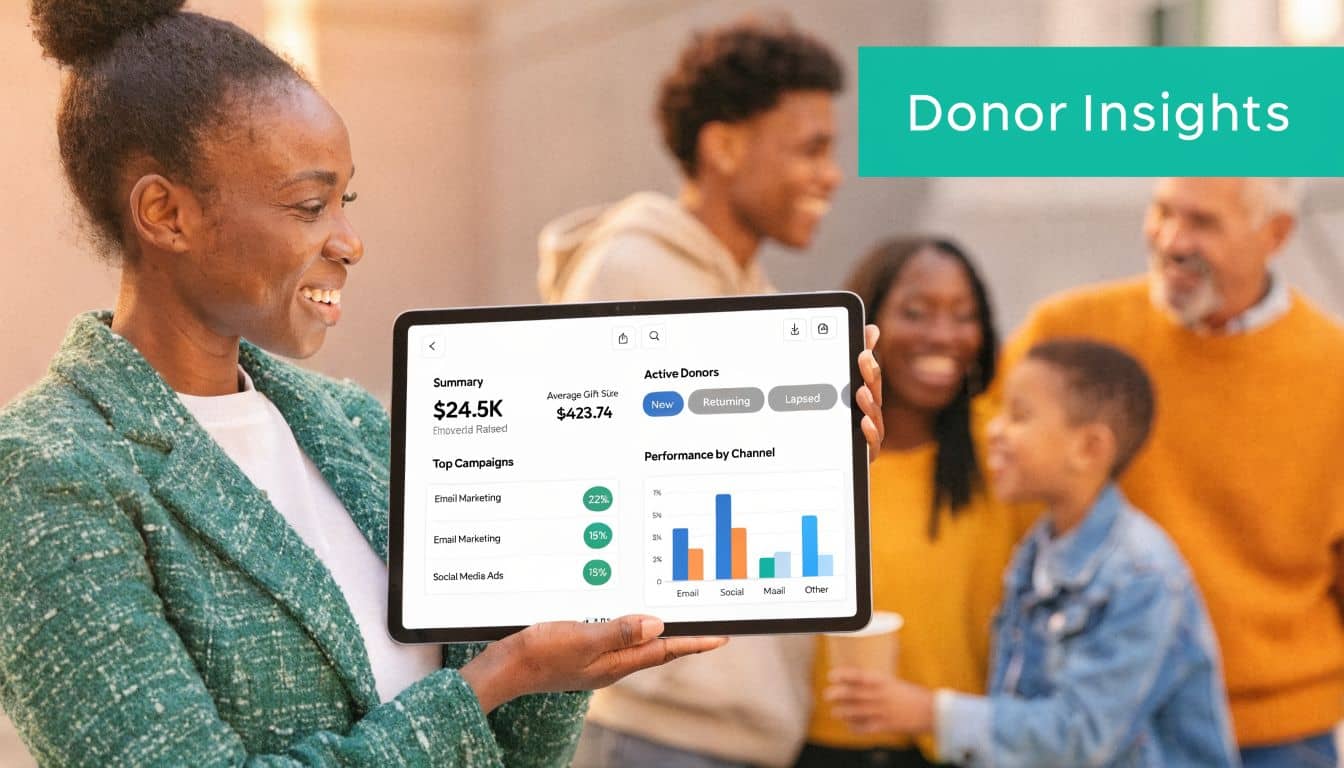
Modern nonprofit software should remove that confusion. The job is not to give each department another tool. The job is to give the organization one operating system for money, relationships, and participation so staff can spend less time reconciling and more time doing the mission that matters.
That is the lens I would use when reviewing AlignMint's nonprofit software features or any other platform. Judge it by what happens in daily operations. Can your team answer routine questions quickly, trust the record in front of them, and move from decision to action without exporting data into three spreadsheets.
Give you one clear view of each relationship
A donor record should be more than a fundraising contact card. It should show the full history of how someone is connected to your organization. Gifts, pledges, event attendance, volunteer involvement, notes, receipting, campaign responses, and follow-up tasks should sit in one place.
That changes the quality of day-to-day work. A development director preparing for a donor meeting should not need to ask finance whether the pledge payment arrived or ask programs whether the donor's family attended last month's event. The record should already show it.
Look for software that handles the practical details well:
- Gift history: designation, appeal, receipt status, and payment details in the same record
- Pledges: commitment tracking and payment progress without a side spreadsheet
- Self-service: donor access to update contact details, view giving history, and pull receipts
- Communication history: emails, texts, and campaign responses tied to the relationship record
If you want a useful comparison outside the nonprofit field, it can help to compare legal tech software and notice the same pattern. Firms also struggle when client records, billing, and communication live in separate systems. The industries differ, but the operational problem is familiar.
Help finance work from the same source as fundraising
Software should make finance stronger without forcing the rest of the organization into the dark. Staff need a system that reflects nonprofit operations from the start, including restricted gifts, grants, programs, and functional expense reporting.
Some products say they support nonprofits because they allow tags, classes, or custom report filters. Those options can be workable for a time. They also create more room for manual cleanup and more dependence on the one person who knows how the reporting logic was built.
A better system records the transaction with the right context at entry. Modern nonprofit accounting platforms often use a multi-dimensional chart of accounts so finance can track fund, program, and grant together. That structure supports cleaner internal reporting and FASB 958-compliant financial statements, as described in Gestisoft's explanation of nonprofit fund accounting software.
The test is simple. Can finance, development, and leadership all trust the same financial picture without waiting for someone to reconcile exports at month-end.
Good nonprofit software shows what came in, where it belongs, and what remains available to spend.
Connect volunteers and events to the rest of your work
Volunteer management and event registration often get pushed into separate systems because they seem operational rather than strategic. In practice, they shape donor relationships, staff planning, and program delivery every week.
A strong platform tracks volunteer interests, availability, hours, group participation, registrations, sponsorships, attendance, and follow-up in the same environment as donor and financial records. That means one family can be recognized as donors, volunteers, event attendees, and advocates without staff stitching the story together by hand.
This matters even more for churches, schools, associations, and fiscal sponsors. Those organizations rarely deal with one type of relationship at a time. Their software has to reflect that reality.
Cut the extra admin out of communications
Outreach works better when the message comes from current data. If your email platform, donation forms, receipting process, and text messaging tool all live apart, staff spend hours building lists, checking for duplicates, and correcting mistakes after the campaign goes out.
Modern nonprofit software should let your team segment audiences based on real activity, send communications from the same system that stores the relationship, and see the response without another import step. That saves time, but the bigger benefit is consistency. Donors receive the right acknowledgment. Volunteers get the right reminder. Staff stop guessing which list is current.
That is what good nonprofit software should do for you. It should reduce handoffs, shorten the distance between teams, and give leadership a clearer view of the organization without adding more work behind the scenes.
True Fund Accounting vs Business Software Workarounds
A finance director closes the month. Development sends over a gift report from one system, accounting exports transactions from another, and someone has to decide which restricted gifts belong to which fund before the board packet goes out. That is the moment when software choices stop feeling technical and start affecting trust, time, and accuracy.
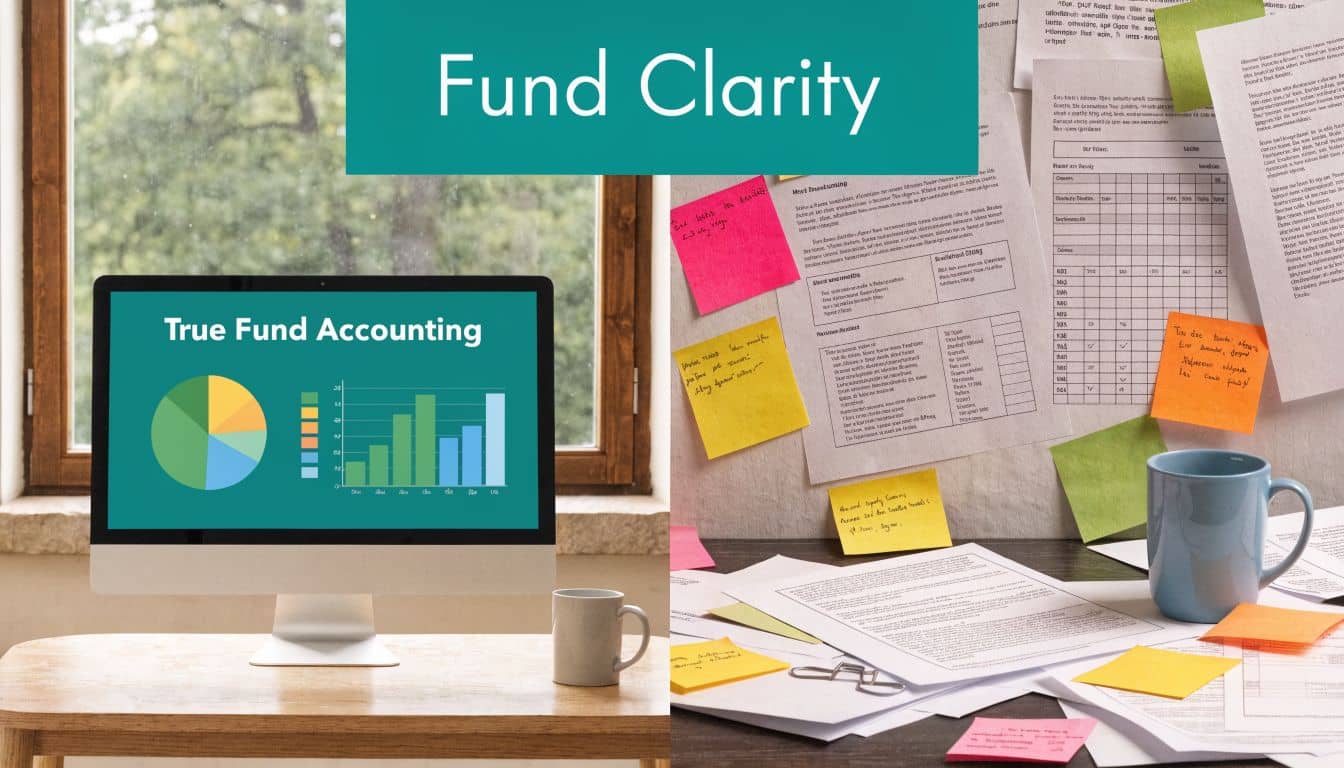
True fund accounting records the restriction, purpose, and reporting context inside the transaction itself. Business software usually asks nonprofits to recreate that structure with classes, tags, locations, or custom reports. That can work for a while. I have seen small teams keep it together through careful processes and a very detail-oriented bookkeeper. The strain shows up once grants multiply, programs expand, and fundraising data lives somewhere else.
Glass jars versus one bucket
True fund accounting works like a shelf of clear glass jars. Each fund holds its own activity from the start. A building gift stays in the building fund. A scholarship grant stays in the scholarship fund. A board member or auditor can follow the trail without asking staff to reconstruct intent after the fact.
A workaround system is one large bucket with labels added later. Skilled finance teams can manage that model, but it depends on consistent data entry, clean handoffs, and people remembering the rules under pressure. If development codes a gift one way and finance interprets it another way, the cleanup lands at month-end.
That is why disconnected fundraising and accounting systems cause so much operational drag. Donor intent gets captured in one place, while the official accounting record gets built somewhere else. According to DonorPerfect's discussion of integrated fundraising and finance workflows, organizations can reduce month-end reconciliation friction by 40 to 60% when donor intent and fund designations are captured at the point of donation.
What to compare side by side
| Approach | What it usually means for staff |
|---|---|
| Classes and tags in business software | More manual review, more report setup, and more dependence on staff memory |
| True fund accounting | Fund, grant, and program context are built into the transaction from the start |
| Separate fundraising and finance systems | Finance often has to interpret donor intent after gifts arrive |
| Connected fundraising and finance | The accounting record reflects the gift correctly when it enters the system |
The same pattern shows up in other specialized fields. Teams that compare legal tech software often find that general tools can cover basic tasks, while purpose-built systems reflect the actual work more accurately. Nonprofits run into the same trade-off.
Why this affects trust, not just bookkeeping
Board members rarely ask whether staff used classes correctly. They ask whether restricted money is still restricted, whether grant reporting is reliable, and whether leadership can make decisions without waiting for three spreadsheets to be reconciled.
Auditors and finance committees feel the difference fast. If your records need interpretation before they can be trusted, every report takes longer and every review carries more stress. Form 990 prep gets harder for the same reason. The problem is not only accounting complexity. It is that disconnected tools force staff to keep translating between systems instead of working from one clean financial record.
If you need a plain-language reference before vendor conversations, this guide on fund accounting for nonprofits explains the core concepts clearly.
If a vendor answers fund accounting questions with "you can always customize a report," keep asking questions.
How an All-in-One Platform Unifies Your Work
At 4:45 p.m., a donor gives to your summer meals program, a volunteer signs up for Saturday, and your finance lead is still trying to reconcile yesterday's event deposits. If those actions live in separate systems, the day ends with exports, rekeying, and at least one question nobody can answer quickly.
That is the operational problem an all-in-one platform solves.
A supporter gives through your website. In a disconnected setup, that transaction often moves through a payment tool, then a CRM, then accounting, then an email system for the receipt. Staff still review coding, fix mismatches, and chase exceptions. The software may look affordable on paper, but the labor sits in the gaps between systems.
In a unified system, the same gift follows one connected workflow. The receipt goes out. The donor record updates. The designation reaches the right fund. Development can see campaign activity, and finance does not have to wait for an import before trusting the numbers.
That changes the day more than people expect.
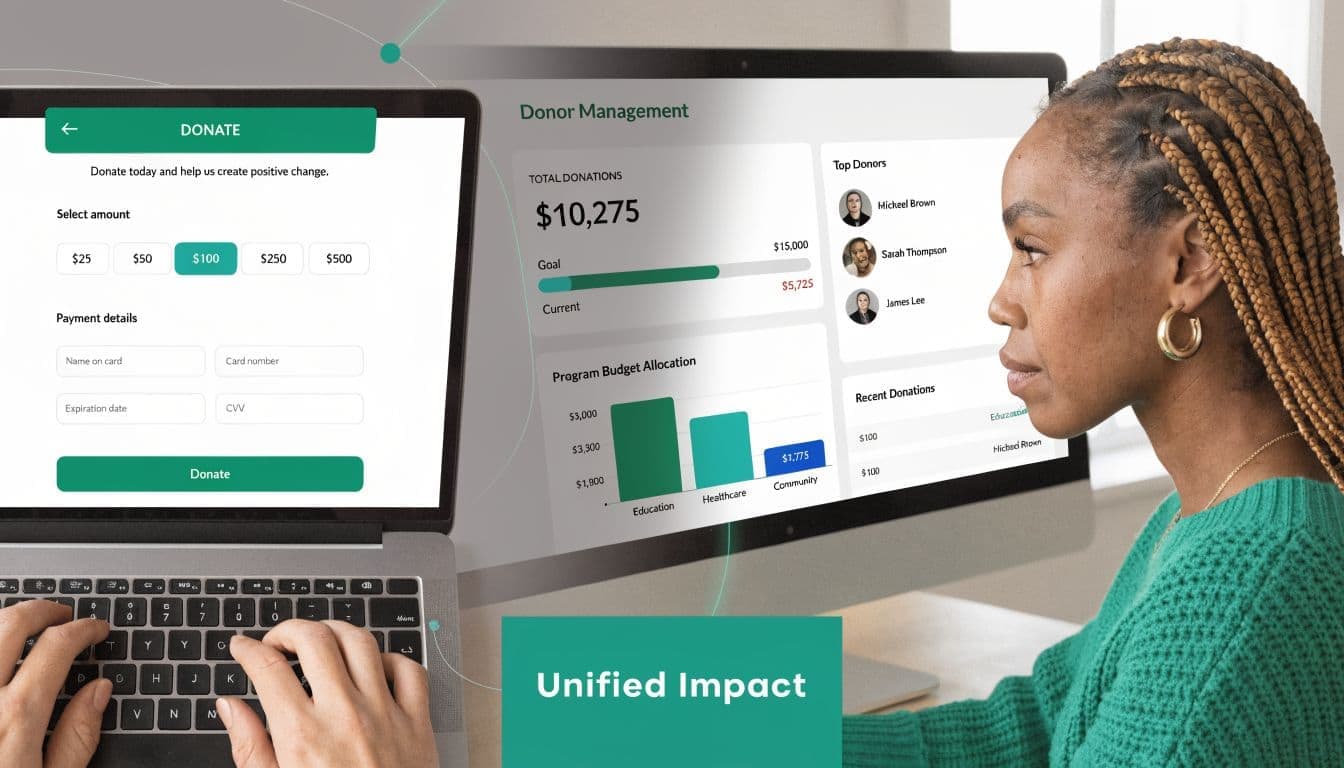
Analysts at Bloomerang note that nonprofits consistently rank integration as a high priority, while many smaller organizations still end up choosing between enterprise software they cannot sustain and a collection of tools that never fully agree with each other, as discussed in Bloomerang's nonprofit software overview.
One action should update the whole organization
This is what good system design looks like in practice.
A donation comes in through an online giving page. The system records the transaction, updates the donor profile, sends the acknowledgment, and reflects the designation in accounting. If that same person later registers for an event or volunteers, the history belongs to one record instead of three partial records spread across different tools.
The payoff shows up in daily work:
- Fewer handoffs: Staff spend less time exporting, importing, and checking whether the transfer worked.
- Cleaner records: Donor intent stays connected to the original transaction.
- Faster answers: Finance, fundraising, and programs can look at the same information without building side spreadsheets first.
- Better follow-up: Outreach reflects current giving, event attendance, and volunteer activity.
- Shared visibility: Teams stop keeping separate versions of the truth.
Smaller teams feel the difference first
Large organizations can sometimes absorb fragmented systems because they have department specialists, outside consultants, or both. Smaller nonprofits usually carry that burden with the same few people who are also running campaigns, closing books, managing volunteers, and answering board questions.
I have seen this pattern repeatedly. The executive director or operations lead becomes the unofficial integration manager. That work rarely appears in the budget, but it drains hours every week.
Pricing structure matters for the same reason. Per-user fees can keep finance, development, and program staff out of the same system. Add-on pricing for email, events, or volunteer management pushes teams back into separate tools. A platform that brings accounting, donor management, communications, events, and volunteers into one place gives smaller organizations a chance to simplify operations instead of stacking more software on top of old problems.
Purpose-built platforms can help here. AlignMint combines accounting, donor CRM, volunteers, events, and marketing in one system, with true fund accounting, a free tier for nonprofits under $100K, plan-based user allowances (1 on Free, up to 10 on Plus, up to 25 on Pro, and unlimited on Enterprise), and an AI assistant that answers operational questions from live data. If you are weighing this approach, this overview of all-in-one nonprofit management software explains the model in more detail.
Focus returns to the mission
The strongest argument for an all-in-one platform is focus.
When staff stop babysitting imports, they have time to steward donors well. When finance no longer has to reconstruct designations after the fact, reporting gets faster and more reliable. When volunteer, event, fundraising, and accounting records connect, leadership can make decisions without waiting for someone to reconcile three systems first.
Software should reduce coordination work, not create a second job managing the software itself.
A Simple Checklist for Evaluating Nonprofit Software
Sales demos can be polished. Your questions need to be sharper than the demo.
Take this checklist into every conversation. It will help you separate helpful software from expensive rearrangement.
Questions worth asking every vendor
- Ask about fund accounting directly: Does the system provide true fund accounting, or are you asking us to use classes, tags, or custom fields.
- Ask how donor intent enters accounting: When someone gives to a restricted purpose, does that designation post correctly at the transaction level, or will staff need to adjust it later.
- Ask about reporting for nonprofit reality: Can the software support Form 990 preparation, restricted fund reporting, grant tracking, and statements by program without outside spreadsheets.
- Ask about pricing structure: Are there per-user fees, add-ons for core functions, or separate charges for finance, CRM, marketing, volunteers, or events.
- Ask whether volunteers and events are native: Can your team manage volunteers, registrations, and communications in the same system as fundraising and accounting.
- Ask about migration effort: What data can be imported cleanly, and what usually needs manual cleanup.
- Ask what staff will see daily: Is the system usable for non-technical staff, or does every task require an administrator.
- Ask how communication works: Are email, receipts, donation pages, and outreach built in, or will you need separate tools.
- Ask about fiscal sponsorship needs if relevant: Can the system track multiple projects, restrictions, and reporting lines in one database.
- Ask what happens as you grow: If your team expands, will pricing or complexity punish broader use.
A pricing page can tell you a lot before the first meeting. Reviewing AlignMint pricing for nonprofits is one way to see how one all-in-one vendor frames users, features, and entry-level access.
One final screening question
Ask the vendor to describe a gift from donation page to board report. If the answer sounds complicated, your daily work will be too.
Your Next Step Toward Clarity and Confidence
You don't need perfect software. You need nonprofit software that makes your operations calmer, your numbers clearer, and your staff less dependent on workarounds.
That shift matters because leadership gets easier when your core information is connected. You spend less time reconciling and more time deciding. Less time chasing reports, more time serving donors, staff, volunteers, and the people who count on your mission.
If you're ready to explore without pressure, start with AlignMint getting started resources. Then keep reading where your biggest pain sits right now. If accounting is the issue, review the fund accounting material. If donor records are scattered, look at nonprofit CRM options. If your team has outgrown spreadsheets, compare platforms through the lens of daily workflow, not just features.
Better systems won't do your mission for you. They will give you clearer ground to stand on while you lead.
If you want a practical next step, explore AlignMint. You can review how it handles fund accounting, donor management, volunteers, events, marketing, and AI support in one place, then decide whether the fit is right for your organization. For more context, read our fund accounting features, the blog post on what fund accounting means for nonprofits, and our guidance on all-in-one nonprofit management software.
Ready to try AlignMint with your nonprofit?
Start free — set up donor tools, giving pages, and Minty. Upgrade when you need accounting.