
What's the Best Accounting Software for Nonprofits?
Quick Answer: Best Accounting Software for Nonprofits
Pricing as of May 2026. Check vendor websites for current pricing.
Comparison data as of May 2026. Features and pricing may change.
The best accounting software for nonprofits shows live restricted fund balances, connects gifts to the ledger, and produces board-ready statements without spreadsheet bridges. For fund-specific comparisons, use best fund accounting software and the fund accounting feature page.
Consolidation note: Several URLs (accounting-software-for-nonprofits, accounting-software-for-nonprofit-organizations, accounting-software-nonprofit, etc.) split search impressions. Prefer this roundup for general accounting software for nonprofits intent; link out to specialized guides—free accounting software for nonprofits, accounting software for nonprofit clubs, accounting software for small nonprofits, and best fund accounting software—instead of duplicating full vendor lists.
Finding the right accounting software can feel overwhelming, especially when you're short on time. You need a system built for your world - one that understands fund accounting, connects with donors, and simplifies grant reporting. This guide will help you cut through the sales pitches and choose with confidence.
Also read: Aplos pricing · QuickBooks Online for nonprofits · Aplos reviews
Finding the Right Nonprofit Accounting Software
As an executive director, your time is precious. You need a tool that speaks the language of grants, donors, and restricted funds, not one built for a corner coffee shop. We're here to help you make a smart choice for your organization.
We will show you what really matters in a nonprofit platform. This includes true fund accounting and an integrated donor database that connects your financials directly to your supporters. Brushing up on accounting and bookkeeping essentials can also help clarify your needs.
What to Look For in a Nonprofit Platform
Your software needs to do more than just balance the books; it must support your entire mission. Let’s walk through how to evaluate your options and find a system that saves you time. This will give you total clarity on your financial reporting.
Here are the non-negotiables:
- Gain Donor Trust with True Fund Accounting: Go beyond clumsy workarounds like QuickBooks classes. A real nonprofit system tracks restricted and unrestricted funds automatically, which is vital for compliance.
- See a Complete Supporter History: Get a full picture of every supporter - from their first gift to their volunteer hours - all in one place. No more jumping between systems.
- Simplify Your Tax Filings: Generate your Form 990 and Statement of Functional Expenses in minutes. This avoids days of manual spreadsheet work.
- Manage Giving and Events in One Place: Handle everything from simple donation pages to complex event ticketing without needing a collection of disconnected tools.
Our goal is to help you focus on your mission, confident that your finances are under control. The right software gives you back your time and provides the clarity needed to lead.
This guide gives you a clear, honest comparison of top contenders like QuickBooks, Blackbaud, and Aplos against our all-in-one platform, Alignmint. You’ll get the facts you need to find the best fit for your organization.
Why Nonprofit Accounting Is Different
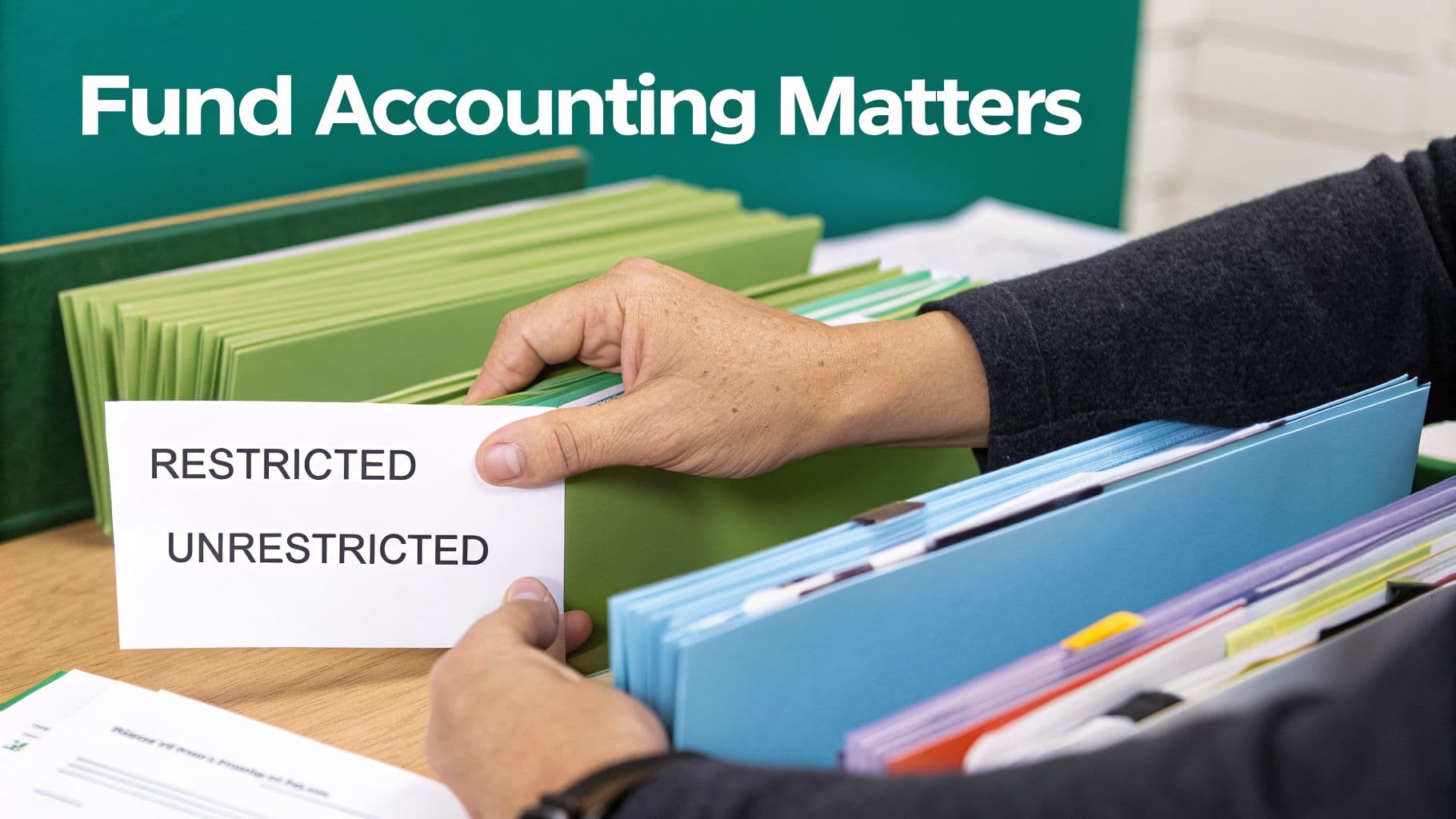
As a leader, you know your financial world is unique. Standard business software often feels like forcing a square peg into a round hole because it wasn't built for you. It doesn’t speak the language of grants, programs, and donor-restricted gifts.
Your bottom line isn't profit; it's mission impact. This fact demands a specific way of tracking money called fund accounting. It's the foundation of nonprofit finance and why the best tools for us are different.
The Problem with QuickBooks Classes
Many organizations start on QuickBooks and try to use a feature called 'classes' to track different funds. You create a class for each grant or program, then manually tag every transaction. It feels like a smart workaround at first but usually creates more problems.
This constant manual tagging is a recipe for human error. It can lead to inaccurate reports and serious compliance headaches. More importantly, it is not true fund accounting.
QuickBooks classes can tell you where money was spent. But they can't give you the real-time, trustworthy balance of what you're allowed to spend from a specific fund. This distinction is critical for your financial health.
For example, when a donor gives you $10,000 specifically for a new after-school program, that money must be walled off. Using classes makes it far too easy to accidentally spend those funds on general operations. This puts your organization at risk.
True Fund Accounting Protects Your Mission
A true fund accounting system, like the one in Alignmint, is different by design. It creates separate, self-balancing sets of books for each of your funds. Think of it as having secure digital envelopes for every grant and designated donation.
This approach gives you several immediate benefits:
- Stay Compliant Automatically: You can see the exact spendable balance for every restricted fund at any moment. This stops accidental overspending and keeps you compliant with donor and grant requirements.
- Get Reports in One Click: Generating reports like a Statement of Activities or Statement of Functional Expenses becomes a simple process. The system already knows how to separate and allocate your finances correctly.
- Build Stronger Donor Trust: When you can clearly show donors exactly how their specific contribution was used, it builds confidence. This encourages them to give again.
As nonprofits face growing demands for transparency, the need for specialized tools has exploded. The nonprofit accounting software market is projected to grow from $303 million in 2025 to nearly $5 billion by 2033. You can read more in this nonprofit software market overview.
Reporting That Speaks Your Language
Your reporting needs are also fundamentally different from a regular business. You’re focused on accountability and impact, not profit and loss. You have to produce very specific documents for your board, donors, and the IRS.
A specialized nonprofit platform makes this painless. For instance, creating your annual Form 990 can be a stressful, month-long project with generic software. You're stuck manually pulling data from spreadsheets and other disconnected systems.
With a true fund accounting system, all the necessary information is already organized correctly. Generating the financial sections of your Form 990 can take minutes, not weeks. For a deeper dive, check our guide on fund accounting for nonprofits.
Comparing the Top Nonprofit Accounting Software
Choosing the right software is a big decision. Let's cut through the sales pitches and compare the most common choices. This includes QuickBooks for Nonprofits, Blackbaud Financial Edge NXT, Aplos, and our all-in-one platform, Alignmint.
This comparison will help you see where each tool shines and where it has gaps. You’ll understand the power of a system like Blackbaud, but also its staggering cost. We’ll also dig into why so many nonprofits start with QuickBooks and the fund accounting headaches that follow.
QuickBooks for Nonprofits
QuickBooks is often the default starting point for new nonprofits. It's a household name, and most accountants know it well. Its strength is its solid, general-purpose accounting engine for small businesses.
The problem is, its biggest gap is a deal-breaker for most growing nonprofits: it lacks true fund accounting. The “classes” feature is just a manual workaround. This creates a constant risk of errors and makes producing trustworthy fund balance reports a painful task.
QuickBooks is a good fit if:
- You are a very small organization with no restricted funds.
- Your accountant is only comfortable using QuickBooks.
- You’re willing to accept the risks of using classes.
You may struggle with QuickBooks if:
- You manage multiple grants or any donor-restricted funds.
- You need automated, reliable reports for your board or funders.
- You want to see a full picture of your donors connected to your financials.
QuickBooks can feel like the easy choice, but it often creates more work down the road. It forces you to manage your nonprofit's unique needs with a tool that wasn't designed for them. This can lead to compliance headaches.
Blackbaud Financial Edge NXT
On the complete opposite end is Blackbaud Financial Edge NXT. This is a powerful, comprehensive system built for large, complex nonprofits. Its greatest strength is its deep, feature-rich environment designed specifically for our sector.
Blackbaud provides true fund accounting for the complex financial structures a university or hospital requires. It is a system built for teams of dedicated finance professionals. However, all that power comes with significant complexity and a high price tag.
Blackbaud may be the right choice if:
- You are a large hospital, university, or national nonprofit with a dedicated finance department.
- Your annual budget is well into the millions and you require enterprise-level features.
- You have the resources for a lengthy setup and team training process.
The trend across the sector is a clear shift toward more accessible platforms. Cloud-based solutions now account for 78.16% of nonprofit software revenue. You can explore more insights on this trend in this market analysis of nonprofit software.
Aplos
Aplos aims to hit that sweet spot in the middle, offering true fund accounting that's more accessible than Blackbaud. It was built for nonprofits and churches, so it understands your core needs. You can track funds, manage donations, and generate the reports you need.
It’s a solid choice for organizations that have outgrown QuickBooks but aren’t ready for an enterprise system. The primary gap with Aplos is that its platform is not fully unified. Its modules can sometimes feel like separate products bolted together.
For example, connecting your financial data to supporter communications might not be as smooth as you’d hope. This can lead you back to the familiar problem of disconnected information.
Alignmint: The All-in-One Alternative
We built Alignmint to solve the problem of disconnected systems. We saw how much time leaders waste trying to stitch together separate tools. Our platform brings accounting, fundraising, volunteers, and marketing into one place, built on a foundation of true fund accounting.
With Alignmint, you get a complete view of your organization without the complexity of an enterprise system. Because everything is connected, you can see a donor's full history right alongside your financial reports. A unified platform simplifies your daily work, like bill paying, as this accounts payable software comparison shows.
Here’s how Alignmint stands apart:
- Get a Single Source of Truth: Your accounting, donor CRM, volunteer management, and built-in marketing suite are all part of one system.
- Include Your Whole Team: We offer unlimited users with no per-seat fees. Your entire team and board can have access without driving up your costs.
- Start for Free: If your annual revenue is under $100K, you can use our full platform for free. We believe every nonprofit deserves access to great tools.
- Get Answers with AI: Our Minty AI assistant lets you ask questions about your data in plain English. Find what you need in seconds without running complex reports.
Alignmint is designed for busy executive directors who are smart but aren't tech experts. Our goal is to give you a powerful tool that feels simple and intuitive. This gives you back time to focus on your mission.
Software Feature Comparison for Nonprofits
To make the differences clearer, let's look at how these platforms handle the core functions every nonprofit needs. This side-by-side view cuts through the marketing and shows you what each system can do.
| Feature | Alignmint | QuickBooks for Nonprofits | Blackbaud Financial Edge NXT | Aplos |
|---|---|---|---|---|
| True Fund Accounting | Yes, built-in and automated | No (manual "class" workaround) | Yes, powerful | Yes, core feature |
| Statement of Functional Expenses | Yes, fully automated | No | Yes, advanced customization | Yes, basic generation |
| Built-in Donor CRM | Yes, fully featured and unified | No | No (separate product, Raiser's Edge) | Yes, basic functionality |
| Volunteer Management | Yes, fully integrated | No | No | No |
| Pricing Model | No per-user fees, free plan under $100K revenue | Per-user fees | High cost, per-user, implementation fees | Per-user fees, tiered features |
This table highlights the fundamental choice you have to make. Do you want a single, unified platform designed for your needs? Or are you willing to manage multiple systems and workarounds?
Stop Juggling Systems, Get Back Your Time
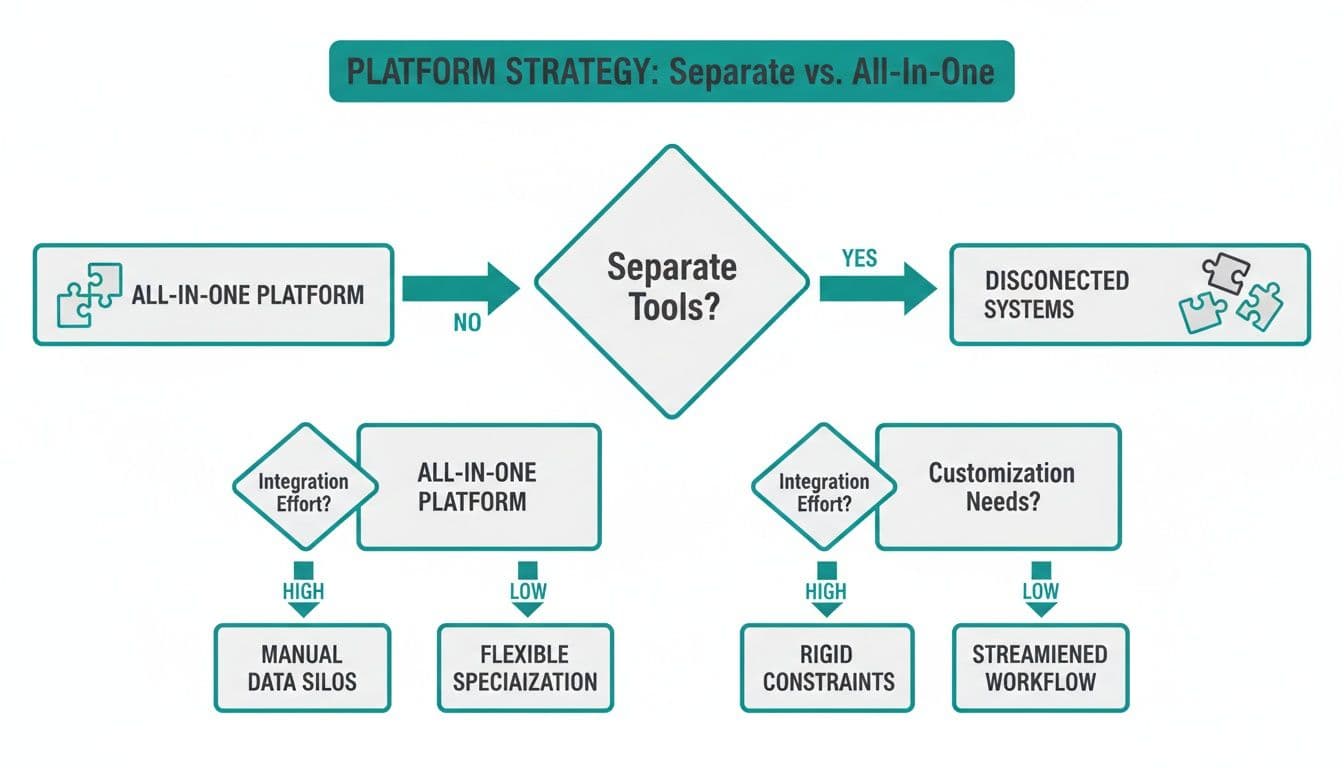
As an executive director, you know the biggest hidden cost is often wasted time. Think about the hours your team spends copying data between separate tools for accounting, donors, and marketing. That administrative work is a quiet drain on your resources.
An all-in-one platform solves this by uniting all your core operations in one place. It ends the need for clunky workarounds and disconnected spreadsheets. The goal is to give you back precious time to focus on what matters: your mission.
See the Full Picture of Your Operations
You gain a complete view of your organization's health when your data is unified. An online donation can flow directly into your accounting software. This automatically updates the donor's record and triggers a thank-you receipt from the marketing suite.
A single source of truth is a game-changer for clarity and efficiency.
- A Complete Supporter View: See a donor's giving history, volunteer shifts, and event attendance right next to your financial reports. You can finally understand who your most engaged supporters are.
- Effortless Reporting: Generate the financials for your Form 990 or a detailed grant report in minutes, not days. The data is already organized, eliminating the painful, manual consolidation process.
- Smarter Communication: Easily send a targeted email from the built-in marketing suite to everyone who donated to a specific campaign. The information is always current and accessible.
When all your information lives together, you stop managing data and start leading with it. You make better decisions because you have a clear, accurate view of your entire operation.
A Unified Platform Gives You Back Your Time
We built Alignmint to unify these core nonprofit functions because we know leaders need powerful tools that are simple to use. Our all-in-one platform includes true fund accounting, a donor CRM, volunteer management, and a marketing suite.
The real benefit is not just having fewer logins to remember. It’s about eliminating the friction between your departments and data. This allows your team to work together more effectively toward your mission.
A unified system automates manual tasks, freeing up your team to focus on building relationships and running programs. That’s the work that truly moves the needle. You can read about how AI is reshaping nonprofit operations and why connected data is so important.
Get Answers Without Becoming a Tech Expert
You shouldn't need to be a data analyst to understand your own organization's story. That's why we created Minty, our AI assistant. You can ask questions in plain English, like "Show me our top 10 donors from last year."
Minty can find the answers instantly because all your data is in one place. You get the information you need to make quick, confident decisions. This simple, direct access to your own data empowers you to lead more effectively.
Recommendations for Your Type of Nonprofit
There’s no single “best” accounting software for every nonprofit. The right choice depends on your size, mission, and how you operate. Let's break down the most common scenarios to give you a clear starting point.
The first big decision is whether to stitch together different tools or find a home in a unified platform. This choice has a huge impact on your team's time. An all-in-one system eliminates the copy-paste nightmare of trying to connect separate programs.
For Small Nonprofits Under $100K
When your annual revenue is under $100,000, your software budget is probably zero. But you still need to build good financial habits. You can’t afford expensive tools, but you also can’t afford a financial mess.
This is exactly why we created Alignmint's free tier. You get a complete platform - true fund accounting, donor management, and online giving pages - at no cost. We believe every organization deserves the tools to get started on the right foot.
For Mid-Sized Organizations
As you grow, the pain of disconnected systems becomes impossible to ignore. You reach a tipping point where the hours spent moving data cost you more than a unified solution would. This is the moment to move to an all-in-one platform.
You will immediately get back hours of administrative time every week. More importantly, you'll gain a clear view of your financial health connected directly to your fundraising.
When your accounting and donor data live in one place, you can finally see the complete story. You know not only who your most generous donors are, but also who volunteers consistently and attends every event. This insight is invaluable.
For Churches and Faith-Based Organizations
Your needs are unique. You aren’t just tracking funds; you’re managing a community and volunteers. You need to handle pledges, track giving to specific missions, and organize events.
Look for a platform that offers:
- Pledge Management: Track member pledges over time and give them private portals to see their own giving history.
- Integrated Event and Volunteer Tools: Manage everything from weekly services to community gatherings, including ticketing and volunteer coordination.
- Team Communication: Easily send updates to your members, small groups, and volunteers through the built-in marketing suite.
Alignmint was built with these needs in mind. You can manage your congregation's engagement, volunteers, and finances all within one system.
For Schools and Fiscal Sponsors
If you’re a school or a fiscal sponsor, you’re managing the highest level of financial complexity. Fiscal sponsors have the added responsibility of keeping separate, compliant books for multiple projects. For you, the non-negotiable feature is multi-project financial reporting.
You need the ability to generate a consolidated financial statement for your entire organization. You also need to produce an independent report for a single sponsored project with one click.
This is where a true fund accounting system built for this complexity proves its worth. Alignmint allows you to manage each project as its own distinct entity while providing instant, consolidated reporting. This eliminates error-prone spreadsheets and gives you total confidence.
How to Make the Switch Confidently
The thought of moving years of financial history to a new system is daunting. We get it. That fear is what keeps so many nonprofits stuck in tools that burn hours of staff time.
But making the switch doesn't have to be a painful process. With a clear plan and the right partner, it can be a smooth transition. This is less about tech wizardry and more about thoughtful preparation.
Preparing for Your Data Migration
First things first: your data. This is your organization's financial history. Before you commit to any new software, you need to feel certain that all this information can be moved cleanly.
A good software provider will be transparent about their migration process. They should give you a clear roadmap and support you at every step. You can see what a successful migration looks like in our guide on importing data to a new system.
The most important question to ask is not if they can import your data, but how. A good partner will have a structured process to ensure accuracy and will work with you to clean up data before it comes across.
Training and Supporting Your Team
Your new software is only as good as your team’s ability to use it. A confident rollout hinges on simple training that gets everyone on board.
Look for a provider that offers support for your whole team. Here are the key things to look for:
- Unlimited Users: You should never have to pay extra to give your program staff or board members access. A platform with no per-seat fees ensures everyone who needs information can get it.
- Accessible Training: The provider should offer clear instructions and be readily available to answer questions when you get stuck.
- Intuitive Design: The software itself should be easy to navigate, even for team members who are not financial experts.
A successful switch brings clarity to your finances and empowers your entire organization. It’s about giving everyone better information so they can connect their work to your mission.
Your Questions, Answered
As you think about making a change, a few common questions always come up. Here are some straightforward answers to the concerns we hear most often from nonprofit leaders.
Is this really easy enough for my program director to use?
Yes. We built Alignmint for nonprofit leaders, not accountants. Your whole team will find it straightforward, especially with our AI assistant, Minty. It lets you find information using simple, everyday language.
Our goal is to make financial management accessible to everyone. You can get an immediate answer to a question like, "What's our remaining balance for the community garden grant?" without running a complex report.
The real measure of good software is whether your program managers feel as comfortable using it as your finance director. We built Alignmint to pass that test, with unlimited users included at no extra cost.
How do I know our donor and financial data is safe?
We understand that your data is your most sensitive asset. Keeping it secure is our highest priority, period. We use industry-standard security measures to protect your financial and donor information.
Your data is stored securely and backed up regularly. This gives you peace of mind that it’s always safe and is not something you should ever have to worry about.
What if my nonprofit has zero budget for software?
We believe every nonprofit, regardless of size, deserves tools that help them succeed. That’s why we offer a completely free plan for organizations with annual revenue under $100,000.
This isn't a stripped-down trial version. It includes all the essentials you need for true fund accounting, managing your donors, and setting up online giving pages. There are no hidden costs or per-user fees, so you can build a strong financial foundation.
Ready to stop juggling disconnected systems? Alignmint brings your accounting, fundraising, and marketing into one simple platform, so you can focus on your mission. See how Alignmint can help your nonprofit.
Related:
- Fund accounting for nonprofits - Restricted vs unrestricted
- Nonprofit financial reporting - Board- and funder-ready reports
- Fund accounting - Native funds in Alignmint
Frequently Asked Questions
Ready to see how Alignmint works for your nonprofit?
Schedule a free walkthrough - we'll set everything up for you.