

Quick Answer: QuickBooks for Churches: Your Complete 2026 G
QuickBooks for churches can work if set up right - but only to a point. Learn when classes hold up, when workarounds break, and when true fund accounting makes sense.
For related tools, see AlignMint features. You're probably here because QuickBooks already runs part of your church, or someone on your team wants it to. That's a reasonable instinct. It's familiar, widely used, and perfectly capable of handling many day-to-day bookkeeping tasks.
The trouble starts when a board member asks for a clean report on restricted funds, or when year-end giving statements turn into a manual project. QuickBooks for churches can work, but only if you set it up with discipline and accept where the workarounds stop being worth it.
Your Guide to Financial Clarity and Confidence
The pressure usually hits on Tuesday afternoon, an hour before the finance committee sits down. Someone asks how much of this month's giving is still available for operations. Someone else wants a clean answer on missions or benevolence. The numbers exist, but they are spread across reports, classes, notes, and one person's memory.
That is the primary QuickBooks question for churches. Not whether it can record income and expenses. It can. The question is whether your team can use it week after week to produce numbers the pastor, treasurer, and board all understand the same way.
If you're still comparing tools, our guide to nonprofit accounting software lays out the broader options. If you already have QuickBooks, the better question is more practical. Can you make it work without creating a reporting process that depends on one highly patient staff member?
The best church financial system is the one your team can run consistently, explain clearly, and trust before every board meeting.
QuickBooks earns its place because it is familiar. Bookkeepers, outside accountants, and many office administrators have worked in it before. That lowers friction on basic accounting tasks like reconciliation, bill entry, and monthly close. If your church is still setting up QuickBooks, that familiarity is a real advantage.
Church finance still asks for more than small-business bookkeeping.
You are dealing with designated gifts, restricted funds, ministry budgets, year-end giving statements, and board reporting that needs to hold up under questions. QuickBooks can cover a good share of that work if the file is structured well and your team follows consistent rules. In my experience, the strain starts when churches expect QuickBooks to act like true fund accounting software without building the processes to support it.
That is the tension this guide addresses. Plenty of articles explain how to turn QuickBooks on. Fewer explain which workarounds hold up, which ones create confusion six months later, and how to spot the moment when your church has outgrown the system.
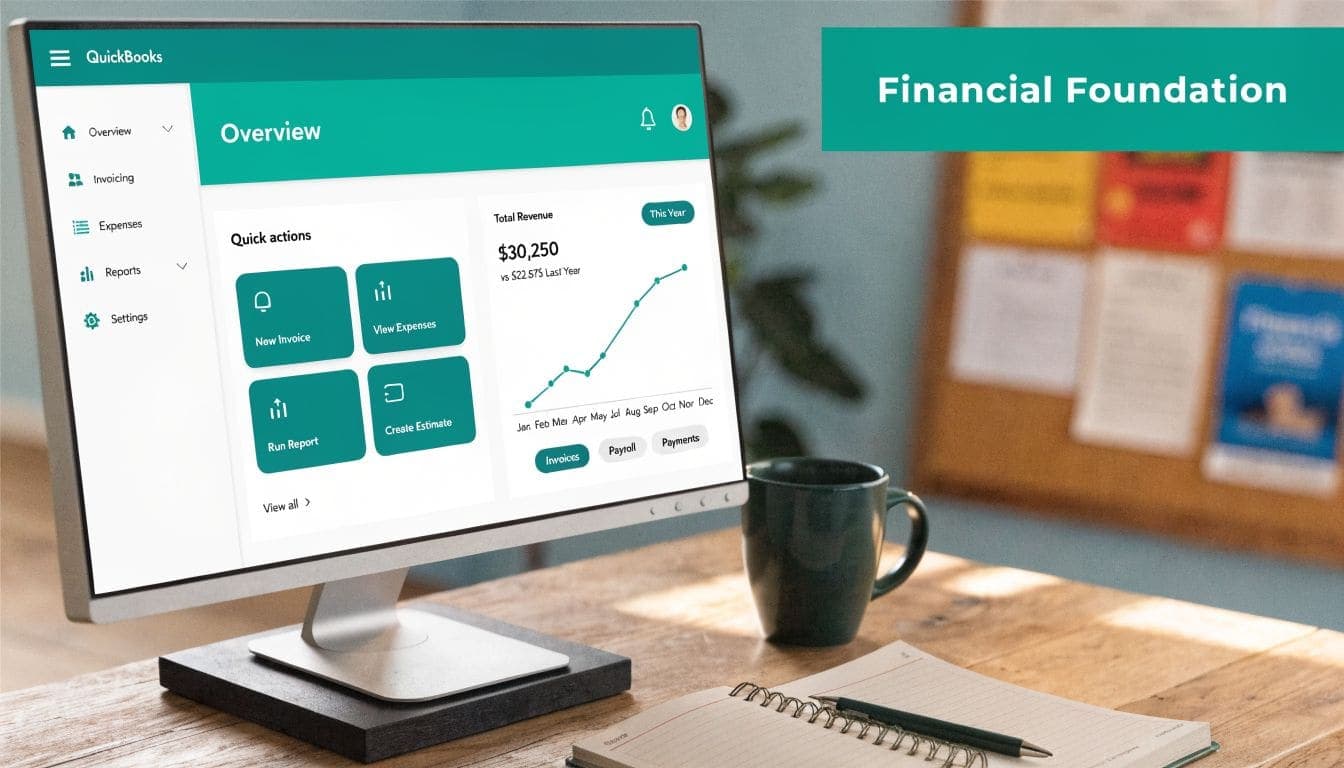
Setting Up Your Financial Foundation in QuickBooks
The trouble usually shows up on a Tuesday afternoon. A treasurer prints a budget report for the finance committee, someone asks why benevolence spending is mixed into general operations, and now the room is debating categories instead of making decisions. That problem rarely starts with the report. It starts with the setup.
Build a chart of accounts that matches church reality
A church chart of accounts needs to do two jobs at once. Staff and volunteers need to code transactions without guessing, and your accountant needs clean records at month-end and year-end.
The basic numbering pattern many churches use is straightforward: assets in the 1000s, liabilities in the 2000s, net assets or equity in the 3000s, revenue in the 4000s, and expenses in the 5000s. The exact numbers matter less than the discipline behind them. Use a structure your team can recognize at a glance and stick with it.
A workable starter structure looks like this:
- Assets in the 1000 range. Checking, savings, petty cash, prepaid expenses.
- Liabilities in the 2000 range. Credit cards, payroll liabilities, and any balance sheet obligations your accountant wants tracked separately.
- Net assets in the 3000 range. Keep this short and intentional.
- Revenue in the 4000 range. Tithes, offerings, designated gifts, rental income.
- Expenses in the 5000 range. Payroll, facilities, benevolence, missions support, office expense.
If you want a practical model to compare against your own setup, keep a copy of a church-ready chart of accounts reference nearby while you build.
For churches new to the software, a general guide on setting up QuickBooks can also help with the early housekeeping steps before you tailor it for ministry use.
One caution from experience. Do not build a chart of accounts that tries to answer every reporting question by adding more accounts. That feels organized at first, then turns into clutter. If you create separate expense accounts for every event, every campus, every age group, and every funding source, coding becomes inconsistent and your reports get harder to read, not easier.
Turn on Classes before you enter real data
Classes are what make QuickBooks usable for many churches. Without them, you are left forcing fund or ministry tracking into places it does not belong.
In QuickBooks Online, enable Classes under Settings, then Account and Settings, then Advanced, then Categories, then Track classes. Turn on "Warn me when a transaction isn't assigned a class" too. That one setting saves a lot of cleanup.
Practical rule: If a transaction touches ministry money, assign a class before you save it.
QuickBooks can handle classes reasonably well for fund or department reporting. It does not become true fund accounting just because the feature is on. That distinction matters. Churches get into trouble when they use classes to represent funds, departments, locations, and programs all at once. The file may still run, but the reporting logic starts to crack.
Choose one clean class structure
Pick one primary purpose for classes and protect it.
For many churches, the best use is tracking funds or ministry areas the board reviews regularly. Name classes the way leadership already talks about ministry areas:
- General Fund
- Missions
- Youth Ministry
- Children's Ministry
- Benevolence
- Building Fund
- Administration
That approach holds up because it matches real conversations. Board members do not want to decode accounting shorthand in the middle of a meeting.
Here is where churches usually make QuickBooks work, and where they usually create extra repair work later:
| Setup choice | What happens in practice |
|---|---|
| One clear class per fund or ministry | Reports stay readable and monthly review is faster |
| Inconsistent names for similar funds | Activity gets split across multiple lines and staff stop trusting the report |
| Skipping class assignment on deposits or bills | Fund balances need manual cleanup before each meeting |
| Using classes for every possible detail | Data entry gets sloppy because the coding system asks too much of the team |
Keep the foundation boring
Boring is good accounting.
Use one naming convention. Inactivate unused accounts instead of deleting history. Do not open extra bank accounts just to imitate restricted fund tracking if your reporting process can already separate activity inside QuickBooks. Extra bank accounts add reconciliations and usually do not solve the underlying reporting issue.
A steady routine works better than a clever setup:
- Create the account once. Duplicate accounts lead to split reporting.
- Assign the class at entry. Fix-it-later systems usually become never-fixed systems.
- Review new accounts before adding them. Most requests belong under an existing category.
- Clean up the class list once a year. Ministry structure changes, and the file should reflect that.
When this foundation is clean, QuickBooks feels manageable. When it is not, the workaround starts running the church instead of the other way around.
Managing Donations and Building Donor Trust
Sunday closes strong. The counters finish the batch, the deposit goes out on Monday, and by Wednesday someone asks a simple question: "How much of last month's giving was restricted for missions, and can I see it clearly?" If QuickBooks cannot answer that without side spreadsheets, donor trust starts to wear down.

Treat donor intent like a reporting requirement
Churches usually get into trouble here for a simple reason. They record deposits accurately enough for the bank, but not clearly enough for the donor.
In QuickBooks, each major gift type needs its own consistent path. General tithes, designated ministry gifts, capital campaign gifts, and special offerings should not land in one bucket and get sorted out later. Later rarely comes, and if it does, someone is reconstructing intent from memory, envelopes, or giving platform exports.
A practical setup usually includes:
- General giving posted to ordinary contribution income
- Designated gifts coded so the purpose stays visible in reporting
- Campaign gifts separated from normal operating support
- Pledge payments tied to a consistent tracking method over time
That sounds straightforward. The hard part is discipline.
If your staff or volunteers need a practical reference while building that process, keep this guide on how to track tithes and offerings nearby during implementation.
Build year-end statements from weekly accuracy
Year-end contribution statements are not a December project. They are the byproduct of clean weekly entry.
QuickBooks can store giving activity, but many churches still end up doing manual cleanup because online giving, member records, and accounting live in separate systems. That workaround can hold for a while. It breaks down when donor names are inconsistent, designated gifts are miscoded, or one person is the only one who knows how the export should be cleaned before import.
Trust is already hard won. Public confidence in organized religion has declined for years, as Gallup has reported in its long-running tracking of confidence in major institutions, so churches do not have much margin for sloppy reporting or vague answers about restricted gifts.
One test helps here. If a donor asks about a gift from six months ago, the answer should come from your records in a few minutes, not from a staff huddle.
Use internal controls that fit church reality
Donation tracking is accounting work, but it is also pastoral stewardship. People give with conviction, sacrifice, and a specific purpose in mind.
QuickBooks can support good controls, but it does not enforce them. Churches still need a documented routine for receiving, counting, depositing, posting, and reviewing gifts. The Evangelical Council for Financial Accountability regularly emphasizes accountability, transparency, and oversight in church finance. Those principles matter even more when the system itself was not designed as true fund accounting software.
For many churches, a workable pattern looks like this:
- Counters log the offering and sign the batch record
- A bookkeeper or finance staff member enters the deposit
- A separate reviewer compares the batch to the bank deposit
- Finance leadership reviews unusual adjustments, refunds, or reclassifications
Small churches may not have enough staff to split every task perfectly. In that case, increase review instead of pretending the risk is not there. I have seen churches rely on one trusted person for too long, then spend weeks untangling avoidable errors after that person leaves.
Benevolence adds another layer of complexity because compassion and control have to work together. If your church provides direct aid, this reflection on the biblical meaning of benevolence can help shape a policy that protects dignity, documents decisions, and keeps restricted resources from being handled casually.
The churches that manage this well usually are not doing anything flashy. They post gifts consistently, review exceptions quickly, and avoid workarounds that only one person understands. QuickBooks can carry that process farther than many people expect. It also has limits, and donation tracking is often where those limits start to show.
Handling Church Operations and Payroll
A lot of churches feel steady until the first month something ordinary goes wrong. The bank balance does not match. A payroll item was coded inconsistently. The pastor's pay was set up in a hurry, and now no one is sure whether the housing allowance was handled correctly. QuickBooks can support day-to-day church operations, but this is often the point where simple workarounds start to show their cost.
Its strength is familiarity. Staff, outsourced bookkeepers, and volunteer treasurers can usually learn the basics without much delay. That matters when you need dependable routines for bills, deposits, reconciliations, and payroll. The trade-off is that QuickBooks does not understand church operations on its own. You have to build the process around it, then review that process with discipline.
Reconcile the bank every month without fail
Bank feeds save time. They do not prove the books are right.
A solid monthly close usually includes these steps:
- Import and review bank feed activity
- Match known transactions to existing entries
- Add only transactions that belong on the books
- Reconcile to the bank statement
- Review old uncleared items before closing the month
That last step gets skipped too often. Old uncleared checks, duplicate expense entries, and deposits posted to the wrong class tend to remain unaddressed until someone needs clean numbers for the board, the audit, or the annual budget. Then the cleanup takes far longer than the original work would have.
I have seen churches tolerate two or three unreconciled months because the balances looked close enough. That usually ends with someone spending a weekend tracing duplicates, missing transfers, and payroll tax entries that were never posted correctly.
Handle clergy pay with extra care
Standard employee payroll is usually manageable in QuickBooks. Clergy payroll needs closer attention.
Pastor compensation often includes salary, housing allowance, reimbursements under an accountable plan, and sometimes additional benefits that require clear treatment before payroll starts. QuickBooks can process those entries, but it will not tell you whether the setup reflects current clergy tax rules. That judgment belongs to a qualified accountant or payroll professional who understands church compensation.
Small mistakes create expensive corrections. A housing allowance approved late, coded inconsistently, or mixed into the wrong pay type can create tax reporting problems that are hard to unwind after year-end.
Churches do better when they document the payroll workflow before the first run. Who approves pay changes? Who enters payroll? Who reviews payroll summaries? Who confirms that housing allowance, reimbursements, and benefits were handled as approved by the board? If your team needs a practical template, this church payroll manager guide can help assign responsibilities and tighten review.
Operational bookkeeping rarely gets attention until it breaks. Churches that stay ahead of problems usually do a few plain things well. They reconcile every month, review uncleared items, document payroll decisions, and stop relying on memory once compensation gets more complex. That is how QuickBooks remains workable longer. It is also how leaders start to see when the manual fixes are piling up faster than the system can support them.
Generating Reports to Guide Your Ministry
Data entry matters only if it produces answers your leaders can use. In QuickBooks for churches, the reporting question isn't whether the software can print reports. It can. The question is whether those reports reflect church reality without extra spreadsheet work.
Start with the reports your board will actually read
Most church leaders don't need dozens of reports. They need a few clear ones that answer practical questions.
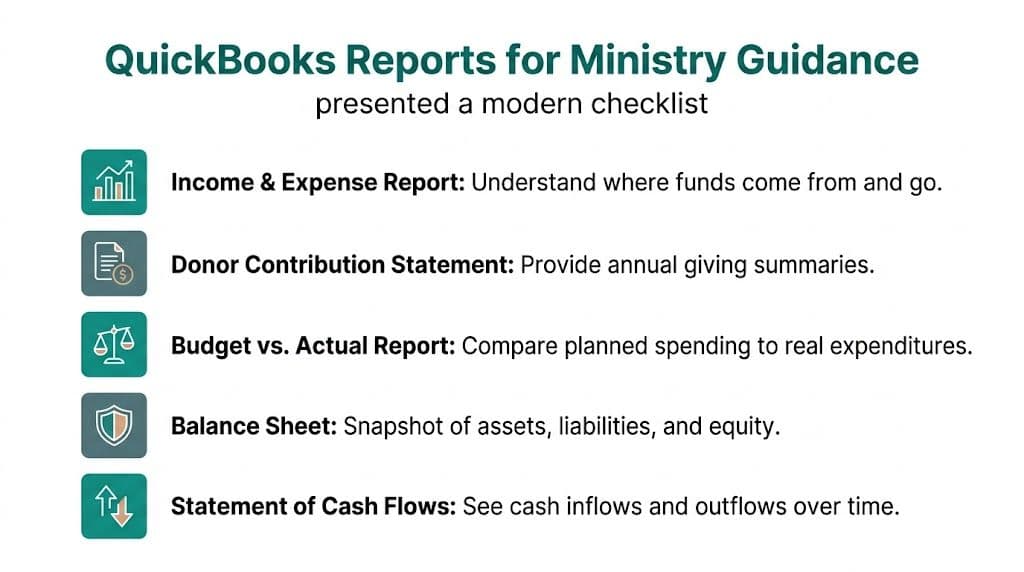
The most useful starting set usually includes:
- Profit and Loss by Class for ministry or fund activity
- Budget vs. Actual for spending discipline
- Balance Sheet for overall financial position
- Donor contribution detail for year-end and audit support
- Cash flow reporting for near-term decision making
QuickBooks supports real-time reporting and budgets by class, which helps churches compare budgeted amounts against actual results. One guide also notes that its broad market position reflects how approachable many users find it. At the same time, it lacks native reporting that meets nonprofit accounting standards, so items like a Statement of Functional Expenses or real-time net asset balances by fund often require manual work outside the software (Fiscal Foundations on church bookkeeping).
Read the class reports carefully
The Profit and Loss by Class report is usually the first report church leaders learn to trust. It shows how each class performed over a given period. If your classes represent ministries or funds consistently, this report can be very helpful.
But it has a limit. It shows activity. It doesn't always tell the whole story of restrictions and balances the way church boards expect.
That's why two churches can run the same report and feel very different about the result:
| If your setup is disciplined | If your setup is loose |
|---|---|
| Board sees ministry-by-ministry performance | Board sees numbers that need verbal translation |
| Budget variances are easy to spot | Variances get buried in miscoded lines |
| Fund conversations stay grounded | Every report leads back to Excel |
Watch for manual reporting creep
Manual reporting creep is a warning sign. It starts small. Someone exports to Excel to "clean up" a report for the elder board. Then someone adds a tab for designated balances. Then another tab for functional expense allocations. After a while, the spreadsheet effectively becomes the reporting system and QuickBooks becomes the transaction warehouse.
That's manageable for a season. It's risky as a long-term method.
A practical monthly review meeting should be able to answer these questions without detective work:
- What came in this month
- What we spent by ministry
- Where restricted money stands
- How actuals compare with budget
- Whether cash pressure is building
If QuickBooks can answer those questions in your church, keep using it confidently. If every answer requires exports, cleanup, and side notes, the software may still be doing bookkeeping while failing leadership.
When QuickBooks Is No Longer Enough
There's a point where "making it work" becomes the problem. Many churches hit that point slowly, then all at once.
At first, the workarounds seem manageable. Someone remembers which spreadsheet tracks restricted gifts. The finance chair knows how to rebuild the board packet. Your bookkeeper has a mental map of what each class really means. That system can hold for a while, especially in a smaller church with stable staff.
Then the pressure changes. A grant arrives with restrictions. A school program grows. A donor asks for a cleaner accounting of prior gifts. Your auditor wants support that lives in one place.
The clearest signs you've outgrown it
Experts who work with church accounting note that QuickBooks often requires "annoying workarounds" and is "rarely the optimal choice" when a church needs true fund accounting. They also point out that many standard QuickBooks guides don't address multiple restricted funds or reporting that meets nonprofit accounting standards well, which leaves churches relying on fragile spreadsheet systems (Aplos on QuickBooks for churches chart of accounts).
Those signs usually show up in plain language, not technical jargon:
- You can't tell a donor the remaining balance of a restricted gift without checking several places
- Audit prep turns into a manual reconstruction project
- Grant tracking depends on one staff member's memory
- Your board packet is assembled in Excel because QuickBooks output isn't enough
- You're using classes to imitate fund accounting, but the imitation keeps breaking down
Software is no longer helping when your best reporting process lives outside the software.
Familiarity isn't the same as fit
QuickBooks deserves credit for what it does well. It's familiar. It handles core bookkeeping. It's a reasonable starting point for many churches.
But a reasonable starting point isn't always a durable long-term answer. Churches that need real restricted fund balances, cleaner grant reporting, volunteer-friendly processes, and fewer moving parts eventually need a system built around fund accounting instead of business workarounds.
If that's the tension you're feeling, this deeper look at church fund accounting and why QuickBooks isn't enough will help you name the problem more clearly.
Your Next Step Toward Financial Clarity
QuickBooks for churches can carry a lot of weight if your setup is thoughtful and your team is disciplined. For many churches, that's enough for a season.
But if your staff keeps patching reports, chasing restricted balances, and rebuilding year-end answers by hand, you're not dealing with a training issue alone. You're seeing the limits of a business accounting tool in a church environment. At that point, a true fund accounting system becomes less of a luxury and more of a relief.
If you're ready for fewer workarounds and clearer reporting, take a look at AlignMint. We built it as an all-in-one platform for nonprofits that need true fund accounting, donor management, volunteers, events, marketing, team communication, and AI help in one place. If your organization is under $100K, you can also start on our free tier and see whether it fits the way your church operates.
Frequently Asked Questions
Ready to try AlignMint with your nonprofit?
Start free — set up donor tools, giving pages, and Minty. Upgrade when you need accounting.