

Volunteering as a Company: Corporate Impact Guide
Quick Answer: Volunteering as a Company: Corporate Impact Guide
Volunteering as a company works best when the nonprofit treats each request as a managed program, not a favor. Choose repeatable projects, set group-size limits, assign one staff owner, track the relationship after the event, and send a short impact report while the goodwill is still fresh.
A company calls and wants to bring twenty employees next month. You say yes, because saying no feels foolish. Then the questions start. Who's supervising. What should they wear. Can they bring families. Can you sign their waiver. Can you take photos. By the time the day arrives, your staff has spent more time managing the event than the project itself needed.
Most nonprofit leaders have lived some version of that story. The good news is that volunteering as a company can become a real asset, not a recurring disruption, when you treat it like a program instead of a favor. Companies are looking for strong nonprofit partners because 70% of corporate volunteers say volunteering boosted employee morale, and 80% say group volunteering strengthens relationships with colleagues, according to VolunteerHub's roundup of corporate volunteerism statistics. If you build a clear path for them, your organization can attract better partners, reduce staff strain, and create work that advances your mission through volunteer management tools.
Introduction
Corporate volunteer groups can help you finish long-postponed projects, introduce new people to your mission, and open doors to sponsorships or future giving. They can also create confusion fast when there's no structure behind the invitation. The difference usually isn't the company. It's the nonprofit's process.
The strongest programs start by dropping one bad assumption. Corporate groups are not just free labor. They are guests, potential advocates, future donors, and public representatives of your cause for a day. If you treat them only as extra hands, you'll miss the larger value and absorb more friction than benefit.
A good volunteer day should help your community and leave the company wanting to come back.
That means you need a simple playbook. You need the right projects, the right expectations, and a way to decide which requests fit your staff capacity. You also need a system for following up after the event, because the day itself is only part of the opportunity.
Build Your Corporate Volunteer Strategy
A corporate volunteer program breaks down fast when every company request becomes a custom project. Staff starts negotiating scope by email, program teams lose time they do not have, and the day itself carries too much pressure to succeed. A strategy fixes that. It lets your nonprofit decide what kind of corporate involvement serves the mission, what your team can support, and what is not worth saying yes to.

Start with the role you want corporate volunteers to play
Do not begin with a list of chores.
Begin with the function corporate groups should serve in your organization over the next year. For one nonprofit, that may mean reliable help on labor-heavy projects that staff cannot keep up with alone. For another, the better use is relationship building. A well-run service day can introduce employees to your mission, create a path to sponsorship, and give your board and development team warmer prospects to follow up with.
That choice affects everything after it. If your main goal is operational help, you need projects that are safe, repeatable, and easy to supervise. If your main goal is long-term engagement, you may accept smaller groups and invest more time in the experience because the return is broader.
A useful strategy answers four practical questions:
-
Which projects help the mission without disrupting programs Group volunteering works best when the work is real, contained, and appropriate for people who may only be with you once.
-
How many people can staff supervise well Capacity is not just floor space. It includes training time, supplies, parking, restrooms, risk, and who on your team will own the day.
-
What result do you want after the event Repeat volunteer days, employee giving, in-kind support, executive introductions, and public visibility all require a different event design.
-
What return justifies the staff time A project that absorbs several days of planning should produce more than a good group photo.
Build a short menu of repeatable opportunities
The nonprofits that handle corporate groups well usually stop improvising. They define a small set of volunteer experiences they can run consistently, then improve those over time.
That menu might include:
- Hands-on service days for kit assembly, meal packing, sorting donations, beautification, or facility projects
- Skills-based projects for finance support, marketing help, design work, data cleanup, or mock interviews
- Seasonal opportunities tied to school supply drives, holiday programs, or annual events
- Leadership-sized engagements for small groups who can mentor, advise, host a workshop, or support donor-facing efforts
Keep the list short enough that staff can prepare with confidence. I have seen nonprofits create ten options, then struggle to deliver any of them well. Three strong experiences usually outperform a long menu full of exceptions.
Good records matter here too. If you can see which employees volunteered, returned, donated, sponsored something, or introduced your organization to decision-makers, you can judge whether the program is paying off. This guide to volunteer management best practices covers the operational side of building that kind of consistency.
Set clear limits before demand picks up
Corporate interest can feel flattering, especially when you need support. It still has to fit your operation.
Some requests look generous on the surface and create more work than value. A company may ask for a 75-person event when your staff can direct 20 well. They may want direct service with clients even though your programs require training, screening, or privacy protections. They may ask for a date that lands in the middle of your busiest week. Saying yes to all of it usually shifts the burden onto your team.
A simple screening table helps staff make the same decision every time.
| Question | Good fit | Poor fit |
|---|---|---|
| Group size | Matches supervision capacity | Exceeds what staff can safely manage |
| Project type | Useful, repeatable, mission-aligned | Custom, unclear, or mostly symbolic |
| Timing | Adequate lead time | Last-minute or poorly timed |
| Staff effort | One owner can coordinate it | Multiple teams must patch it together |
| Relationship value | Clear path to future engagement | No shared expectations after the day |
The point is not to make access harder. The point is to keep your nonprofit in control. When your team knows what fits, which projects repeat well, and where the long-term value comes from, corporate volunteering becomes a program you run on purpose instead of a series of favors you scramble to absorb.
Create a Clear Policy and Process
A policy sounds formal, but in practice it saves you from endless back-and-forth. It tells companies how your organization works and protects your staff from making exceptions under pressure.
Research summarized by Optimy, drawing on Points of Light, notes that the most effective employee volunteer programs have a formal policy covering eligibility, paid volunteer time off, approved activity types, and a clear approval path. It also reports that programs with a formal policy see double the participation of those without one, as described in this overview of volunteer management practices.
What your policy should say
You do not need a long manual. A clear, two-page document can do the job if it answers the questions companies always ask.
Include these basics:
-
Who can volunteer Employees only, or employees plus family members. Adults only, or youth allowed with conditions.
-
What activities you offer Team service days, skills-based work, remote projects, or event support.
-
What you don't allow Direct client interaction without training. Hazardous work. Unsupervised minors. Activities outside your mission.
-
How requests are made One request form, one contact person, and a required lead time.
-
What you need from the company Final headcount, participant names if needed, emergency contacts, waiver compliance, and any accessibility needs.
-
Behavior and safety expectations Dress code, arrival time, photo policy, confidentiality, and conduct.
-
Cancellation terms Weather, low turnout, or site emergencies.
A first conversation should sound like partnership
Suppose a local bank reaches out and asks whether their staff can volunteer. A weak first reply says, “Sure, we'd love help. What did you have in mind?” That puts all the planning burden back on your team.
A stronger reply sounds more like this:
“We host company volunteer groups in a few set formats. The best fit depends on your group size, goals, and timing. We can send our options, required lead time, and request form.”
That response does three useful things. It signals professionalism, it narrows the conversation, and it tells the company you already know how to host groups well.
Protect your people and your mission
Your process should also cover risk. Liability waivers matter. So do photo permissions, confidentiality rules, and screening when volunteers will work around children or vulnerable adults.
If your projects require screening, don't treat that as awkward. Treat it as standard practice. This guide on how to run volunteer background checks can help you set that up without overcomplicating it.
The more clearly you define the process, the less often your staff has to negotiate basic expectations.
A simple intake flow often works best:
- Company submits interest form
- Staff reviews fit, timing, and group size
- Organization approves one event type
- Company receives confirmation packet
- Staff gets one final pre-event checklist
That's not bureaucracy. It's how you stop every event from becoming a fresh emergency.
Find and Nurture the Right Corporate Partners
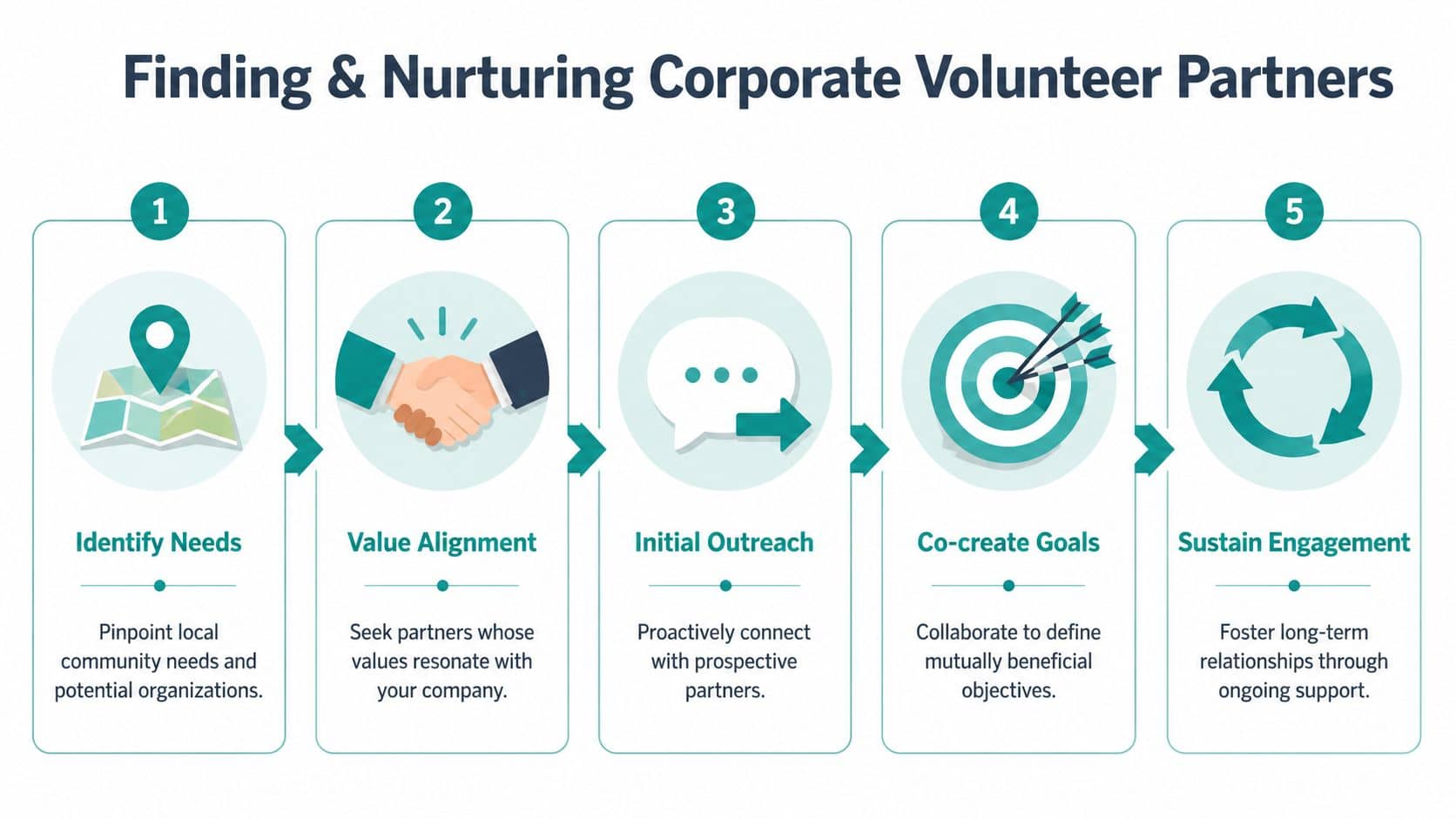
The best partners are rarely the biggest names. They're the companies whose people care, whose managers respond, and whose goals match the kind of experience you can deliver well.
Start local. Think about employers with roots in your community, staff volunteer committees, regional offices, chambers of commerce, credit unions, hospitals, law firms, schools, and family-owned businesses. These groups often make decisions faster than national companies and can become steady partners if the first experience goes well.
Lead with value, not need
When you approach a company, don't frame it as “we need volunteers.” Frame it as “we offer a well-run, meaningful team experience tied to a real community need.”
That matters because companies are under pressure to create experiences employees want. According to Benevity, companies that implement team volunteering opportunities see participation rates that are 7.5 times higher than those without them, as reported in The State of Corporate Volunteering. If you can host a thoughtful team day, you are solving a real problem for them.
What to send in your first outreach
Keep your outreach packet simple enough to read in two minutes. A one-page overview is often enough.
Include:
-
Your mission in plain language Skip the long origin story. State the need you address and who benefits.
-
The volunteer experiences you offer Name the project types, ideal group sizes, and likely timing.
-
What makes the day meaningful Explain the connection between what they did and the community outcome.
-
What the company can expect Clear schedule, staff contact, photos if appropriate, and follow-up summary.
-
The next step A short interest form or call.
If your team struggles to keep these materials current, build one standard packet and refresh it each quarter. That's far easier than creating custom outreach every time. If you need ideas for presenting your organization more clearly, this article on nonprofit corporate sponsorship pairs well with volunteer outreach because the same positioning often opens both doors.
Treat the coordinator like a partner
Every successful corporate event has one person inside the company making it happen. Make that person's job easy. Reply quickly. Confirm details in writing. Share parking, dress, arrival, and rain plan information early.
After the event, send a concise follow-up package:
- Thank-you note
- Photos, if approved
- Hours served
- Short summary of work completed
- Next ways to stay involved
Good partnerships usually grow because one coordinator had an easy first experience and brought your name back to the company.
Long-term relationships come from consistency, not charm. If you host the first group well, the second ask becomes much easier.
Design and Run Impactful Volunteer Events
A strong volunteer event feels organized from the moment the company arrives. People know where to go, what they're doing, and why the work matters. That doesn't require fancy production. It requires preparation.

Build the day around the volunteer experience
Many nonprofits make one avoidable mistake. They design the day only around the task. Companies care about the task, but they also care about morale, team connection, and a sense that the time mattered.
The work is the medium, but connection is the message.
That means the project should be useful and easy to understand. It should also let people work together, see progress, and hear how their effort fits the mission.
A simple event agenda often works best:
| Stage | What to include |
|---|---|
| Arrival | Greeting, sign-in, name tags if needed |
| Welcome | Brief mission overview and safety notes |
| Work block one | Clear task assignments with team leads |
| Midpoint reset | Water, regroup, answer questions |
| Work block two | Finish strong with visible progress |
| Close | Thank you, photos, impact recap, next steps |
Assign roles before the group arrives
You need one staff lead. You may also need one logistics helper and one photo contact, depending on the event. What you do not need is six staff members improvising while volunteers wait.
Before the day, confirm:
- Supplies are ready and staged near the work area
- Tasks are broken down into pieces teams can start immediately
- Bathrooms, parking, and check-in are easy to explain
- The company coordinator has your cell number
- Rain or backup plans are already decided
If you want ideas from outside the nonprofit space, this list of ways to plan your next corporate team event can help you think about pacing, flow, and what keeps a group engaged.
Report back while the goodwill is fresh
A lot of nonprofits stop after the thank-you email. That leaves value on the table. Many companies need evidence they can pass along internally, and many struggle to show the return from volunteer programs. One verified data point states that 68% of executives find it hard to quantify volunteer program ROI, as noted in this discussion of company volunteer initiatives.
Your nonprofit can stand out. Send a short report within a few days. Keep it practical:
- Hours contributed
- Photos, if approved
- Brief description of work completed
- One or two mission-based outcomes
- Invitation to return or deepen the partnership
That report doesn't need to be glossy. It needs to be prompt, accurate, and easy for the company contact to share with leadership.
Don't overschedule the project
Some of the best corporate events end a little early. Volunteers leave feeling successful instead of worn down. Staff has time to close well. The company coordinator can take a group photo without rushing to the parking lot.
A tired group rarely becomes a repeat partner. A respected group often does.
Track Your Impact and Use Tools Wisely
A corporate team finishes a strong service day, your staff is relieved, and the company contact asks a fair question on the way out: What did we accomplish today, and how should we report it back internally? If your answer lives across a spreadsheet, an inbox, and one program manager's memory, you are harder to rebook than you should be.
Hours matter, but hours alone do not tell you much about the relationship. Executive directors need to know which companies come back, which coordinators are easy to work with, which projects create real value for staff, and whether volunteer activity leads to donations, sponsorships, or board connections later.
Many nonprofits get stuck at this stage. The information exists, but it sits in separate places, so no one can see the full history of a company account.
Track more than attendance
For corporate volunteer partnerships, a small set of questions usually tells you what to do next:
- Which companies volunteered more than once
- Which events filled fastest and had strong follow-through
- Which volunteer contacts later donated or introduced a sponsor
- Which project types were easiest for staff to prepare and supervise
- Which company coordinator referred another team
You do not need a fancy reporting stack to answer those questions. You need records your staff can update on a tired afternoon after an event. Simple and consistent beats ambitious and abandoned.
A workable setup should capture:
| Area | What to capture |
|---|---|
| Company record | Main contact, industry, notes, prior events |
| Event record | Date, project type, staff lead, attendance |
| Volunteer record | Names, hours, skills, approvals if needed |
| Follow-up | Thank-you sent, photos sent, next ask |
| Related engagement | Donation, sponsorship, event attendance |
If you need a starting point, this volunteer hour tracking template for nonprofit teams helps standardize records before you add automation.
Be cautious with software sprawl
This is a common operational trap. One tool handles sign-ups. Another tracks donors. Another stores event notes. Another sends follow-up emails. Each one can be useful on its own, but the handoff between them becomes staff work.
I have seen nonprofits spend more time maintaining their process than improving the volunteer experience. That is the trade-off with disconnected systems. The issue is not just cost. It is staff attention.
Some products do parts of this job well. Volgistics is widely used for volunteer management. Better Impact is another established option. Benevity is often strong on the company side for larger employee engagement programs. Blackbaud can serve larger organizations that have the staff capacity to maintain it. The challenge for many smaller nonprofits is that they still end up stitching systems together, or paying for features built for a different scale.
Use AI carefully and only where it saves time
AI can help with matching, scheduling, reminders, and basic sorting. That can reduce manual work if your team is handling a steady flow of individual and corporate volunteers. It only helps if the output is accurate and easy for staff to review.
The caution is straightforward. Corporate volunteer records often include names, contact details, waivers, and sometimes screening information. If staff are copying that data across multiple tools, the risk of missed approvals and messy records goes up fast.
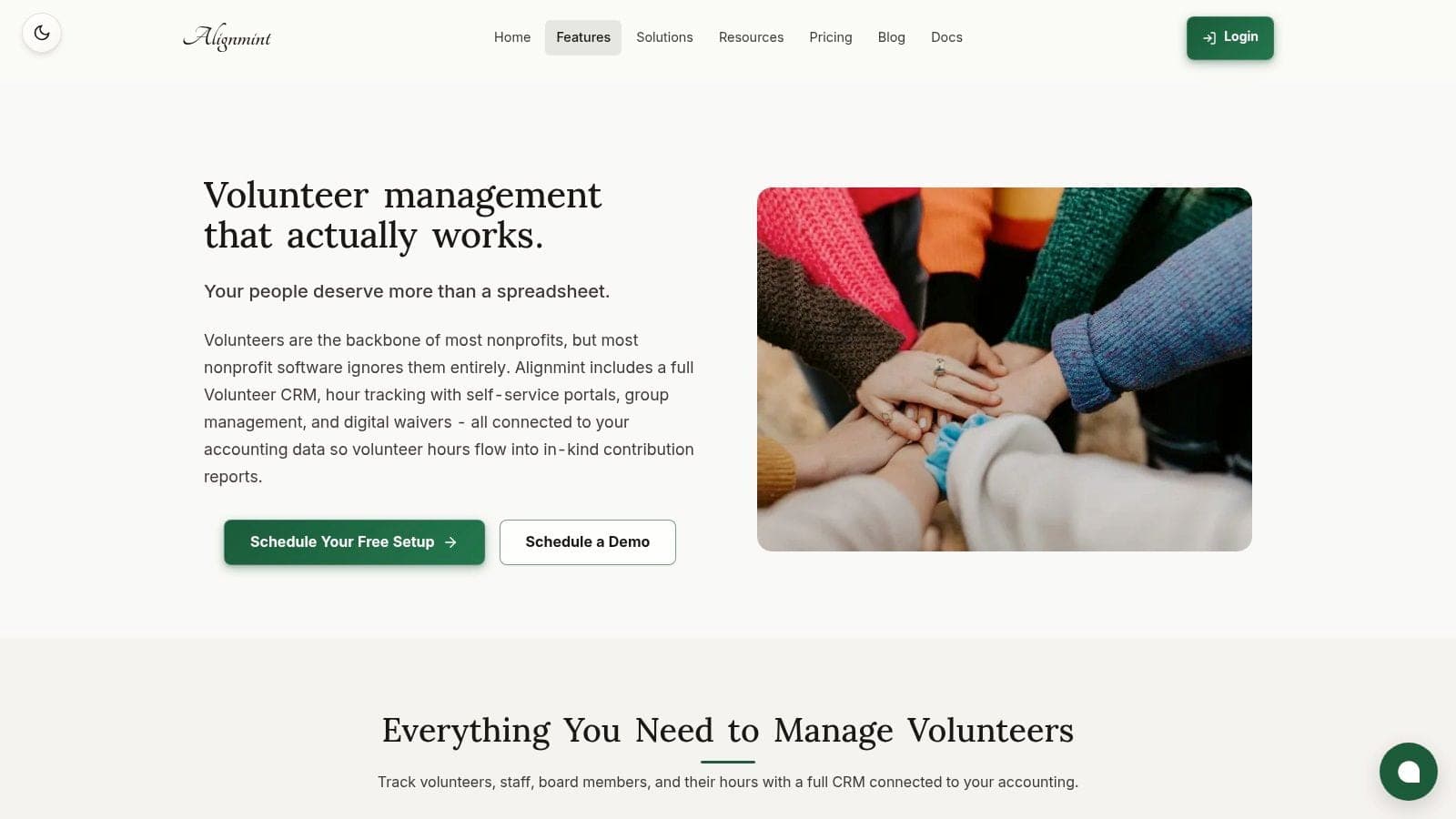
Keep it simple. Use tools that reduce duplicate entry, connect volunteer activity to donor and event history, and make reporting easy for your team and your company contact.
For smaller nonprofits, fewer systems usually means better follow-through. When volunteering as a company becomes a repeatable part of your outreach, your systems should support that work. They should not become a second program your staff has to run.
If you want one place to manage volunteers, donors, communications, and fund accounting without per-seat fees, AlignMint is built for that reality. We give nonprofits a practical way to track corporate groups, report on impact, and keep operations organized in one system. If your organization is under $100K in annual revenue, you can start with our free tier and get professional structure in place before the next company calls.
Ready to try AlignMint with your nonprofit?
Start free — set up donor tools, giving pages, and Minty. Upgrade when you need accounting.