

For related tools, see AlignMint features.
CRM for Nonprofit: Choosing the Right Software in 2026
Quick Answer: CRM for Nonprofit: Choosing the Right Software in 2026
CRM for nonprofit teams reduces the patchwork of spreadsheets, donor databases, and accounting exports by keeping supporter history, giving, and program activity on one record. Start with daily friction (re-entered gifts, side spreadsheets, and mismatched board numbers), then choose software that connects those workflows without per-seat fees you cannot sustain.
For related reading, compare nonprofit CRM software and nonprofit donor management.
Most nonprofit leaders I know aren't looking for more software. You're looking for fewer moving parts, cleaner reports, and one place to answer basic questions without chasing three staff members and four spreadsheets.
That's why choosing the right CRM for nonprofit work matters. Done well, it gives you clearer donor history, cleaner financial reporting, and less time spent stitching systems together. Done poorly, it becomes one more tool your team works around.
From Overwhelmed to Organized A Clear Path Forward
If your donor list lives in one system, volunteer hours in another, and accounting somewhere else, your day fills up with small reconciliations. None of them feel strategic, but all of them eat time.
Board packets are where this usually shows up. You need one clean answer on donor activity, one clean answer on grant balances, and one clean answer on campaign performance. Instead, you get three exports and a quiet suspicion that at least one number is off.
What good systems change first
A solid CRM for nonprofit teams should reduce basic uncertainty. You should be able to answer questions like these without calling a meeting:
- Who gave recently: Not just total gifts, but who is moving toward deeper support.
- Who is engaged beyond giving: Volunteers, event attendees, and recurring participants often become your strongest advocates.
- What funds are available: Restricted money, grant balances, and program spending should be easy to see.
- What follow-up is due: Thank-yous, pledge reminders, and overdue outreach shouldn't depend on memory.
When those answers live in one place, your team spends less energy hunting and more energy acting.
Practical rule: If a report for your board requires manual copying from multiple systems, your software stack is already costing you more than the license fee suggests.
Start with your process, not the feature list
Vendors often lead with dashboards, automation, and AI. Those things can help, but only after the basics are sound.
Look first at the daily friction points in your office. Where do gifts get re-entered. Where do staff keep side spreadsheets. Where does finance have to "fix" what fundraising entered. Those are the places your next system needs to solve.
A practical review usually starts with three areas:
-
Fundraising operations Can your team see giving history, communication history, and campaign responses together.
-
Financial clarity Can you tell what is restricted, what is available, and what belongs to each program without extra exports.
-
Community management Can you track volunteers, event attendance, and supporter activity in the same record.
What works and what usually doesn't
What works is simple. One record per person. One place for gift history. One place to see communication, events, and volunteer involvement.
What usually doesn't is the patchwork most of us inherit. A donor database here, QuickBooks there, Mailchimp on the side, event data in a registration platform, and volunteer history in a spreadsheet named "final v3 updated." Each tool may be fine on its own. Together, they create doubt.
That doubt is expensive because it slows every decision. A director shouldn't have to wonder whether the fundraising report and the finance report are telling the same story.
What a Nonprofit CRM Actually Is And Is Not
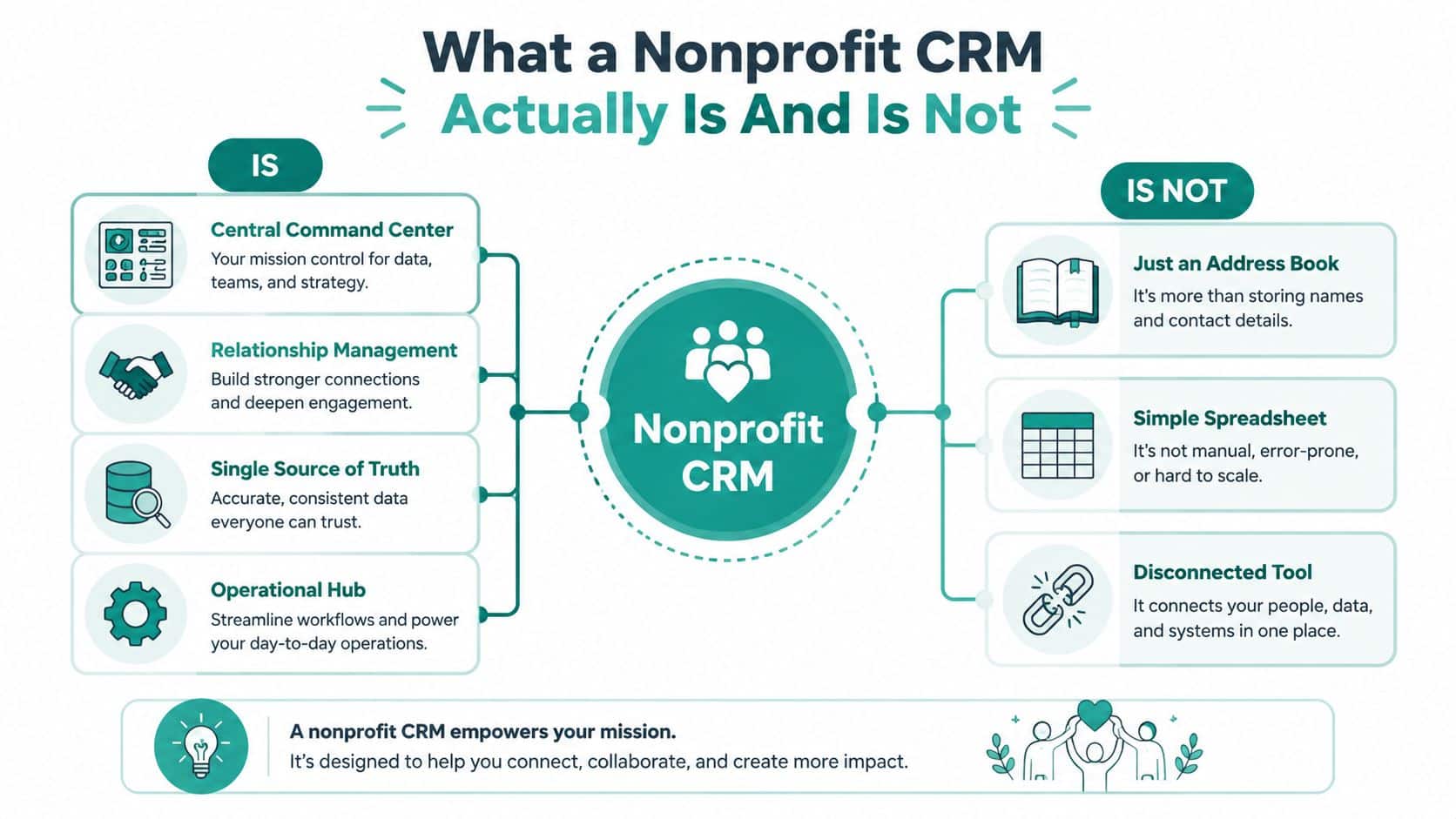
A lot of confusion starts with the term itself. People hear "CRM" and think address book, sales software, or a nicer spreadsheet. That's too small a definition for nonprofit work.
Industry guidance describes a nonprofit CRM as a system that centralizes donors, volunteers, event participants, program records, campaigns, and financial transactions in one place, creating a single view that supports segmentation, acknowledgments, stewardship, and reporting, as outlined in this Kindsight overview of nonprofit CRM features.
What it is
A real nonprofit CRM is your operating record for relationships. It should hold the story of a person's connection to your mission, not just their contact details.
That means one constituent record can show gifts, pledges, volunteer activity, event attendance, notes, communication preferences, and follow-up tasks. If you want a plain-language business definition, the F1Group CRM guide gives a useful general overview before you narrow into nonprofit needs.
You can also see the nonprofit-specific meaning in this donor CRM glossary entry, which gets closer to how directors and development teams use the term in practice.
What it is not
It is not just a donor list.
It is not a sales CRM with nonprofit labels pasted over it.
It is not a stack of disconnected apps that happen to exchange some data once in a while.
Here's the difference that matters in practice:
| Tool | What it usually does | What it misses |
|---|---|---|
| Spreadsheet | Stores names, gift totals, simple notes | History, automation, reporting discipline, shared visibility |
| Generic business CRM | Tracks contacts and pipeline activity | Nonprofit relationships, giving context, volunteer and program ties |
| Nonprofit CRM | Connects people, gifts, activity, campaigns, and operations | Still may miss finance if accounting is kept separate |
A nonprofit CRM should help you understand a supporter as a whole person, not as a line item in a fundraising report.
The director's test
When I look at any CRM for nonprofit use, I ask one blunt question. "Can this system tell me the full story of a supporter without opening three other tools?"
If the answer is no, then it may still be useful, but it isn't serving as your source of truth. And that source of truth is what directors need when staffing is lean and every report has consequences.
The Core Features Your Mission Depends On
A nonprofit CRM earns its place when it reduces handoffs between development, finance, and communications. If your gift records live in one system, your fund balances in another, and your email history in a third, staff spend too much time checking which version is right. That costs money. It also slows donor follow-up, month-end close, and board reporting.
For most organizations, the foundation is donor history tied directly to financial activity. Finance needs clean entries, restricted balances, and reporting by fund, program, or grant. Development needs to see what was given, why it was given, and whether the promise made to the donor was carried through. Based on AlignMint's work with nonprofits, teams using CRM systems with native fund accounting modeling often spend far less time on manual reconciliation and cleanup.

Gain donor trust with clear financials
Donors rarely ask how your chart of accounts is set up. They ask whether their gift was used the way you said it would be.
That answer gets shaky when staff record a restricted donation in the CRM, then re-enter it later in accounting and hope both records stay aligned. A stronger setup updates the donor record and the correct fund balance together, so finance and fundraising are working from the same transaction history.
What to look for:
- Restricted fund tracking: Gifts post to the right fund without side spreadsheets or manual correction.
- Grant and program visibility: Staff can review revenue and spending by program or grant without rebuilding reports each month.
- Functional expense reporting: Finance can prepare standard nonprofit reports without exporting data into a separate workaround file.
Grow relationships with better donor records
Good records save staff time at the exact moment time is tight. Before a call, appeal, or renewal conversation, your team should be able to see giving history, campaign responses, notes, household ties, and open tasks in one place.
That is the practical value of connected donor management tools. They help staff act on real context instead of hunting through inboxes, spreadsheets, and old event lists to piece together a supporter's history.
Keep volunteers and events connected
Volunteer and event activity often sits outside the main system, and that creates blind spots. A volunteer may also be a monthly donor. An event attendee may be a future major giver. A board prospect may first show up as someone who consistently gives time.
Your CRM should track:
- Availability and skills: So staff can place people well instead of sending broad requests.
- Hours and participation: So you can see involvement over time.
- Event engagement: Because attendance often signals interest before a gift does.
When those records stay disconnected, staff miss patterns that matter. The right core setup gives you one shared operational record across fundraising, finance, and engagement, which means fewer exports, fewer duplicate updates, and fewer surprises at reporting time.
Beyond the Basics Capabilities That Save You Time
Once your core records are clean, the next gains come from reducing repeated staff work. Automation and practical AI can be beneficial for this, but only if they answer real questions.
Used well, AI can help teams identify who needs attention, who may be drifting away, and which messages should go to which group. Organizations using AI-powered segmentation see 25 to 35 percent higher donor retention rates, and automated thank-you and outreach workflows correlate with 20 percent higher second-year donation rates, according to this Forbes Tech Council article on AI in nonprofit fundraising.
Let staff ask better questions faster
The useful version of AI isn't abstract. It's when someone on your team can ask a simple question in plain language and get a usable answer.
That might be identifying lapsed donors, finding volunteers who also attend events, or seeing which households gave last year but not this year. The point isn't novelty. The point is less report-building and faster follow-up. That's where a tool like Minty fits if your team wants help reading live nonprofit data without exporting files first.
Keep communication inside the same system
One of the biggest time drains in small nonprofits is list exporting. You pull names from the CRM, upload them into an email tool, then try to remember later who received what.
Built-in marketing tools change that workflow. Your team can send email or text from the same place where donor and volunteer records already live. The communication history stays attached to the person. That matters because future outreach becomes smarter.
A practical setup should let you:
- Segment by behavior: Give differently to recurring donors, first-time event guests, and long-time volunteers.
- Automate acknowledgments: Receipts and thank-yous should go out on time without manual chasing.
- Track response history: Staff should see opens, replies, registrations, or giving actions alongside the supporter record.
The fastest team isn't the one with the most features. It's the one that doesn't have to move data before taking action.
What to ignore in a demo
Be cautious when a vendor spends more time showing flashy personalization than basic workflow. If your team still has to clean lists by hand, copy gift data, or log outreach in separate places, the advanced layer won't save you.
Good advanced capability feels quiet. It removes admin work, sharpens follow-up, and helps staff notice what matters sooner.
The All-in-One Advantage vs The Hidden Costs of Patchwork Systems
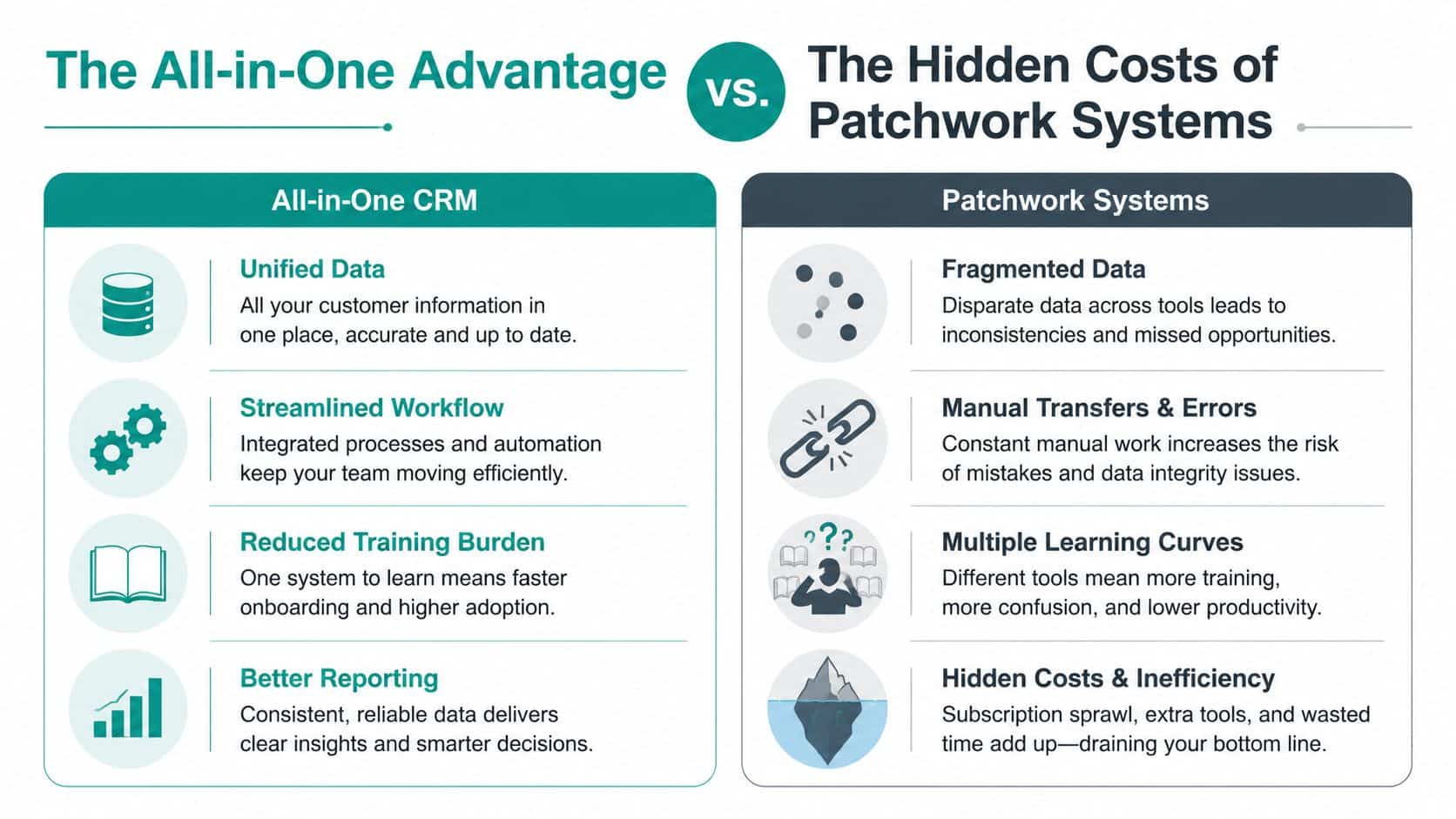
Most nonprofits don't choose a patchwork system all at once. It happens one decision at a time. You pick one tool for donations, another for accounting, another for email, then add events and volunteers later.
Each product can be strong in its lane. Salesforce is flexible. QuickBooks is familiar. Blackbaud Financial Edge is built for serious finance teams. Mailchimp is widely used. Eventbrite is easy to adopt. The problem isn't that these tools are bad. The problem is the handoffs your staff has to manage between them.
What fragmentation really costs
A 2025 TechForGood report says small nonprofits spend an average of $12,000 annually on third-party integrations and 40+ staff hours monthly on data syncing. The same report says fragmented systems increase the risk of donor invisibility by 32 percent, as summarized in this TechSoup discussion of nonprofit tech stacks.
Those costs rarely show up in side-by-side pricing pages. You see subscription fees, but not the hours spent fixing sync failures, retraining staff on multiple systems, or reconciling reports that don't match.
How the two models differ
| Approach | Daily reality | Likely result |
|---|---|---|
| Patchwork tools | Staff exports, imports, checks syncs, and reconciles exceptions | Delays, duplicate records, uneven reporting |
| All-in-one platform | Data enters once and stays connected across functions | Faster follow-up, cleaner reporting, less rework |
This is why many directors start looking at all-in-one nonprofit management software after years of adding point solutions. The attraction isn't novelty. It's relief.
Where competitors fit well and where they don't
Salesforce can be a strong fit for large nonprofits with technical help and time to configure it. Blackbaud products can serve complex organizations with dedicated database or finance staff. QuickBooks remains familiar for many teams.
But for smaller and mid-sized nonprofits, the gap often sits between donor records and true nonprofit finance. That's where an all-in-one platform such as AlignMint takes a different approach by keeping accounting, donor records, volunteers, events, and marketing in one system.
If you're comparing models, don't ask only which tool has more features. Ask which model creates less cleanup for your team six months from now.
A Buyer's Checklist for Nonprofit Leaders
A software demo can feel polished and reassuring right up until you ask how restricted funds are handled. Then you find out whether the system was built for nonprofit reality or adapted to it later.
A 2024 National Council of Nonprofits survey found that 68 percent of small nonprofits struggle with restricted fund reconciliation, while fewer than 5 percent of reviewed CRM articles address that issue natively, according to the National Council of Nonprofits trends and policy resource. That gap tells you something important. Many CRM conversations still stop at fundraising and never reach operations.
The questions worth asking in every demo
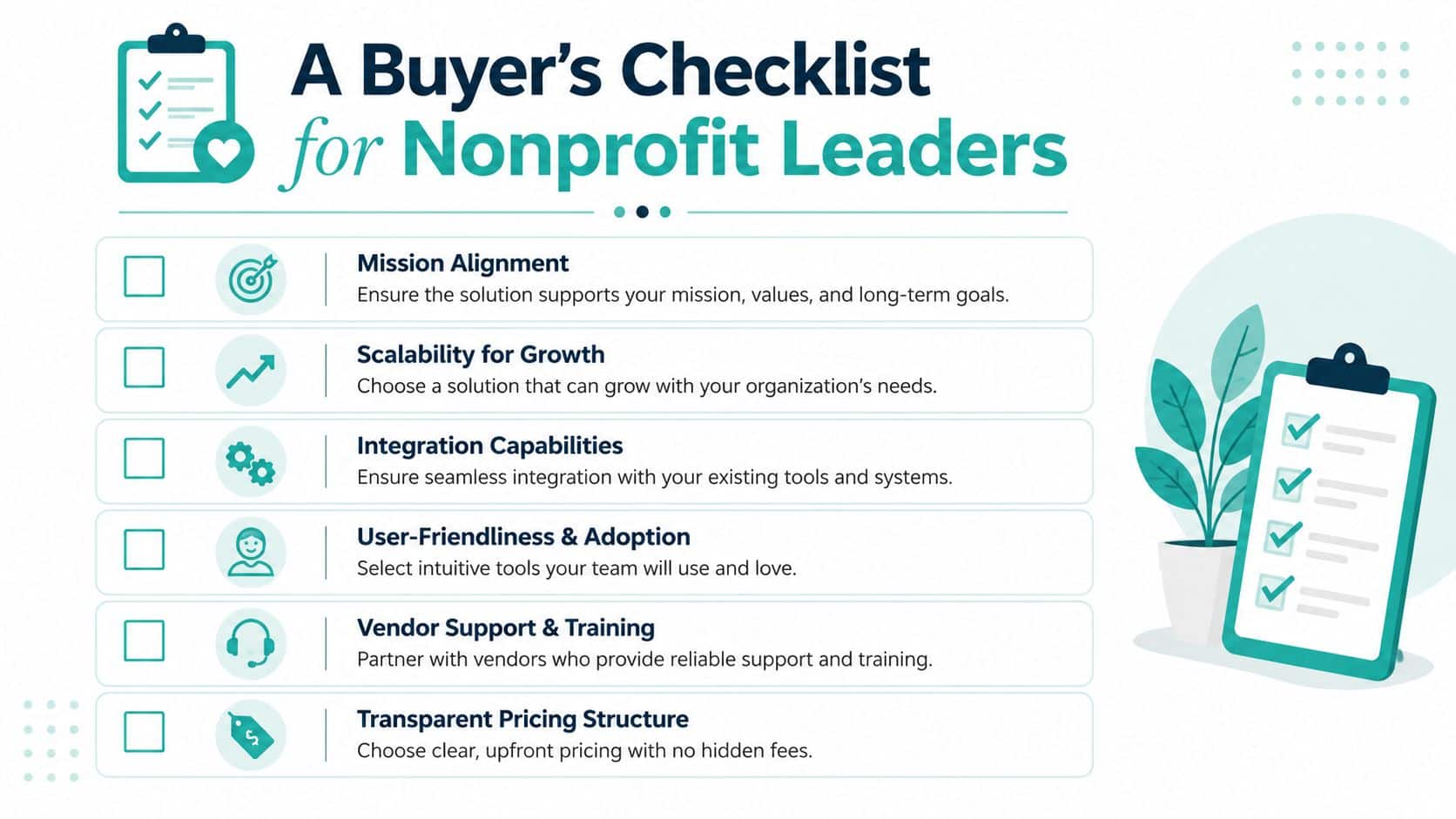
Bring these into every vendor call. If the answers are vague, keep pressing.
-
How do you handle restricted funds natively If the answer relies on workarounds or separate accounting logic, that will matter later.
-
Does each gift update both relationship history and financial records You want one transaction flow, not separate versions of the truth.
-
What does marketing include Some systems have basic email. Others require another product for serious outreach.
-
How are volunteers and events tracked If they sit outside the main constituent record, your team will still be piecing stories together.
-
What does pricing do as more staff need access Per-seat pricing can subtly discourage adoption across finance, development, programs, and leadership.
-
Is there a low-risk path for small organizations This matters if your nonprofit is growing and can't justify enterprise pricing yet.
The answers that usually signal a better fit
You want direct, practical language. Good vendors can explain their data model without hiding behind jargon.
Ask the vendor to walk through one restricted donation from gift entry to board report. If they can't show that cleanly, the problem won't improve after purchase.
A strong answer usually includes true fund accounting, clear user permissions, built-in communications, and reporting that doesn't depend on outside exports. It also helps if the vendor understands vertical needs, such as fiscal sponsorship, church giving, school events, or grant-heavy programs.
Keep your shortlist honest
Before you choose, ask your staff one plain question. "What extra spreadsheet will we still need if we buy this?"
That answer often reveals more than the demo did.
How to Make the Switch Without the Headache
Switching systems feels hard because it touches habits, not just data. People know where the old workarounds live, even when they don't like them.
The move goes better when you treat it as an operations project, not a software event. You are replacing hidden routines with cleaner ones.
Clean up before you move
Bad data becomes more visible in a new system. That's uncomfortable, but useful.
Start with a short review of the records you already have. Merge duplicate contacts, archive stale lists, and decide which fields your team will maintain. A practical starting point is this nonprofit data migration checklist, which helps teams sort what should move now versus later.
Use a simple sequence:
-
Consolidate your source files Pull donor, volunteer, event, and finance exports into one review process.
-
Decide what counts as current Old tags, unused custom fields, and legacy codes often confuse the new system.
-
Set naming rules early Households, funds, campaigns, and programs need consistent names before import.
Roll out in stages
You don't have to flip every switch at once. In fact, that usually creates more anxiety than progress.
A calmer approach is phased adoption. Bring over donor records first if that's your biggest pain. Then add financial workflows, then volunteer tracking, then marketing automation. Staff learn faster when each step solves a visible problem.
Here's what helps most:
- Pick one owner per area: Someone should own fundraising data, someone finance review, someone volunteer setup.
- Train around real tasks: Show staff how to enter a gift, pull a report, send a thank-you, and check a fund balance.
- Protect the first wins: Your first board report or first clean acknowledgment run builds trust in the new system.
Migration succeeds when staff can feel the relief early. Faster thank-yous, cleaner reports, and fewer side spreadsheets matter more than a perfect launch.
Make the change about confidence
The point of a new CRM for nonprofit work isn't to modernize for its own sake. It's to let your team trust the data in front of them.
When that happens, fundraising, finance, and programs stop arguing about whose report is right. You spend less time reconciling and more time leading. That's the payoff.
If your current setup still depends on separate tools for donor records, accounting, volunteers, events, and marketing, it may be time to look at one connected system. AlignMint is built for nonprofits that want CRM and true fund accounting in the same place, with built-in tools for fundraising, volunteers, events, team communication, and AI-assisted reporting.
Ready to try AlignMint with your nonprofit?
Start free — set up donor tools, giving pages, and Minty. Upgrade when you need accounting.