

Your development director just approved the gala invite. Your finance lead is already worried about receipt language, restricted funds, and how ticket revenue will land in the books. That disconnect is common, and it creates work you didn't need.
Event ticket examples are usually treated as design inspiration. In practice, the best tickets also support donor management, volunteer records, and cleaner accounting. If you're planning your next fundraiser, auction, school event, or church gathering, these examples will help you build tickets that do more than get people through the door. If you're still planning the larger event flow, this guide to logistics for nonprofit events is a useful companion.
For the surrounding campaign work, pair this with budgeting for an event and planning events for nonprofits. Ticket design works best when the budget, donor records, and follow-up plan are already clear.
Event Ticket Examples That Support the Mission
1. Tiered Pricing Ticket with Fund Allocation Transparency
A tiered ticket works best when the price difference means something clear. Donors shouldn't have to guess whether a higher level buys better seating, deeper impact, or both. Put that answer on the ticket.
I've seen this format work well for church galas, school auctions, and healthcare walks. A church might offer Friend, Steward, and Benefactor tickets tied to a building renovation fund. A community education nonprofit might sell General Admission and Premier Bidder access, both supporting scholarship reserves.
Show the fund on the face of the ticket
When donors see one bold sentence explaining where the money goes, questions drop fast. It also gives your team a cleaner handoff into reporting, especially if you track restricted and unrestricted activity separately.
For nonprofits, that matters more than most event guides admit. Many visual ticket templates focus on layout and scannability, but they ignore the operational layer. They don't show how tickets can point to accounting systems, pledge tracking, or receipting, even though that's a real need for Form 990 readiness and restricted balance tracking, as noted in this review of ticket design gaps for nonprofits.
Practical rule: If the fund matters after the event, print it before the event.
A good tiered ticket usually includes:
- Simple tier names: Friend beats a vague label like Visionary Access Plus.
- One bold fund sentence: Put "Supports the Building Renovation Fund" near the price, not in footer text.
- Upgrade path: Add a QR code to your giving page so guests can move up before arrival.
- Finance-ready structure: Match each tier to the correct fund in your fund accounting setup.
There is also a revenue case for doing tiering well. In the Floyd Festival case study, tiered pricing with limited-quantity releases increased early purchase velocity and captured premium revenue from VIP segments, according to the Afton Tickets case study. The lesson for nonprofits is simple. Clear tiers can improve timing and donor commitment when your names, benefits, and inventory are easy to understand.
2. Minimal Design Ticket with Prominent Donor Recognition
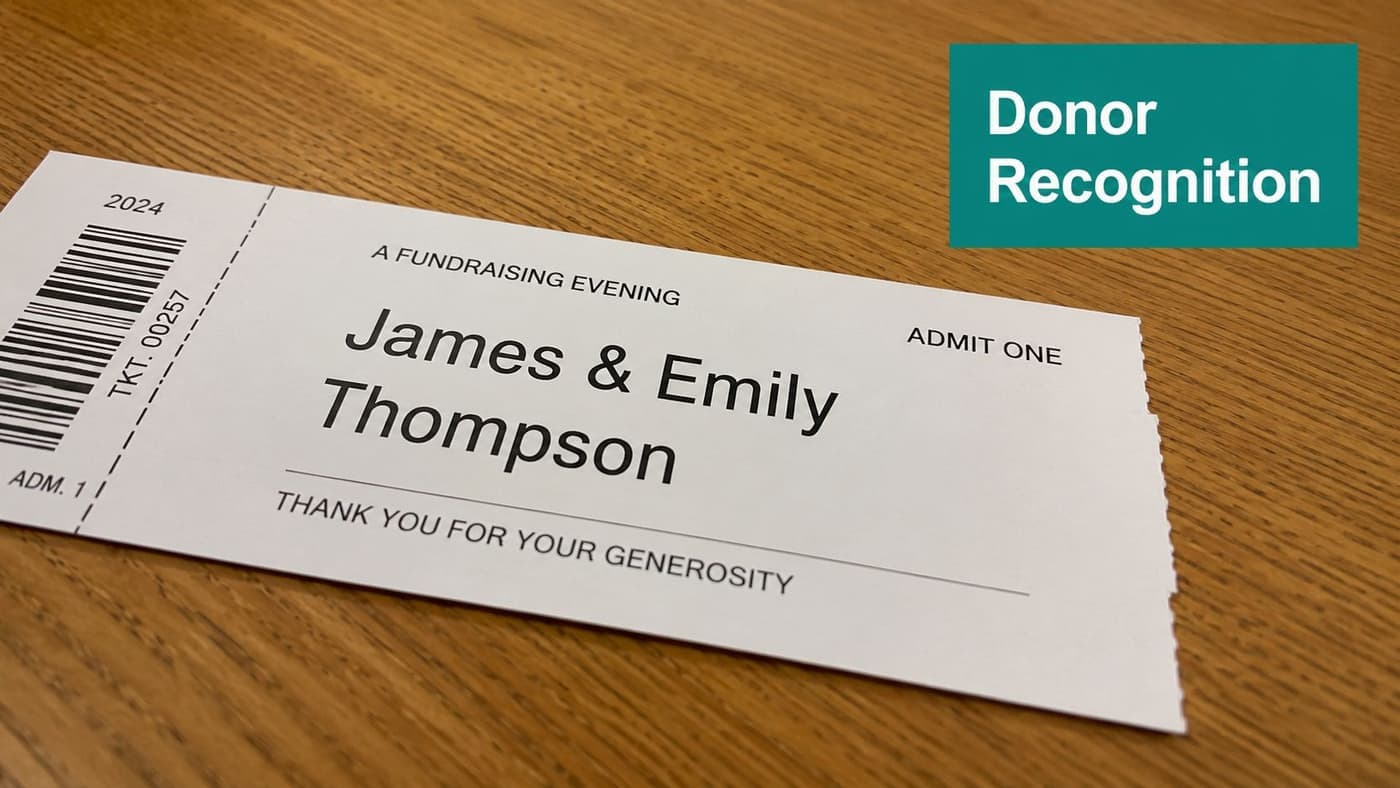
Some of the best event ticket examples are visually quiet. They don't try to impress with graphics. They make the donor's name feel important.
This works especially well for church services, scholarship dinners, and community center events where recognition matters more than spectacle. A school fundraiser ticket can list the student honoree and supporting family name. A church Easter ticket can print the family name in large type so the ticket doubles as a keepsake.
Keep the recognition crisp
If the donor's name is the centerpiece, the rest of the design should step back. One font family is enough. A clean serif or sans-serif can both work, but mixing them usually creates clutter.
What matters more is accuracy. If someone wants to be recognized as "The Martin Family" instead of individual names, honor that preference exactly. That level of care often matters more than a glossy stock or foil finish.
Donor recognition works when it feels personal, not performative.
A few details make this style easier to manage:
- Protect white space: Leave room around the donor name so volunteers can read it quickly.
- Number each ticket: That gives your front desk an easy attendance check and a cleaner audit trail.
- Confirm spellings before print: This is one of the easiest ways to avoid donor frustration.
- Tie recognition to the record: Store the final recognition name inside your donor management process.
This is one place where simpler can beat flashier platforms. Canva can make this style easy to design, and Eventbrite handles straightforward ticket delivery well. Neither one is built first around donor records and nonprofit recognition preferences. If your recognition details live somewhere else, your team still ends up reconciling names by hand.
3. Multi-Event Bundle Ticket with Cumulative Fund Impact
A bundle ticket helps when one event won't tell the whole story. Leadership academies, museum workshop series, and discipleship classes often do better with one purchase covering several dates.
This format reduces repeat registration work for your team. It also gives supporters a stronger sense that they're buying into a program, not just a seat.
Make the impact cumulative
A nonprofit leadership academy might sell one bundle for a four-session series and add a simple line about the community outcome. A museum might package monthly education sessions with an exhibition opening. A faith organization could sell a six-week learning series under one ticket.
The design matters less than the clarity. List each date, mark the attendance rules, and make expiration terms easy to spot. If volunteers will check people in at each session, a stub-per-date layout can still be the easiest option.
Helpful choices for this format include:
- Clear session list: Put every date on the face of the ticket or in the digital delivery.
- Simple no-show policy: If missed sessions expire, say so plainly.
- One purchase record: Keep the bundle under a single event registration in your events workflow.
- Mission language: Add one short sentence that connects the series to what your organization does.
The larger market direction supports this approach. The global online event ticketing market is valued at USD 45.74 billion in 2026 and is projected to reach USD 79.77 billion by 2034, growing at a 7.2% CAGR, according to Straits Research on online event ticketing. For nonprofits, the takeaway isn't the market size by itself. It's that supporters are increasingly comfortable buying event access online, including more structured offers like series, memberships, and bundled participation.
4. Volunteer Hour Documentation Ticket with Dual-Purpose Receipt
A volunteer-powered event needs more than a check-in list. Your volunteers often want a record of service, your supervisors need quick sign-off, and your staff doesn't want to chase hours later.
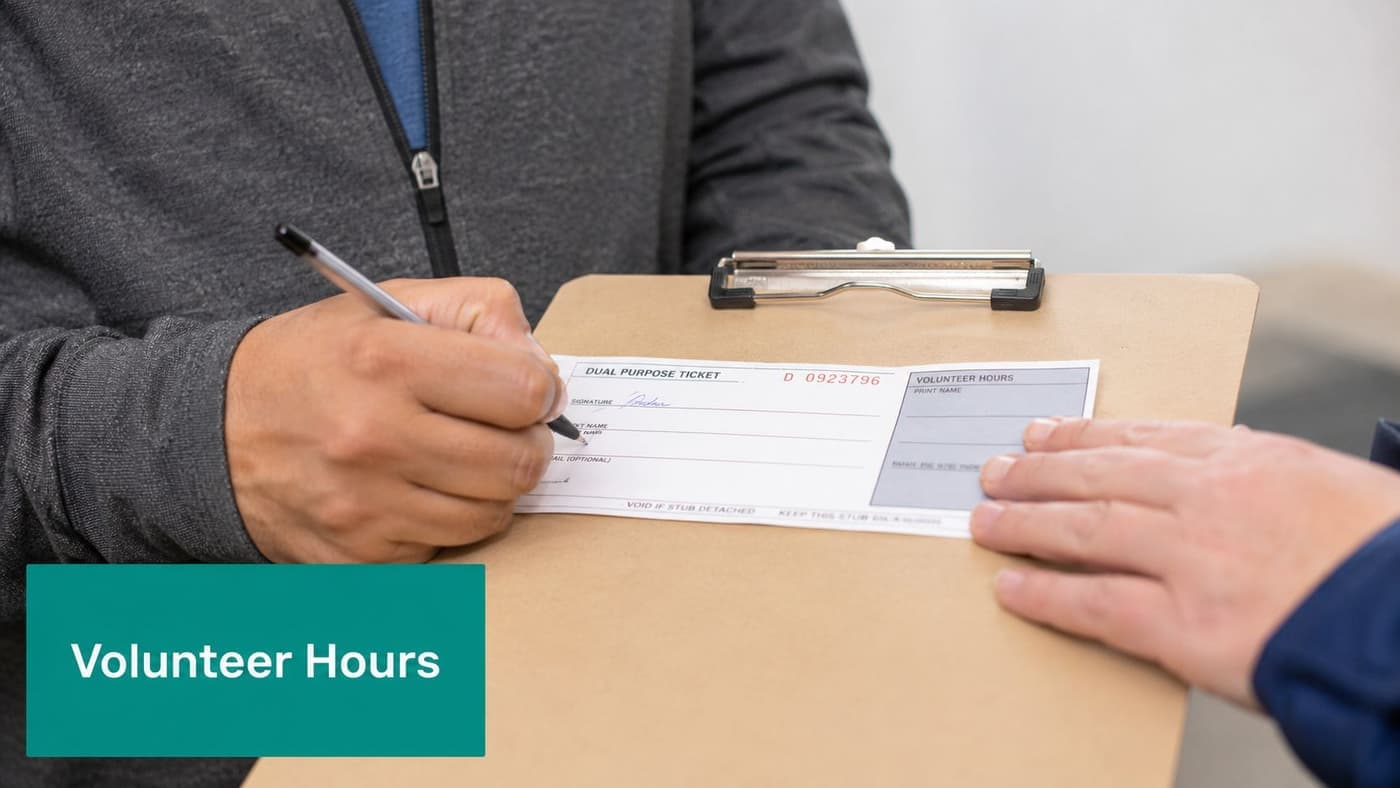
That's where a dual-purpose ticket earns its keep. The front works like a normal ticket. The back documents role, hours served, and supervisor approval.
Treat the ticket like a service record
This format is ideal for food bank packaging days, mentor appreciation dinners, and hospital auxiliary events. A food bank can preprint roles like Packaging, Sorting, and Distribution. A youth mentoring nonprofit can issue appreciation dinner tickets that also confirm service hours from the prior quarter.
Most templates miss this entirely. They assume ticketing moves in one direction, from seller to attendee. But nonprofit events often involve volunteer labor, follow-up engagement, and future reporting. Some recent nonprofit content argues that ticketing is shifting toward activity-based design tied to actions after the event, and it points to the challenge many mid-sized nonprofits face in turning attendees into recurring donors when ticketing and CRM systems are disconnected, according to this piece on nonprofit ticket concepts.
Field note: Checkboxes beat blank lines every time when a supervisor is signing thirty tickets at once.
Use a few practical design choices:
- Preprinted role boxes: Faster than asking supervisors to handwrite roles.
- Signature space: Leave enough room on the reverse for approval.
- Personal retention: Tell volunteers to keep the stub in a folder for their records.
- Hours in one place: Connect approved service to your volunteer hour tracking.
Volunteer records often fall between operations and development. A ticket like this gives both teams one artifact they can trust.
5. Restricted Fund-Specific Ticket with Donor Choice Option
If your event supports more than one program, don't force donors into a generic payment bucket. Give them a clear fund choice at purchase, then print that choice on the ticket.
This approach works well for universities, healthcare nonprofits, and community development groups. A university gala can offer Student Scholarships, Faculty Research, or Campus Sustainability. A healthcare dinner can let guests direct support toward Patient Education, Research Fund, or Emergency Assistance.
Choice helps when it's controlled
The key is restraint. Too many options create hesitation and data mess. Keep the fund choices short, distinct, and easy to recognize on the ticket itself.
This is also where accounting discipline matters. If a donor pays for admission and gives above fair market value, your books still need the right split. For Form 990 reporting, the fair market value portion is reported as gross income from a fundraising event on Part VIII, line 8a, while the amount above that value is reported as a contribution related to a fundraising event on Part VIII, line 1c, according to the IRS instructions for Form 990 financial reporting. The IRS gives a clear example. If a donor pays $250 for a ticket and the event value is $100, then $100 is event income and $150 is a contribution.
That one distinction is why restricted fund tickets need accounting logic behind the design. If the selected fund prints on the ticket but doesn't post correctly in the ledger, you've only created nicer confusion.
Keep this format disciplined:
- Limit options: Three or four funds is usually enough.
- Describe each fund briefly: A short phrase helps donors choose quickly.
- Print the fund on the ticket: That confirms intent for the guest and staff.
- Review revenue by fund after the event: The mix can guide next year's strategy.
Blackbaud and DonorPerfect both offer strong nonprofit databases. The gap usually appears in how many handoffs it takes to connect event choice, accounting treatment, and donor receipt language.
6. Digital Ticket with Automatic Receipt Integration
Digital tickets save time when they also close the loop on acknowledgments. If your guest buys a ticket, receives a scannable pass, and gets the right tax receipt without staff intervention, your event office gets quieter fast.
This format fits community classes, hybrid workshops, youth programs, and almost any recurring event. It also helps when your attendees register close to start time and don't want to print anything.
Make the receipt part of the ticket flow
A digital ticket should include the barcode or QR code, clear check-in instructions, and the receipt path. If the event includes both admission and a gift component, your receipt language must reflect that correctly.
For many nonprofits, systems frequently break apart. The ticketing email goes out from one tool. The donation receipt comes from another. Staff then answer preventable calls about missing acknowledgments. Using a connected process for donation receipts cuts that friction.
A few practical rules matter more than fancy design:
- Offer a paper backup: Some guests still arrive with a dead phone or no email access.
- Test major inboxes: Gmail, Outlook, and Apple Mail can display the same ticket differently.
- Use a readable QR code: Don't shrink it until volunteers struggle to scan.
- State the check-in action clearly: "Show this screen at check-in" is enough.
The broader context supports digital-first planning. In 2023, the global ticket market issued over 10.5 billion event tickets across categories, showing the scale of modern participation and the dominance of mobile and online distribution, according to Market Growth Reports on the ticket market. If your event includes live production, hybrid streaming, or room-by-room tech coordination, this primer on understanding A/V signal flow can help your staff avoid common day-of mistakes.
7. Peer-to-Peer Fundraising Ticket with Fundraiser Recognition
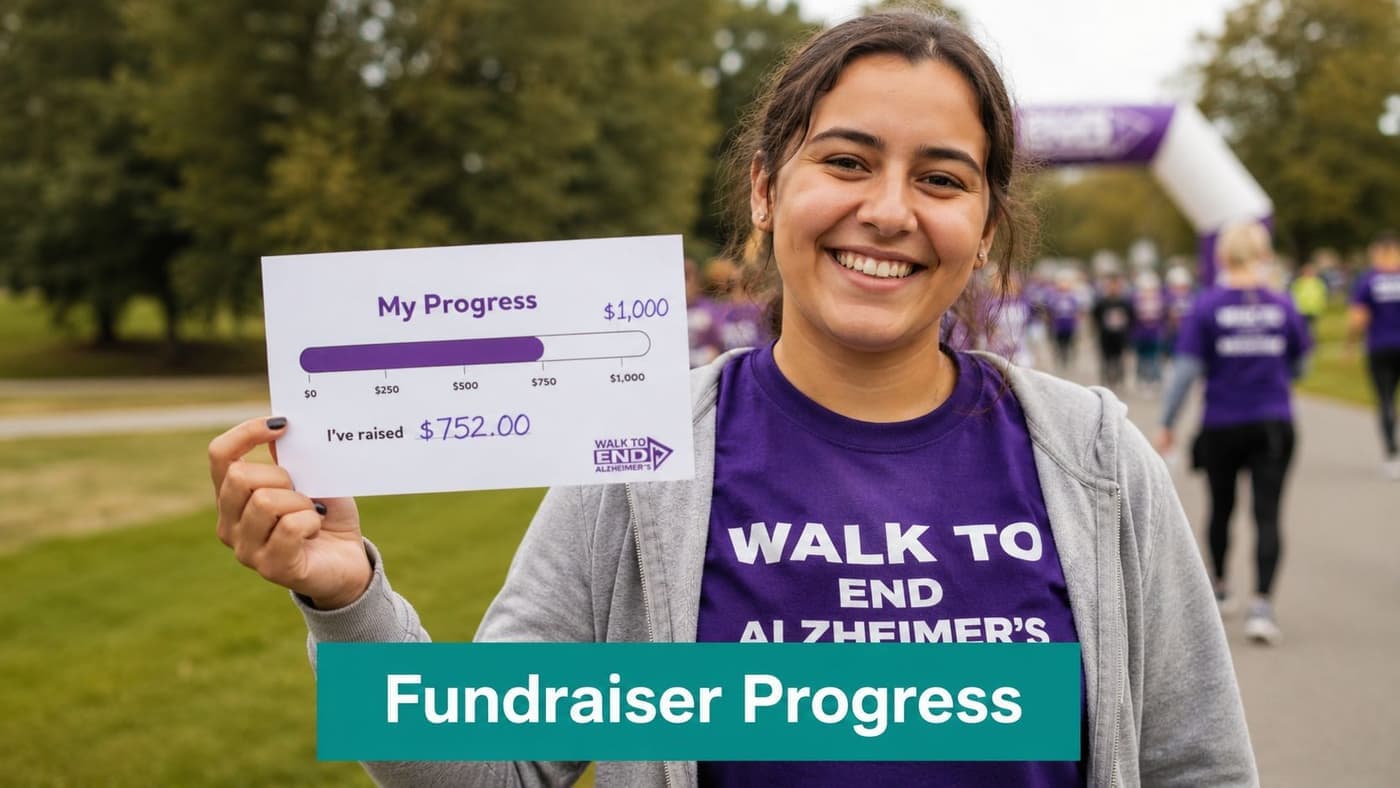
A peer-to-peer fundraising ticket should celebrate the person doing the asking, not just the event brand. When the ticket displays the fundraiser's name and progress, it reinforces ownership and gives supporters something visible to rally around.
This style works especially well for walk-a-thons, rides, and galas with fundraising committees. A bike ride bib can show the participant's name and current campaign progress. A gala leadership ticket can recognize fundraisers who qualified through peer giving.
Recognition drives follow-through
This format isn't about public pressure. It's about making effort visible. When fundraisers see their names and progress reflected in the event materials, they tend to keep talking about the cause right up to the event.
The ticket can include a QR code to the fundraiser's page, a short congratulatory message, and a printed goal marker. Keep the page mobile-friendly. Sending people to a generic event homepage wastes the moment.
Current progress beats generic encouragement. If a supporter can see the fundraiser's standing at a glance, the ask feels real.
You should also think about channel performance. The Oregon Country Fair, which draws 45,000 annual attendees, uses limited-sale windows and centralized visibility across outlets to support sell-through and waitlist movement, according to Tickets Data on event ticketing analytics. The same article notes that efficient online platforms can reduce customer acquisition cost to approximately $15 per ticket. For nonprofits, the lesson is practical. When your peer-to-peer event has multiple sales or promotion channels, track where conversions happen and keep the fundraiser link attached all the way through.
7-Point Event Ticket Comparison
| Ticket Type | Implementation Complexity | Resource Requirements | Expected Outcomes | Ideal Use Cases | Key Advantages |
|---|---|---|---|---|---|
| Tiered Pricing Ticket with Fund Allocation Transparency | Medium–High (design + legal review) | Professional design, ticketing system with fund mapping, accounting integration | Clear donor fund allocation, higher revenue capture across tiers | Nonprofits with multiple programs or restricted funds | Donor transparency, reduced post-event reconciliation, multiple price points |
| Minimal Design Ticket with Prominent Donor Recognition | Low (simple layout) | Basic printing, CRM export for names, manual stub handling | Strong donor recognition, low production cost | Faith-based groups, schools, community organizations | Low cost, personal recognition, easy record-keeping via stubs |
| Multi-Event Bundle Ticket with Cumulative Fund Impact | Medium (series management) | Event series setup, attendee tracking per session, volunteer training | Increased average transaction value, higher retention across series | Educational series, membership programs, recurring events | Higher upfront revenue, reduced transaction friction, cumulative impact messaging |
| Volunteer Hour Documentation Ticket with Dual-Purpose Receipt | Medium (two-sided design) | Supervisor training, QR/barcode scanning, volunteer management integration | Immediate auditable volunteer records, streamlined hour logging | High-volunteer events (food banks, service days) | Combines entry and documentation, audit-ready records, one-scan data capture |
| Restricted Fund-Specific Ticket with Donor Choice Option | Medium–High (backend accounting) | Clear fund descriptions, limited fund options, robust fund accounting | Accurate restricted fund posting, increased donor agency | Organizations with several restricted funds | Donor choice printed on ticket, automatic fund posting, transparency of intent |
| Digital Ticket with Automatic Receipt Integration | Low–Medium (digital delivery) | Email/SMS delivery system, reliable mobile rendering, receipt automation | Reduced printing/admin, instant receipts, easier check-in | Online, hybrid, or cost-conscious events | No printing costs, automatic tax receipts, analytics on engagement |
| Peer-to-Peer Fundraising Ticket with Fundraiser Recognition | Medium (personalization + updates) | CRM integration, personalized printing or dynamic digital tickets, progress update process | Higher peer-driven fundraising, motivated fundraisers | Walks, races, galas, peer-to-peer campaigns | Fundraiser recognition, social proof via progress bars, drives sponsor conversions |
Make Every Ticket Count
A thoughtful ticket does more than admit a guest. It can clarify donor intent, support cleaner books, reduce front-desk confusion, and give volunteers a record they can use. That's the difference between decorative event ticket examples and practical ones.
If you're running fundraising events, your ticket design should connect to what happens after the doors open. Finance still needs the right revenue split. Development still needs donor records and receipt history. Program and volunteer teams still need attendance and service data they can trust.
That back-office connection matters even more as your organization grows. Nonprofits with annual gross receipts of $200,000 or total assets above $500,000 at year end must file the full Form 990, while smaller organizations may file Form 990-N or choose Form 990-EZ depending on receipts, according to this summary of Form 990 filing thresholds. Event revenue counts toward those decisions. So does how accurately you classify it.
Expense allocation matters too. The Statement of Functional Expenses for Form 990 requires event-related costs to be assigned to Program, Fundraising activity, or Administrative expenses. The same guidance notes that many nonprofits aim to direct 65 to 75% of total expenses toward program activities, as explained in this overview of how nonprofits should handle tax Form 990. A ticketing process that leaves staff sorting details months later makes that harder than it needs to be.
And the deadline doesn't move. Form 990 is due on the 15th day of the fifth month after your fiscal year ends, which is May 15 for calendar-year nonprofits, according to Jitasa's Form 990 filing overview. If event data is still scattered across ticketing tools, spreadsheets, and inboxes, that deadline arrives fast.
That's why we built AlignMint as one place for accounting, donor records, volunteers, events, marketing, and team communication. We include true fund accounting, not QuickBooks classes, a built-in marketing suite, Minty help, clear user access by plan, and a free tier for nonprofits under $100K. For churches, schools, fiscal sponsors, and community nonprofits, that means fewer handoffs and better visibility across the whole organization.
If you want event tickets that help your mission after the event ends, keep the design simple and the data connected.
If you're ready to stop patching together ticketing, donor records, accounting, and volunteer tracking, take a look at AlignMint. We bring those functions together in one platform, so your next event can support fundraising, reporting, and follow-up without extra cleanup later.
Ready to try AlignMint with your nonprofit?
Start free — set up donor tools, giving pages, and Minty. Upgrade when you need accounting.