

Two hours before your nonprofit's gala, volunteers are scanning tickets on a borrowed iPad while you reconcile credit card receipts in the back office. The checkout may have worked, but the work is just beginning: separating donations, sponsor benefits, auction purchases, raffle entries, and ticket revenue for accounting and donor follow-up.
The right event ticketing software should reduce that Monday-morning cleanup, not just create a polished sales page. This guide compares practical options and shows which platform fits your event volume, staffing, donor stewardship, and fund-accounting needs.
Quick Answer: Event Ticketing Software for Nonprofits
Event ticketing software for nonprofits should record more than a sold seat. Split admission, donation, sponsor comps, and restricted revenue at checkout so finance and development share one record after the event.
Compare nonprofit event ticketing software with events. For day-of operations, see ticket management.
The Hidden Accounting and Stewardship Work Behind a Sold Ticket
A nonprofit ticket rarely represents admission alone. One purchase may include a meal, charitable contribution, sponsor allocation, or additional gift. If the system records every transaction as a simple ticket sale, the finance team inherits the missing work.
Staff may need to split donation and admission amounts, record complimentary sponsor tickets, track table assignments, and identify guests for follow-up. Silent auction add-ons and raffle entries add another layer when they share the same payment as the event ticket.
The door operation can look organized while the financial trail stays messy. Volunteers scan QR codes, development staff monitor attendance, and the executive director later receives a payout that does not show which funds or programs should receive the revenue.
Practical rule: A ticket opens a donor and accounting record that extends well beyond checkout.
Where checkout-only tools leave gaps
Consumer ticketing platforms often handle public event pages, mobile purchases, QR-code delivery, and fast entry well. Those functions matter, but they can stop before accounting and stewardship work begins.
Your team may download one file for ticket buyers, another for payment fees, another for donations, and separate exports for auction or raffle activity. Staff then deduplicate contacts, reconcile gross and net amounts, assign fund codes, and update the CRM manually.
The same gap affects donor communication. If a buyer's giving history remains separate from the event record, development staff can miss a meaningful interaction or send an inaccurate receipt. Nonprofit organizers also need to determine which part of a ticket is tax-deductible and explain it clearly in the receipt, as outlined in this nonprofit event ticketing checklist.
Integrated platforms close more of that gap by connecting ticket transactions with donor records, fund coding, payment detail, and follow-up workflows. Bolt-on tools may offer a polished checkout, yet still leave your team assembling the financial story afterward.
The six questions that matter
Before comparing brands, evaluate fund accounting compatibility, donor data ownership, fee structure, payment options, ticket rules, and reporting connections. These criteria determine whether your team can close the books and steward supporters without extra spreadsheets.
Check the operational details too: mobile check-in, recurring events, promo codes, attendee communications, and API or webhook access. Independent platform comparisons discuss those capabilities alongside reporting, pricing, and data ownership in event ticketing platform comparisons.
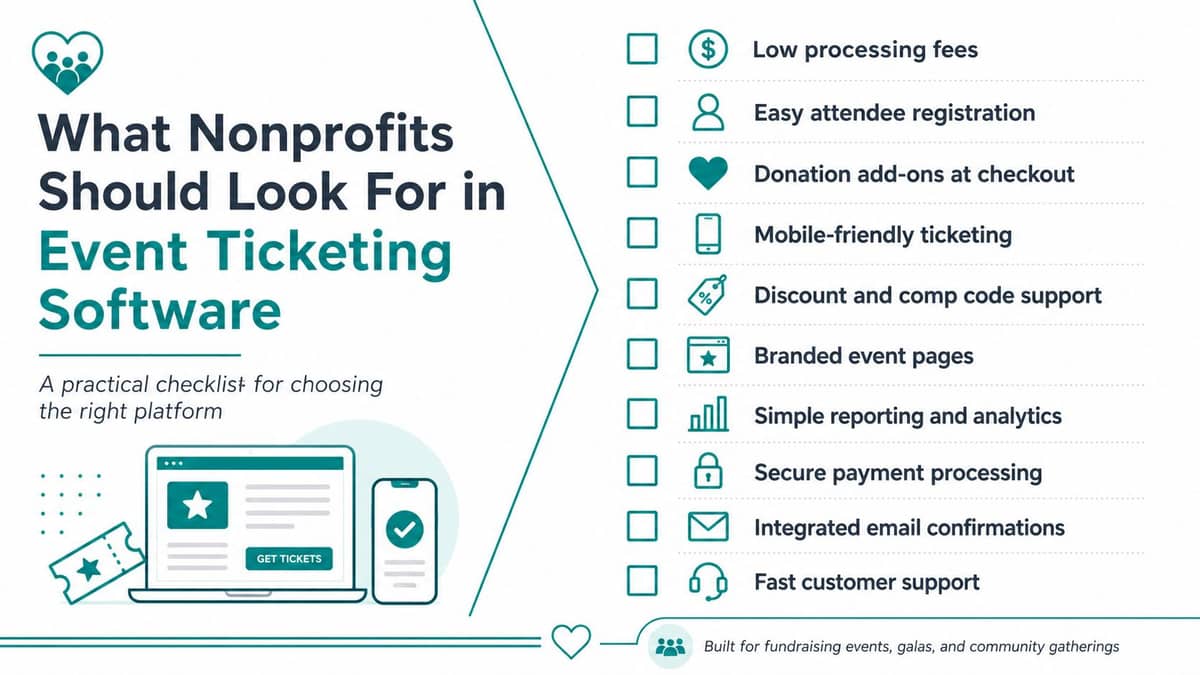
What Nonprofits Should Look For in Event Ticketing Software
Start with the financial trail. Nonprofits need event ticketing software that understands the difference between admission, contribution, sponsorship, and restricted revenue.
1. Fund accounting and donor ownership
Good looks like: each transaction can carry the right fund, program, campaign, and donor record before money reaches the general ledger.
Red flag: the platform sends one lump-sum payout with no useful coding, or it withholds donor emails and makes you request your own data.
Restricted funds must remain separate from unrestricted money, particularly for fiscal sponsors managing several projects. A ticketing system that cannot preserve those distinctions creates reconciliation work and increases the risk of reporting errors.
2. Transparent fees and payment choices
Ask whether fees are paid by your organization, absorbed into the ticket price, or offered to the buyer. Confirm the treatment of refunds, chargebacks, ACH payments, and recurring gifts before signing anything.
Good looks like: clear fee rules, deposits that reconcile to transaction detail, and ACH or pledge-to-ticket workflows where your audience needs them.
Red flag: ACH costs extra without clear disclosure, or your staff must manually connect a pledge to the eventual ticket purchase.
3. Ticket types, promo codes, and complimentary access
Your board members, sponsors, volunteers, speakers, and major donors may need complimentary tickets. A gala may also require early pricing, table packages, accessibility questions, or discount codes.
Good looks like: flexible ticket inventory, scheduled pricing, sponsor comps, and codes that report clearly.
Red flag: a “free” ticket still creates confusing payment records, or staff must create separate events for each discount.
4. Group and table management
Galas, school benefits, and church dinners often involve households, tables, guests, meal preferences, and accessibility needs. A buyer may pay for several people while providing names later.
The right system keeps the purchaser, guests, table, and ticket status connected. Avoid tools that force your team to manage table seating in a separate spreadsheet, particularly when last-minute substitutions are common.
5. Reporting and CRM connections
Your development staff should be able to identify attendees, donors, sponsors, lapsed supporters, and first-time visitors without merging files by hand. Check connections with systems such as Salesforce NPSP, HubSpot, and Raiser's Edge, along with export quality.
Good looks like: clear event reports, transaction-level detail, attendance history, campaign attribution, and usable CRM records.
Red flag: the report shows gross sales but not fees, designations, refunds, or donor identity. For practical ideas on driving RSVPs for corporate events, focus on tactics that preserve the data you'll need after registration.
6. Check-in, communications, and day-of control
Fast mobile scanning protects the guest experience and gives your team a reliable attendance record. The system should also support reminders, schedule changes, waitlists, and post-event messages.
Review the complete event workflow in AlignMint's event management features, including ticket types, capacity, registration, check-in, and revenue mapping. Don't judge software only by the purchase page. Ask what your team can see at the door and what finance can reconcile afterward.
How Five Popular Platforms Compare Side by Side
No platform wins every situation. Eventbrite offers strong marketplace reach, Ticket Tailor is known for a low flat-fee approach, Zeffy uses a zero-fee model supported by donations, and Givebutter combines donation and ticketing functions. Each can make sense when your event needs are straightforward.
The question is what happens after payment. Some organizations accept manual exports because their events are occasional and their accounting is simple. Others need donor history, restricted designations, and event revenue to share one record.
| Platform | Ticketing Features | Payments & Fees | Promo & Group Tools | Reporting & Donor Data | Fund Accounting & CRM Integration |
|---|---|---|---|---|---|
| Eventbrite | Strong public event pages, ticket types, mobile tickets, and check-in | Broad payment support, with fee choices that require careful review | Promo codes and comp tickets, with group workflows depending on setup | Useful event reporting, but data may require export and cleanup | Strong marketplace and event reach, but native fund accounting isn't its focus |
| Ticket Tailor | Flexible ticket pages and ticket types for independent events | Low flat-fee positioning, with payment costs and configuration to verify | Promo codes and practical ticket controls, with group needs requiring review | Clear event-level reporting, while CRM depth depends on integrations | Useful for straightforward exports, but native fund accounting isn't central |
| Zeffy | Nonprofit-oriented ticketing and registration for simpler events | Zero-fee positioning supported by donor contributions, with paid-event details to check | Basic discount and registration tools for common nonprofit needs | Helpful for event activity, though donor data depth can remain limited | Donor and fund-accounting connections may require manual synchronization |
| Givebutter | Combined fundraising, donation, and event ticketing | Donation-supported pricing model, with supporter-contribution fatigue worth considering | Promo and campaign tools, with group management depending on event design | Stronger fundraising context than many ticket-only tools | Combined giving and ticketing, but native fund accounting isn't the primary model |
| AlignMint | Events, ticket types, capacity, payments, QR check-in, and revenue reporting | Nonprofit pricing includes a free tier for organizations under $100K, with processing details to review | Promo codes and event workflows connected to supporter records | Ticketing, CRM, and accounting share one database | True fund accounting, restricted-fund tracking, and CRM records are connected |
AlignMint is one option for organizations that want ticketing, payments, CRM, and fund accounting in one database. Its model maps restricted gifts, sponsorships, and event revenue to accounting records without requiring the same manual reconciliation between separate tools.
For a wider feature-by-feature view, use this event software comparison. I'd also ask every vendor to demonstrate a real payout, a refunded ticket, a sponsor comp, and a ticket containing both admission and a donation.
Matching the Right Tool to Your Nonprofit Type
The right purchase depends less on your organization's label than on its event rhythm and accounting burden. A small congregation with occasional fundraisers has different needs from a fiscal sponsor managing several restricted projects.
| Nonprofit Profile | Annual Event Volume | Accounting Complexity | Best-Fit Tool |
|---|---|---|---|
| Small faith community | Two annual fundraisers | Simple, with volunteer-led administration | Zeffy or Givebutter, with manual CRM synchronization |
| Mid-sized arts nonprofit | 8 to 15 paid events | Moderate, with development and accounting exports | Ticket Tailor or Eventbrite, or AlignMint when stewardship and reporting matter |
| Fiscal sponsor or multi-program nonprofit | Overlapping program events | High, with restricted funds and grant reporting | AlignMint, because program and fund segmentation are native |
Small faith communities
If your church has fewer than 200 weekly attendees and holds two fundraisers each year, a free or low-cost option may be sensible. Zeffy and Givebutter can handle common registration and donation workflows, especially when volunteers can manage a manual CRM sync.
Before choosing, confirm how you'll record designated gifts, issue receipts, and identify households. Free registration doesn't remove the need for accurate donor records.
Mid-sized arts organizations
An arts nonprofit running 8 to 15 paid events annually may outgrow spreadsheets without needing a large venue system. Ticket Tailor or Eventbrite can work when your team accepts accounting exports and has a reliable cleanup process.
Choose an integrated platform when the development team needs attendance history, campaign attribution, and donor follow-up immediately after each event. The extra structure can be worthwhile when the same staff members handle sponsorships, ticketing, and stewardship.
Fiscal sponsors and multi-program organizations
Fiscal sponsors need separate project views, restricted-fund tracking, and consolidated reporting. Restricted donations and grants must remain tied to their intended purpose, time period, or project, rather than blending into one general event balance.
That makes an integrated system the practical starting point. Your team can keep each sponsored project distinct while viewing organization-wide activity without rebuilding reports from disconnected exports.
Two Real Event Scenarios and How the Software Holds Up
Consider a 300-guest annual gala using Eventbrite, a separate CRM, and QuickBooks. The checkout works, volunteers scan tickets, and guests enter without much trouble.
Monday brings the less visible cost. Staff receive a 600-row export, deduplicate buyers against the donor database, remove fees from gross revenue, and divide ticket-level designations across restricted funds. The event itself succeeded, but the finance and development teams still spend hours translating ticket activity into nonprofit records.
That doesn't make Eventbrite a poor choice. Its public marketplace and event tools can be valuable for organizations that prioritize reach and straightforward admissions. The gap appears when your team expects the ticketing platform to perform accounting and donor stewardship work that sits outside its core design.
Scenario two, a recurring volunteer event
Now consider a recurring volunteer recognition brunch managed inside an integrated nonprofit platform. The attendee list, gift-eligible donations, and fund postings use the same event record, so staff don't rebuild the relationship between attendance and revenue after the brunch.
The benefit isn't a prettier ticket page. It's the absence of a separate Monday project. Development can see who attended, finance can review the appropriate fund activity, and volunteer leaders can work from the current guest list.
You can explore additional event ticket examples before asking vendors for a demonstration. Request the same workflow from each provider, then watch what happens after the payment clears.
Why Integrated Platforms Win for Most Growing Nonprofits
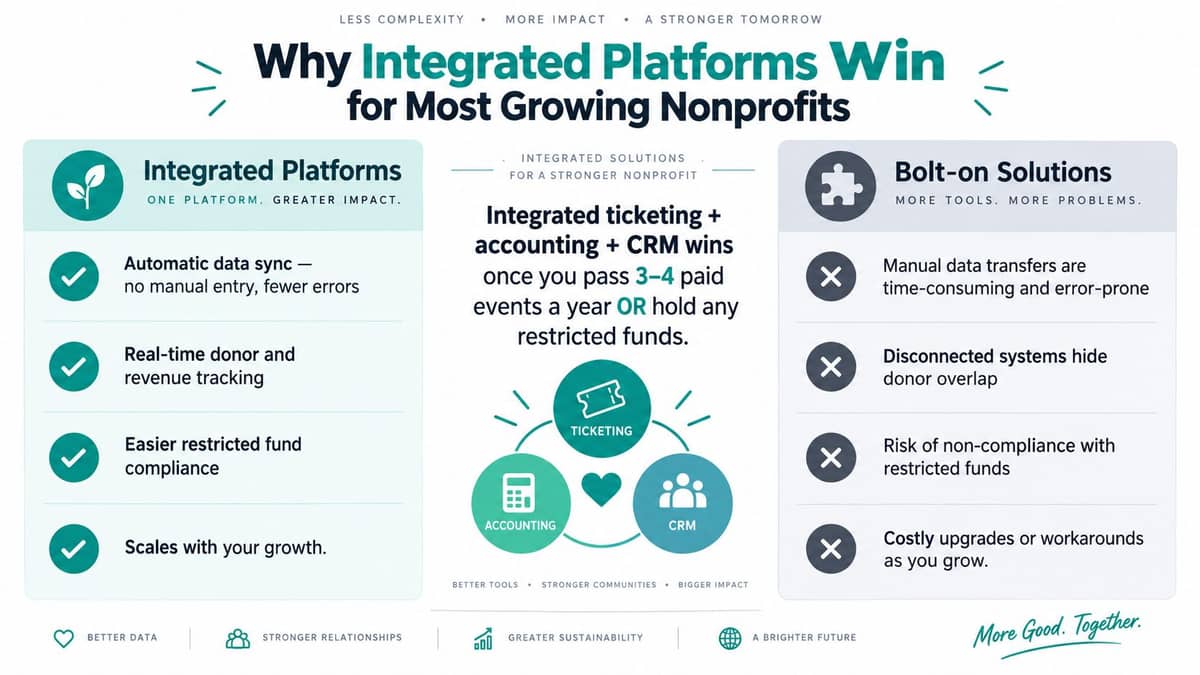
If your nonprofit runs 3 to 4 paid events a year or holds any restricted funds, ticketing becomes an accounting and donor-stewardship issue. Each handoff between ticketing, CRM, payments, and accounting creates reconciliation work for someone on staff.
Integrated platforms keep the event ID, donor record, and chart of accounts connected. Ticket revenue can post to the correct fund, attendance can remain attached to the supporter profile, and event reports can combine payments with guest activity without stitching together separate files.
That connection matters after the checkout. Development can follow up with attendees, finance can review fund activity, and event staff can work from records that agree. Staff spend less time correcting files and more time preparing donors, volunteers, and guests for the next event.
The honest trade-off
Integration costs money and reduces flexibility. Free tiers from Zeffy or Givebutter may suit a volunteer-run event with simple revenue and no restricted designations. They keep the first step affordable while your team learns which information it needs.
An integrated platform also places more operations under one vendor's roadmap. Review data export, customer support, pricing changes, and contract terms before committing. See our overview of all-in-one nonprofit management software for more on how integrated platforms consolidate operations.
My candid view: Integration is insurance against the cleanup job you haven't scheduled yet.
Market estimates point to growing demand for software that handles more than ticket issuance. One 2025 estimate put software at USD 7.9 billion, or 63.8% of total platform revenue, while another 2025 estimate said software represented 72.5% of the market. These separate estimates both associate buyer interest with automation, integrations, and reporting, as described in the event ticketing platform market analysis.
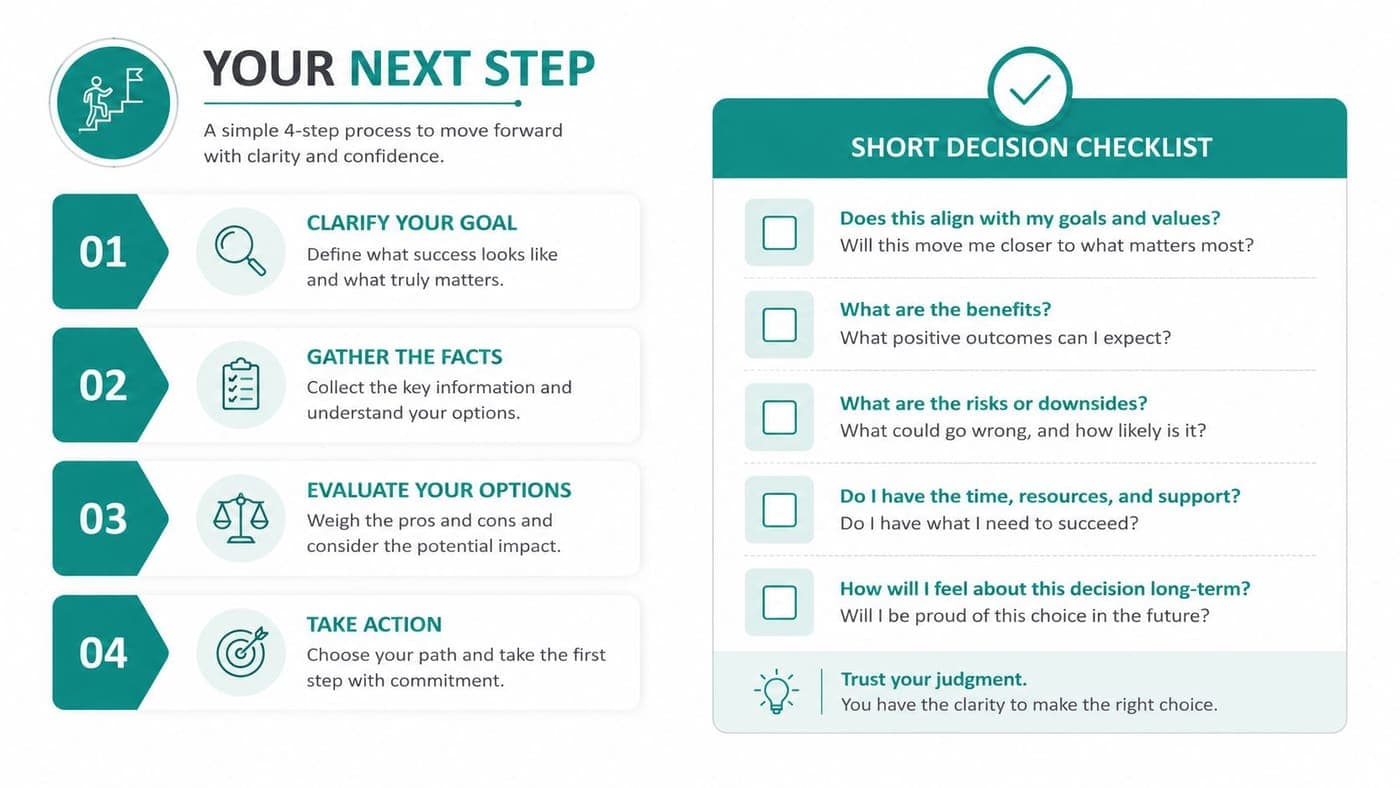
Your Next Step and a Short Decision Checklist
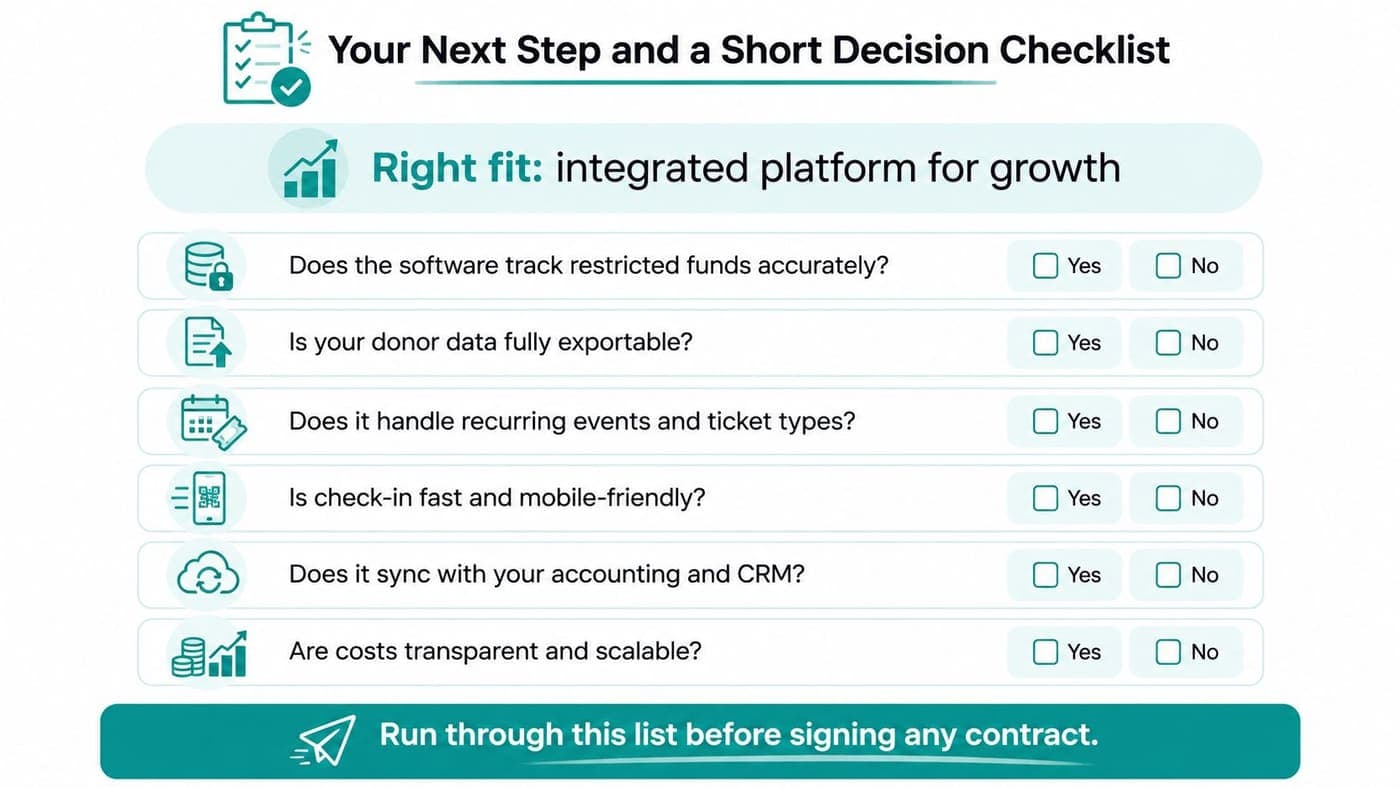
Print this list before you take a vendor call. A good demonstration should answer each question with a live workflow, not a promise that an integration exists.
- Fund accounting: Does ticket revenue land in the correct restricted or unrestricted fund?
- Donor ownership: Can you export donor names, emails, gifts, designations, and consent without requesting permission?
- Ticket design: Can you create recurring events, multiple ticket types, promo codes, sponsor comps, and group registrations?
- Payments: Does the system explain processing fees, refunds, ACH treatment, deposits, and pledge-to-ticket conversion?
- Check-in: Can volunteers scan tickets quickly from a mobile device and see current attendance?
- Reporting: Can finance review gross revenue, fees, refunds, designations, and net deposits in one usable report?
- CRM connections: Does the platform connect cleanly with Salesforce NPSP, HubSpot, Raiser's Edge, or your existing donor records?
- Post-sale accounting: Does the event record remain connected to the chart of accounts after the guest enters?
Your answers will usually reveal the right category. A simple fundraiser with no restricted funds may need only an affordable ticketing tool. A growing nonprofit with recurring events, sponsor benefits, donor stewardship, or project-specific funds should examine an integrated platform before choosing a low-cost checkout.
The broader online ticketing market is already commercial infrastructure, with one 2026 estimate valuing it at USD 88.38 billion and projecting USD 105.17 billion by 2031. Those figures cover concerts, sports, conferences, and live shows, not just nonprofits, but they show why ticketing platforms increasingly emphasize mobile access, analytics, APIs, and operational controls, as reported in this online event ticketing market analysis.
If the checklist points toward integration, book a short walkthrough and bring one real event with you. Switching later means cleaning old data, retraining volunteers, and rebuilding accounting routines, so choosing carefully now is kinder to your future staff.
AlignMint brings event ticketing, payments, donor records, volunteer activity, marketing, and true fund accounting into one nonprofit operations platform, with a free tier for organizations under $100K. Visit AlignMint to see whether its event workflow can keep your ticket revenue, restricted funds, and donor stewardship connected from purchase through reconciliation.
Ready to try AlignMint with your nonprofit?
Start free — set up donor tools, giving pages, and Minty. Upgrade when you need accounting.