

For related tools, see AlignMint features.
CRM for Nonprofit Organizations: A Director's Guide
Quick Answer: CRM for Nonprofit Organizations: A Director's Guide
CRM for nonprofit organizations should unify relationship history with financial truth: donations, pledges, restricted funds, events, and volunteers in one place. If your team exports data weekly to build board packets, you need fewer tools, not another donor database that still leaves accounting elsewhere.
You're probably dealing with three versions of the truth right now. Your bookkeeper has one set of numbers, your development lead has another, and your board packet gets built by hand the night before the meeting.
That's why most conversations about CRM for nonprofit organizations miss the point. A donor database can help, but if your fundraising, volunteers, events, marketing, and accounting still live in separate tools, you're still managing around the software instead of running the organization clearly.
Why Your Current Tools Are Costing You Time
Most nonprofits didn't choose a messy system. They inherited one.
A donation comes in through an online form. Then someone enters it into the donor database, someone else records it in accounting, and another person updates a campaign spreadsheet. By Friday, three staff members have touched the same gift, and nobody feels sure the report is right.
That's the hidden cost of disconnected tools. It's not just inconvenience. It's staff time, delayed decisions, and board reports built on manual cleanup.
The patchwork looks normal until reporting day
You've likely got a fundraising tool that handles donor records well enough. Then there's QuickBooks or another accounting system for the books. Volunteer schedules may sit in a spreadsheet. Event registrations may live in a ticketing app. Email campaigns may go out through a separate platform.
Each tool can be decent on its own. Together, they create drag.
Practical rule: If your team has to export, rekey, or reconcile data every week, the software is creating work instead of removing it.
The biggest problem shows up when you need an answer fast. How much of that campaign revenue is restricted. Which major donors also volunteered this year. Which event guests gave afterward. Which grants still have spendable balances.
A standalone CRM can't answer all of that if the financial truth lives somewhere else.
For a closer look at that gap, this piece on nonprofit CRM with accounting addresses the core issue. The problem usually isn't that you lack a donor database. It's that your donor data and your financial data don't live together.
The status quo steals attention from the mission
Executive directors rarely complain because they want new software. They complain because simple questions turn into work.
Here's what that often looks like:
- Board prep expands: Staff spend hours pulling numbers from multiple systems and still add disclaimers.
- Donor follow-up slows down: Development can't always see whether a pledge was paid, adjusted, or tied to a restricted purpose.
- Finance carries the burden: The accounting team becomes the human bridge between fundraising and reporting.
- Team communication frays: Staff stop trusting shared reports and start keeping side spreadsheets.
That's not a software preference issue. It's an operating model problem.
If your current setup depends on one person "who knows how it all works," you don't have a system. You have a workaround. And workarounds break the moment someone takes vacation, changes roles, or leaves.
What Is a Nonprofit CRM
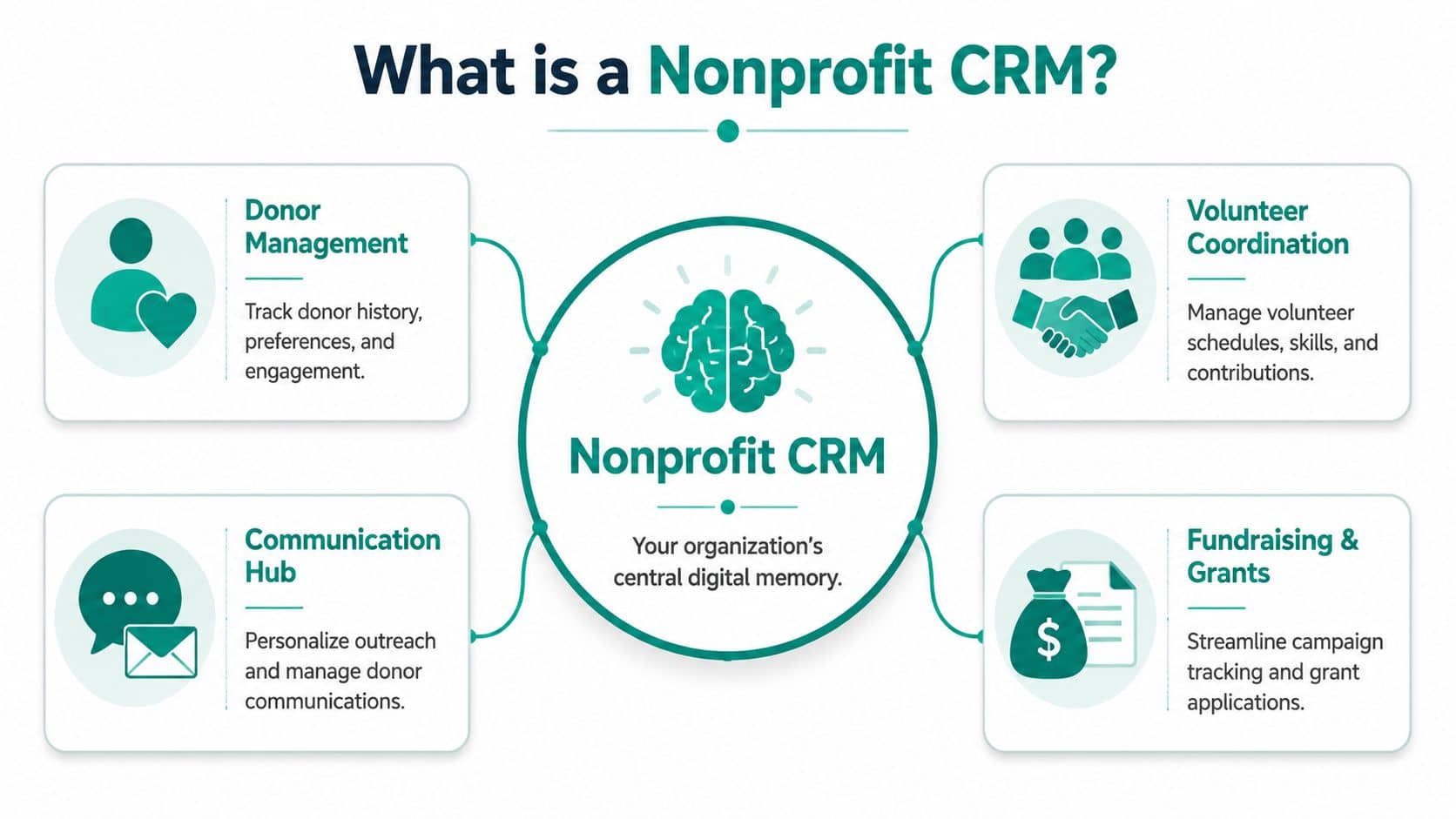
A nonprofit CRM is your organization's shared memory for relationships.
It keeps track of the people connected to your mission, not just donors. That includes volunteers, board members, event attendees, recurring givers, major donor prospects, and sometimes families, alumni, or congregants depending on your model.
Think of it as a digital filing cabinet for people
A good CRM answers basic relationship questions without forcing your staff to dig through inboxes or paper notes.
You should be able to see:
- Giving history: What a person gave, when they gave, and what they supported
- Communication history: Emails sent, calls logged, notes from meetings, and contact preferences
- Engagement activity: Event attendance, volunteer participation, campaign responses, and household relationships
That's why CRM use has become standard, not experimental. A 2026 industry report cited by Bloomerang found that 94% of fundraisers already use CRMs, while 42% of organizations said they were very open to adopting new tools (Bloomerang's nonprofit CRM overview).
That combination matters. It tells you two things at once. First, CRM use is already mainstream. Second, plenty of organizations still know their current setup isn't good enough.
What a CRM does well
At its best, a CRM helps your team stop guessing and start responding personally.
A proper system lets you segment people based on real history instead of gut feel. You can thank donors accurately, identify lapsed supporters, prepare for a meeting with a major gift prospect, or see whether a volunteer also gives annually.
If you want a plain-English definition, AlignMint's donor CRM glossary describes the core idea clearly. The useful part isn't the acronym. The useful part is having one place where your staff can understand a relationship before they act on it.
A CRM should help your team remember people well enough to treat them like people, not records.
That said, many leaders stop the conversation too early. They ask, "Which CRM should we buy?" when the better question is, "Will this reduce the load across our whole organization?"
That's where many nonprofit tech decisions go sideways.
Moving Beyond a CRM to a Unified Platform
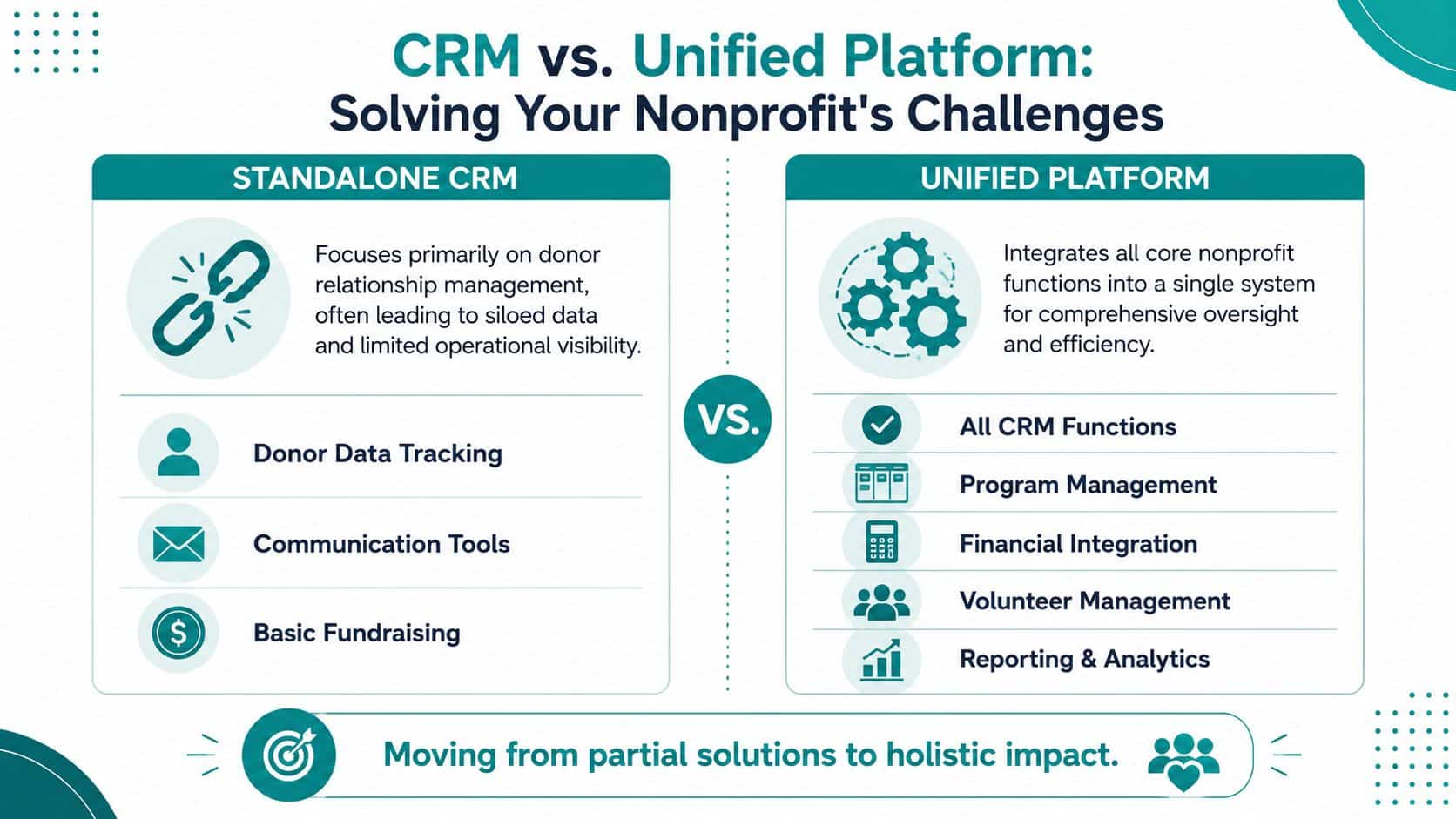
A CRM solves the relationship side of the problem. It does not solve the operating side.
That distinction matters more than most software demos admit. You can buy a solid CRM and still spend every month reconciling gifts, fixing reports, and chasing the actual restricted balance before a board meeting.
A standalone CRM leaves finance outside the room
The question isn't whether a nonprofit needs a CRM. It's whether a nonprofit needs a standalone CRM or an integrated system that also handles accounting, fundraising, and reporting. Data silos between separate finance and fundraising systems create manual reconciliation and delayed reporting, which BizTech Magazine highlighted in its discussion of CRM systems for nonprofits.
That's the operational trap.
Your development team sees the donor story. Your finance team sees the ledger. Leadership needs both at once. If those records live in separate systems, your staff becomes the integration.
What a unified operating system changes
In a unified platform, one action updates the whole organization's record.
A gift is entered once. The donor history updates. The fund balance updates. The campaign report updates. The receipt goes out. The accounting entry is already tied to the right fund, grant, or program.
That changes the daily experience of running the nonprofit.
| Question you need answered | Separate systems | Unified platform |
|---|---|---|
| Did this donor's pledge get paid | Check CRM, then accounting | View one record |
| What can we spend from this fund | Ask finance to reconcile | Check current balance |
| Which event attendees became donors | Export and match lists | Run one report |
| Are board numbers current | Usually not fully | Much closer to real time |
This is why I push directors to think in terms of operating systems, not feature lists. You are not buying a prettier database. You are choosing how your organization will produce truth.
For teams weighing that broader strategy, this overview of all-in-one nonprofit management software is the right frame. The decision isn't "Which CRM has the nicest dashboard?" It's "Do we want one operating record or several partial ones?"
If your finance report and donor report can't agree without staff intervention, the system design is wrong.
A standalone CRM still has a place. If your biggest need is donor outreach and you already have strong internal reporting discipline, it may be enough for now. But for many small and mid-sized nonprofits, churches, schools, and fiscal sponsors, the friction isn't on the front end. It shows up when restricted gifts, grants, events, and compliance all collide.
That's where the CRM-only model starts to feel incomplete.
Features That Give You Clarity and Control
The features that matter most aren't the flashy ones. They're the ones that let you answer questions quickly, trust your reports, and stop asking staff to do the same work twice.
Always know exactly how much you can spend
This starts with true fund accounting, not a workaround inside general business software.
If your organization manages restricted gifts, grants, programs, or sponsored projects, you need a system that tracks those natively. You shouldn't have to rebuild clarity with classes, side spreadsheets, or month-end cleanup.
For a direct example of what that looks like, AlignMint includes fund accounting for nonprofits as part of the same platform as donor and operations data. That matters because the accounting side isn't bolted on later. It sits in the same operating record.
See the full relationship before your team reaches out
A mature system creates a single constituent data layer linking each supporter's giving history, volunteer activity, event attendance, and communication history. That 360-degree profile is the basis for personalized outreach and higher retention, as described in Noloco's discussion of CRM software for nonprofits.
That's the practical standard I'd use.
Before anyone calls a donor, sends an appeal, or asks for sponsorship, they should be able to see the complete history in one place. Not in theory. In one screen.
Here's what that enables:
- Smarter donor management: Staff can see prior gifts, pledge activity, notes, and contact preferences before they reach out.
- Better volunteer management: You can track hours, interests, availability, and past involvement without separate rosters.
- More relevant marketing: Email and text campaigns can reflect actual engagement, not broad guesswork.
Reduce handoffs between teams
The right system should lower the number of internal questions your staff has to ask each other.
Development shouldn't need finance to confirm every gift detail. Finance shouldn't need development to explain every campaign list. Program staff shouldn't need to hunt for event attendance in someone's spreadsheet.
A useful setup often includes:
- Built-in online giving pages so gifts enter the system cleanly
- Events and ticketing connected to supporter records
- Team communication tools or shared activity logs so context stays with the record
- A marketing suite tied to constituent data instead of living in a separate app
Get answers without waiting for a custom report
AI can be helpful, if it sits on top of your real data.
A tool like Minty is valuable when it helps staff ask plain questions about donors, funds, campaigns, or activity and get usable answers back. It's not about novelty. It's about reducing dependence on the one employee who knows how to build every report.
Boardroom test: If a staff member can't answer a routine leadership question without exporting data, the system still isn't doing enough.
For churches and schools, this can also simplify constituent relationships that don't fit a classic donor-only model. For fiscal sponsors, it matters even more because sponsored projects, restricted activity, and consolidated reporting all need to line up.
The common thread is simple. You want fewer systems, fewer handoffs, and fewer moments where someone says, "Give me a day to pull that together."
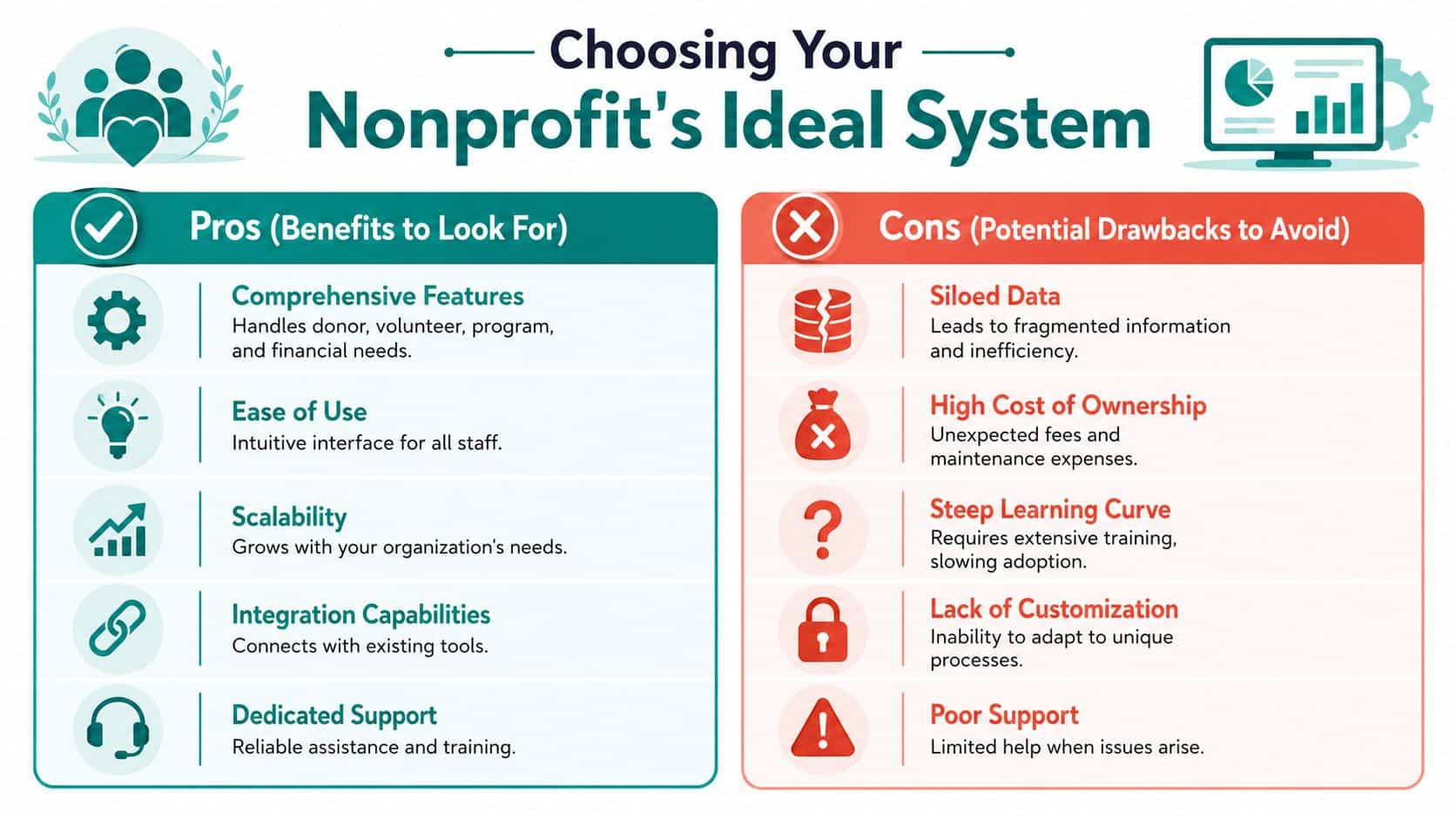
Choosing the Right System for Your Nonprofit
You don't need more software opinions. You need a clean decision.
The market for nonprofit CRM software is growing steadily, with the global nonprofit CRM software market valued at $846.59 million in 2025 and projected to reach $1,171.06 million by 2034, a projected 3.67% CAGR over the forecast period (Custom Market Insights on the nonprofit CRM software market). That tells me this category is established and still expanding. It doesn't tell me a CRM alone will solve your reporting problem.
Respect the strengths, but notice the gap
Bloomerang, Little Green Light, and Salesforce for Nonprofits all deserve mention because they're real options and many organizations use them well.
Bloomerang is known for donor management and fundraising workflows. Little Green Light is often appreciated by smaller teams that want a focused donor database. Salesforce for Nonprofits offers broad flexibility for organizations willing to manage a more complex setup.
Those strengths are real. The gap is also real.
Many guides on nonprofit CRMs focus on donor retention but offer little guidance on how the software handles the compliance burden of restricted gifts, grant reporting, and Form 990 readiness, which Virtuous notes in its discussion of the best CRM for nonprofits. That's exactly where many executive directors get stuck after the CRM purchase.
Choose a strategy, not just a product
If your goal is only better donor tracking, a CRM-only tool may be enough.
If your goal is clearer operations, faster reporting, stronger fund accounting, volunteer coordination, built-in marketing, and fewer per-seat pricing headaches, then you should evaluate unified systems. I'd also pay close attention to whether pricing includes plan-based user allowances (1 on Free, up to 10 on Plus, up to 25 on Pro, and unlimited on Enterprise) and whether there's a free tier for very small nonprofits. Those details affect adoption more than vendors like to admit.
Use this short filter when you compare options:
- Mission fit: Does the system handle churches, schools, or fiscal sponsorship if that applies to you?
- Financial truth: Can it support restricted funds, grants, and required reporting without exports?
- Team access: Will program, finance, development, and leadership all work from the same records?
- Cost clarity: Are you paying extra for more users, basic marketing, or core reporting?
- Daily reality: Will this reduce manual reconciliation, or just move it somewhere else?
The wrong choice gives one department a better tool. The right choice gives the organization a cleaner way to run.
Getting Your Team Started with a New System
Most leaders don't resist change because they're stubborn. They resist because they've lived through ugly transitions before.
That concern is fair. Bad software projects waste time, disrupt staff, and leave everyone longing for the old spreadsheet. The answer isn't to avoid change. It's to make the change smaller, cleaner, and more disciplined.
Start with the records you actually trust
Don't migrate every scrap of history just because it exists.
Begin with your active donors, current funds, open pledges, recurring gifts, volunteer records, and the reports leadership needs most. If old data is inconsistent, archive it instead of dragging confusion into the new system.
This nonprofit data migration checklist is a useful starting point because it keeps the process grounded in practical decisions.
Keep the rollout boring
Boring is good here.
Set a short list of first wins. Record gifts correctly. Send receipts accurately. Produce reliable board reports. Give staff one place to look before they call a donor or answer a question.
A simple rollout usually works better than a grand launch:
- Name one owner: One internal lead should make final calls on cleanup and priorities.
- Train by role: Finance, development, and program staff need different guidance.
- Test real scenarios: Enter a gift, run a report, register an event attendee, track a volunteer.
- Cut side spreadsheets early: If you keep every old workaround alive, adoption stalls.
Staff don't need to love the software on day one. They need to trust that it gives them fewer loose ends.
That trust is what turns a new system from another project into normal operations.
Find Your Clarity with a Unified Platform
If you're evaluating CRM for nonprofit organizations, don't stop at donor management. Ask whether the system helps you run the whole organization with less friction.
That's the shift that matters. A standalone CRM may improve fundraising records, but a unified platform gives you cleaner reporting, stronger fund control, better team coordination, and fewer late-night reconciliation sessions before board meetings.
If you want to keep reading, two useful next steps are this guide to fund accounting for nonprofits and this comparison of the best accounting software for nonprofits. Both help you look beyond the donor database and focus on operational clarity.
The goal isn't to buy more software. It's to spend less time stitching systems together and more time leading the mission.
If you want to see how a unified nonprofit operating system works in practice, take a look at AlignMint. We built it for organizations that are tired of managing separate tools for accounting, fundraising, volunteers, events, and marketing, and want one place to work from instead.
Ready to try AlignMint with your nonprofit?
Start free — set up donor tools, giving pages, and Minty. Upgrade when you need accounting.