

You're probably staring at a system that works just well enough to keep limping along. The books close, the board gets its reports, and the donor receipt eventually goes out, but every month feels harder than it should.
Choosing accounting software isn't about buying a nicer ledger. It's about finding a tool that fits how your nonprofit runs, without forcing your team into workarounds, extra spreadsheets, and late-night cleanups.
Why Most Nonprofit Software Choices Fall Apart
The failure usually starts in a familiar place. A spreadsheet almost blows a grant report, a Form 990 takes far too long, or a donor receipt goes out wrong and someone has to clean it up after the fact.
That's what happens when nonprofits buy generic accounting tools and hope the gaps won't matter. They always do, because your work isn't just bookkeeping, it's restricted funds, donors, grants, boards, volunteers, and reporting in the same week.
Practical rule: If the software only looks good in a demo, it's not ready for your real workflow.
The better path is simple, even if the vendors make it sound complicated. Define your requirements, separate must-haves from nice-to-haves, test pricing over time, run a weighted comparison, and then force a real-data pilot before anyone signs.
By the end, you'll have a way to choose software that fits your mission instead of reshaping your mission around software.
For related comparisons, read best accounting software for nonprofits and QuickBooks nonprofit accounting software. They make the trade-offs easier to score before demos start.
Map Your Real Requirements Before You Look at Vendors
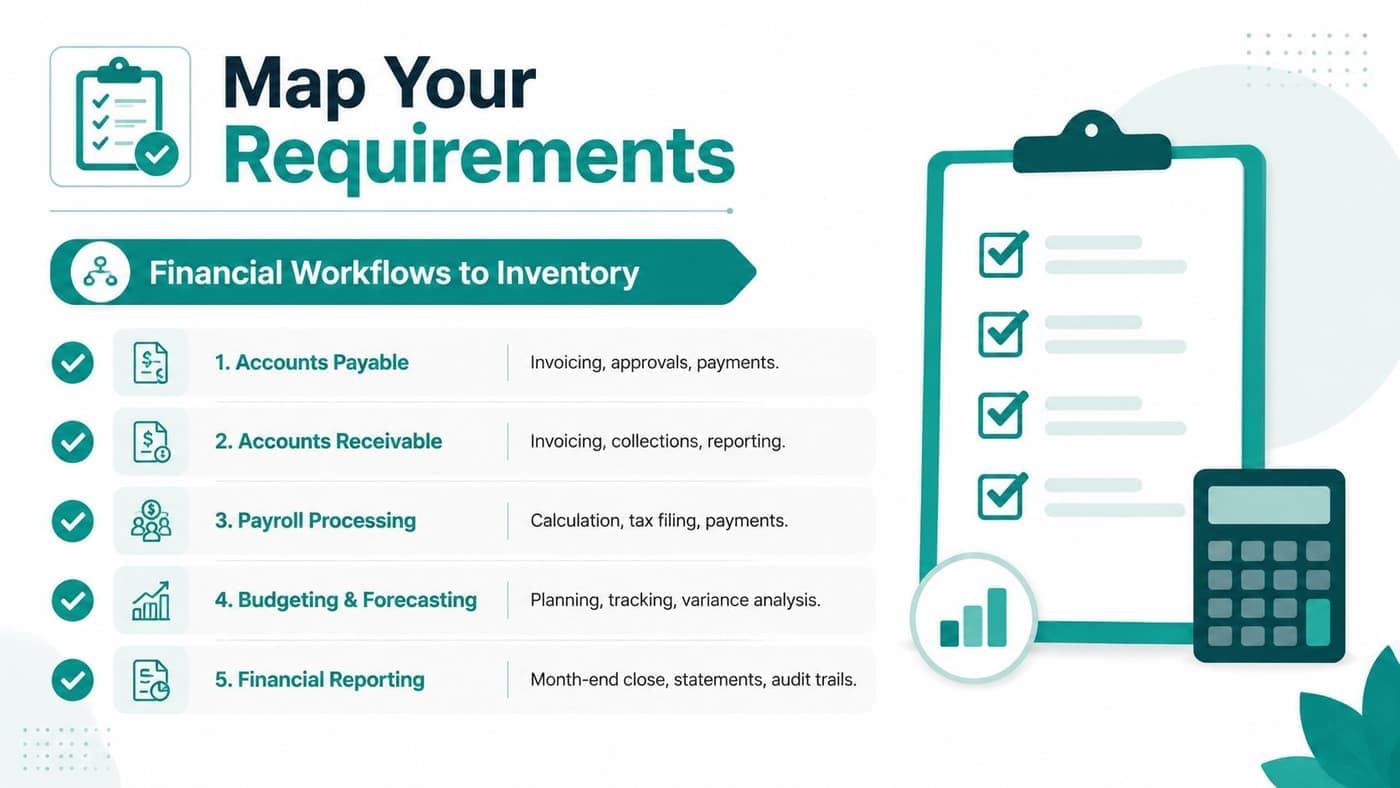
Start with what you do, not what a sales deck says you might do later. Write down the money-moving and report-generating work your team handles every month, because that's where software either helps or hurts.
For most nonprofits, that list includes monthly close, restricted fund tracking, grant drawdowns, donation intake, receipting, pledge reminders, payroll, and board reporting. Add the people who touch the system too, because the bookkeeper's needs are not the same as the development director's.
A good requirements sheet names the workflow, the owner, and the output. That way, you're not collecting a wish list, you're building a decision document you can score later.
Use prompts that force clarity
Copy these into a worksheet and fill them in before your first vendor call.
- Monthly close: What steps happen every month, and who owns each one?
- Restricted gifts: How do you track donor intent, program use, and remaining balances?
- Grant drawdowns: What reports, tags, or approvals does the grant process require?
- Receipting: Who sends acknowledgments, and what data must flow automatically?
- Board reporting: Which statements do board treasurers and directors expect to see?
If you need a starting point for your chart of accounts, use this nonprofit chart of accounts template as a practical reference.
The point is not to build a perfect document. The point is to make the hidden work visible before a vendor talks you into features you don't need. Clear requirements shorten every later step, and they save you from expensive regret.
Must-Have Features Versus Nice-to-Haves for Nonprofits
The fastest way to waste time is to treat every feature as equal. A nonprofit accounting system has to do a few jobs well, and everything else comes later.
Start with the features that protect your books
True fund accounting is essential. You need native restricted funds, not QuickBooks classes dressed up with polite language, because classes don't give you the same confidence when you're tracking grants, donor intent, and program balances. If the system can't show real-time restricted balances, it's not doing the core job.
You also need donor data to connect to the ledger without manual double entry. That matters because gifts, receipts, and accounting entries should tell the same story, and your finance team shouldn't be reconciling two systems that disagree.
Form 990 support, Statement of Functional Expenses reporting, live bank feeds, and audit-ready output belong in the must-have column too. Rework's guidance is blunt on the basics, a strong accounting system should replace manual journal-entry ledgers, produce core financial statements without hand compilation, and create the audit trail banks, investors, and tax authorities expect. Rework's choosing software guide says reconciliation speed also matters when close time is tight.
Keep nice-to-haves in their lane
Marketing suites, volunteer portals, event ticketing, and AI assistants can be excellent. They just shouldn't distract you from whether the finance core works.
That's where tools like QuickBooks Online, Aplos, Blackbaud Financial Edge, Sage Intacct, and Xero come into the conversation. QuickBooks is familiar and widely used, but it doesn't give nonprofits true fund accounting in the way a dedicated system does. Aplos is built for fund accounting, but many teams find its CRM depth limited. Blackbaud Financial Edge is powerful, and it's a serious option for larger organizations, but it's usually a heavier decision. Sage Intacct and Xero can fit certain finance teams well, especially when you already know exactly what you need.
If you're comparing the broader budget picture across categories, find the right budget app can help you think about how finance tools differ by cost model and use case.
The right lens is simple. If a system can't produce a clean Form 990 draft and a current restricted-fund balance in under five minutes, it's not a true nonprofit platform. For a deeper view of the finance core, review fund accounting features before you get distracted by extras.
Read the Pricing Like a Finance Director
Sticker price tells you almost nothing. Total cost over time tells you whether a platform will fit your budget or strain it.
Nonprofit software is usually sold in a few ways. Some vendors price per seat, some use tiers, some offer a free tier for smaller organizations, and some bundle everything into one flat price. The right model depends on how many people need access, how often your team collaborates, and how much pricing churn you can tolerate.
The market benchmark is useful here. The median monthly budget is $200, and another buyer-insight source reports an average of about $208 per user per month across industries, both from Software Advice's selection criteria guide. That doesn't tell you what to buy, but it does tell you to stop treating software as a trivial line item.
Run the real math, not the sales math
A per-seat model looks cheap until you add your development director, two program leads, and a volunteer coordinator. A tiered plan looks flexible until the reporting you need sits behind a higher package. A free tier can be great for a smaller nonprofit, but only if it covers the workflows you really use.
Watch for costs that show up later. Implementation, training, migration help, advanced reporting, renewal increases, and user-based changes can all matter more than the base fee. Buyers are rightly advised to evaluate cost over 12 to 24 months or even 2 to 3 years, because the first invoice rarely tells the whole story.
Finance director test: If a vendor won't show you the cost after growth, they're selling today's comfort at tomorrow's expense.
Build a simple 24-month projection
Take the vendor's price, then add every known extra you'd expect over two years. Compare that against your budget range, and ask what happens when you add staff, expand programs, or need a higher tier.
If a platform offers transparent all-in pricing, that's often the safer default for a time-poor nonprofit. Per-seat and tiered pricing can still work, but only when you're confident the user count and feature set won't sprawl.
If you want to see a pricing structure that's easy to inspect, review AlignMint pricing as a contrast point while you build your own cost model. The goal is not the cheapest quote, it's the cleanest 24-month cost you can defend.
Score Vendors with a Weighted Matrix and Real RFP Questions
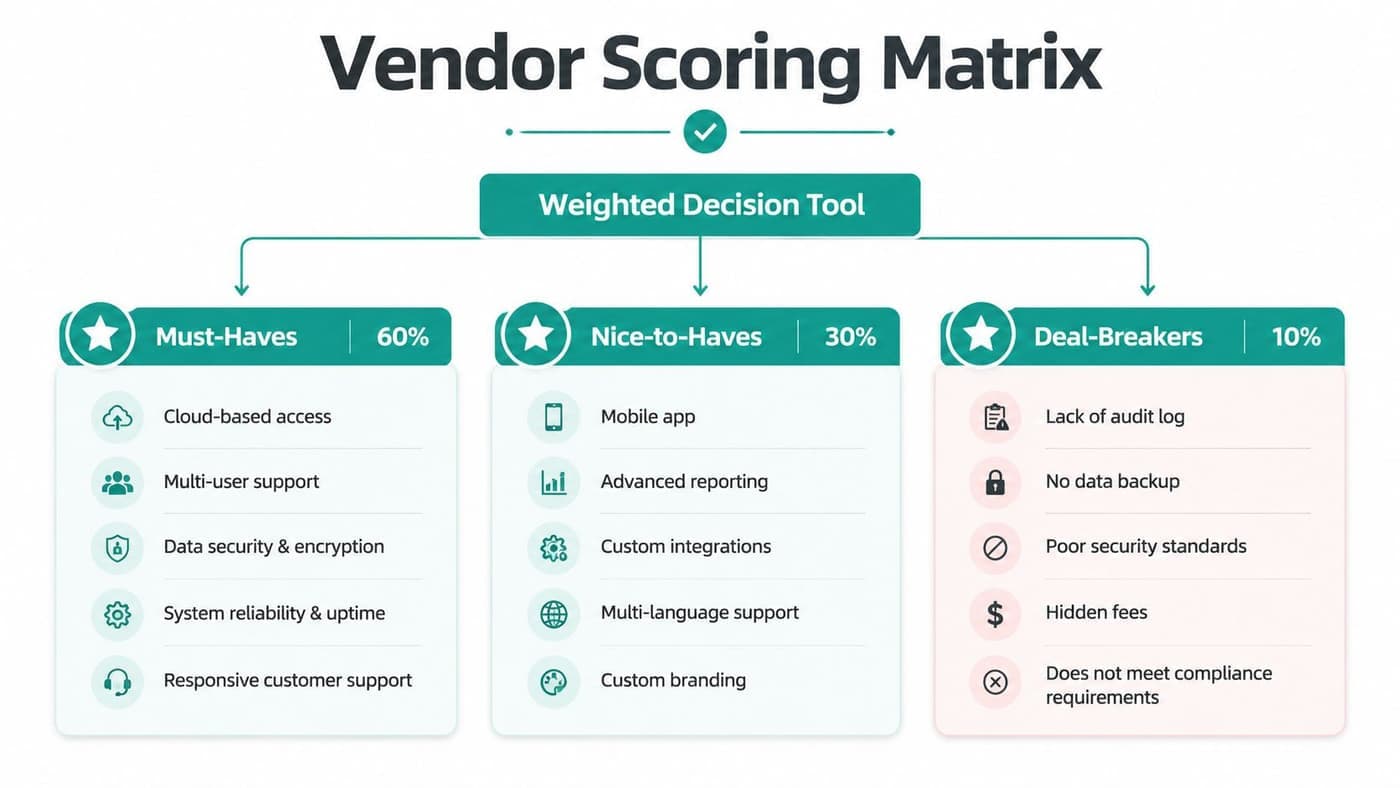
A weighted scoring matrix cuts through the sales theater. It turns your requirements into a decision system, so one polished demo doesn't overpower the facts.
Here's the basic method. List your must-haves and nice-to-haves, assign each one an importance score from 1 to 5, score each vendor against those requirements, multiply importance by vendor score, and add the totals. That's from Cloudvara's guide on choosing accounting software, and it's useful because it forces the team to rank what matters most.
Keep the scoring honest
Give the matrix to finance, operations, and anyone else who will live with the result. When everyone sees the same scoring logic, you spend less time arguing about feelings and more time comparing evidence.
Use the same questions with every vendor so the answers are comparable. If you ask one company about restricted funds and another about mobile apps, you've already lost the discipline.
Ask these nonprofit RFP questions
- Restricted funds: How are restricted funds modeled, and how do you show balances in real time?
- Gift flow: Can donor and gift data flow into the ledger without double entry?
- Form 990: What does Form 990 prep look like in the product?
- Data ownership: What happens to our data if you go out of business?
- Pricing tiers: What is included at each price tier, and what costs extra?
- Audit trail: How do you handle approvals, edits, and history for review purposes?
If you want a structured comparison page to pair with your own matrix, use this vendor comparison resource alongside your worksheet.
Send the same list to three to five vendors, then score the responses side by side. That gives your board a defensible rationale, which matters when the final choice has to survive more than one meeting. You can also use a weighted matrix to compare general finance options with a system that has nonprofit depth before anyone gets attached to a demo.
Run a Real-Data Pilot Before You Sign Anything
A demo is marketing. A pilot is evidence.
Load actual transactions, actual donor records, and actual month-end work into the trial. That is the only way to see whether the system can handle your actual nonprofit workflow instead of a sanitized sample file.
Capterra recommends validating the core trial flow, checking the three core reports, P&L, balance sheet, and cash flow, and testing permissions for at least two roles, all from its accounting software selection guidance. That is the right instinct, because a handful of polished screens will not tell you whether the system holds up under pressure.
Pilot the workflows that usually break later
Use a checklist with real scenarios.
- Restricted gift to ledger to balance: Enter a restricted donation and confirm the accounting side matches.
- Grant drawdown with reporting tag: Track the drawdown and confirm the report structure still makes sense.
- Pledge installment receipting: Test whether reminders and receipts stay aligned.
- Board-ready functional expenses: Generate the report your board wants to review.
- Cold staff login: Hand the system to someone new and see how quickly they find their way.
For a detailed checklist on moving your data, review our nonprofit data migration checklist. Use it before you commit to a vendor, because migration is where clean promises turn into messy work.
Independent guidance from CPA Australia also recommends testing with real data over a reasonable period, including a month-end close, before deciding, and it says to verify cloud security, data ownership, migration difficulty, training, support fees, and what happens if the provider fails or you leave. CPA Australia's software selection guide is worth reading because it covers the practical risks vendors often skip.

Do not ignore the human side of the pilot. Ask how support responds during the trial window, how training is delivered, and how clean the migration path looks. The pilot is where the product's promises meet your day-to-day month-end close.
Support that sounds friendly in a demo can still be slow when your finance team is stuck. Time the response before you sign.
Red Flags, Decision Tips, and Your Next Step
Some vendor conversations should end quickly. Vague answers about data export or ownership are a problem, and so is pressure to sign before you've run a pilot.
Treat surprise fees after a free tier as a warning sign too. Weak support response times and a roadmap that depends on paid integrations are also red flags, because they shift risk onto your team.
Look for these green flags instead
- Transparent pricing: You can tell what's included without decoding the fine print.
- Nonprofit-specific demo: The vendor shows restricted funds, receipts, and reporting, not just generic bookkeeping.
- Similar references: They can name organizations that look like yours in size and complexity.
- Clear exit terms: You know what happens to your data if the company shuts down.
That's the difference between a software purchase and a long-term operating decision. You want a tool that fits the way your nonprofit works, not one that forces your staff to improvise every month.
Your checklist this week is straightforward. Finish the requirements document, score vendors with a weighted matrix, run three demos, complete one real-data pilot, and build a 24-month cost projection.
If you want to see how a platform built for nonprofits fits this framework, look at true fund accounting, a built-in donor CRM, a free tier for organizations under $100K, and clear user access by plan at AlignMint. It's a clean place to compare your own priorities against a system designed around nonprofit work, not generic bookkeeping.
A CTA for AlignMint.
Ready to see how AlignMint fits your workflow?
Schedule a free walkthrough — we will help you map donors, funds, and migration steps.