

Quick Answer: Best Online Silent Auction Sites for Nonprofi
AlignMint combines nonprofit fund accounting, donor CRM, volunteer tools, and events in one platform, with a free tier for organizations with up to 100,000 dollars in annual donations. Use the sections below for side-by-side comparisons, pricing notes, and practical checklists.
Comparison data as of May 2026. Features and pricing may change.
You’re probably looking at an auction event the same way most executive directors do. It’s one fundraiser on the calendar, but it touches everything. Donor records, ticket sales, volunteer shifts, receipts, deposits, sponsorships, and the finance report your board will ask for next month.
That’s why choosing among online silent auction sites gets harder than it should. The demos focus on bidding screens and text alerts, but your real question is simpler. Will this make your job easier, or will it create another pile of cleanup after the event?
Your Practical Guide to Choosing Online Silent Auction Sites
The usual pattern goes like this. You pick one tool for ticketing, another for the auction, a spreadsheet for sponsorships, and your accounting system gets the leftovers. The event can still go well, but the week after often feels worse than the week before.
That gap matters more now because digital fundraising isn’t a side project anymore. The online silent auction platform market is projected to reach approximately $1,500 million by 2025, with a 15% CAGR through 2033, according to Data Insights Market research on online silent auction platforms.
If you’re skeptical of software promises, that skepticism is healthy. Many platforms are good at the auction itself. Fewer are good at fitting into the rest of your operation.
Here’s the practical lens I’d use. Don’t start with the bidding feature. Start with the full path of the money and the data.
- Before the event: How hard is it to build pages, load items, train volunteers, and promote the auction?
- During the event: Can donors bid easily from a phone, pay without confusion, and get help fast?
- After the event: Where do receipts, donor records, restricted gifts, sponsor payments, and reports live?
Practical rule: The best auction platform isn’t the one with the longest feature list. It’s the one your team can run without creating extra reconciliation work.
Some organizations need a simple auction-only tool and nothing more. That can be the right call, especially for a small annual event. But if your auction feeds your donor pipeline, annual fund, school campaign, church appeal, or fiscal sponsorship reporting, a disconnected tool can cost more in staff time than it saves in subscription fees.
A smart choice should help you raise money now and keep your records clean later. That’s the standard worth using.
What to Expect From Modern Auction Software
The baseline has changed. If a platform still makes donors jump through hoops, your team pays for it with dropped bids, confused guests, and extra admin.

A good online auction feels simple to the bidder and controlled to the staff. That’s what you want. Not flashy. Clear.
Keep bidding easy on any device
Most donors won’t forgive a clunky screen. If they can’t find an item, tell whether they’ve been outbid, or finish payment quickly, they drift away.
That’s why mobile-friendly bidding matters so much. Donors should be able to browse, bid, and pay from the device already in their hand. They shouldn’t need a long setup process or volunteer rescue for basic tasks.
Good design matters here more than people think. If you want a quick outside reference on what makes digital interactions easier to follow, user experience design principles are a useful way to evaluate whether a bidder flow is clear or frustrating.
Turn a one-night bidder into a repeat donor
The event isn’t only about item revenue. It’s also a donor experience.
According to OneCause’s summary of the 2025 State of Nonprofit Auctions Report, 82% of attendees are willing to return for future events, 83% are likely to become annual donors, and 91% will donate again within 12 months. That tells you something important. A smooth auction can strengthen long-term support, not just same-night revenue.
So look for software that helps you do three simple things well:
- Acknowledge donors quickly: Automatic receipts and winner notices save staff time and reduce follow-up confusion.
- Capture usable donor data: Names, emails, mobile numbers, bidding history, and attendance should be easy to export or sync.
- Support thoughtful follow-up: You should be able to thank bidders, not just winners, while the event is still fresh.
A good auction platform should help your stewardship, not trap it inside an event dashboard.
Get paid cleanly and close the event faster
The finance side is where weak systems show themselves. Payment processing should feel straightforward to guests and predictable to staff. You need secure checkout, clear records, and a way to tell what was paid, what is still pending, and what belongs to tickets, donations, sponsorships, or auction items.
Real-time reporting helps during the event too. You don’t need every chart under the sun. You do need enough visibility to answer practical questions. Which items are moving, which tables haven’t engaged, and who still needs checkout support.
If your event includes registrations, seating, messages, and check-in, it helps to review tools that go beyond bidding. This overview of nonprofit event management software is useful because auctions often break down when teams treat them as separate from the rest of event planning.
The features that are no longer optional
If a platform can’t do these things, I’d move on quickly:
- Mobile access: Bidding and checkout should work well on a phone browser.
- Outbid alerts: Donors need timely prompts to stay engaged.
- Secure payments: Guests must trust the checkout process.
- Automated receipts: Staff shouldn’t be sending these one by one.
- Live reporting: Your team needs visibility during the event.
- Simple item setup: If loading items is painful, the rest won’t be easier.
- Basic branding control: Your page should still feel like your organization.
That’s the floor now, not the ceiling.
Comparing Three Types of Auction Platforms
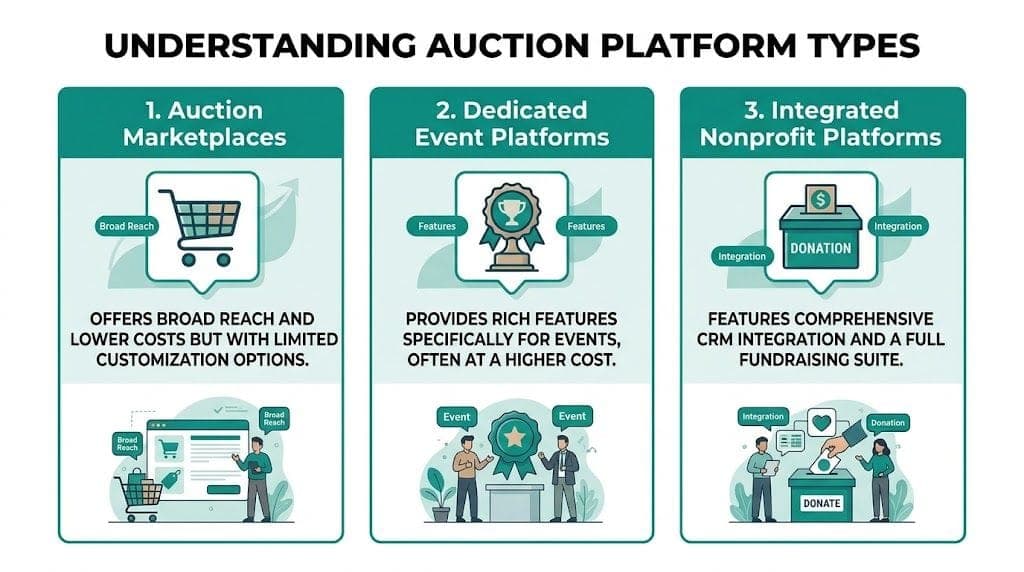
The market gets easier to understand when you stop comparing individual tools and start comparing types of tools. Most online silent auction sites fall into one of three buckets.
Here’s the fast view first.
| Platform Types at a Glance | Best For | Key Weakness | Typical Pricing |
|---|---|---|---|
| Auction marketplaces | Small teams that need a simple auction setup | Data often sits outside your core systems | Free plans or per-event fees |
| Dedicated event platforms | Organizations running polished in-person, online, or hybrid events | Can be more complex and expensive | Annual plans, custom pricing, or event-based fees |
| Integrated nonprofit systems | Teams that want fundraising tied to donor and finance records | Auction features may be one part of a broader platform decision | Platform subscription, sometimes with broad feature access |
Auction marketplaces
Think of platforms like 32Auctions. Their appeal is obvious. They’re usually easier to start, less intimidating for a small staff, and often cheaper upfront.
They’re a good fit when your goal is narrow. You need to post items, accept bids, close winners, and move on. For a PTA, a church ministry team, or a small nonprofit with one straightforward annual fundraiser, that can be enough.
What works well here:
- Low barrier to entry: You can get an event live without a long setup cycle.
- Focused experience: The platform is built around auction activity, not broader operations.
- Budget-friendly options: Helpful when every software expense gets scrutiny.
What doesn’t work as well is everything around the auction. Ticketing may be limited. Donor management is often separate. Finance coding usually happens later by hand. If your staff is already stretched thin, that “simple” choice can move work downstream.
Dedicated event platforms
This category includes names like OneCause, Handbid, and Silent Auction Pro. These tools are built for fundraising events first. That usually means stronger registration, guest engagement, check-in, notifications, and hybrid event support.
They’re often the right answer for schools, hospitals, and established nonprofits that run a polished gala or annual signature event. If your auction is one piece of a bigger experience, these platforms can make the event feel organized and professional.
Their strengths usually include:
- Better event flow: Registration, bidding, checkout, and messaging are more mature.
- Stronger guest engagement: Alerts, scoreboards, and real-time interaction keep people involved.
- Support for hybrid formats: Helpful when you mix in-room and remote bidders.
The trade-off is that they can become event silos. Your development team may love the experience on the night itself, while your finance team inherits an export file and a cleanup project.
If your auction is attached to sponsorships, restricted gifts, recurring donor follow-up, or grant-funded programs, ask how the event data reaches the rest of your records. Don’t assume it does.
Integrated nonprofit systems
This is the category people often overlook because it isn’t always marketed as “auction software” first. The value here is operational continuity. Events, donor records, communications, volunteer coordination, and accounting live closer together.
That matters most when the auction is not an isolated fundraiser. Schools need parent and donor records in one place. Churches need event proceeds tied to ministry funds. Fiscal sponsors need clean project reporting. Mid-sized nonprofits need development and finance looking at the same truth.
These systems are good for organizations that care about:
- One donor record: Ticket buyer, bidder, sponsor, and donor activity are connected.
- Cleaner finance work: Payments and proceeds are easier to classify and report.
- Fewer handoffs: Staff and volunteers aren’t jumping between tools all week.
The watch-out is simpler. You need to evaluate the whole platform, not just the auction feature. That takes a broader decision process. But if your pain point is not the event itself, and instead the mess after the event, this category deserves serious attention.
Which type usually fits best
If you run one modest auction and need speed, a marketplace can be fine.
If your event experience drives sponsorship and guest engagement, a dedicated event platform often makes sense.
If you’re tired of disconnected systems and your auction touches fundraising, finance, volunteers, and reporting, an integrated system is usually the stronger long-term answer.
That distinction saves a lot of wasted demos.
A Closer Look at Popular Auction-Only Tools
General categories help, but eventually you have to look at actual names. Four come up often in conversations about online silent auction sites: BiddingOwl, Silent Auction Pro, OneCause, and Handbid. Each has a real place in the market.
BiddingOwl for simple and budget-aware auctions
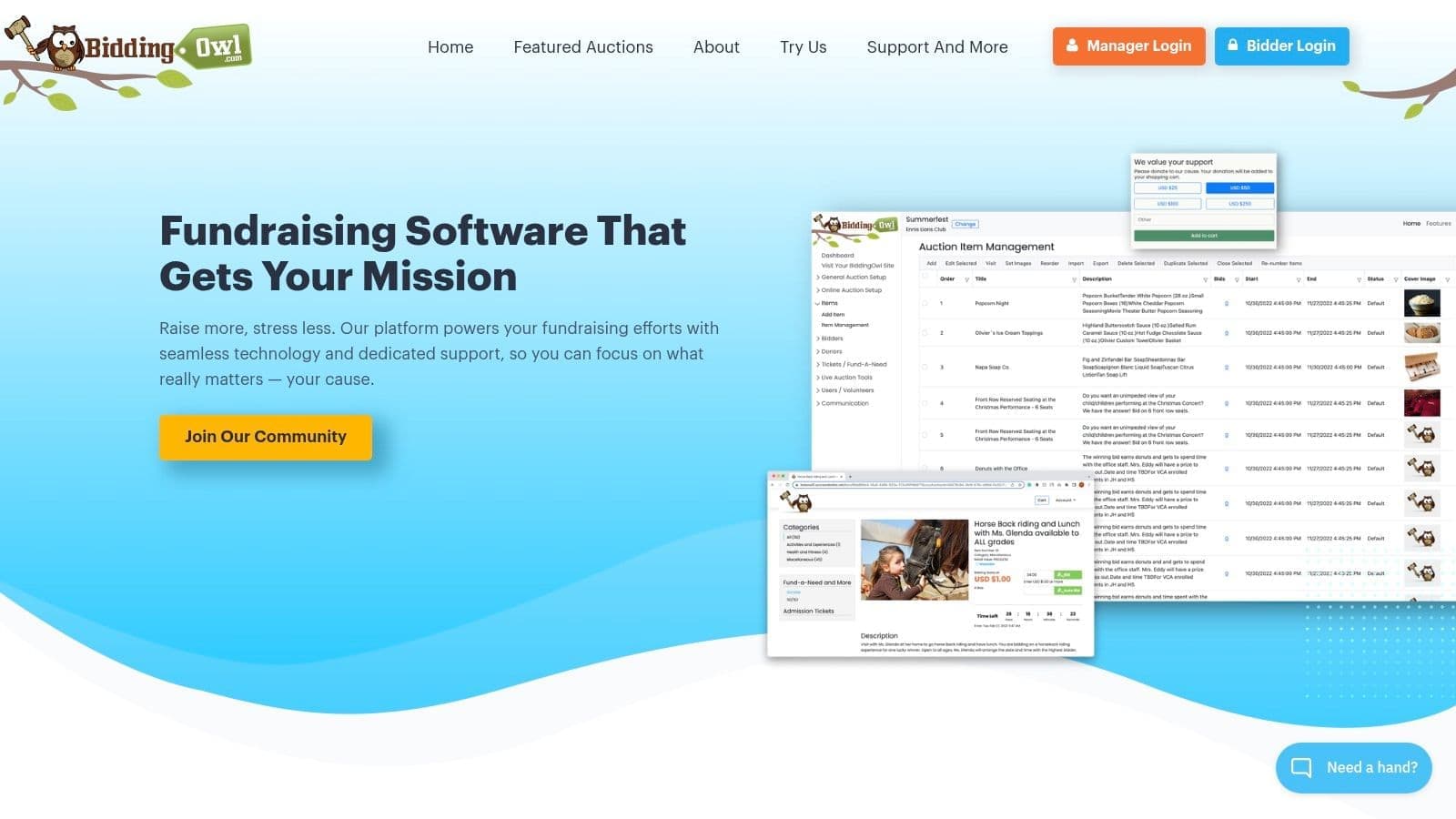
BiddingOwl is often the first tool smaller nonprofits consider because the pricing is easy to understand. According to BiddingOwl’s platform comparison guide, it offers a 5% fee on winning bids with no monthly charges, while Silent Auction Pro ranges from $99 to $796 annually plus a 2% fee.
That makes BiddingOwl attractive if your board is cautious about recurring software costs. It also helps that the platform supports mobile-friendly bidding, notifications, and a straightforward auction setup.
Where it fits best:
- Smaller annual events
- Teams without much software budget
- Organizations that need the basics and can manage follow-up elsewhere
The trade-off is strategic, not moral. BiddingOwl is an auction tool. If your staff still has to move donor information, reconcile payments, and rebuild communications in other systems, the low price may be only part of the full cost.
Silent Auction Pro for hybrid event teams
Silent Auction Pro tends to appeal to organizations that need more event structure. It supports hybrid events, multiple team users, ticketing, and different bidding formats.
That makes it more useful when your event includes tables, in-room logistics, volunteer coordination, and online participation at the same time. For schools and larger community nonprofits, that extra event control can be worth paying for.
Its common advantages are practical:
- More event management support
- Team access for staff and volunteers
- A better fit for mixed in-person and online formats
The caution is familiar. Better event operations don’t automatically solve post-event data work. If your donor database and accounting records still live somewhere else, staff can end up exporting, matching, and correcting after the event closes.
OneCause for feature-rich fundraising events
OneCause is often the platform people mention when they want a polished, full-featured fundraising event. It’s known for engagement tools, live event support, and analytics that help event teams monitor performance while things are happening.
For a large gala, auction dinner, or school fundraiser with many moving parts, those strengths are real. Staff can track activity, manage guest energy, and shape the event in the moment.
OneCause is a strong option when:
- The auction is part of a bigger signature event
- Guest engagement matters as much as the item catalog
- You have staff capacity for a fuller event workflow
The gap isn’t in event capability. It’s that event capability is not the same thing as unified nonprofit operations. If development, marketing, and finance still have separate systems, your auction data may still stop at the edge of the platform.
Handbid for mobile-first event experiences
Handbid is often chosen for its bidder experience. It has a modern reputation, real-time event management tools, and reporting that helps staff see what’s happening across bids, tickets, and invoices.
That makes it a serious option for organizations with donors who are comfortable bidding from their phones and for teams that want a more active event dashboard. It can work especially well when the event audience expects a smooth digital experience.
The strongest auction-only tools usually solve the event night well. They don’t always solve what happens on Monday morning.
That’s the core issue across all four tools. They each do something useful. Some are affordable. Some are polished. Some are better for hybrid events. Some are better for engagement. If you want a broader look at software categories beyond auctions, this set of nonprofit software comparison articles can help frame the bigger decision.
The primary question isn’t whether these tools are good. Several are. The key question is whether you want great event software or fewer disconnected systems across your organization.
Planning and Running Your Online Auction
Software matters, but planning still decides whether the event feels calm or chaotic. The strongest online silent auction sites won’t rescue a fuzzy goal, weak promotion, or sloppy follow-up.
Start with one clear outcome
Some teams say they want to “have a successful auction.” That’s too vague to guide decisions. You need one primary outcome.
Maybe you care most about unrestricted revenue. Maybe the event is about reactivating lapsed supporters. Maybe it’s a school fundraiser where parent participation matters as much as the dollars. The answer shapes everything from item selection to follow-up.
Ask these questions early:
- What matters most: net revenue, donor engagement, attendance, or community visibility?
- Who is the audience: longtime donors, parents, church members, local businesses, or new supporters?
- What should happen next: annual gifts, volunteer sign-ups, sponsorship conversations, or another event invitation?
Build the auction around bidder behavior
A common mistake is collecting items first and thinking about the bidder later. Start the other way around. What will your audience want to bid on?
For some nonprofits, practical packages do better than luxury items. For others, local experiences and school-related offers create stronger interest because they feel personal and easy to understand. Keep the catalog focused enough that people can browse without getting lost.
Promotion needs the same discipline. Email, text, social posts, sponsor mentions, and direct outreach should all push to one simple action. Register, preview items, and bid.
“The best promotion plan is the one your team will actually finish before the event opens.”
If you want a more detailed operational walkthrough, this guide on how to run a silent auction is a solid companion for mapping the timeline.
Treat the live window like active stewardship
During the auction, assign real jobs. One person watches bidder questions. One watches checkout issues. One watches momentum and decides when reminders should go out.
That doesn’t require a huge staff. It requires clarity. Volunteers can help a lot if the platform is easy to learn and someone owns each task.
A useful event-day rhythm looks like this:
- Open with a clean welcome: Tell donors how to register, bid, and get help.
- Watch engagement early: If people stall, send a reminder before attention drifts.
- Highlight selected items: A few timely prompts work better than constant noise.
- Prepare for closeout before the close: Payment and pickup confusion usually starts before the timer ends, not after.
Follow up while the event still feels recent
Many teams often leave money and goodwill on the table. Winners need clear pickup or fulfillment instructions, but non-winners matter too. They raised prices, showed up, and may be ready for another ask.
Good follow-up should cover:
- Thank-yous for all participants
- Receipts and payment confirmation
- A second gift invitation for people who didn’t win
- Internal review of what created friction
When a team handles the closeout well, the auction becomes more than a fundraiser. It becomes a donor touchpoint that feeds the rest of the year.
The Case for an All-in-One Operations Platform
The biggest problem with many online silent auction sites isn’t the auction itself. It’s what happens after the last bid closes.
A major gap in most comparisons is fund accounting integration. According to 32Auctions’ discussion of auction platform gaps, 40% to 50% of nonprofit revenue from events like auctions often mismatches accounting ledgers due to siloed tools, which creates reporting and Form 990 headaches.
That finding lines up with what many directors already know from experience. Event tools are often good at collecting activity. They’re less good at helping your organization digest it.
The hidden cost is staff cleanup
A disconnected event creates a chain reaction. Development exports donor and bidder data. Finance tries to separate tickets from auction payments. Someone checks sponsor payments against a spreadsheet. Another person updates the CRM by hand. The event may have raised money, but your team is still paying for it in labor.
That problem gets worse in organizations with more reporting complexity:
- Churches need funds tracked properly across ministries and appeals.
- Schools need donor and parent relationships connected to event giving.
- Fiscal sponsors need project-level accuracy and clean reporting across multiple programs.
- Growing nonprofits need board-ready and Form 990-ready records without rebuilding everything in spreadsheets.
Why operations matter as much as bidding
When events sit inside a broader operations platform, you get more than a cleaner auction page. You get cleaner follow-through.
The useful questions become practical. Does the bidder become a donor record automatically? Does the payment land in the right place? Can your team see event revenue in context with the rest of fundraising? Can volunteers help without needing another login for every task? Can staff communicate with supporters without exporting lists first?
Those are not flashy software questions. They are director questions.
What saves time isn’t another event feature. It’s fewer places where your staff has to re-enter the same truth.
An operations-first approach also changes how you think about event promotion and follow-up. If events, donor records, communications, and finance live together, your team can segment the right audiences, send targeted messages, and review outcomes without a separate reporting project.
For organizations thinking beyond a single gala, this is the more durable model. Event ticketing and payment handling should sit close to the rest of fundraising activity, not off to the side. If you want to evaluate what integrated event capabilities look like in practice, review a platform’s nonprofit events feature set with special attention to what happens after the payment is captured.
Where this matters most
An all-in-one operations platform usually makes the biggest difference when your team is already tired of software juggling. Not because every organization needs one giant system. Some do not. But because repeated handoffs create risk.
The smaller your staff, the more those handoffs hurt. The more restricted funds, grants, volunteers, or sponsored projects you manage, the more they hurt again.
If your auction is one event in a much larger mission, treat it that way when you choose the software.
Your Quick Evaluation Checklist
When you sit through demos, it helps to have a short list that cuts through the sales language. These questions do that.
Ask about donor experience
- Can a donor register, bid, and pay without staff help
- Will bidders get clear receipts and follow-up messages
- Can non-winning bidders be thanked and invited into future giving
If the donor experience feels clunky in a demo, it won’t feel better on event night.
Ask about staff workload
- How long does item setup take in real life
- Can volunteers learn the system quickly
- What tasks still have to be done manually after the event closes
A platform that looks simple for donors can still create heavy admin for your team.
Ask about finance and payment flow
- How do payments move from the event into your accounting records
- Can you separate tickets, donations, sponsorships, and auction proceeds cleanly
- What happens with refunds, failed payments, or partial collections
Your finance lead should review this with the same care as your event lead. If payment details matter to your team, it’s worth reviewing the platform’s payment processing documentation or equivalent detail before you commit.
Ask about the bigger picture
- Does this tool help us build donor relationships after the event
- Will this create another data silo
- Does this fit how our church, school, or nonprofit operates
A good demo answers feature questions. A good buying decision answers workflow questions.
If a vendor can’t give clear answers to those questions, keep looking.
Get Started with Stress-Free Fundraising Events
The right auction software should lower your workload, not shift it to the week after the event. That’s the standard worth holding.
If you only need a basic bidding tool, there are solid auction-only options. If you need a polished event experience, dedicated event platforms can be a strong fit. But if your real pain is scattered data, manual reconciliation, and too many systems, it makes sense to choose with operations in mind.
That’s especially true for smaller nonprofits, churches, schools, and fiscal sponsors. You don’t have extra hours for cleanup. You need tools that help your team raise money and keep records straight.
For ideas beyond software, it also helps to review fundraising formats that fit your audience and volunteer capacity. This list of Fundraising Opportunities is a useful example of how some organizations broaden event revenue with simple, community-friendly approaches.
If you want to keep reading before making a decision, two practical next steps are a director-focused guide to nonprofit accounting software and a careful review of donor management software choices. Those decisions shape whether your auction data becomes useful long after the event ends.
Related:
- How to Run a Silent Auction - Items, bidding, checkout
- Nonprofit Event Management Software - Plan, sell, track
- Fundraising Tools - Email, SMS, events, and Donor Journeys in one platform
- Events & Ticketing - See how AlignMint handles event ticketing
If you’re ready to stop juggling event software, donor records, volunteers, marketing, and accounting in separate places, take a look at AlignMint. We built it for nonprofits that need true fund accounting, donor management, events, volunteer tracking, team communication, and built-in marketing in one place. Our free tier supports nonprofits under $100K in revenue, and user limits scale from 1 on Free to unlimited on Enterprise, so teams can choose access that fits their plan.
Frequently Asked Questions
Ready to see how AlignMint fits your workflow?
Schedule a free walkthrough — we will help you map donors, funds, and migration steps.