For related tools, see AlignMint features.
CRM Software for Nonprofit: A Director's Guide for 2026
Quick Answer: CRM Software for Nonprofit: A Director's Guide for 2026
CRM software for nonprofit teams should connect supporter history to the financial records that prove what happened. If gifts, restrictions, events, and volunteer activity still require exports before you can report, the CRM is only solving part of the problem.
The board packet is due tomorrow. Your development report says one number, QuickBooks says another, and your program team has a third spreadsheet with its own version of the truth. If that feels familiar, you're not behind. You're dealing with the exact problem that makes nonprofit software feel harder than it should.
Most guides on CRM software for nonprofit teams focus on donor lists, email tools, and campaign notes. Those matter. But if your fundraising data doesn't connect cleanly to your accounting, restricted funds, and reporting, you still won't have the clarity you need to lead with confidence.
Your Guide to Choosing the Right Nonprofit CRM
If you're skeptical of software promises, that's healthy. Nonprofits have been sold plenty of "all your problems are solved" platforms that created fresh work instead of removing it.
The core question isn't whether a CRM can store donor names. Almost every product can do that. The question is whether it helps you walk into a board meeting with numbers you trust, staff who aren't retyping the same data, and a finance view that reflects reality.
That shift is already happening across the sector. 73% of small and mid-sized nonprofits now consider CRM software essential for operations, with a 15% year-over-year increase since 2021, according to the 2024 Nonprofit Trends Report example.
What to look for first
Before you book demos, write down three pain points that are costing your team time each month.
- Reporting confusion: Are gifts, pledges, and fund balances living in separate places?
- Staff bottlenecks: Does one person become the translator between development and finance?
- Board stress: Do you spend the last day before meetings reconciling numbers by hand?
Those problems usually point to a systems issue, not a staff issue.
Practical rule: If your development director and bookkeeper need a side conversation to explain the same donation, your software setup is too fragmented.
Clear systems also support better stewardship. If your team is working on transparent reporting for fundraisers, your tools should make that easier, not harder.
When you start comparing options, use a side-by-side framework instead of a polished sales demo. A simple nonprofit software comparison guide can help you see which products are built for nonprofit operations versus which ones need heavy setup to get there.
What a True Nonprofit CRM Really Is
A true nonprofit CRM isn't a digital Rolodex. It's the operating system for your relationships, your work, and your money.
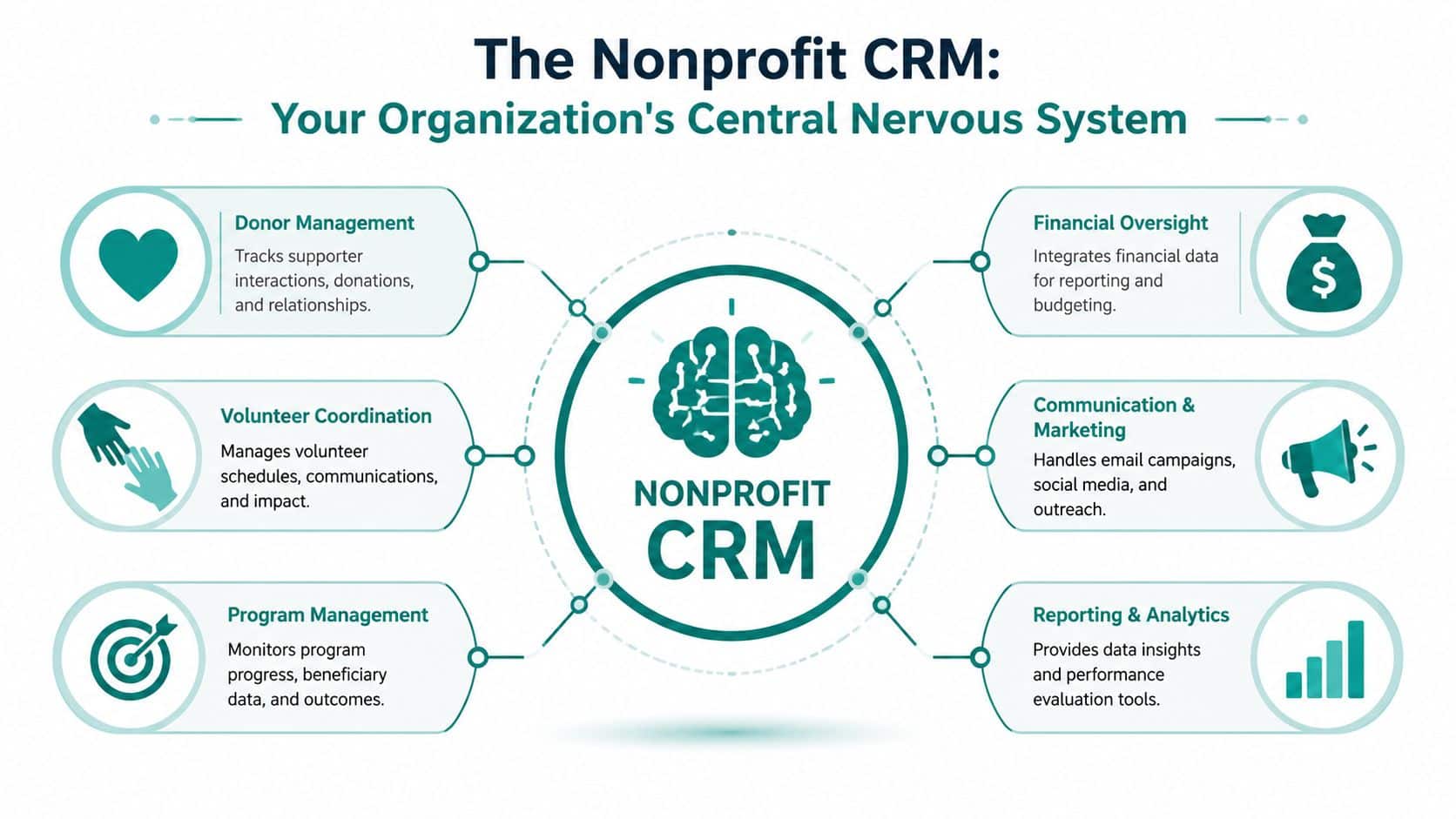
When people hear "CRM," they often think donor database. That's too narrow. In practice, a useful CRM for a nonprofit sits at the center of daily operations. It connects who gave, who volunteered, who attended, what campaign they responded to, and how those actions affect the organization financially.
Think central nervous system, not address book
The best way to think about CRM software for nonprofit teams is as your organization's central nervous system. It receives signals from different parts of the organization, connects them, and helps leaders respond quickly.
A donor makes a gift through an online form. That gift should appear in the donor record, feed the acknowledgment process, inform campaign reporting, and connect to the right fund or program record. If it stops at "gift received," your CRM is only doing part of the job.
A technically capable nonprofit CRM should unify donor, volunteer, event, and transaction records into a single constituent profile, because that 360-degree view is what enables real-time segmentation, automated acknowledgments, and workflow automation, as described on AlignMint's donor management page.
What it should connect
A real nonprofit CRM should bring together several moving parts:
- Donor history: gifts, pledges, communication records, and relationships
- Volunteer activity: hours, skills, scheduling, and follow-up
- Events: registrations, attendance, payments, and post-event actions
- Program touchpoints: the operational side of how your mission is delivered
- Finance context: where funds were directed and how they should be reported
A donor relationship makes more sense when you can also see the event they attended, the volunteer shift they worked, and the restriction attached to their gift.
That's why all-in-one systems are getting more attention. The issue isn't convenience alone. It's whether your data model reflects the way nonprofits operate.
Where many CRM conversations fall short
Many nonprofit CRM discussions stop at fundraising and donor engagement. That misses a major operational reality. A major underserved angle is true accounting plus CRM integration, not just donor tracking. The harder question is how to eliminate the handoff between fundraising and fund accounting without breaking audit trails or grant reporting.
For executive directors, churches, schools, and fiscal sponsors, that gap matters more than one extra email feature. The software needs to reflect your workflows, not just your mailing list.
Why Disconnected Systems Hurt Your Mission
Disconnected systems rarely fail all at once. They wear teams down in small ways.
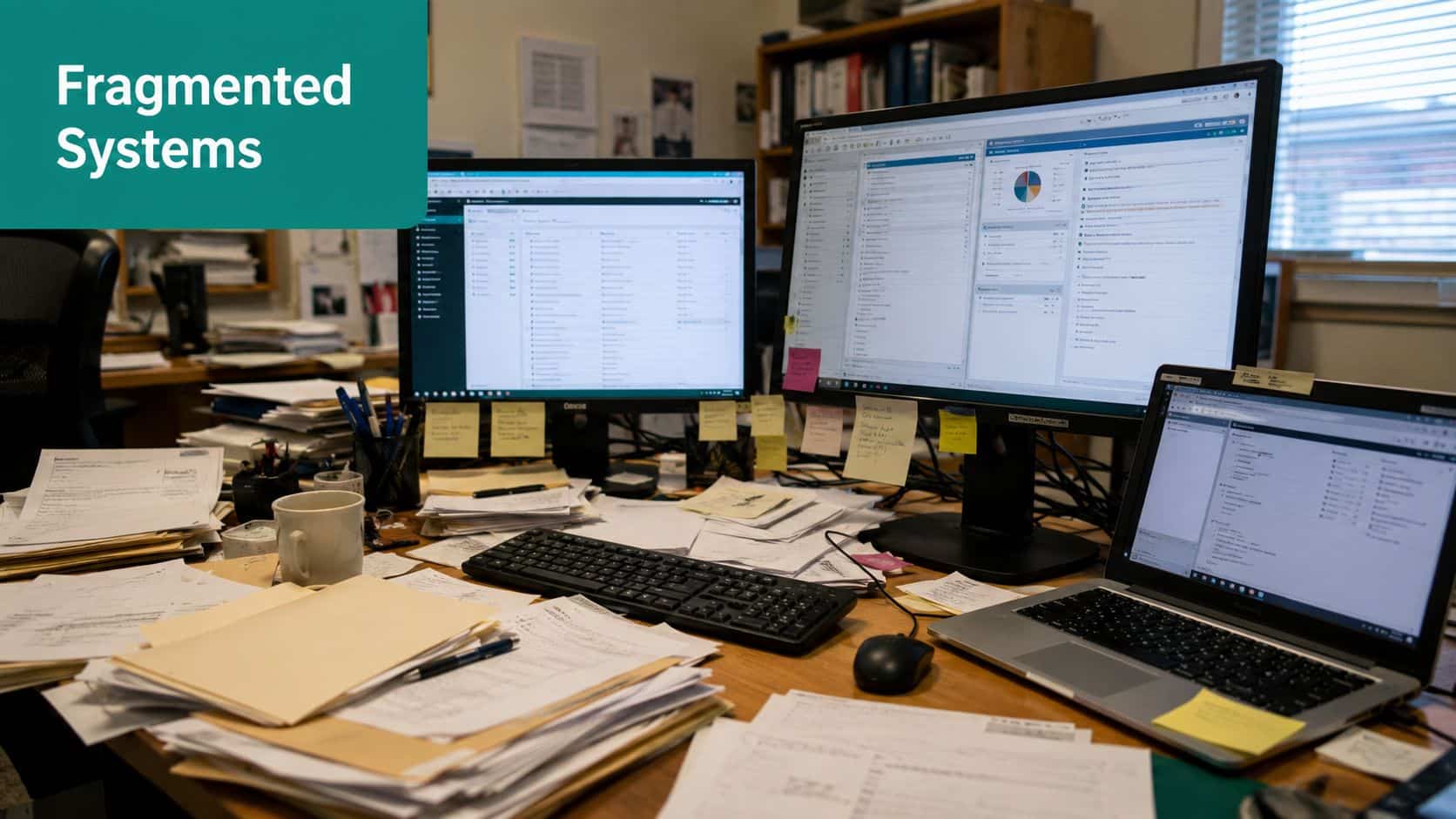
Your donor platform says a campaign succeeded. Your accounting file shows deposits that don't quite match. Your volunteer records live elsewhere, and your email tool has its own contact history. None of this looks dramatic on its own. Together, it creates hesitation, duplicate work, and weak reporting.
The hidden cost is trust
When systems don't agree, people stop trusting the numbers. The board asks more questions. Staff hold back from acting because they aren't sure what's current. Finance and development spend time reconciling instead of planning.
That kind of drag doesn't show up neatly on a budget line, but you feel it everywhere.
- Staff time gets consumed by exports, imports, and spreadsheet checks.
- Donor stewardship slows down because acknowledgments and follow-ups depend on manual handoffs.
- Leadership decisions get delayed because no one wants to move on incomplete information.
A connected platform changes that pace. Nonprofits implementing integrated CRM software saw an average 82% increase in decision-making speed compared with organizations using disjointed systems, according to a 2023 Salesforce and NTEN study example.
Mission work suffers when operations stay messy
This isn't only an admin problem. It affects the mission.
If a restricted gift isn't clearly connected to finance records, staff spend time tracing transactions instead of serving people. If your campaign data isn't connected to accounting, you can't answer basic questions quickly. If volunteer records sit outside the main system, your team loses context about who is most engaged with your organization.
The real damage from disconnected tools is that your staff starts treating routine questions like special projects.
That's why many teams start looking for a CRM with accounting integration after they've already tried patching things together. The issue usually isn't that each tool is bad. It's that each tool only knows part of the story.
What a unified setup changes
A unified setup gives you one source of truth for gifts, communications, volunteers, and finance. That means:
- Faster board prep: reports come from the same underlying data
- Cleaner handoffs: development and finance stop translating each other's systems
- Better follow-up: donor actions trigger the next step without waiting for a manual update
You don't need software that dazzles. You need software that reduces uncertainty.
Essential Features Beyond Basic Donor Tracking
Most CRM checklists start and end with donor management. That's too low a bar for a nonprofit.
You need a system that helps you protect restricted funds, answer grant questions quickly, track volunteer activity, and keep development and finance in sync. A donor record matters. But a donor record without accounting context still leaves you exposed.
Start with features that protect the organization
Some features save time. Others prevent confusion. The second group matters more.
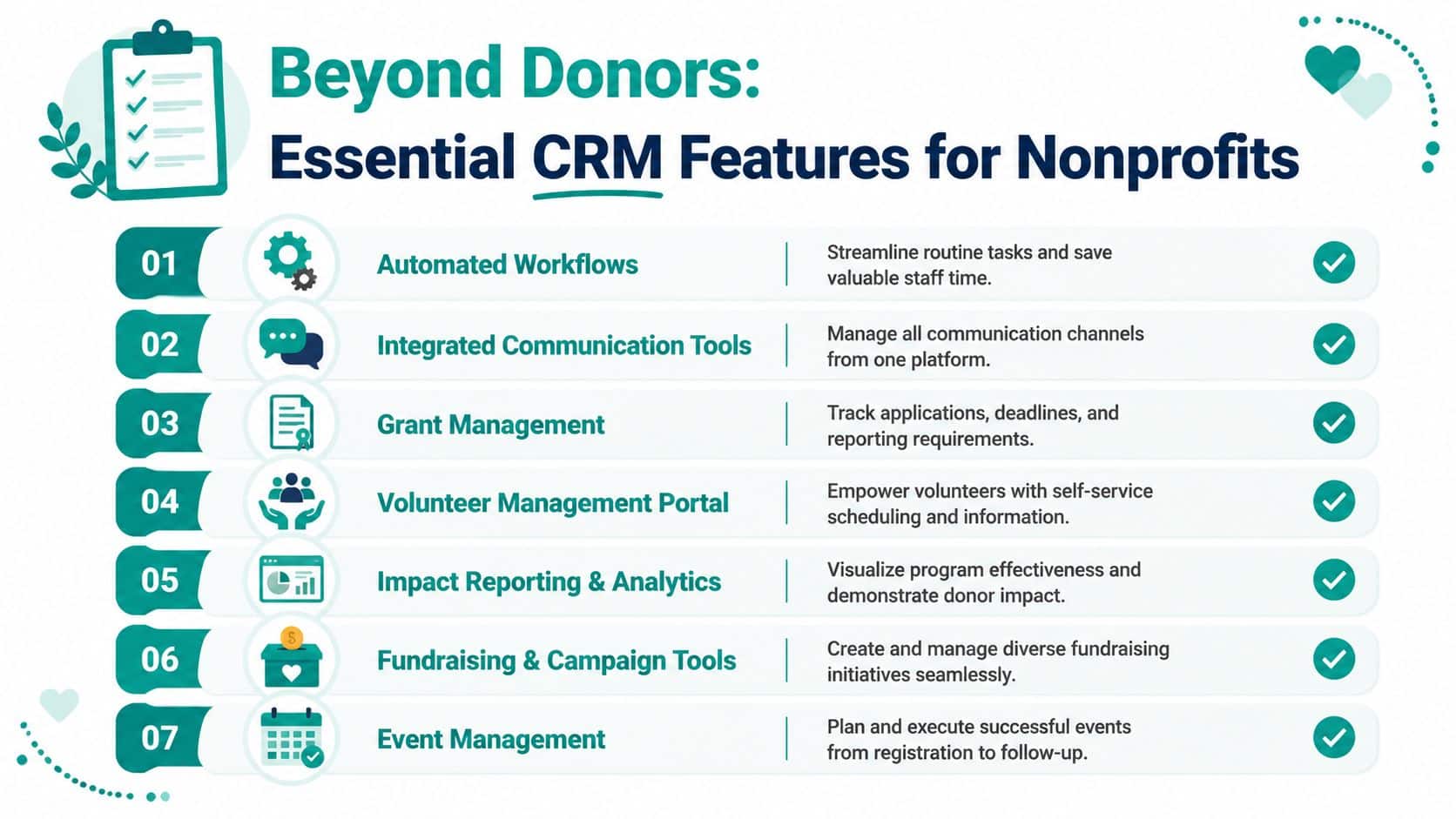
Here are the capabilities worth treating as essential.
-
True fund accounting: You need funds, grants, programs, and restrictions modeled directly in the system. QuickBooks classes can help organize activity, but they aren't the same thing as nonprofit fund accounting designed for restricted balances and compliance reporting.
-
Unified constituent records: Your CRM should connect donor, volunteer, event, and transaction history in one place. That complete view supports better segmentation, acknowledgments, and task automation.
-
Gift processing tied to finance: Online gifts, recurring gifts, pledges, and event payments should not require separate manual entry into accounting records.
-
Grant and reporting support: If your team tracks deadlines, grant drawdowns, and program reporting outside the main system, reporting will stay harder than it needs to be.
Features that reduce staff friction
The next layer is about execution. These are the tools that make a system livable day to day.
Communication tools inside the platform
If your CRM can segment supporters and trigger follow-ups from the same record, staff stop bouncing between systems. That lowers the chance of missed acknowledgments and duplicate outreach.
Built-in marketing matters here. For many nonprofits, sending email from a separate platform is manageable at first. The trouble starts when unsubscribe data, campaign responses, and donor records drift apart.
Volunteer management that isn't an afterthought
Volunteer work often gets trapped in a side tool or a coordinator's spreadsheet. That makes it harder to see the full relationship with the organization.
Look for features such as:
- Self-service access: volunteers can view schedules or log hours without staff chasing paperwork
- Skills and availability tracking: especially useful for programs, events, churches, and schools
- Shared records: development can see volunteer engagement when planning stewardship
If a longtime volunteer becomes a donor, your staff shouldn't have to build that story by hand.
Reporting that answers nonprofit questions
Good reporting doesn't just show campaign totals. It helps you answer board, auditor, and grantor questions without rebuilding the data each time.
Look for reporting that can support:
- Restricted fund balances
- Program-level income and expense views
- Form 990 readiness
- Statements of Functional Expenses
- Pledge tracking and receipting
- Donor self-service history
What to ask in every demo
Vendor demos often focus on polished donor screens. Push past that. Ask practical questions.
| Question | Why it matters |
|---|---|
| How does a restricted online gift appear in finance records? | This shows whether fundraising and accounting really connect |
| Can one record show donor, event, volunteer, and payment activity together? | You need one constituent view, not four partial profiles |
| How are grants, funds, and programs tracked? | This reveals whether the system fits nonprofit reporting |
| What happens after a pledge is entered? | Pledge follow-up often breaks in disconnected setups |
| Can supporters access their own giving records? | Self-service can reduce admin load |
A lot of products do one part well. Bloomerang is often appreciated for donor retention focus. Salesforce offers deep customization. Neon CRM covers a broad set of fundraising workflows. But if money and mission data still live apart, you'll keep paying for that split in staff time and reporting stress.
Evaluating Your Options All-in-One vs Separate Tools
It usually comes to a head during month-end close. Development says the campaign performed well. Finance is still trying to confirm which gifts were restricted, which pledges are collectible, and what posted to the right fund. The software decision stops being a tech discussion at that point. It becomes a cash visibility problem.
That is the actual choice here. You are not only deciding how to track donors, events, and emails. You are deciding whether fundraising activity and financial records will support each other automatically or require staff to keep stitching them together.
When separate tools make sense
A multi-tool setup can be the right call for organizations with unusual workflows, a skilled operations lead, and enough budget to maintain integrations over time.
Salesforce is the clearest example. It can be shaped to fit complex processes if you have an admin or consultant who knows nonprofit data structure well. Mailchimp is familiar for email. QuickBooks is widely used, and many bookkeepers can step into it quickly.
The trade-off is ongoing coordination.
Each product may do its own job well, but no one product owns the full path from gift entry to fund-level reporting. Staff end up checking syncs, correcting mismatches, and deciding which system holds the final answer when records conflict.
Where separate systems create friction
The pressure usually shows up around money first, not donor notes.
A CRM can look polished in a demo and still leave your team doing manual work every time a restricted gift, pledge payment, event payment, or grant deposit needs to match accounting records. That is where many nonprofits lose time and confidence. Small and mid-sized teams feel it fastest because they need clean books and reliable donor data without adding another layer of software management.
Here is the practical comparison:
| Consideration | All-in-One Platform (e.g., AlignMint) | Separate Tools (e.g., QuickBooks + Salesforce + Mailchimp) |
|---|---|---|
| Data entry | One entry point can reduce duplicate work | Staff often re-enter or sync data across tools |
| Financial visibility | Gifts and accounting can sit in the same record structure | Finance and fundraising often require reconciliation |
| Flexibility | Usually more opinionated about workflow | Greater customization, often with more setup |
| Training | One system to learn | Teams learn multiple interfaces and rules |
| Vendor management | One relationship | Multiple vendors, contracts, and support paths |
| Audit trail | Easier to maintain when work happens in one place | Handoffs can create gaps or confusion |
| Total complexity | Lower for many nonprofits | Higher, even when each tool is strong individually |
The decision test that matters most
Ask a harder question than, "Which platform has more features?"
Ask what happens after a gift comes in. If your team still has to export, map, reclassify, and reconcile before finance trusts the numbers, the system stack is costing more than the subscription fees suggest. If the same transaction can update the donor record and the financial record without extra cleanup, you gain time, cleaner reporting, and fewer unpleasant surprises before board meetings or audits.
I have seen nonprofits tolerate a lot of software inconvenience in the name of flexibility. That trade can be reasonable. It stops being reasonable when development and finance spend every month proving the same numbers to each other.
That is why many organizations end up choosing all-in-one nonprofit management software. The appeal is not simplicity for its own sake. It is having one system of record for both relationship activity and the money behind it.
The All-in-One Answer for Financial Clarity
It is 4:30 p.m. on the day board packets go out. Development is reporting one total for campaign revenue. Finance has another total in the accounting system. Both teams are looking at the same gifts, but they are not looking at the same record of those gifts.
That is the problem an all-in-one system is supposed to solve.
At AlignMint, donor management, fund accounting, volunteer tracking, events, team communication, online giving pages, and marketing tools live in one platform. A gift can show up as donor activity and as a booked financial transaction in the same system, without someone exporting a spreadsheet and cleaning it up later.
What this looks like in practice
A donor gives online to a restricted campaign. The system should create or update the donor record, send the receipt, and post the transaction into the correct fund structure for reporting. Finance should not have to wait until month-end to confirm whether the gift was coded correctly.
That matters even more in organizations with layered reporting needs. Fiscal sponsors may oversee multiple projects under one umbrella. Churches often track designated gifts alongside membership and program activity. Schools need fundraising and event data tied back to the right accounts. Service nonprofits need a clear line from donor intent to program funding.
The fundamental value is not convenience. It is trust. When fundraising data and fund accounting live together, leaders can answer basic questions quickly: How much of this campaign is available to spend? Which gifts are restricted? What changed since the last board meeting?
The product details that affect day-to-day work
A few platform choices have an outsized effect on how usable the system feels across the organization.
- Plan-based user allowances (1 on Free, up to 10 on Plus, up to 25 on Pro, and unlimited on Enterprise): finance, development, program, and admin staff can all work from the same record instead of relying on screenshots or forwarded reports.
- A free tier for nonprofits under $100K: smaller organizations can start with a system that fits current capacity instead of buying more software than they can realistically implement.
- Built-in marketing suite: campaign emails and supporter history stay tied to constituent records.
- Minty assistant: staff can ask operational questions inside the platform instead of pulling exports into another tool first.
For nonprofits, the accounting side is what makes or breaks the CRM decision. If the platform cannot handle restrictions, grants, designated giving, and program-level reporting cleanly, it is still just donor software with extra features attached. A practical fund accounting setup for nonprofits gives you the full picture, not just a better list of contacts.
Good nonprofit software lets you follow one gift all the way through. From donation page, to donor record, to fund balance, to board report. That is what financial clarity looks like.
Your Simple Path to Getting Started
Most nonprofit leaders don't resist change because they love old systems. They resist it because software changes can go badly. That concern is fair.
The easiest way forward is to make the decision smaller. Don't start with every feature and every historical edge case. Start with the workflows that cause the most friction today.
Begin with one real problem
Choose one operational pain point and test software against that.
For example:
- Board reporting takes too long
- Restricted gifts are hard to track
- Volunteer and donor data live in separate places
- Receipting and pledge follow-up are inconsistent
If a platform can't handle your highest-friction process cleanly, the rest of the demo doesn't matter much.
Keep the transition practical
A calmer rollout usually follows a simple order.
- Clean your core records first. You don't need perfect data, but you do need obvious duplicates and inactive clutter addressed.
- Pick internal owners. One person from finance and one from development should both test core workflows.
- Set a short success list. Think "post one online gift correctly" or "run one board-ready report," not "transform the entire organization in a week."
- Use documented setup help. A clear getting started guide for nonprofit teams can remove much of the guesswork.
Start with the report or process that currently makes everyone groan. That's where you'll see value fastest.
You don't need to become a tech expert to make a sound software choice. You need a system that reflects how nonprofits work, especially around restricted funds, reporting, and day-to-day coordination.
If you want to see whether an all-in-one approach fits your organization, take a look at AlignMint. It's built for nonprofits that need donor management, true fund accounting, volunteer tools, events, and marketing in one place, with a free tier for organizations under $100K.
Ready to try AlignMint with your nonprofit?
Start free — set up donor tools, giving pages, and Minty. Upgrade when you need accounting.