

Donation Form Sample: 7 Top Examples for Nonprofits
Your donation form is the first financial handshake many supporters ever have with your mission. If it feels clunky, they leave before you ever see the gift, the receipt, or the donor record. These donation form sample examples will help you choose a form that fits your team, your budget, and your back office, not just your homepage.
A good form should do more than collect money. It should move cleanly into donor management and fund accounting, so your finance team can trust the numbers and your development team can follow up fast. For a helpful donor-side primer, see these donor management and security tips.
Quick Answer: Donation Form Samples for Nonprofits
A strong donation form sample does more than collect a payment. It should be easy for donors to complete, support one-time and recurring gifts when needed, and move cleanly into donor records and fund accounting so finance and development stay aligned after the gift.
For the giving page workflow, see donation pages. Then compare nonprofit donation page best practices with donor management.
1. AlignMint
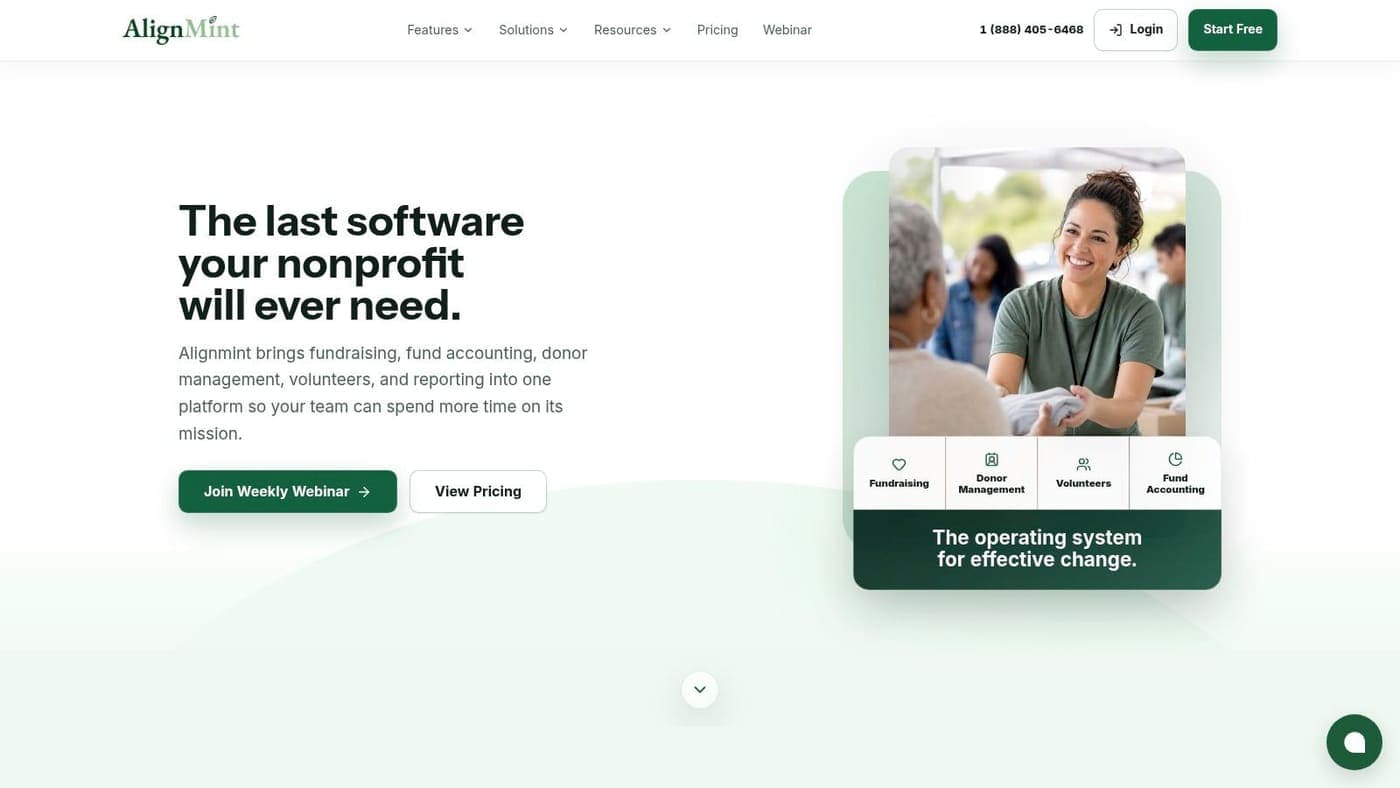
If you want the gift to land cleanly in finance, AlignMint is the strongest choice here. It connects the donation page to true fund accounting, donor records, volunteers, events, and marketing in one place, so you're not stitching together exports after every campaign.
The donation side matters, but the ledger matters too. AlignMint models restricted funds, grants, programs, and Statements of Functional Expenses natively, so the path from form to report stays intact instead of getting reconstructed later. That's a big deal for executive directors who need clarity without babysitting spreadsheets.
AlignMint's donation pages are built for that full journey. You can support automatic receipting, smart pledge tracking, donor self-service, and bank-feed reconciliation without sending staff into separate systems.
Why it stands out for directors
Practical rule: if a donation form doesn't feed the ledger cleanly, you'll pay for it later in reconciliation time.
AlignMint also fits the operational reality of small and mid-sized nonprofits. It offers a free tier for organizations raising up to $100K per year, and it includes core nonprofit features in one subscription with no per-seat fees. That makes it easier to budget for finance, programs, and development without buying five tools and hoping they cooperate.
The platform's Minty assistant is useful for busy teams that need answers from real data, not more exports. AlignMint also leans into security with bank-level encryption, complete data isolation, and 99.9% uptime, which matters when your donation page is part of the trust you ask donors to extend.
Pros
- Native fund accounting keeps restricted and unrestricted giving visible in the same ledger.
- Unified CRM, accounting, volunteers, events, and fundraising reduces manual reconciliation.
- Donor automation handles receipting, pledge tracking, and bank-feed reconciliation.
- Minty gives leaders faster insight from actual records.
- Plan-based access with no per-seat fees keeps collaboration simple.
Cons
- Paid plan pricing is not public, so you'll need a conversation for details.
- All-in-one software can feel broader than a single-point tool if you only need a basic form.
Website: AlignMint
2. Jotform Donation Form Templates
A campaign can move fast even when the back office is stretched thin. Jotform fits that reality well, because its donation form templates let a nonprofit team publish a branded page quickly and adjust the details without starting from zero.
The main advantage is the template library. With 350+ donation form templates, you can begin with a layout that is already close to your use case, then change branding, fields, and payment processors as needed. Jotform also supports recurring donations and conditional logic, which helps when a campaign needs different asks for different donor groups or giving levels.
That flexibility matters for teams with limited bandwidth. You can embed the form or share it by link, and the platform supports common payment paths like Stripe, PayPal, Square, and ACH. For nonprofits that already have a payment stack in place, that makes setup straightforward.
AlignMint's donation page documentation gives a useful contrast if you want to compare a template-first form builder with a system designed around finance integration.
What works and where the limits show up
Jotform gives fundraising staff room to move without waiting on developers. The drag-and-drop builder is easy to use, and the autoresponder receipts cut down on some of the manual follow-up that often slows small teams.
The limit appears after the form is submitted. A strong front end still leaves finance workflow questions open, especially if your director, bookkeeper, and development staff need to reconcile gifts by hand. The form can collect the donation, but it does not automatically solve how that gift moves into fund accounting, donor records, and reporting.
That is the trade-off with a template-led tool. It helps you launch quickly, but the operational work still sits with your team unless your systems are already connected.
Pros
- Fast deployment with a large template gallery.
- Recurring gifts and multiple payment processor options.
- Conditional logic for tailoring asks.
- Nonprofit discounts are advertised on paid tiers.
Cons
- Free plan branding can weaken the donor experience.
- Submission limits on the free plan can become restrictive.
Website: Jotform donation form templates
3. Givebutter Donation Forms
A donation form sample from Givebutter works well for a team that wants a polished giving page without a long setup cycle. The forms are built for quick embeds and hosted giving pages, so a small nonprofit can publish a campaign without much technical help.
The platform also fits teams that need to start with limited overhead. Givebutter uses a tip-or-platform-fee model, which lowers the barrier for organizations that want to begin fundraising right away. If tips are turned off, the platform fee still applies, so finance staff should review the fee structure before they make it the default.
The forms support one-time and recurring gifts, and Givebutter offers examples and guidance around form design. That gives fundraising staff a working page and a reference point in the same place, which helps when the team needs to move fast but still wants a form that looks intentional.
AlignMint's donation recording guide is the right follow-up if your concern is how a gift gets recorded after the donor clicks submit.
Where Givebutter is strongest
Givebutter stands out on the donor-facing side. The page feels approachable, the embed is easy to place on an existing site, and the platform removes much of the friction that can slow a smaller campaign.
The trade-off shows up after the form does its job. A friendly front end does not answer the backend questions by itself. You still need a clear process for donor records, receipts, and how the accounting team sees gifts by fund or program. If your nonprofit director wants one source of truth, the form has to fit the CRM and fund accounting workflow, not sit beside it.
Pros
- Low upfront cost through the donor tipping model.
- Hosted pages and embeds are easy to deploy.
- Recurring and one-time gifts are built in.
- Educational form examples help teams copy what works.
Cons
- Platform fees still apply if tips are disabled.
- Processing costs remain, so the total cost can still matter.
Website: Givebutter donation forms
4. 123FormBuilder Donation Form Template
A director who needs a donation form live without a long build cycle will find 123FormBuilder easy to work with. It gives you a familiar template, a payment connection, and a straightforward path from draft to published page.
The template is simple to clone and adapt, and the builder includes drag-and-drop editing plus spam protection. That matters for teams using WordPress or another existing site setup, because the form can fit into current web pages without forcing a major rebuild or extra technical lift.
The platform also advertises a nonprofit discount, which makes it easier to compare against higher-cost tools. The free tier is limited, though, so directors should confirm whether the form still covers their reporting, payment, and follow-up needs after launch.
If donor follow-up is part of your workflow, AlignMint's donation acknowledgment letter template gives you a practical reference for keeping receipts and acknowledgments consistent.
A small team can use this template as a clean starting point. You get a donation form sample you can adapt quickly, and that can be enough when the immediate goal is to collect gifts without slowing staff down.
The trade-off sits behind the form. A basic donation page can accept payments, but it does not by itself solve fund accounting, donor segmentation, or reporting for finance and leadership. For a nonprofit director, the question is whether the form can fit into the CRM and accounting workflow your staff already uses, because that is what keeps gift data usable after the transaction is complete.
Pros
- Simple setup with a ready-made template gallery.
- WordPress integration supports common nonprofit websites.
- Payment integrations are built in.
- Nonprofit discount is advertised.
Cons
- Free tier limits can block growth.
- Advanced features require paid plans.
Website: 123FormBuilder donation form template
5. Formstack Nonprofit Templates
A development director looking at Formstack usually wants more than a donation page. The platform makes sense when fundraising sits beside volunteer intake, church giving, event registration, or other internal workflows that need cleaner handoffs between staff teams.
The form itself is only part of the value. Formstack includes built-in payment collection, Salesforce integrations, and add-ons like Documents and Sign, so a gift entry can move into document generation and approval steps without a lot of manual copying. For nonprofits that care about records, governance, and repeatable process, that matters.
The practical upside shows up after submission. Development can capture the gift, finance can process it, and operations can keep the paper trail aligned without chasing information across email threads. That is especially useful in organizations where the same donor or grant touches multiple departments, because the workflow stays traceable from entry to report.
For a closer look at how donation page structure affects the rest of the workflow, AlignMint's nonprofit donation page best practices is a useful comparison point.
Where Formstack earns its keep
Formstack is strongest when the form sits inside a larger administrative process. If your staff spends too much time moving data between systems, the integrations can justify the cost because they cut down on rekeying and missed handoffs.
The trade-off is price. Smaller nonprofits may find the platform hard to justify unless they need tighter controls, document handling, and workflow consistency across departments. If all you need is a clean donation form sample, Formstack can feel like more tool than necessary.
Pros
- Strong workflow support for teams that share responsibility across departments.
- Salesforce and document integrations help keep donation records and approvals connected.
- Nonprofit discounts and a 14-day free trial are available.
- Useful for compliance-heavy environments where documentation has to stay organized.
Cons
- Higher pricing than basic form tools.
- Best value usually appears at team or enterprise tiers.
Website: Formstack nonprofit templates
6. Wufoo Donation Form Template and Guide
A small gifts campaign often starts with a simple question, can staff get a donation form live today without creating more work for tomorrow? Wufoo fits that kind of moment. It is lightweight, familiar, and quick to set up, which makes it practical for small nonprofits that need to start collecting gifts without a long build process.
The built-in guide helps staff move from template to published form without a lot of setup decisions. Wufoo also supports embeds, shareable links, email notifications, and basic analytics tracking, so the team can stay informed while keeping the workflow straightforward.
That simplicity helps in day-to-day use. If your team is small and your donation process is straightforward, Wufoo can be enough to collect gifts and confirm them quickly. Directors often value that kind of speed when the immediate pressure is getting a campaign out the door and responding to donors without delay.
The trade-off shows up after the gift is submitted. If your nonprofit needs broader reporting, tighter automation, or cleaner connections to finance and donor management, Wufoo may start to feel limited sooner than expected.
Best for lean teams
Wufoo fits organizations that care more about getting donations in than building a larger digital workflow around the form. It keeps setup manageable for staff who do not want a long implementation or a technical learning curve.
A simple form helps. A simple form that also supports clean reconciliation helps more.
That difference matters in practice. Wufoo can collect the gift, but your team still has to decide how that gift moves into records, receipting, and reporting. If those steps stay manual, the form saves less time than a tool that connects more directly to your CRM and fund accounting process.
Pros
- Very quick setup with a lightweight builder.
- Suitable for small nonprofits with straightforward needs.
- Embeds and notifications are easy to use.
Cons
- More limited scalability than newer platforms.
- Pricing details may require comparison work to understand the right plan.
Website: Wufoo donation form guide
7. Typeform Nonprofit Donation Form Template
Typeform works well when the donor experience needs to feel polished from the first click. Its conversational, single-question flow gives supporters a cleaner path through the form, which suits nonprofits that care about brand presentation and mobile use without adding friction for the donor.
The template is prebuilt, but the difference is how it structures the interaction. Instead of presenting every field at once, Typeform guides the donor one step at a time, which can feel less crowded than a standard form. It also supports logic jumps, hidden fields, and payment integrations on paid tiers, so a team can tailor the path and collect the details it needs without making the form feel heavy.
For a nonprofit director, the appeal is clear. A campaign page can feel more personal, and that matters for first-time donors or appeals where tone is part of the message. Typeform is a strong choice when the form is part of the fundraising experience, not just a data-capture tool.
The trade-off sits behind the scenes. Pretty forms still need to move cleanly into your CRM, receipts, and financial reporting. If those handoffs stay manual, staff still end up rekeying donor data and matching gifts after the fact. Typeform can support the front end of the process, but your operations team still has to decide whether the back end will keep up.
Where Typeform helps most
Typeform is strongest when donor experience is the priority. It creates a cleaner feel than many traditional builders, and that can reduce hesitation for first-time supporters who might otherwise abandon a longer form.
It is also useful for teams that want a more controlled path through the form. Logic jumps and hidden fields let you change what donors see based on their answers, which can keep the interaction focused and prevent unnecessary questions from slowing people down.
The operational trade-off is the same one directors run into with many polished tools. A beautiful form still has to connect to your CRM, your receipts, and your financial reporting. If your staff is handling those steps outside the form, the visual polish helps the donor experience, but it does not remove the reconciliation work that follows. For that reason, Typeform fits best when you want a donor-facing form that looks refined and you already have a clear process for moving gifts into the rest of your system.
Pros
- Polished donor flow and modern visual design.
- Strong branding options.
- Logic jumps and hidden fields on paid tiers.
Cons
- Lower tiers have tighter limits.
- Costs can rise as response volume grows.
Website: Typeform nonprofit donation form template
Top 7 Donation Form Templates Comparison
| Solution | Implementation complexity | Resource requirements | Expected outcomes | Ideal use cases | Key advantages |
|---|---|---|---|---|---|
| AlignMint | Moderate–high (full OS setup, transition) | Staff time for setup; contact vendor for paid tiers; free tier for under $100K/year | Consolidated accounting/CRM/volunteer with Form 990–ready reports and real‑time restricted balances | Small–mid nonprofits, churches, schools, fiscal sponsors needing fund accounting | Native fund accounting, unified platform, donor-centric automation, integrated volunteer management, Minty |
| Jotform, Donation Form Templates | Low (plug‑and‑play templates) | Minimal technical resources; paid tiers for higher limits | Rapidly deployed customizable donation forms | Teams needing many templates and quick launches | Large template gallery, flexible payment integrations, fast deployment |
| Givebutter, Donation Forms | Low (simple embed/host options) | Minimal; donor tip or platform fee pricing; educational resources | Interactive, mobile‑ready fundraising pages with low upfront cost | Campaigns, events, peer‑to‑peer, orgs preferring low upfront fees | Donor tipping model, transparent pricing, easy embeds, strong US adoption |
| 123FormBuilder, Donation Form Template | Low (clone & customize) | Minimal; WordPress integration available; paid plans for advanced limits | Straightforward donation forms with payment gateways | Simple nonprofit sites, WordPress users needing quick forms | Template gallery, WordPress support, nonprofit discounts |
| Formstack, Nonprofit Templates (incl. Donation) | Moderate–high (enterprise setup and workflows) | Team/admin resources and budget; integrates with Salesforce/docs | flexible, compliance‑aware forms with workflow automation | Large or compliance‑heavy nonprofits and enterprises | Strong integrations, document/sign automation, enterprise features |
| Wufoo, Donation Form (Template + How‑to) | Low (lightweight builder and guide) | Minimal technical resources | Basic donation forms live quickly with embeds and notifications | Very small nonprofits needing straightforward forms | Simple, fast setup; clear how‑to guidance; lightweight builder |
| Typeform, Nonprofit Donation Form Template | Low–moderate (design-forward, logic requires paid tiers) | Design effort; paid plan for payments and higher limits | Polished, conversational donor experience optimized for mobile | Campaigns where UX/branding boosts conversions | Conversational flow, strong design/customization, modern UX |
From Form to Financials Your Next Step
Choosing a donation form is really about choosing how your organization will work after the gift arrives. A good donation form sample helps donors give quickly, but a better system also helps your staff acknowledge, reconcile, and report without unnecessary manual work. That's where the difference between a front-end form and a connected operating platform becomes obvious.
The benchmark data makes that clear. Blackbaud reports average donation form conversion rates of 11% on desktop and 8% on mobile in 2025, with conversion defined as successfully processed entries divided by page views, so form friction is measurable, not abstract. Blackbaud also notes an average online gift amount of $197, which gives your team a second useful metric for thinking about suggested amounts and revenue per conversion. When your form is weak, you lose both gifts and clarity. Blackbaud's donation form metrics guidance is a solid reference point for that conversation.
The strongest lesson from the comparison is that donation form design and backend design should not be separate decisions. A simplified form can move the needle, as shown in the NextAfter experiment where the control converted at 0.00% and the simplified version converted at 4.1% with 97.8% confidence. NextAfter's form formatting experiment shows what many directors already suspect, friction kills gifts. But once the gift is captured, you still need the money to land in the right fund, the donor to receive the right acknowledgment, and the finance team to trust the report.
That's why AlignMint is built around the whole journey. The platform brings together fund accounting, donor management, volunteer tracking, events, marketing, and online giving pages, so your team doesn't have to patch together disconnected tools. You get the donation page, the CRM record, and the financial report in one system, which is exactly where a nonprofit director needs the truth to live.
If you're running a church, school, fiscal sponsorship program, or growing nonprofit, the right next step is a system that keeps fundraising and accounting aligned from the start. Explore how AlignMint brings your donation form, donor records, and fund reporting together in one place, and see whether your team is ready to replace the patchwork for good.
If you want a donation form that helps your team raise money and report it correctly, AlignMint is built for that job. Visit AlignMint to see how our all-in-one platform connects donation pages, donor management, volunteers, and true fund accounting in one place.
Ready to see how AlignMint fits your workflow?
Schedule a free walkthrough — we will help you map donors, funds, and migration steps.