

The grant report says the after-school program raised $142,000. Your donor list says $150,000. Your bank balance suggests something in between, and two board members are now defending different figures in the same meeting.
The fix isn't a better spreadsheet. It's a donor management system that keeps every gift, restriction, receipt and thank-you in one record you can defend to a funder, an auditor or your board chair.
Quick Answer: Donor Management Systems
A donor management system is the one record of gifts, restrictions, receipts, and the next thank-you. This page is the 2026 system checklist. Software comparisons, small-team buying, and retention tactics are separate guides.
Start with donor management and donor management software. For small teams, see donor management software for small nonprofits. For retention, see donor management that keeps more donors giving. For the operating guide, see nonprofit donor management.
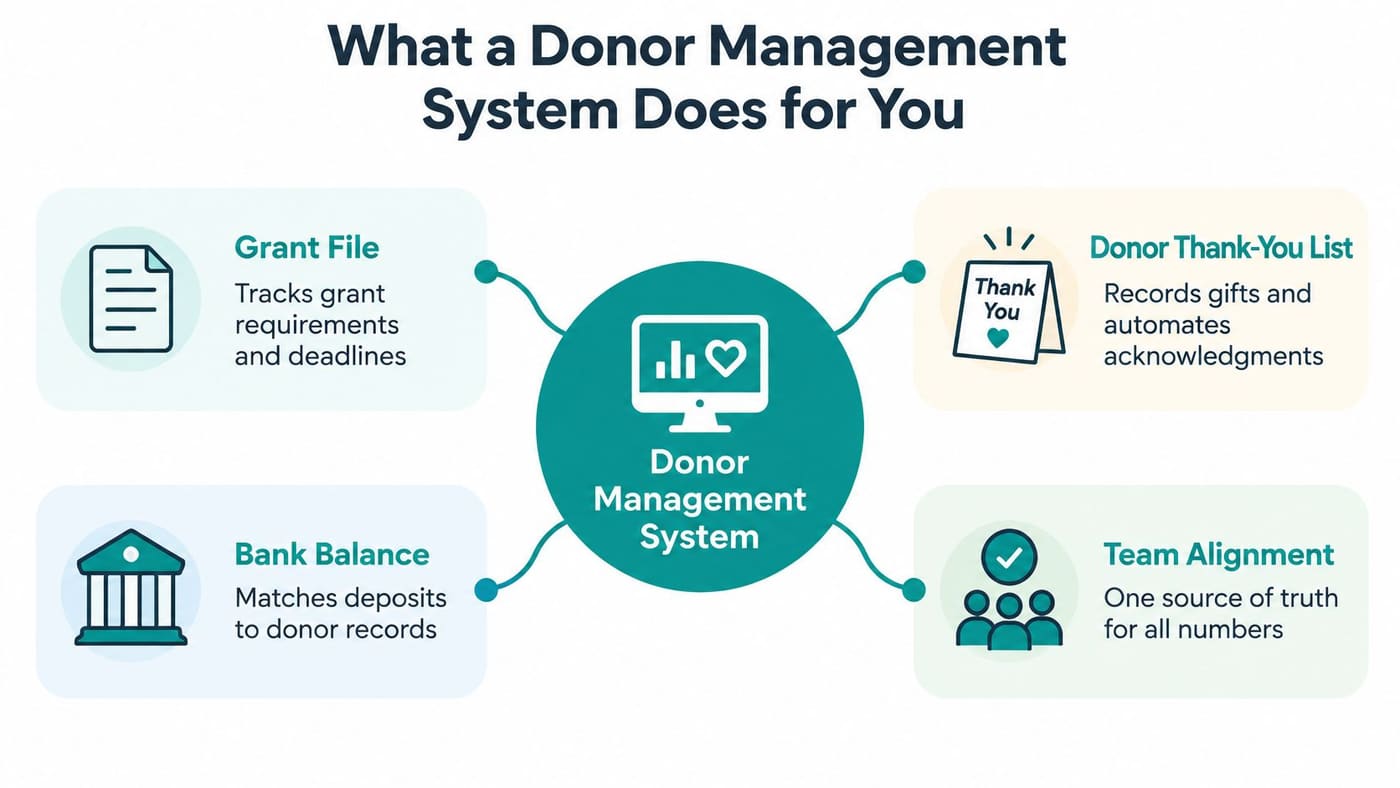
What a Donor Management System Does for You
The disagreement usually starts small. Someone exported a list in March, someone else reconciled the bank in June, and the two files have been drifting apart ever since. Nobody is careless. There is no single place where the truth lives.
A donor management system is that single place. It holds each supporter's identity, gifts, pledges, communication history and the next step your team owes them. When the record is right, the grant file, the thank-you list and the bank agree without a meeting.
Think of it as the guest book for the whole organization rather than a filing cabinet in one person's office. Anyone with permission opens the same book and reads the same story.
This is no longer a large-shop luxury. In a 2024 survey of 379 nonprofits, 94% used a donor management system, compared with 75% in 2014, according to research on donor management software adoption. The same body of survey work found nearly 92% of nonprofits made organizational data available to staff through cloud-hosted databases, while about 19% still kept some data on individual computers only one person could open.
That last number is the one I'd circle. Isolated files are how institutional memory walks out the door when a bookkeeper retires.
For a small or midsized organization, the practical gain is narrower and more useful. One central record ends the spreadsheet handoffs, ends the version arguments, and gives every authorized staff member the same answer to "how much did the Smiths give, and what did they give it for?"
Three problems decide whether a system earns its place.
- Messy donor records. Duplicate households split a giving history in half and send two thank-you letters to one couple.
- Missing restriction data. Without fund-level records, you can't prove how a restricted gift was spent.
- Tools that don't talk. When giving, accounting and volunteer records sit in different products, someone reconciles them by hand every month.
A donor system is operating infrastructure, not a contact list. Evaluate it the way you evaluate your accounting software: does it hold the record of what happened, and can you prove it on demand?
Practical rule: if a vendor demo can't show you a gift travelling from appeal to bank deposit to Form 990 line, you're looking at a mailing list with a gift table attached.
Core Features to Check Before You Compare Vendors
Most demos spend twenty minutes on the dashboard and two minutes on the things that decide your December. Skip the tour. Hand the vendor your own fund names and make them work on your data.
Here is the feature set worth testing, and what to check for each one.
| Feature | What It Does | What to Check in a Demo |
|---|---|---|
| Donor records and giving history | One view of gifts, notes and contact details | Open one donor and find the full history in under a minute |
| Pledges and recurring gifts | Tracks promised and scheduled payments | Record a three-year pledge and confirm the payment schedule |
| Receipting and acknowledgements | Produces gift receipts and thank-you letters | Generate a year-end receipt for one donor and check the amount and date |
| Segmentation and campaigns | Groups donors by giving, source or interest | Build a list of lapsed donors without exporting data |
| Communication history with consent | Records emails, texts and opt-outs | Confirm that an opt-out stops the next campaign to that donor |
| Retention reporting | Shows renewal and lapse by cohort | Pull first-year donor renewal for last year's cohort |
| Permissions and audit log | Limits who can view, edit or export data and records changes | Change one record and confirm the log shows the user and time |
What each feature actually buys you
Automatic receipting is the feature that pays for itself first. It saves a week of year-end clerical work and keeps thank-you letters inside the window when donors still remember giving.
Pledges matter more than most small shops expect, because a three-year commitment is a forecast, not a gift. If the system can't show you the schedule, your cash projection is a guess.
Segmentation is where the concentration of giving shows up. A collaborative analysis of U.S. giving trends from 2015 through 2022 found that only 0.3% of individual donors contributed nearly half of all individual donation dollars, as reported by Candid's charitable giving analysis. Lose the history on a handful of households and you lose a real share of revenue.
Retention reporting turns stewardship into a number you can manage. Historical benchmarking in Stanford Social Innovation Review put average individual-donor retention at about 60%, while 83% of small nonprofits could report the metric once they used donor databases and steadier measurement practices.
Permissions and the audit log are dull until the first time a gift is changed and nobody knows who changed it.
Some of these arrive bundled and some are paid add-ons. Ask every vendor to show each row working on your sample data, and write down which ones cost extra.
Three questions that end most demos
- Can you show me one donor's complete history in under a minute?
- Can you show me restricted balances by fund right now?
- Can you prove who changed a record, and when?
Any product that hesitates on the second question is a fundraising tool, not a donor management system.
Keeping Donor Records Clean and Trustworthy
Data quality isn't a cleanup project you finish. It's a set of controls that either exist in the product or don't. Salesforce's guidance on choosing a nonprofit CRM frames it well: treat donor data as a controlled integration problem, not a contact database.
Four controls worth asking about
Duplicate checking before creation. The system should look for an existing constituent before it lets anyone create a new one. Otherwise a household entered under two spellings of a name becomes two donors, receives two acknowledgement letters, and splits its giving history in half. I'd test this by typing a donor you know exists and seeing what the system does.
Separate identity from activity. A donor is one object. Gifts, pledges, campaign attributions, affiliations and communication preferences are separate objects linked to it. When those collapse into one screen with free-text fields, reporting breaks.
Structured campaign and designation fields. This is the single biggest cause of unusable reports. If attribution or fund information is typed into a notes field, you can't group totals, you can't reconcile, and your audit trail becomes a search through prose.
Human review for uncertain matches. Automated matching on normalized email and name and address combinations handles most duplicates. The remainder needs a review queue where a person decides, rather than a silent merge that fuses two donors into one impossible record.
Behind all four sits the audit trail: a log of who changed what and when, plus role-based permissions for viewing, editing and exporting sensitive data. A donor system holds financial records, donor details and volunteer information together, so accuracy and access control are the same job, not two projects.
Ask this in the demo: "Show me the duplicate review queue, then show me the change log for the record you just edited." Vendors who can do both usually have the rest right too.
The ten-donor spot check
You can audit your current data this week without buying anything. Pull ten donors at random and check three things against reality: the gifts match your bank deposits, the campaign attribution matches the appeal they responded to, and the communication preferences match what they've told you.
If two or more fail, your problem isn't the software you're about to buy. It's the process you'll carry into it, and it will follow you.
Tracking Restricted Gifts for Fund Accounting and Form 990
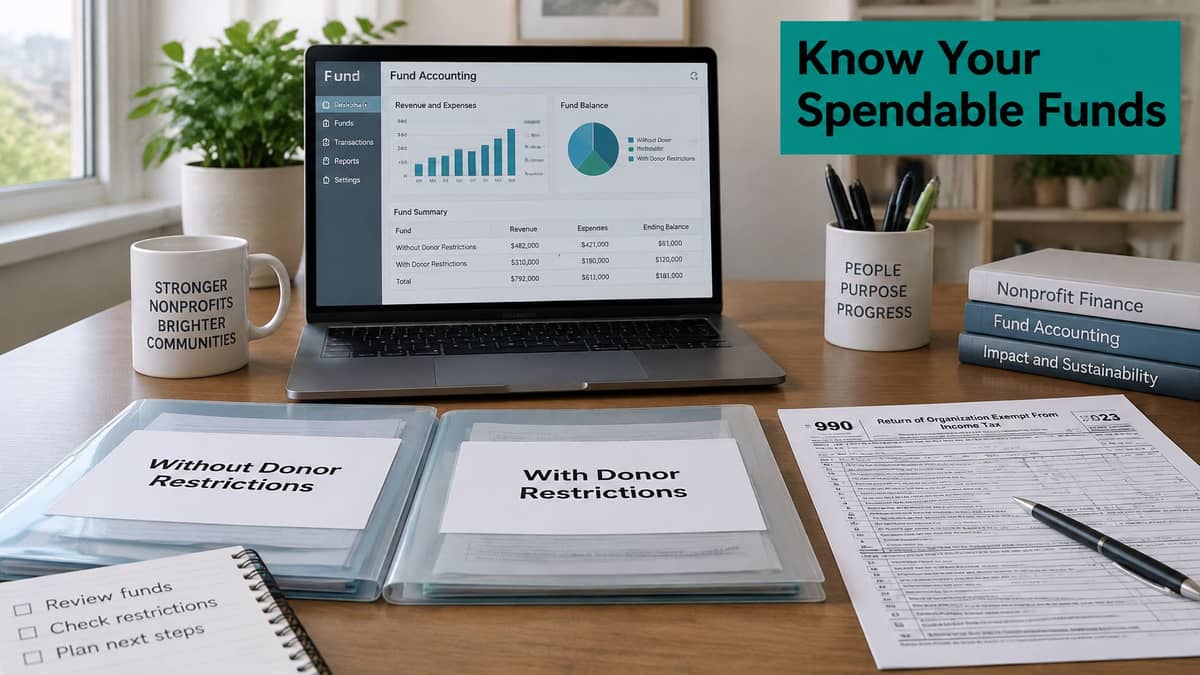
The outcome worth paying for is simple. You know what you can spend before you spend it, and you can prove the restriction was honored afterwards.
Most nonprofits hold two kinds of money. Money without donor restrictions covers general operating gifts and earned income, spendable on whatever the mission needs. Money with donor restrictions is limited by purpose, by time, or both, and stays limited until you spend it correctly.
Take a building campaign. A donor gives $50,000 restricted to construction. A pledged gift of $30,000 arrives over three years, restricted by time as well as purpose. General operating gifts pay the electric bill. A ledger that merely labels those transactions as "restricted" doesn't hold the restriction anywhere. A true fund system keeps each balance separate, applies the restriction when money leaves, and releases it at the right moment.
Form 990 reporting is functional, not just financial. Section 501(c)(3) and 501(c)(4) organizations generally complete Part IX columns for total expenses, program services, management and general, and fundraising, as the IRS Form 990 instructions set out. The return also asks you to describe accomplishments for your three largest program services, measured by expenses incurred.
| Fund Category | Example | What the System Must Record | Why It Matters on Form 990 |
|---|---|---|---|
| Without donor restrictions | General operating gifts and earned income | Unrestricted balance available for any purpose | Counts toward total expenses reported by function |
| With donor restrictions, by purpose | A gift restricted to a building project | Restriction and the spending that releases it | Shows restricted balance before the expense is made |
| With donor restrictions, by time | A three-year pledge paid in installments | Payment schedule and release dates | Supports accurate balance reporting by period |
| Donor-restricted endowment | A gift that must be held in perpetuity | Endowment status and balance | Triggers Schedule D, Part V when held |
Endowments deserve their own line because of a reporting trigger. The IRS 2024 Form 990 field documentation asks whether the organization held assets in donor-restricted or quasi-endowments, and a yes answer requires Schedule D, Part V. The trigger is the nature of the funds, not the size of the account.
Fiscal sponsorship raises the stakes. The National Council of Nonprofits explains fiscal sponsorship that the sponsor, not the project, carries legal and financial responsibility. Donations must be made to the sponsor to be deductible, the sponsor issues the acknowledgements, reports the income in its own records, honors donor restrictions, and keeps prudent controls. Project-level funds have to stay separate while consolidated reporting still works.
You can see how our own restricted fund tracking handles that split. Then run a monthly check: after allocations and shared costs, can you still see each restricted balance, and can you rebuild the functional expense split without opening a spreadsheet?
Connecting Payments, Banks and Payroll Without Double Entry
You know the ritual. The same gift gets typed into the donor list, then into the ledger, then matched by hand against a bank statement three weeks later. Every retyping is a chance to introduce an error nobody will find until the audit.
A sound system doesn't replace the tools that hold specialized data. It connects to them so each fact is entered once, in the place that owns it.
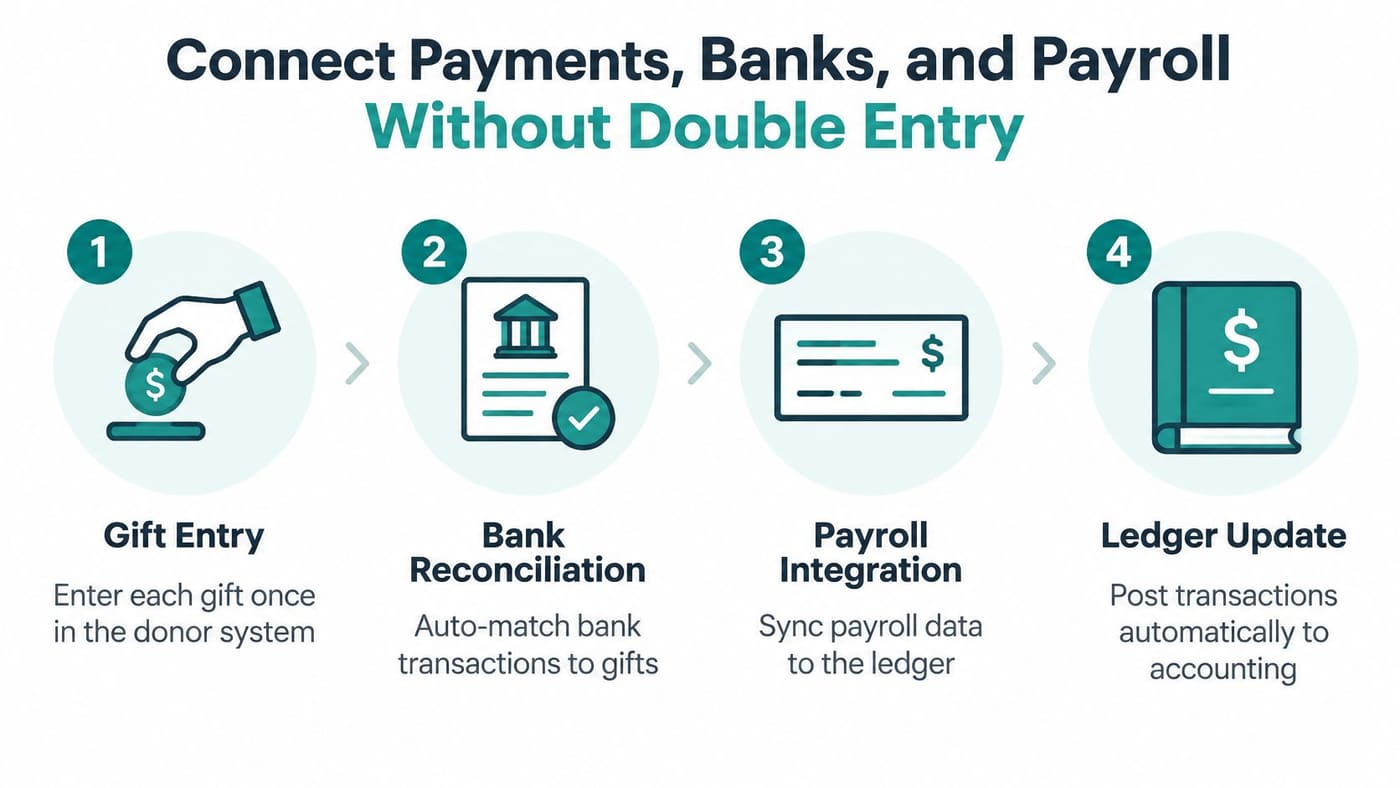
Giving and payment setup. A confirmed gift should arrive already attached to its donor, fund, receipt and accounting record. That is how we build it: donor, event and store payments stay on the giving and payment setup, payroll stays with the payroll provider, and bank statements stay on the bank connection. Nothing gets rebuilt in a second system.
Payroll. Salaries, taxes and benefits belong with whoever runs payroll. What your fund system needs is the mapped cost, allocated across program, management and fundraising, so functional expense reporting doesn't become a December project.
The bank connection. Deposits should match recorded gifts automatically, with exceptions surfaced for a person to fix. Manual matching is where small errors hide for months.
Email and text channels. Consent has to follow the donor across every channel. An opt-out from email that doesn't stop a text is a complaint waiting to happen.
If you also run ticketed events, auctions or registrations, the Live Tourney guide to automated payment processing explains how confirmations and payouts get handled without someone re-keying figures into a third place.
Our financial integrations documentation lists which connections are supported and what each one syncs.
A missing connection is not a small gap. It becomes a monthly spreadsheet that exactly one person knows how to maintain, and that person eventually leaves.
Three questions to settle before you sign anything. Does the system import your historical gift data, and does it reconcile the imported total to your last filed return? Do bank feeds match deposits to gifts without manual entry? And what happens when a recurring payment fails: does the donor get flagged, the receipt voided and the accounting entry reversed, or does someone find out at year-end?
Using AI Features Without Losing Donor Trust
A donor receives an unexpected message after making a gift. Your team should be able to explain why it was sent and what information informed it. That is a practical standard for evaluating AI in donor management.
The Chronicle of Philanthropy's nonprofit technology findings report that 77% of nonprofit leaders expect to use AI within five years, compared with 46% today, while only 19% feel confident they use technology in advanced ways. That gap makes clear, reviewable processes important: staff need to understand what a system surfaced and decide what to do with it.
Where prediction helps and profiling hurts
AI can help staff spot operational details that need attention. Using donor information to infer sensitive traits and target people on that basis raises a different concern. The Chronicle findings also report donor unease about AI using donation history for targeting.
Privacy messaging and easy opt-outs remain important to roughly two-thirds of donors in that research. Nearly half of European nonprofit respondents reported concern about data privacy and security risks, so this issue is not limited to American organizations.
Framework: A person should be able to explain why they received a message, and a staff member should be able to answer without calling the vendor.
Minty answers questions about your organization's data and can help find donor, fund, event, and volunteer signals that need attention. Review how those signals appear in the product, and decide who on your team is responsible for acting on them.
Customers are responsible for having the right to upload data they enter, including donor and volunteer information, in compliance with applicable privacy laws. AlignMint never sells donor data.
The trust test to run in any demo
- Can the system show why a donor received a specific message?
- Can a staff member review and edit generated outreach before it sends?
- Can a donor opt out of future use of their data in one step?
Review AlignMint's AI features, then ask the same questions of other vendors. If a vendor cannot explain how staff review AI-generated suggestions and outreach, you will have a harder time maintaining donor confidence.
Choosing Between Standalone Tools and an All-in-One Platform
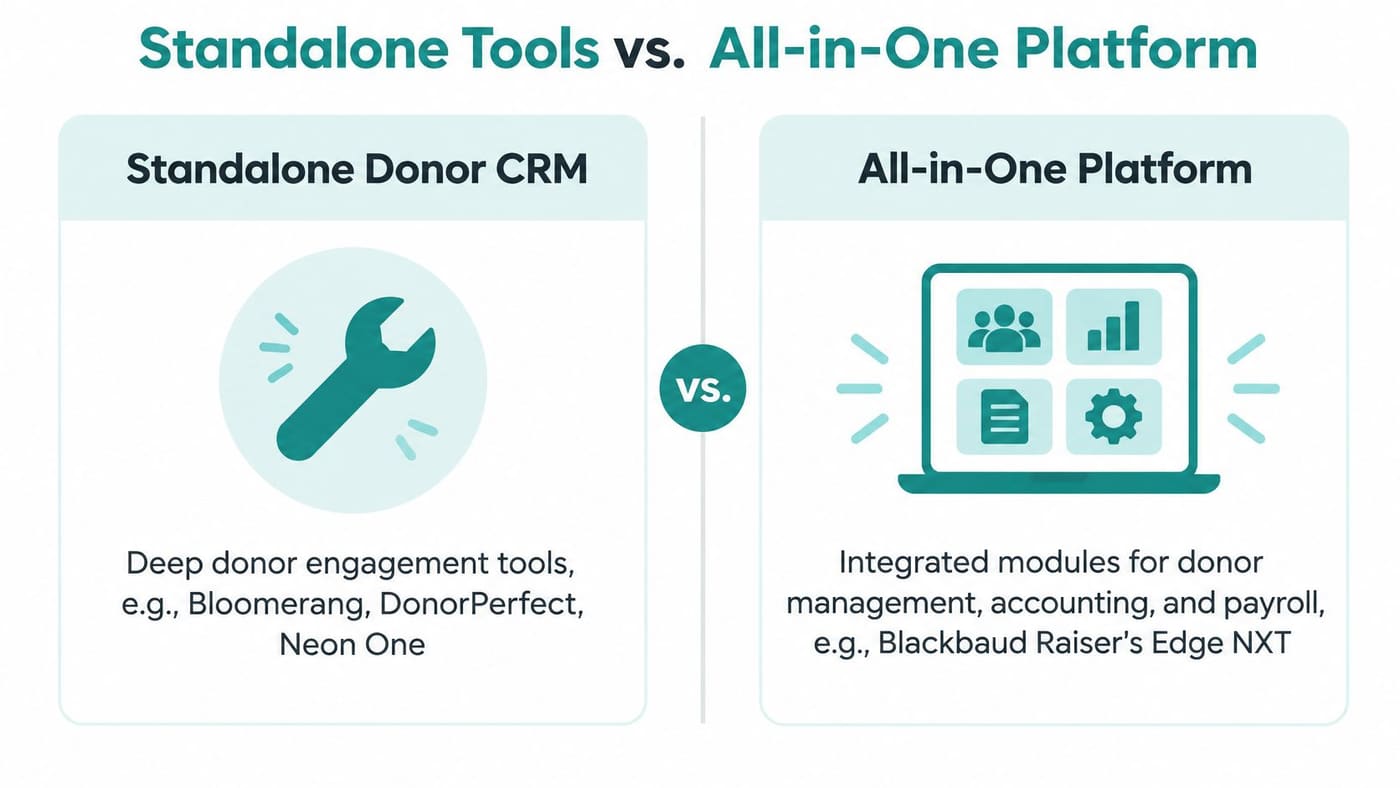
Start with credit where it's due, because these are good products. Bloomerang, DonorPerfect and Neon One go deep on donor engagement, retention scoring and campaign tools, and small teams get productive in them quickly. Blackbaud Raiser's Edge NXT and Salesforce Nonprofit Cloud give large teams configuration depth that a small shop will never use. Aplos, Sage Intacct and Blackbaud Financial Edge handle ledger control and fund balances well.
The gap appears at the seam between them. Sage's nonprofit technology impact report found 35% of nonprofit leaders rely on manual, time-consuming reporting, 34% lack real-time visibility into key metrics, and 29% see delays caused by disconnected systems. Implementation and integration rank as the top technology challenge for 57% of respondents.
That's the hidden cost of best-in-breed. Someone, usually your most patient staff member, becomes the bridge between four products.
| System Type | Examples | Typical Strength | Gap to Check |
|---|---|---|---|
| Standalone donor CRM | Bloomerang, DonorPerfect, Neon One | Deep donor engagement and campaign tools | Fund accounting often lives in a separate ledger |
| Enterprise donor suite | Blackbaud Raiser's Edge NXT, Salesforce Nonprofit Cloud | Configuration depth for large teams | Requires dedicated administrators and more setup time |
| Fund accounting software | Aplos, Sage Intacct, Blackbaud Financial Edge | Strong fund balances and ledger control | Donor engagement and volunteer tools are separate |
| All-in-one platform | AlignMint | Fund accounting, CRM, volunteers, events and marketing in one record | Confirm depth in each module against your needs |
The buyer question that separates these categories is blunt. Sage puts it this way: can every gift be traced from appeal and restriction through deposit, allocation, expenditure, acknowledgment and financial reporting? A system with more engagement features is not better if it loses the accounting context along the way.
A verdict by situation
Under $100,000 in annual donations with one finance person. Start on a free tier and prove the workflow before you spend. You need clean records, receipts and a defensible restricted balance, not a five-module implementation.
A church or school running volunteers and events. Shared records matter more than feature depth. If volunteer hours, event registrations and gifts live in three products, your office administrator becomes a data pipeline. Insist on one record.
A larger team with dedicated administrators. A suite can work if you have someone to configure and maintain it, and if you've budgeted for that person's time. Otherwise the administrative load lands on your development director.
AlignMint puts accounting, donor records, volunteers, events and marketing on one operating record. The trade-off is honest: test each module against your own fund structure and your own reporting before you commit.
Rolling Out Your Donor System Without Losing Year-End
A clean switch means your December giving and your audit both survive it. That requires sequencing, not enthusiasm.
1. Map your fund structure first. List every restricted fund, its purpose and any end date before you import a single gift. If you can't write the list on one page, you're not ready to migrate, because the software will inherit your confusion.
2. Clean the donor list. Merge duplicate households, replace free-text campaign fields with structured values, and decide which old notes need to travel. Anything you import badly, you'll manage badly for years.
3. Import history and reconcile the totals. Bring in several years of gifts, then tie the imported total to your last filed Form 990 and to your bank statements. Use our nonprofit data migration checklist to keep the order straight.
4. Train one champion and two backups, then run parallel. A month of running the new system beside the old one catches what testing misses. Never retire the old system until a full reporting cycle reconciles.
The stumbling block is almost always people, not software. Most small teams have nobody on staff who can absorb an implementation, which is why you should ask every vendor two direct questions: who does the migration, and what does that help cost?
Timing rule: never switch systems within eight weeks of your biggest giving day or your audit fieldwork. The risk isn't worth the saved month.
The sign that the rollout worked isn't a dashboard. It's a staff member answering a donor question and a finance question from the same record, in front of you, without asking anyone for help.
Confirm Fund Accounting Before You Sign a Contract
Before signing, ask the vendor to run your fund structure through the system using a live demo. Check whether the software can show how restricted gifts were used, not just how many donor engagement features it offers.
- Test a shared-cost allocation. Confirm that restricted balances update correctly and that the system records a release when the expense posts.
- Trace one donor's history. Check that gifts, pledges, receipts, and notes appear together, with each gift's restriction visible.
- Compare functional expense totals. Verify that the program, management and general, and fundraising figures match your filed Form 990.
Ask the vendor to perform each check live. Note any step that requires a spreadsheet, a re-keyed figure, or a workaround. Those are tasks your team may need to repeat during routine reporting.
The Free plan includes donor records, giving pages, and fundraising drafts for one user, for nonprofits with up to $100,000 in annual donations, and no credit card is required. Plus includes 10 teammates. Pro includes 25. AlignMint's weekly walkthrough follows a workflow across donor records, finance, fundraising, and the team's next steps.
Review the fund accounting features and use the walkthrough to check how restricted balances, expenses, and reports connect. The right system should let your team trace where each restricted dollar went.
AlignMint brings fund accounting, donor management, fundraising, volunteers, events, and payments into one operating record. Its Free plan includes donor records and CRM, giving pages and fundraising, and My Workspace contacts for organizations with up to $100,000 in annual donations. You can review AlignMint's plans and join the weekly walkthrough.
Frequently Asked Questions
It is the single record of each supporter's gifts, restrictions, receipts, and the next thank-you. Vendor comparisons and retention tactics live on separate pages.
Free is one user for nonprofits with up to $100,000 in annual donations, and no credit card is required. It includes donor records, giving pages, and fundraising drafts. Plus includes 10 teammates. Pro includes 25.
Ready to try AlignMint with your nonprofit?
Start free — set up donor tools, giving pages, and Minty. Upgrade when you need accounting.