

For related tools, see AlignMint features.
Software for Volunteer Management: Top Tools 2026
Quick Answer: Software for Volunteer Management: Top Tools 2026
Software for volunteer management replaces scattered spreadsheets with one record for profiles, scheduling, hours, waivers, and reporting. Shop for self-service signups, role matching, hour logs tied to programs, and connections to donor and fund accounting data-not just shift posting.
You're probably living this right now. A staff member is chasing sign-up sheets, someone else is answering last-minute texts, and your volunteer hours still haven't made it into the report your funder wants by Friday.
That's not a volunteer problem. It's a systems problem. The right software for volunteer management gives you back staff time, keeps shifts covered, and, more importantly, connects volunteer work to fundraising, compliance, and your financial picture so you can run the whole organization with fewer blind spots.
Why Your Volunteer Spreadsheet Is Costing You More Than Time
Last Tuesday looked simple on paper. Twenty volunteers for a food distribution, three roles, two time slots, and one rain plan. By noon, one person had replied to an old email thread, two had texted a program manager directly, and the spreadsheet still showed six open spots that were already filled.
That kind of chaos wears people down. Your volunteer coordinator gets stuck doing clerical work. Your program staff starts keeping side lists because they don't trust the master file. You lose track of who showed up, who needs a reminder, and who quietly drifted away because signing up felt harder than serving.
If this sounds familiar, you're not behind. You're using a system that asks your staff to act like software.
A spreadsheet can list names. It can't manage relationships, recurring shifts, reminders, waivers, background checks, or clean hour logs. It also can't give you one reliable record when your board asks how many volunteers supported a program, or when a grant report depends on accurate service hours.
Practical rule: If your team has to search email, text messages, and a spreadsheet to answer one volunteer question, your process is already too expensive.
The cost isn't only admin time. It shows up in missed follow-up, weak team communication, volunteer frustration, and staff burnout. It also creates financial confusion later, especially when hours need to support grant reporting or feed into Form 990 work.
If your data still lives in tabs and side files, it's worth seeing why spreadsheets break down for growing nonprofits. At a certain point, the problem isn't discipline. The problem is that the tool no longer fits the process.
What Is Volunteer Management Software Really
Volunteer management software is a central system for your people. Think of it as moving from a stuffed filing cabinet to a clean digital workspace where your team can see who volunteered, what they signed up for, what hours they served, and what follow-up comes next.
That matters because this category is no longer niche. The volunteer management platforms market was valued at USD 1,250 million in 2024 and is projected to reach USD 2,419 million by 2032, showing a broad move away from spreadsheet-based methods toward more efficient tools, according to Credence Research's volunteer management platforms market report.
Here's the basic picture.
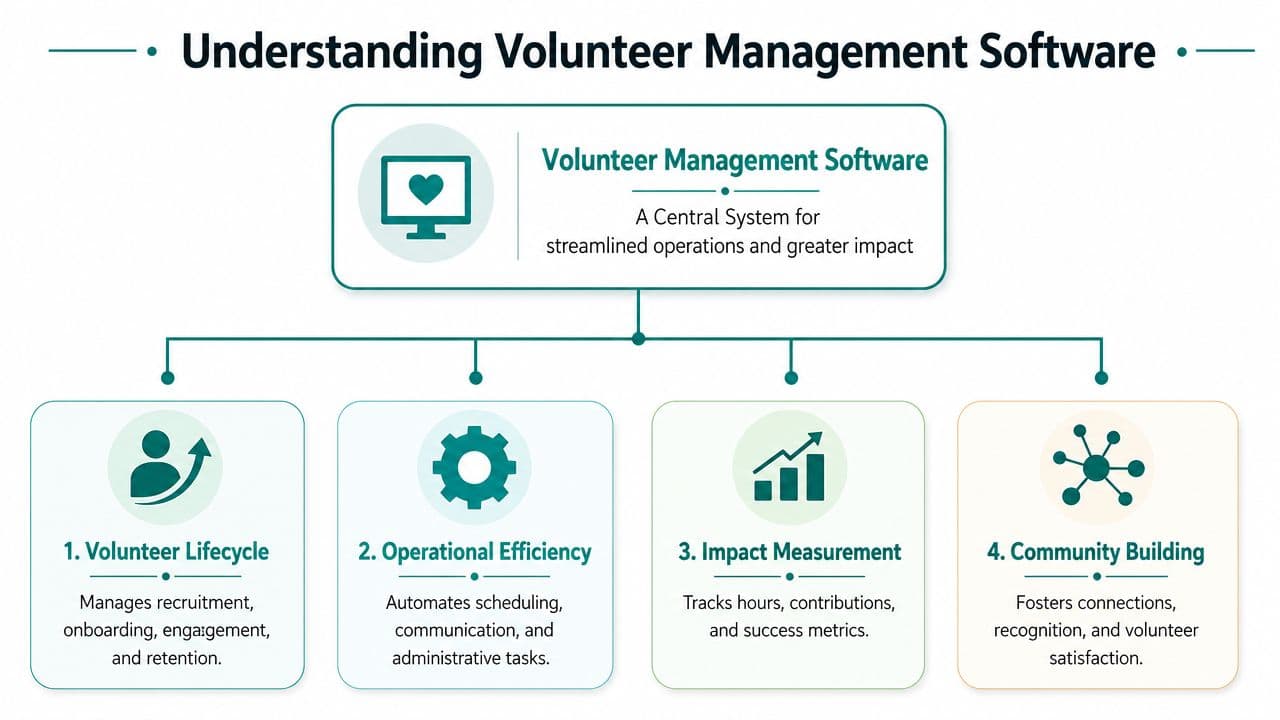
It replaces scattered tasks with one record
A good system holds the details that usually live in too many places.
- Volunteer profiles hold contact details, interests, skills, and availability.
- Schedules and sign-ups show open roles, filled roles, and recurring commitments.
- Hours and attendance give you a clean record for impact reports and compliance work.
- Forms and checks keep waivers, background checks, and required steps in one place.
That's the key shift. You stop asking staff to rebuild the same answer every week.
It supports the full volunteer relationship
Most nonprofit leaders first think about scheduling. That's fair. Scheduling is often where the pain starts. But software for volunteer management does more than fill slots.
It helps you recruit new volunteers, place them in the right roles, communicate clearly, track service, and keep good people engaged over time. The best tools also support donor management connections, team communication, and reporting that board members and funders can use.
A useful test is simple. If the tool only helps you post shifts, it may solve today's headache but not next quarter's reporting mess.
If you want a plain-English look at what these systems should cover, this guide to nonprofit volunteer management software is a helpful starting point.
Find More Time with These Must-Have Features
Don't shop by feature list alone. Shop by what you want your staff to stop doing manually.
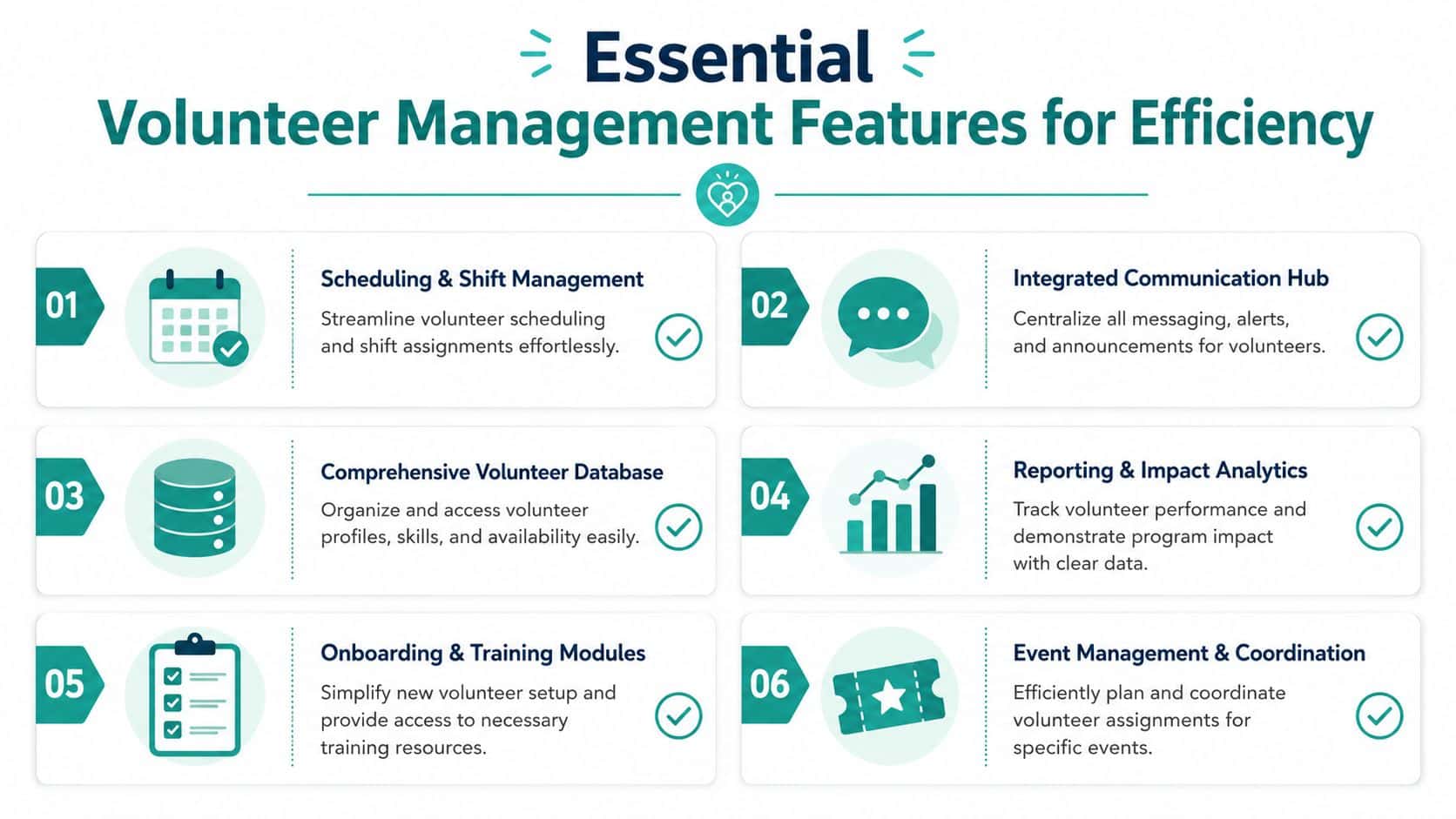
Keep every shift full with better scheduling
You need volunteers to claim shifts themselves, see what's open, and get reminders without staff chasing them. That's the baseline now.
Platforms with automated reminders and mobile-friendly check-in can reduce volunteer no-show rates by up to 40%, according to Galaxy Digital. If your programs depend on steady coverage, that one feature set can change your week.
A scheduling tool should also let you handle recurring roles, waitlists, and last-minute changes without building a new spreadsheet every time. If you want to see what that looks like in practice, review volunteer scheduling features.
Match the right people to the right work
Not every volunteer should go anywhere there's an empty slot. You need to know who speaks Spanish, who can lift boxes, who has classroom experience, who has passed a background check, and who only serves on weekends.
That's where a real volunteer database earns its keep. It lets you place people based on fit, not just availability. You get fewer scheduling conflicts and a better volunteer experience because people are more likely to serve in roles they can do well.
Stop collecting hours by email
Hour tracking sounds minor until a grant report is due. Then it becomes urgent.
Volunteer management software can automate hour logs, and automated hour tracking is explicitly required for certain grant compliance situations, as noted in Kindful's explanation of volunteer management software for nonprofits. If your current method involves someone emailing, "Can you send me your hours from March?" you're carrying avoidable risk.
Let volunteers handle routine tasks themselves
Your office shouldn't be the front desk for every small update. Volunteers should be able to sign up, cancel, log hours, download forms, and confirm details on their own.
That self-service piece matters more than many directors realize. It cuts down staff interruptions and respects the volunteer's time too. It's one of the clearest ways software improves both efficiency and goodwill.
The best volunteer system isn't the one with the most buttons. It's the one that keeps your staff out of email loops.
Keep compliance from becoming a side job
Background checks, waivers, training acknowledgments, and role requirements often live in disconnected files. Then your team spends half a day confirming whether someone is cleared for a shift.
You want one place to see status at a glance. This is especially important for churches, schools, youth programs, and any setting where role restrictions matter. Compliance work shouldn't depend on one staff member's memory.
Report without rebuilding the story every month
Your board, funders, and finance team need different views of the same volunteer data. Program staff need attendance. Development wants engagement patterns. Finance wants hours by program. Leadership wants a clear picture.
That means reporting can't be an afterthought. It should be built into the system. If your team is also tightening the connection between program data and finance, this article on fund accounting for nonprofits is worth reading next.
Your Buyer's Checklist for Choosing a Platform
Most demos are pleasant. That's not the point. The point is whether the software will reduce work after the sales call ends.
Ask pricing questions early
Many volunteer tools look affordable until you add staff, sites, or extra admins. Ask whether pricing changes based on active volunteers, staff logins, or feature tiers.
Use plain questions like these:
- Can my whole team use it without paying per seat?
- Can I add board members or site leads without another bill?
- Is there a free option if our organization is still small?
- Will cost rise sharply if our volunteer program grows?
If you're comparing options side by side, this software comparison page gives you a useful frame for the conversation.
Check what the tool connects to
Many platforms are good at volunteer coordination and weaker everywhere else. That isn't a flaw. It just means you need to know what else you'll still be managing in separate systems.
Here's a practical way to think about a few familiar names:
| Platform | Where it's strong | Typical gap to ask about |
|---|---|---|
| Bloomerang Volunteer | Good fit for organizations already using Bloomerang CRM | Ask how volunteer data connects to true fund accounting and financial statements |
| Galaxy Digital | Strong for community-wide and multi-agency volunteer coordination | Ask whether it fits a single nonprofit that wants finance, fundraising, and volunteers in one place |
| Golden | Strong mobile experience and volunteer lifecycle coverage | Ask how far reporting goes for finance and grant documentation |
| VolunteerHub | Useful for larger programs with existing CRM infrastructure | Ask how much depends on outside connections rather than one shared system |
None of those are weak products. They serve different priorities. The mistake is buying a scheduling tool when you really need operational clarity across finance, donor management, team communication, and volunteer work.
Push past surface-level reporting
A vendor may say, "Yes, we do reports." Ask what kind.
Question to ask: Can I pull volunteer hours by program, date range, and funding category without exporting data into another system?
That answer tells you a lot. If the workflow ends in CSV exports and manual cleanup, your staff will still be doing the hard part.
Look for fit, not flash
For churches and schools, role permissions, communication, and recurring scheduling often matter more than fancy dashboards. For fiscal sponsors, cross-program reporting matters more than a pretty sign-up page. For executive directors, the best tool is the one your staff will use next Monday.
Connecting Volunteers to Your Finances and Fundraising
This is the part most guides miss. Connecting volunteer records to donor profiles is helpful, but it's only half the job.
A strong VMS-CRM connection can improve supporter engagement. Organizations using integrated volunteer management and CRM systems achieve a 35% higher engagement rate among volunteers who also donate, according to the University of San Diego overview of volunteer management software. That matters because volunteers often become donors, and donors often become volunteers.
But if volunteer data stops at the CRM, your finance team still has a blind spot.
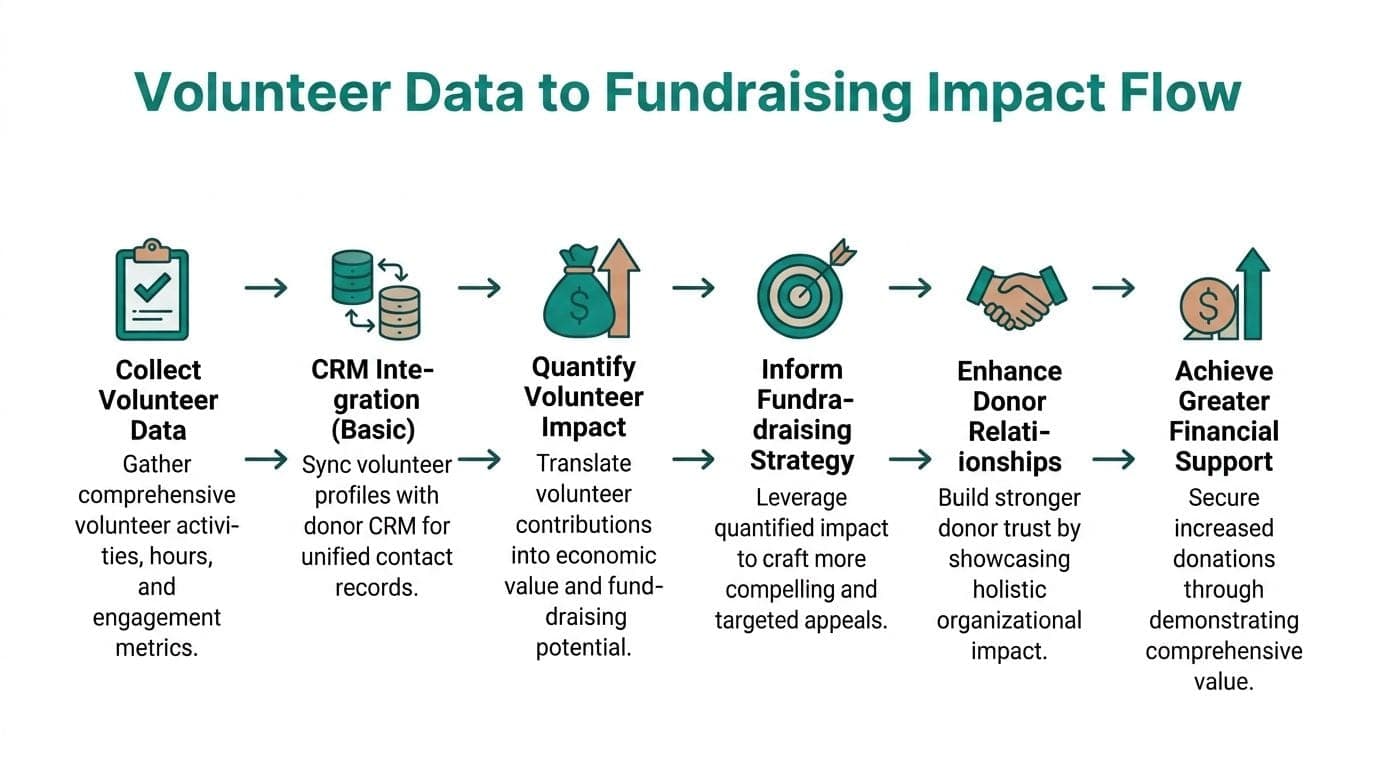
Why CRM integration isn't enough
Most standalone tools can tell you that Patricia volunteered at the gala and later made a gift. Good. You should know that.
What they usually don't do well is connect Patricia's hours to the program, the grant, and the financial reporting structure behind that work. That gap becomes painful when you need to support a restricted grant, prepare a Statement of Functional Expenses, or answer Form 990 questions without stitching together records from three systems.
A separate industry analysis points to a real coverage gap here. It notes that many volunteer software discussions miss the connection between volunteer data and true fund accounting for restricted grants and programs, and that 78% of small nonprofits struggle with fund accounting complexity, according to FrontStream's discussion of volunteer management software. I think that gap explains why so many directors feel they have "good software" and still can't get clean reports.
What operational clarity actually looks like
You want one chain of evidence.
- Volunteer hours tied to the correct program
- Program activity tied to the right fund or grant
- Financial reports that reflect what happened without manual reconciliation
- Fundraising records that show whether volunteers also give
That's a much stronger operating model than "the volunteer coordinator has one report and finance has another."
For teams trying to tighten this connection, volunteer hour tracking is the practical starting point because that's where service data becomes useful for grants, reporting, and stewardship.
Where this matters most
This matters in any nonprofit, but it matters even more if you run restricted programs, manage multiple sites, serve as a fiscal sponsor, or answer to church or school leadership that expects clear program accounting.
QuickBooks classes can sort transactions. They don't solve the deeper problem of connecting volunteer activity, donor records, restricted funds, and financial statements in one shared structure. If you want that level of clarity, you need true fund accounting, not another patch.
For a broader look at that finance side, this guide to nonprofit accounting software is worth your time.
Common Pitfalls and How to Measure Success
Software fails for boring reasons, not dramatic ones. The tool is too complicated, the rollout is vague, or the data stays trapped in separate systems.
Pitfall one, buying for features instead of staff habits
A dense platform can look impressive in a demo and sit unused three weeks later. If your volunteer coordinators and program staff aren't comfortable with it, they'll go back to email and side spreadsheets.
Choose software that handles daily work cleanly. Shift sign-up, reminders, hour logs, and role records should feel obvious. If staff need a long manual to schedule Saturday volunteers, the software is working against you.
Pitfall two, no simple adoption plan
You don't need a giant implementation committee. You need a short plan.
Start with one program, one staff owner, one process for hours, and one communication method. Once that rhythm holds, add other teams. The organizations that struggle usually try to change everything at once, then conclude the software "didn't work."
Start small enough that your team can succeed quickly, but not so small that no one feels the improvement.
Pitfall three, keeping volunteer data in a silo
Many nonprofits stall out. The volunteer coordinator has one system, development has another, and finance has a third. Each team can do its own job, but no one can answer cross-functional questions without extra work.
That's why disconnected software rarely saves as much time as promised. You still spend energy reconciling records.
What success should look like
Don't measure success by whether people "like the software." Measure whether day-to-day got easier.
Effective software provides self-signup scheduling and automated reminders that can eliminate email coordination and reduce administrative overhead for program directors by hours each week, according to LiveImpact's review of volunteer software for nonprofits. That's a useful benchmark because it speaks to daily relief, not abstract return on investment.
Use simple outcomes:
- Admin time saved: Is your team spending less time chasing replies and rebuilding schedules?
- Cleaner reporting: Can you produce volunteer reports for grants and leadership without manual cleanup?
- Better retention signals: Are the same volunteers returning because communication is clearer and shifts are easier to manage?
- Less staff strain: Are program directors spending more time with people and less time coordinating inbox traffic?
If those answers improve, the software is doing its job.
How One Platform Can Unify Your Operations
At some point, adding one more tool stops helping. You don't need separate systems for volunteer sign-ups, donor records, accounting, events, marketing, and internal communication if the result is more exporting, more duplicate entry, and more confusion.
One unified platform changes the conversation. Instead of asking, "Where does that data live," your team can ask, "What does the data tell us?" That's a better use of everyone's time.
Here's the practical case for an all-in-one approach:
- Finance stays connected to service work because volunteer hours can sit alongside true fund accounting, grants, and program reporting.
- Donor management gets smarter because volunteer history and giving history live together.
- Marketing moves faster because email, text, giving pages, and event communication don't depend on separate software.
- Team communication improves because everyone works from the same record instead of trading spreadsheets.
- AI becomes useful when it can answer questions from your real data, not just one disconnected module.
That's the logic behind AlignMint's volunteer management software, which combines accounting, CRM, volunteers, events, marketing, true fund accounting, a built-in marketing suite, Minty, and plan-based user allowances (1 on Free, up to 10 on Plus, up to 25 on Pro, and unlimited on Enterprise). For smaller nonprofits, there's also a free tier for organizations under $100K, which matters if you're trying to modernize operations without taking on another painful software bill.
This model is especially practical for churches, schools, and fiscal sponsors. Those groups often need recurring volunteer coordination, clean restricted fund tracking, clear communication, and reports that satisfy leadership without weeks of cleanup.
A shared system won't make nonprofit work simple. It will make it manageable. That's the true standard.
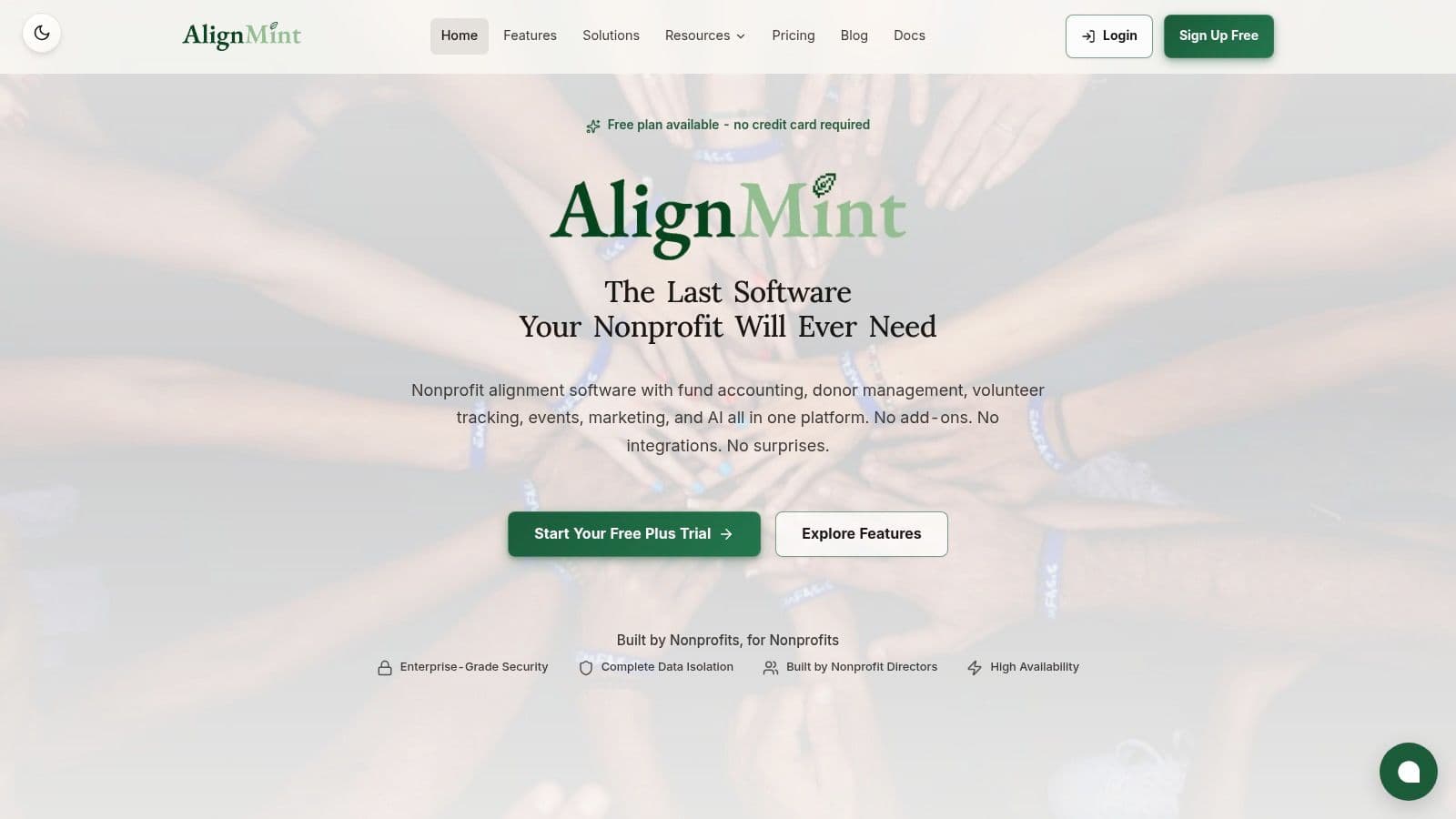
If you're tired of managing volunteers in one tool, donors in another, and finances somewhere else, take a look at AlignMint. You can start with the free tier if your nonprofit is under $100K, or book a short conversation to see how volunteer management, fund accounting, donor management, marketing, and team communication can work together in one place.
Ready to see how AlignMint fits your workflow?
Schedule a free walkthrough — we will help you map donors, funds, and migration steps.