

During a busy appeal week, you may watch donations arrive on a polished page, then spend evenings copying gifts into a spreadsheet and sending receipts by hand. That page may convert well, yet still create work if donor records, restricted funds, and accounting stay disconnected. The best fundraising pages carry the gift beyond checkout, into your books and follow-up.
This comparison reviews GoFundMe Pro, Givebutter, Funraise, Donorbox, Zeffy, Fundraise Up, and Neon Fundraise. You'll find each platform's strengths, practical gaps, pricing approach, mobile and recurring-giving considerations, and the questions that matter after payment.
Quick Answer: Choosing a Fundraising Page
The best fundraising page records the donor, the gift, and the fund after checkout. Compare tools by how cleanly donations move into receipts, restricted balances, and follow-up.
Start with donation pages and how to set up an online fundraising page. For the gift record, see donation receipts for nonprofits.
1. GoFundMe Pro formerly Classy
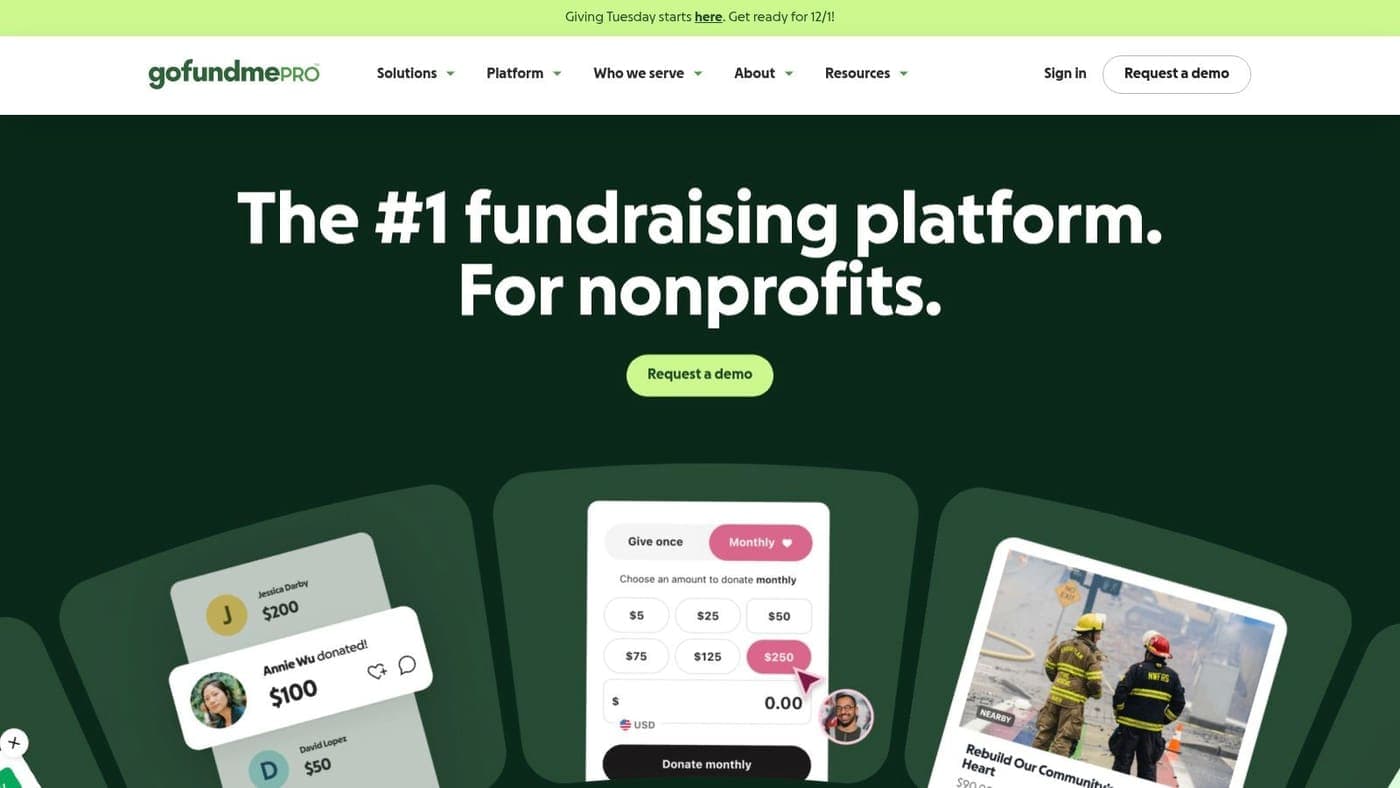
GoFundMe Pro is a strong choice when your campaigns need more than a simple donation form. The platform combines branded campaign pages, embeddable forms, peer-to-peer and team fundraising, events, ticketing, livestream support, and access to GoFundMe Nonprofit Pages.
Its drag-and-drop builder helps teams create campaign experiences without starting every page from scratch. Supporters can also receive personal fundraising pages, which makes the platform suitable for walks, challenges, community appeals, and larger campaigns. The connection to GoFundMe's donor network may help organizations gain discoverability beyond their existing audience.
The trade-off is fit. GoFundMe Pro uses custom pricing, so smaller organizations should confirm the total cost before investing time in implementation. Advanced campaign tools can also create more decisions for a lean team that only needs a focused giving page.
Practical rule: Choose GoFundMe Pro when campaign variety and supporter-led fundraising justify a more sophisticated operating model.
Ask how donations move into your donor database, accounting records, and restricted-fund reporting. A compelling page doesn't remove the need for clean reconciliation. If you're moving from Classy, review the Classy data migration guidance before signing a new agreement.
You can visit GoFundMe Pro to review its campaign and nonprofit fundraising tools.
2. Givebutter
Givebutter makes it easy to launch a branded fundraising page without assembling several separate tools. Its pages and forms support goal bars, UTM tracking, team fundraising, events, auctions, text-to-donate, QR codes, Tap to Pay, wallets, ACH, and donor self-service.
That breadth matters during a campaign. A supporter arriving from a text message can give through a mobile-friendly flow, while an event team can manage tickets and donations in the same environment. Donors can also manage gifts, tickets, and receipts through a self-service portal.
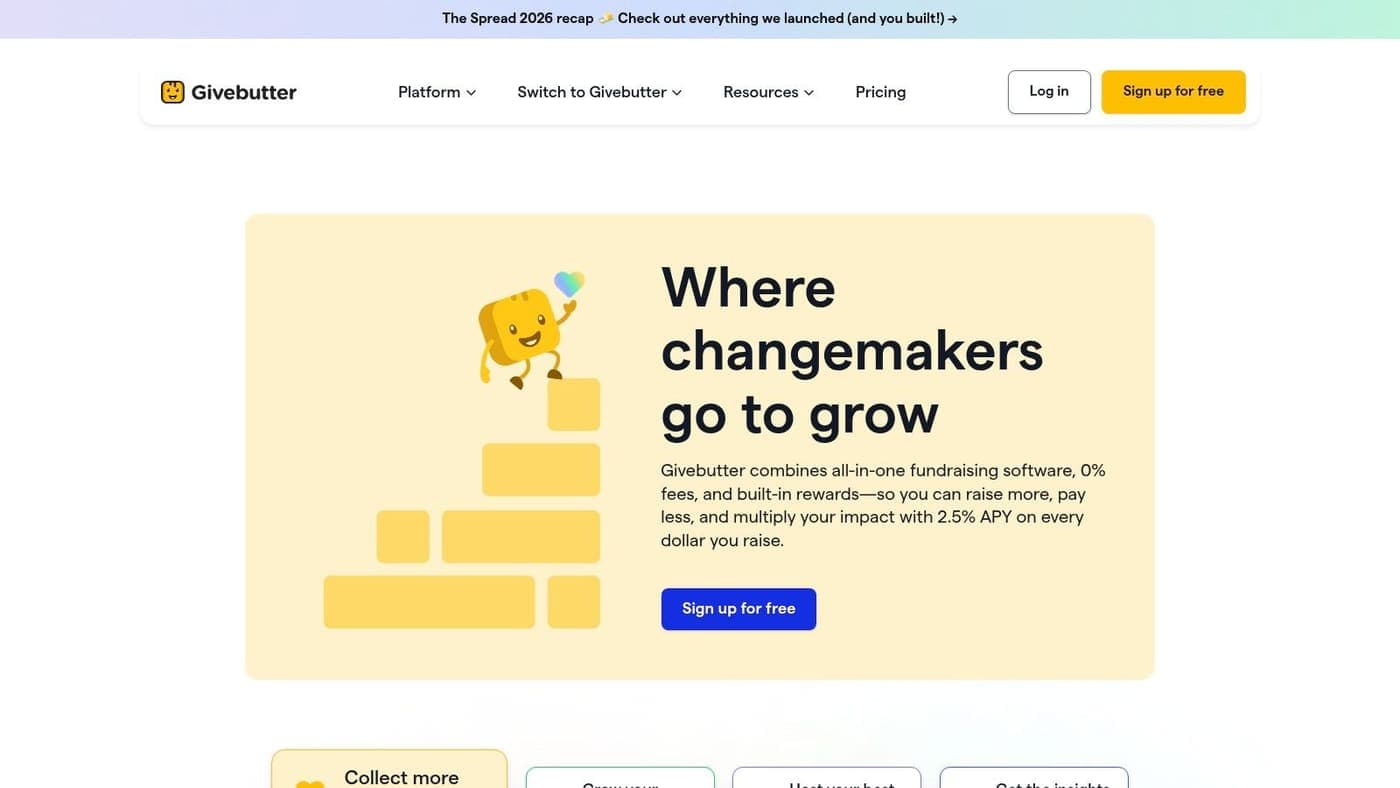
Givebutter's pricing model lets organizations launch without a platform fee when donors cover optional tips. If tips are disabled, a 3% platform fee applies, in addition to processing costs. Some donors understand optional contributions, while others dislike being asked to tip during a charitable checkout.
The mobile payment options are a meaningful strength. Among 641 surveyed online donors, payment preferences included credit cards, PayPal, debit cards, Apple Pay, Venmo, ACH, and Google Pay, according to payment preference research from NPTech for Good. Supporting several methods can help you avoid forcing every donor into manual card entry.
Test the checkout language with your board and regular donors before a major appeal.
Givebutter is a good fit for quick launches and varied campaign channels. Confirm how records, recurring gifts, and fund designations connect with your finance process through Givebutter migration planning. Review Givebutter for current plans and features.
3. Funraise
Funraise suits growing nonprofits that want the page, campaign, and donor relationship in one fundraising environment. It provides donation pages, forms, donor CRM functions, peer-to-peer programs, events, SMS nudges, Facebook Fundraiser synchronization, and campaign microsites with progress indicators and donor feeds.
The campaign experience is the main attraction. You can create a page that tells a fuller story, gives supporters a visible goal, and invites people to share their own fundraising link. Modern wallet support and fee-coverage prompts can also make the checkout more flexible.
Funraise offers a free plan for smaller organizations, while pricing depends on usage and selected services. The “Donors Cover Fees” approach may lower the amount your organization absorbs, but the result depends on whether donors accept the prompt and on processor charges.
Where Funraise earns its place
Funraise is especially useful when recurring giving and campaign automation need attention. The platform supports migration assistance for recurring gifts, which can matter when you're changing systems and don't want to lose an established giving habit.
The gap is complexity. A very small team may find the broader campaign and automation set more than it needs at first. Before choosing it, decide whether you need a full campaign environment or only a reliable donation page connected to your books.
Your finance review should include:
- Fee coverage: Check how donor prompts appear and how net revenue is reported.
- Recurring gifts: Confirm authorization, failed-payment handling, and donor updates.
- Fund designations: Verify that restricted gifts reach the correct ledger accounts.
- CRM records: Check whether campaign source and communication preferences remain attached to each donor.
For migration questions, see Funraise data migration support. You can review Funraise for its current fundraising options.
4. Donorbox
Donorbox works well for organizations that want a hosted page or embeddable donation widget without building a large campaign site. It supports recurring gifts, text-to-give, memberships, crowdfunding, peer-to-peer fundraising, events, and a donor portal with repeat-donation tools.
The platform's recurring-giving experience is a clear strength. Donors can manage gifts through self-service options, and QuickDonate can reduce repeated entry for returning supporters. Donorbox also supports stock and cryptocurrency donations, giving organizations more ways to receive nontraditional gifts.
Its channel coverage helps a small team keep one giving program visible across a website, text campaign, and specific fundraising appeal. The setup is generally approachable, especially when your immediate goal is to publish a branded page quickly.
The pricing needs careful reading. Donorbox charges a platform fee in addition to payment processing fees, and some advanced styling or features require Pro or Premium tiers. That doesn't make the platform unsuitable. It means you should compare the full cost against the value of recurring gifts, self-service, and additional giving channels.
A donation page also needs to support proper acknowledgments. The IRS says a written acknowledgment is required for a single charitable contribution of $250 or more, and it must identify the organization, state the contribution amount or describe a noncash gift, and confirm whether goods or services were provided, according to IRS substantiation guidance.
Make sure Donorbox records preserve the details your finance team needs. Review Donorbox migration planning, then compare the current offer at Donorbox.
5. Zeffy
Zeffy is appealing when keeping software and transaction costs low is your first concern. It offers hosted donation pages, embeddable forms, events, memberships, peer-to-peer fundraising, auctions, raffles, an online store, Tap to Pay, email tools, and a built-in CRM.
The platform states that it charges nonprofits no platform, transaction, or card fees. Zeffy funds its service through optional donor contributions, so your team should test how supporters respond to that request in your own audience.
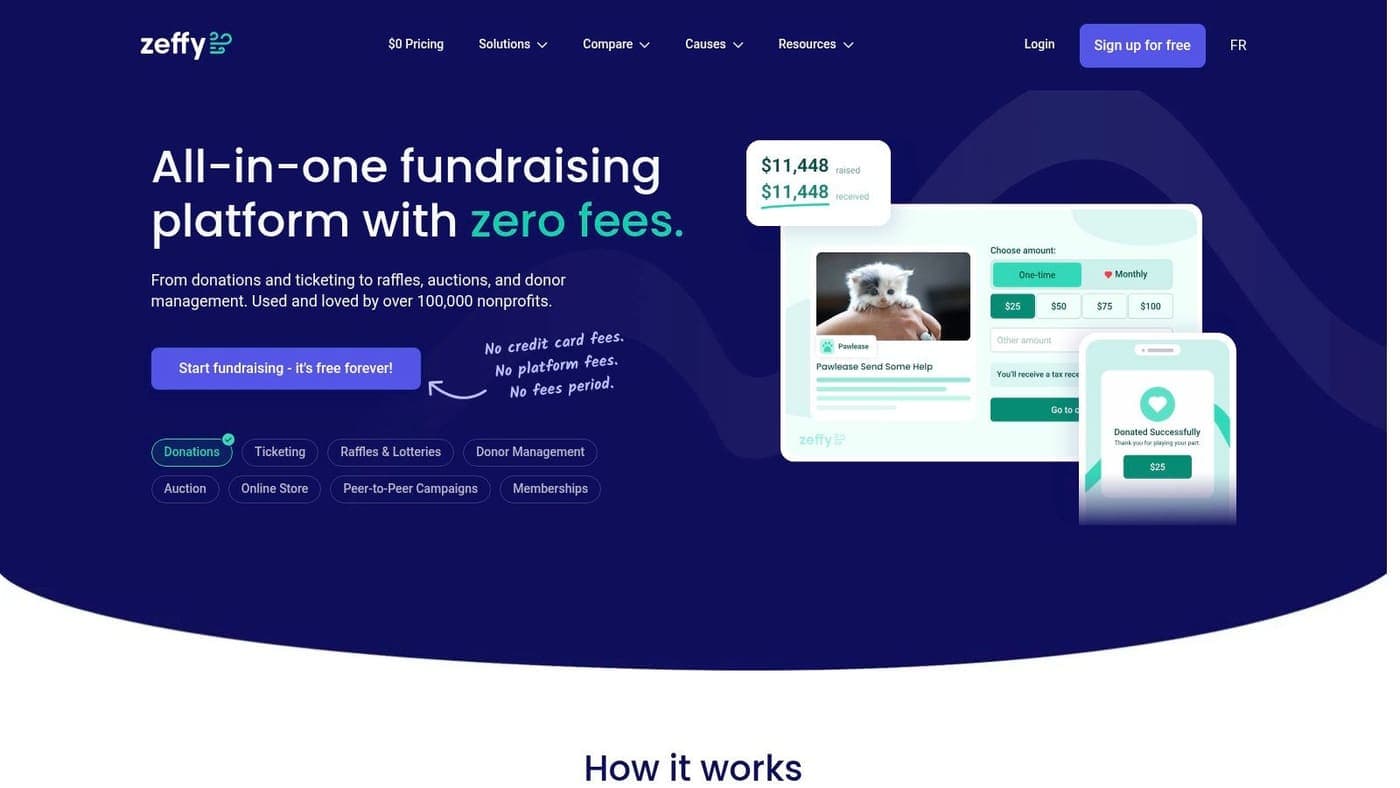
This all-in-one structure can reduce the number of systems a small nonprofit has to maintain. Built-in CRM and email functions help keep campaign communication close to giving activity, while QuickBooks, Zapier, and a free API provide connection options for teams with existing workflows.
The important gap is continuity. Recurring gifts moved from another processor require donors to re-authorize on Zeffy. That creates a communication task and may interrupt habits if supporters don't complete the new authorization.
The lowest visible fee isn't automatically the lowest administrative cost.
Before moving, document every recurring donor, restricted designation, receipt requirement, and reconciliation step. Run a controlled migration and check that the first batch of gifts reaches the proper records without manual re-keying.
Zeffy can suit a cost-sensitive organization that wants several fundraising functions in one place. It may be less comfortable for a nonprofit that depends heavily on uninterrupted recurring payments or needs a highly specialized finance structure. Visit Zeffy for its current platform details.
6. Fundraise Up
Fundraise Up focuses on the moment a donor decides to give. Its mobile-first checkout supports wallets, URL prefill, dynamic defaults, AI-powered recurring and post-donation upsells, global payments, localization, donor portals, and peer-to-peer capabilities.
The benefit is a more adaptive giving experience. A donor may see an ask that reflects the campaign context, while another receives an invitation to make the gift recurring. These tools can help organizations test how page design, suggested amounts, and recurring prompts affect revenue quality.
Fundraise Up uses a transaction-based platform fee plus payment processing, with pricing negotiated around performance and usage. That can align the vendor's commercial model with fundraising activity, but it also makes fee forecasting more important. Ask for examples using your expected campaign mix, average gift pattern, recurring strategy, and payment methods.
Treat optimization as a finance decision
Strong checkout tools still need disciplined testing. A recurring upsell may improve long-term value, while an aggressive prompt could distract from an urgent one-time appeal. Review net revenue, recurring retention, failed charges, refunds, and staff handling rather than judging the page by conversion alone.
Fundraise Up is best suited to organizations prepared to implement thoughtfully and review results regularly. It offers a full feature set without multiple add-on tiers, and its documentation may help a capable team manage the rollout.
The platform doesn't replace your accounting structure. Confirm that campaign sources, fund restrictions, donor records, and receipt details remain available after payment. Review Fundraise Up before comparing its negotiated pricing with other options.
7. Neon Fundraise Neon One
Neon Fundraise is a strong match for nonprofits running peer-to-peer programs, team events, and larger supporter campaigns inside the Neon One environment. It provides personal pages, progress tracking, badges, social sharing, one-click repeat donations, bulk page creation, embeddable forms, and standalone pages connected with Neon CRM and Neon Pay.
The CRM connection is the central benefit. Returning supporters can give with less repeated entry, while staff can create many fundraiser pages for an event or campaign. For organizations already committed to Neon's broader tools, keeping fundraising and donor information close together may reduce duplicate work.
Neon Fundraise also supports endurance and team events, where personal pages and progress updates help participants stay active. Those features matter when the campaign depends on supporters recruiting their own networks rather than only sharing one central donation link.
The trade-off is product fit and pricing. Costs vary by product bundle, with some modules using set monthly prices and others requiring custom quotes. A nonprofit that only needs a simple page may face more learning than necessary.
Choose the system your staff can maintain after the campaign ends, not only the page your donors see during launch.
Before signing, map a gift from checkout to Neon CRM, Neon Pay, your ledger, receipt, and restricted-fund report. Confirm whether your team can export or reconcile the information without rebuilding it in another spreadsheet. For migration planning, review Neon CRM data migration, then explore Neon Fundraise.
Top 7 Fundraising Pages: Feature Comparison
| Solution | Implementation complexity | Resource requirements | Expected outcomes | Ideal use cases | Key advantages |
|---|---|---|---|---|---|
| GoFundMe Pro (formerly Classy) | Medium–High, enterprise setup and customization | Dedicated staff or vendor support; custom pricing | Sophisticated campaign sites and higher discoverability | Mid–large nonprofits wanting branded campaigns plus platform audience | Conversion-focused pages, P2P/events, access to GoFundMe donor network |
| Givebutter | Low, fast to launch with simple setup | Minimal staff; optional donor tips or 3% fee if disabled | Quick deployments and strong mobile conversion | Small orgs, events, peer-to-peer and mobile-first campaigns | Free-launch option (tips), excellent mobile payments and UX |
| Funraise | Medium, flexible features, some configuration | Moderate staff; usage-aligned pricing; migration support available | Flexible campaign microsites and potential lower net costs | Growing nonprofits needing automations and P2P programs | Fee-coverage prompts, strong page builder and campaign tools |
| Donorbox | Low–Medium, quick hosted pages or embed widgets | Minimal staff; platform fee plus payment processing | Fast setup with good recurring-gift ergonomics | Small–mid organizations prioritizing recurring donations | Quick setup, broad channel support (text, crypto, stock) and donor portal |
| Zeffy | Low, simple all-in-one setup, hosted pages | Minimal staff; no platform/processing fees for nonprofits (donor tips) | Very low-cost operations; simplified tool stack | Cost-sensitive nonprofits wanting zero platform fees | No platform/processing fees charged to nonprofits; full toolkit included |
| Fundraise Up | Medium–High, requires testing and optimization | Moderate–high implementation effort; performance-based fees | Increased online revenue and recurring conversions with optimized checkout | Organizations focused on revenue optimization and A/B testing | AI-driven upsells, conversion-optimized checkout and strong integrations |
| Neon Fundraise (Neon One) | Medium, best with Neon platform integration | Moderate staff; may require Neon CRM/Pay bundles | CRM-connected fundraising with reduced donor friction | Teams using Neon CRM or running large P2P/events programs | One-click repeat donations, bulk page creation, tight CRM integration |
Pick the Page That Fits Your Books and Your Donors
Start with the fee model, but don't stop there. A page that appears inexpensive may still require staff time for manual receipts, duplicate donor records, recurring-gift corrections, or restricted-fund reconciliation. Compare platform fees, payment processing, optional donor contributions, fee-coverage prompts, and the internal work created after each gift.
Then test one page for a month. Use a real campaign, not a sample form, and track the donor's path from source to payment confirmation. Compare desktop and mobile conversion separately. M+R reports 11% desktop conversion and 8% mobile conversion among users who reached a primary donation page, while small organizations reported 4% mobile conversion, according to its nonprofit website performance benchmarks. Treat those figures as context, not a promise.
Your test should answer practical questions:
- Can donors choose one-time or monthly giving clearly?
- Do wallets, bank payments, and cards work without confusion?
- Does every gift reach the correct fund and program?
- Are receipts created with the information your team needs?
- Can donors update payment details without calling staff?
- Can finance reconcile deposits without re-keying transactions?
AlignMint takes a different approach by pairing a donation page builder with accounting, donor records, volunteers, events, marketing, and Minty AI. Its true fund accounting models restricted funds, grants, and programs directly, while the donor-centric CRM connects giving and finance data.
That matters for executive directors who need a clear answer after an appeal. You shouldn't have to ask which spreadsheet contains the donor's designation or whether a recurring gift reached the right program. Minty AI can answer questions about your real data without requiring exports or additional tools.
AlignMint has a free tier for organizations raising up to $100K per year. You can review the online giving and donation page features alongside related guidance on nonprofit data migration and fund accounting for nonprofits.
The right decision depends on your donors, campaign style, staff capacity, and books. If corporate giving is part of your wider strategy, this guide on choosing a charity partner for your CSR framework may also help you evaluate the reporting your partners will expect.
AlignMint brings donation pages, donor records, true fund accounting, volunteers, events, marketing, and Minty AI into one nonprofit operations platform. Visit AlignMint to see how your next fundraising page can send each gift into the right records without manual re-keying.
Ready to see how AlignMint fits your workflow?
Schedule a free walkthrough — we will help you map donors, funds, and migration steps.