


Your treasurer has sent a draft return, your board wants reassurance, and you're unsure whether anything reached the IRS. Form 990 e filing becomes manageable when you choose the correct return, reconcile its figures, and keep proof of IRS acceptance.
Quick Answer: Form 990 E-Filing
Form 990 e-filing starts by matching the right return to your receipts, assets, and legal status, then reconciling the books and keeping IRS acceptance proof. Calendar-year returns are generally due May 15, and the e-Postcard has no extension.
Start with fund accounting and Form 990 reporting. For extensions, see Form 990 extensions.
Which Form 990 Return You Must E-File
You'll avoid unnecessary preparation by identifying the return your organization owes before entering financial information into filing software. Your gross receipts matter, but your legal classification can change the answer.
Most eligible organizations with gross receipts normally $50,000 or less generally submit the electronic Form 990-N, according to the IRS e-Postcard guidance. That guidance also explains that filing cannot begin until the day after the tax year ends.
The e-Postcard is an electronic notice, not a shorter paper return you can print and mail. A fiscal-year organization trying to submit before its accounting year closes will need to wait.
Match your organization before entering figures
Which electronic return fits your organization
| Return | Who generally files | How it is filed | Watch this |
|---|---|---|---|
| Form 990-N e-Postcard | Eligible organizations with gross receipts normally $50,000 or less | Electronic only, no paper form | Not before the day after the tax year ends |
| Form 990-EZ | Eligible organizations meeting the IRS gross-receipts and asset limits for the shorter return | Electronic filing required | A wrong form can require correction before you have a valid filing |
| Form 990 | Reporting organizations that don't qualify for, or don't elect, an eligible shorter return | Electronic filing required | Schedules must match the core form |
| Form 990-PF | Private foundations | Electronic filing required | Different rules from public charities |
| Form 990-T | Organizations with unrelated business income that must report it | Electronic when required | Separate from the annual information return |
| No 990-N | Churches, integrated auxiliaries, and conventions or associations of churches | Generally excluded from the e-Postcard | Don't assume every faith group skips all filings |
Match your gross receipts, assets, and legal status to the appropriate row before you prepare the return. Don't choose Form 990-EZ merely because its name sounds simpler.
Church leaders should confirm the organization's classification rather than assuming that religious activities establish a filing exception. A separately organized school or community ministry needs its own classification review.
Private foundations and supporting organizations also require special attention. Their filing obligations don't necessarily follow the ordinary small-public-charity path.
Resolve sponsorship and group questions
A fiscal sponsor files its own return covering activities legally belonging to the sponsor. A sponsored project usually doesn't file separately unless it has its own exemption and filing obligation.
For example, a project's separate bank account doesn't automatically make it a separately exempt organization. Review the sponsorship agreement and determination letter before deciding who reports its activity.
A group return, where permitted, also requires confirmation that your organization is included. Don't assume membership in an umbrella organization cancels your filing responsibility.
- Confirm identity: Match the EIN and legal name against your IRS records, not an old fundraising brochure.
- Confirm the period: Use the organization's established tax year rather than the dates of a particular grant.
- Confirm responsibility: Record who decided which return applies and what documents support that decision.
Our Form 990 glossary explains the return's role in nonprofit reporting without assuming tax expertise.
Practical rule: Choose the return from your organization's records, not from whichever form last year's volunteer remembers.
Missing the required annual return or notice for three consecutive years can automatically revoke exemption under the IRS guidance cited above. Assign responsibility even when your organization has little activity or no paid finance staff.
Due Dates That Actually Govern Your Filing
You can protect your filing deadline by putting it on the board calendar before preparation begins. The original due date determines when your preparer, reviewing officer, and backup reviewer must be available.
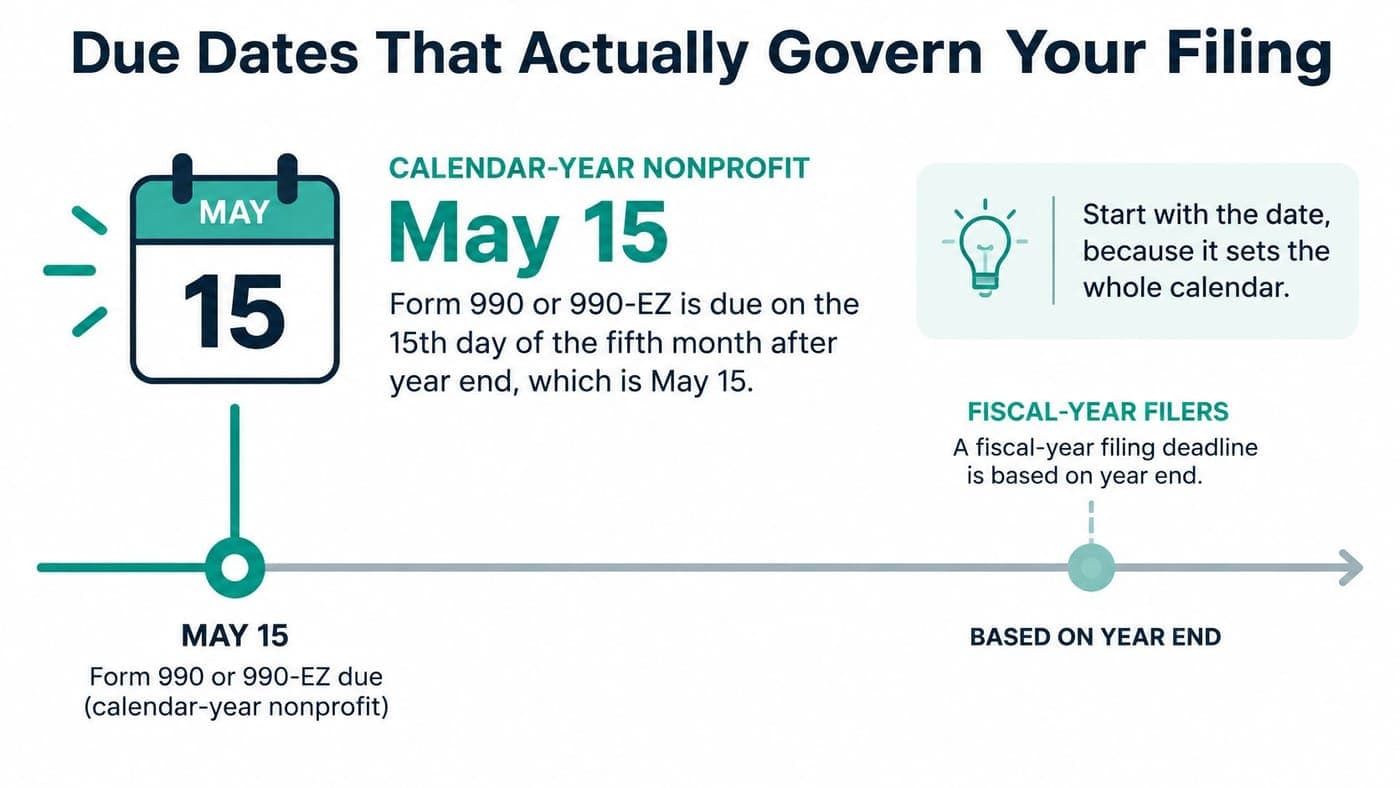
For calendar-year organizations, the deadline is generally May 15, the fifteenth day of the fifth month after year end, as described by the Urban Institute's NCCS electronic-filing overview. Nearly all applicable returns now belong in an electronic workflow rather than a paper-mailing process.
Read the deadline from your year end
Form 990 due dates by year end
| Year end | Original due date | Extended due date (Form 8868) | Note |
|---|---|---|---|
| December 31 | May 15 | November 15 | Calendar-year organization |
| June 30 | November 15 | May 15 | Fiscal-year example |
| September 30 | February 15 | August 15 | Fiscal-year example |
| Form 990-N e-Postcard | Opens the day after year end, same due-date rule | No extension available | Electronic only |
These are the standard calendar dates; confirm applicable weekend and holiday adjustments for your actual filing year. For fiscal-year organizations, count from your accounting year end, not from the calendar-year filing season.
If preparation is running late, file Form 8868 before the original due date for an automatic six-month extension. That extension applies to Form 990, Form 990-EZ, and Form 990-PF, not the e-Postcard.
An extension gives your team more preparation time. It doesn't correct missing schedules, repair accounting differences, or establish that a transmitted return was accepted.
Give the calendar an owner
Your board doesn't need to manage the filing software. It needs visibility into who owns the deadline and whether preparation is moving.
- Original deadline: Record the filing date and the person responsible for monitoring it.
- Extension decision: Set an internal decision point before the original deadline becomes urgent.
- Officer review: Reserve time for the authorized signer to resolve questions rather than merely approve a finished PDF.
- Backup coverage: Name someone who can check filing status when the regular treasurer is unavailable.
For another practical calendar model, use our social club filing calendar to organize recurring compliance responsibilities.
Keep the deadline calendar separate from a preparer's private task list. Your organization should retain access when a volunteer leaves or an outside accountant changes staff.
How to Prepare and Transmit the Return
You'll reduce last-minute questions when every return figure has an identifiable accounting record behind it. Preparation should produce a reviewable filing package, not just a screen showing completed fields.
The IRS Tax Exempt Organization Search resources include machine-readable returns and related filing information. Your provider's electronic checks matter because the IRS processes structured information, not merely the appearance of a printed form.
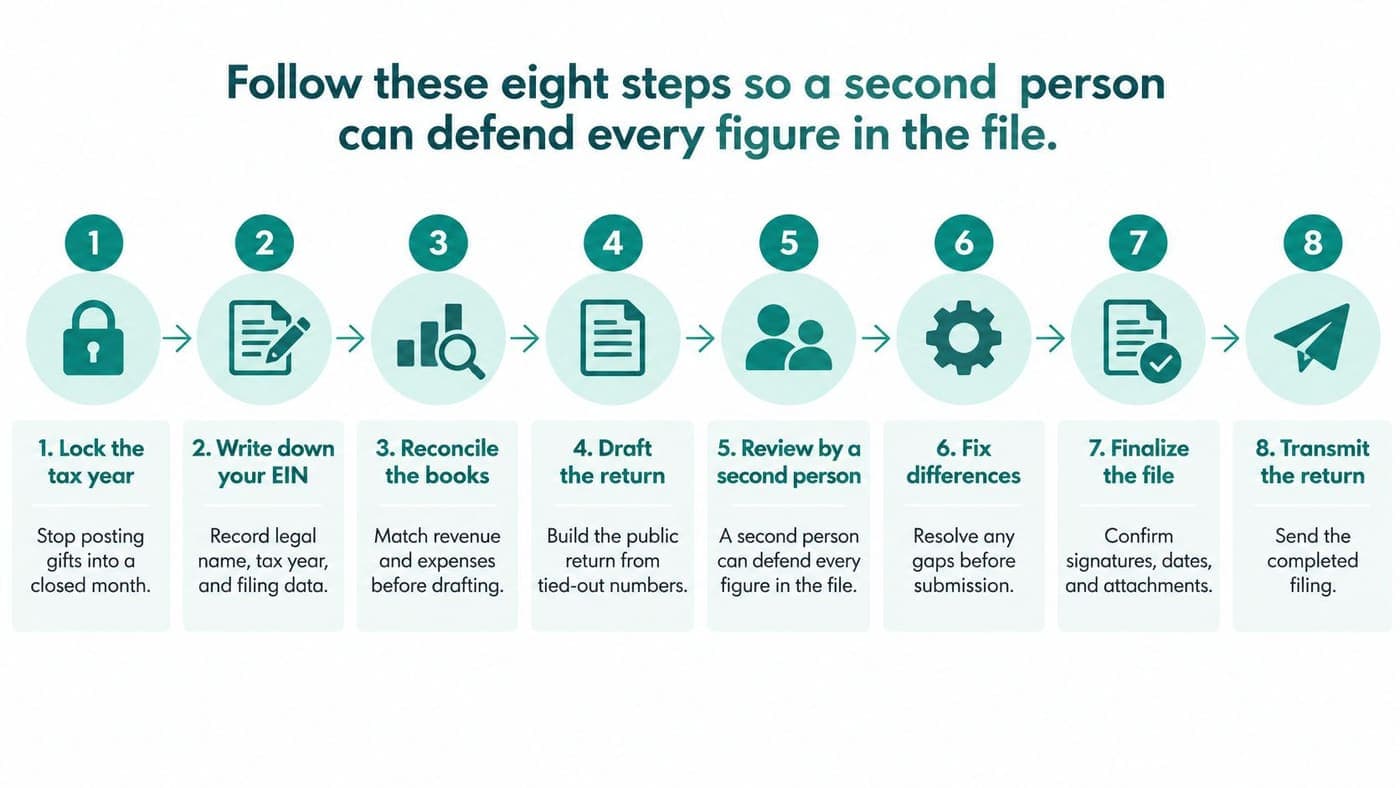
Build a return another person can defend
-
Lock the tax year. Close the accounting period before preparing the return, so ordinary posting doesn't change reviewed totals. If you discover a late gift, record an approved adjustment rather than changing a closed month.
-
Write down your filing identity. Put the EIN, legal name, tax year, exemption category, and chosen form on a cover sheet. Give your preparer the same information your reviewing officer will use.
-
Reconcile the books. Match revenue, expenses, assets, and liabilities to approved financial statements before drafting the return. Tie restricted gifts and grants to their fund records, with supporting agreements available for review.
-
Draft disclosures from records. Use board minutes, payroll records, contractor information, and relationship disclosures to answer governance and compensation questions. Memory is a poor substitute when someone asks why a particular answer was selected.
-
Complete the required financial columns. Follow your exemption category and the current form instructions rather than copying another nonprofit's layout. The IRS Form 990 financial statements require section 501(c)(3) and section 501(c)(4) organizations to complete all applicable columns, while other organizations generally complete column A.
-
Run electronic validation. Ask the provider to check the file against the IRS XML schema and business rules. XML is the structured filing format; your job is to resolve the reported errors, not learn programming.
-
Obtain independent and officer review. Have someone other than the preparer examine compensation, related parties, addresses, and sensitive narratives. The authorized officer should approve the final version and required filing authorization before transmission.
-
Transmit through an authorized provider. Confirm the provider supports your return and tax year, using the IRS provider listing. Send the approved version promptly, then assign someone to monitor its acknowledgment.
Keep accounting dimensions distinct
Restricted funds and functional expenses answer different questions. A fund identifies which money can support an activity; a function identifies whether spending supports programs, management, or fundraising.
Say a grant pays both program staff and grant-administration costs. Your records should preserve the grant restriction while allocating each expense to its appropriate function.
Don't replace that distinction with a collection of informal labels. Your preparer needs a consistent mapping that connects the ledger, supporting schedules, and return.
QuickBooks is familiar to many bookkeepers and can support general bookkeeping and class-based reporting. However, QuickBooks classes aren't themselves a dedicated fund ledger, and staff must maintain appropriate restriction controls.
Our nonprofit accounting software comparison helps you assess those accounting requirements before choosing tools. The practical question is whether your team can explain restricted balances without rebuilding them in separate spreadsheets.
Settle signatures before the deadline
Electronic signatures and electronic transmission are related, but they aren't interchangeable. Confirm the authorization documents and signature process your preparer needs before your officer becomes unavailable.
Confirm the rules for your particular document rather than assuming every electronic signature method works.
Use our Form 990 preparation checklist to assign the supporting documents before work begins. Keep unresolved questions in a shared review log instead of scattering them across email threads.
Checks That Keep the Public Return Clean
Your final review should catch both accounting mistakes and disclosures you wouldn't want to explain publicly. A return can look polished while containing inconsistent totals or unsupported narrative answers.
The IRS public-disclosure guide explains the public availability of exempt-organization returns and applicable disclosure limitations. Review the filing package as an external reader could encounter it, not as an internal accounting report.
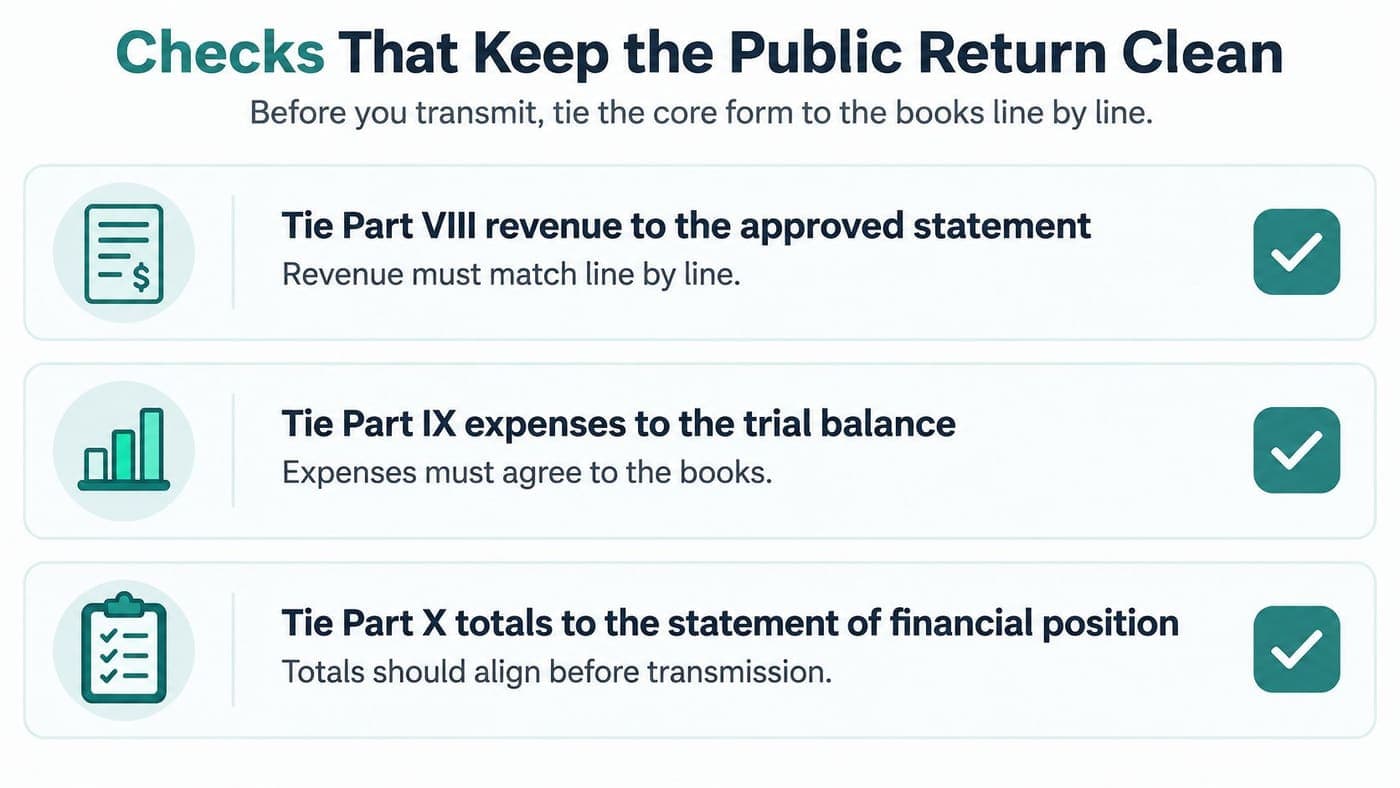
Check financial agreement line by line
Start with the core financial statements, then investigate every unexplained difference. A note saying “preparer adjustment” isn't enough unless someone documents what changed and why.
- Revenue agreement: Tie Part VIII revenue to the approved statement, including documented reporting adjustments.
- Expense agreement: Tie Part IX expenses to the trial balance and review functional allocations for consistency.
- Balance-sheet agreement: Tie Part X totals to the statement of financial position and supporting account schedules.
- Schedule agreement: Confirm that supplementary schedules use the same underlying amounts as the core return.
Your functional-expense documentation should explain allocation methods clearly enough for another reviewer to repeat them. For example, payroll allocations should have a supportable basis rather than a convenient year-end estimate.
Keep review notes with the working papers. Otherwise, next year's preparer may spend time rediscovering an adjustment your team already resolved.
Support the public-support calculation
A donor report alone doesn't establish public-support compliance. Finance staff must classify receipts correctly and apply the relevant Schedule A rules.
For organizations using the section 170(b)(1)(A)(vi) test, the IRS Schedule A instructions generally require at least 33 1/3 percent of total support from government, the general public, and other public charities. An alternative facts-and-circumstances route can apply above 10 percent but below that standard percentage, with the necessary explanation on Schedule A.
Don't treat those percentages as a simple comparison with this year's fundraising total. The applicable calculation requires its own support categories, periods, limitations, and documentation.
Code contributions, grants, government support, investment income, and noncash gifts as transactions occur. Your donor database can identify a donor, but accounting records must support the receipt's classification.
Our fund accounting walkthrough explains how purpose-based records support reporting without relying on a fundraising spreadsheet.
A clean donor list and a defensible public-support calculation are different deliverables.
Read disclosures as a donor would
Review minutes, officer compensation, contractor payments, foreign activities, lobbying, related organizations, and donor restrictions. Check that explanations agree with the records your board has approved.
Remove unnecessary private information from narratives and attachments before filing. Don't assume routine IRS redaction will catch every sensitive detail your team includes.
Pay special attention to personal addresses, copied correspondence, and attachments prepared for internal use. A useful supporting document isn't automatically appropriate for public disclosure.
Finally, preserve the reviewed version so nobody substitutes an older draft during transmission. Record who approved it and resolve outstanding comments before the officer signs.
Fix a Rejected Electronic Return Fast
You protect your filing record by distinguishing submitted from accepted as soon as the provider reports a problem. A rejected return needs correction and resubmission, not a note that someone already pressed Send.
The IRS annual filing and forms guidance identifies missing or incomplete schedules and incorrect returns as common rejection causes. Electronic processing generally covers the current tax year and the two prior tax periods, so older delinquent returns may require paper filing.
Identify the problem before changing the file
What a Form 990 rejection usually means
| What you see | Usual cause | What to do |
|---|---|---|
| Business-rule rejection | Missing schedule, wrong year, bad EIN or name, or wrong return | Correct that item and resubmit before the deadline |
| XML or schema failure | File doesn't match the IRS electronic format | Fix it in authorized e-file software and transmit again |
| Wrong return type | Submitted form doesn't match the organization's filing situation | Recheck eligibility and confirm the appropriate return before resubmitting |
| Older delinquent year | Tax period falls outside the electronic processing window | Ask whether that older year must go on paper |
| No acknowledgment | Transmission or processing status remains unresolved | Check provider status the next business day |
A missing acknowledgment isn't proof of either acceptance or rejection. Check the actual provider status before transmitting again, so you don't create confusion with duplicate submissions.
Similarly, an eligible small organization's choice of a longer return isn't automatically a rejection. Determine what the error says rather than assuming every mismatch means the same thing.
Keep the evidence: Save the original transmission record before you edit or replace the rejected filing.
Assign an owner who can fix the cause
Give accounting differences to the bookkeeper or finance lead. Give governance questions to the executive director or responsible officer, with board records available.
Your preparer should handle file-format errors and the corrected transmission. If the software reports an unfamiliar error code, send the complete message rather than a cropped screenshot.
A volunteer treasurer needs an explicit backup for this work. An outsourced preparer also needs a named organizational contact who can resolve questions without waiting for the next board meeting.
For fiscal sponsors, include the entity name and EIN in every correction task. A fix applied to the wrong sponsored organization creates another problem rather than resolving the original rejection.
Correct promptly without guessing at relief
Resubmit when the correction is ready, preferably well before the applicable deadline. If rejection arrives near or after that date, have your preparer confirm the applicable correction procedures immediately.
Don't assume the first transmission record guarantees timely filing treatment. Preserve it because the timing may matter, while obtaining advice about the rules for your circumstances.
Keep the rejection notice, corrected file, resubmission record, and eventual acknowledgment together. Record who changed the return and whether the correction required renewed officer approval.
That short history helps your next treasurer understand what happened without searching former volunteers' inboxes.
Confirm IRS Acceptance and Set Next Year
You can close the filing task when your organization has the IRS acceptance acknowledgment and its corresponding submitted package. Keep the XML or PDF package, authorization records, and acknowledgment in an organizational folder with controlled access.
Acceptance confirms electronic processing, not that the IRS has audited or endorsed every answer. Your organization remains responsible for the accuracy and completeness of its disclosures.
Preserve a packet your successor can understand
Once the return appears publicly, compare it with your IRS Tax Exempt Organization Search record. Save a dated note documenting that comparison and any discrepancy requiring follow-up.
- Board continuity: Store the packet where an authorized successor can retrieve it without contacting a former volunteer.
- Grant readiness: Keep the public return available for funder requests while protecting internal working papers.
- Year-end improvement: Record missing documents, delayed decisions, and corrections that affected preparation.
- Close procedures: Update your fiscal-year close process so recurring problems have an assigned preventive control.
Choose a specific improvement rather than a general promise to start earlier. For example, require signed grant agreements in the accounting folder before staff assign restricted receipts.
Team communication matters here as much as bookkeeping. A shared question log gives your director, treasurer, and preparer a common record of unresolved issues.
Keep year-round records ready for review
You'll spend less time reconstructing filing information when gifts, restrictions, and reporting share an operating record. In our all-in-one platform, accounting, donor management, volunteers, events, and marketing work together rather than requiring separate lists.
Our true fund accounting keeps restricted and unrestricted dollars tied to their purpose, rather than treating QuickBooks classes as equivalent funds. Connected online giving pages and donor records help preserve the relationship between the gift, receipt, fund, and accounting entry.
That organization also helps churches, schools, and fiscal sponsors review activity by purpose. Our built-in marketing suite supports campaigns, while shared records give staff better context for communicating about donations and volunteer activity.
Our Form 990 Builder prepares filing information from connected financial records; it doesn't replace officer review or establish IRS acceptance. We generate balance sheets and Form 990 reports for PDF or Excel export, and Minty, our AI assistant, can help you investigate recorded information.
Our free plan serves nonprofits with up to $100,000 in annual donations and includes a single user. Don't assume extra users or waived per-seat fees apply across plans; choose access that matches your team's actual responsibilities.
Use the fund accounting software comparison to evaluate the records your organization needs throughout the year. The useful outcome is explainable figures and a reliable review process, not another software subscription.
We offer a free setup call to walk you through fund accounting, donations, and reporting on your plan. Visit AlignMint to discuss organizing your records for Form 990 preparation while keeping final review and filing responsibility clear.
Ready to try AlignMint with your nonprofit?
Start free — set up donor tools, giving pages, and Minty. Upgrade when you need accounting.