

Automated Financial Reporting for Nonprofits: A 2026 Guide
You know the feeling. The board packet is due, the grant report is still messy, and someone just asked whether the restricted balance is right. You're not short on commitment, you're short on clean data, clear controls, and time.
Automated financial reporting fixes the part of nonprofit finance that drains the most energy, the manual scramble between transactions and decisions. It won't save a broken process, and it won't excuse bad data, but it can turn month-end from a crisis into a routine your team can trust.
Quick Answer: Automated Financial Reporting
Automated financial reporting gathers source data, applies approved mappings and checks, and produces repeatable reports for review. It can reduce manual work, but it does not replace judgment: clean data, clear ownership, and a human approval step still matter.
A reliable automation layer starts with fund accounting. For related reading, compare how to choose accounting software with nonprofit financial reporting.
Why Month-End Reporting Still Feels Like a Crisis
You're probably still living the same scene every month. Someone exports numbers from the ledger, someone else reconciles a grant schedule, and a third person is hunting through spreadsheets because the restricted fund total looks off.
That's a cleanup operation, not a finance process.
The bottleneck is time, not effort
Reporting drags because the close is still too manual. Finance teams spend too much of month-end just collecting, checking, and rechecking the same numbers, while nonprofit staff are trying to prove stewardship of donor-restricted money, grant funds, and program allocations. When every report depends on a chain of exports and spreadsheet fixes, the delay is built into the process.
For nonprofits, that delay hurts in a specific way. A board does not need a prettier version of a messy ledger, it needs numbers that hold up under scrutiny. Grant reporting, restricted balances, and compliance questions all depend on whether the underlying data is clean enough to trust before anyone starts formatting the packet.
A good month-end process starts with a checklist the team can follow. If you do not have one yet, build around this month-end close checklist and force the team to work from the same sequence every time.
Practical rule: If your board packet depends on one person remembering where every number came from, your reporting process is too fragile.
What the stress usually looks like
It shows up as late nights, duplicate checks, and that awful feeling that one bad mapping could distort a board report. It also shows up when your executive team makes decisions from numbers that were already old when they reached the meeting.
That pressure is exactly why MakeAutomation finops strategy matters. The point is not to add another layer of software theater. The point is to tighten the flow from source data to reviewed report so staff stop rebuilding the same packet every cycle.
A reporting system only works when the underlying data is ready for it. If your chart of accounts is inconsistent, your grant coding is loose, or restricted funds are tracked differently by different people, automation will only surface the mess faster.
That is the part vendor demos skip. They show faster output. They rarely show the cleanup needed before the system can produce something a board or auditor can trust.
What Automated Financial Reporting Actually Means
A nonprofit can automate the reporting process and still end up with garbage if the underlying data is sloppy. That is the part vendor demos skip. They show speed. They do not show the cleanup needed before a board, auditor, or funder can trust the output.
Automated financial reporting is not a fancier spreadsheet. It is a controlled process that pulls data from your existing systems, checks it, organizes it, and turns it into standard reports with less manual handling. The goal is straightforward. Staff should stop rebuilding the same packet every cycle and spend less time hunting for the right version of the truth.
What the system actually does
A real setup does more than refresh a dashboard. It connects directly to your accounting system, validates the numbers, and produces governed outputs with less manual handling. That is why tools in this category typically rely on direct connectivity to ERPs, general ledgers, and data warehouses, so the reporting layer can pull data in real time or on a schedule without exports automated financial reporting architecture.
The workflow also has to fit the way nonprofit finance works. Restricted funds, grant coding, and compliance tags cannot live in separate silos if you want reporting that stands up under review. If different staff members code the same kind of transaction in different ways, automation will expose the inconsistency faster, not fix it for you. That is why data discipline comes first.
Farseer describes this as pulling from ERP, CRM, Excel, and banks, then validating and reconciling discrepancies before producing statements consistently, while RollStack frames the full cycle as collection, validation, consolidation, generation, and distribution Farseer reporting automation. A useful way to think about that sequence is simple. First the system gathers what you already have. Then it checks whether the pieces agree. Then it formats the output so people can use it.
Why nonprofit leaders should care
You are not buying prettier charts. You are buying fewer handoffs, fewer hidden edits, and fewer chances for someone to change a number without leaving a trail.
If you want a broader operating lens on this, the reports overview is a useful place to see how a reporting workflow should be organized, especially when multiple teams touch the same numbers. The MakeAutomation finops strategy is also worth reading because it treats reporting as a data discipline, not a formatting task.
The short version is simple. Automated reporting should tell you what changed, where it came from, and whether you can stand behind it in front of a board, auditor, or funder.
The Real Benefits for Nonprofits Managing Restricted Funds
The biggest win is visibility. When restricted money is tracked properly, you stop guessing at balances and start seeing what's available before someone spends it.
That matters because nonprofit finance isn't just about totals. It's about whether the money can legally be used for that grant, that program, or that sponsorship agreement.
Restricted funds stop being a monthly archaeology project
In a manual process, staff often piece together fund balances after the fact. They compare bank activity, grant schedules, and ledger entries, then hope the crosswalk holds up.
Automation changes the unit of work. Instead of reconstructing the story at month-end, the system keeps the story attached to the transaction as it happens.
That's where the value shows up in your daily life. Grant drawdowns are easier to trace, board reports arrive with fewer corrections, and you're less likely to discover a problem after the committee meeting has ended. If your organization lives inside donor restrictions, that shift is not cosmetic, it's operational.
The time math matters too
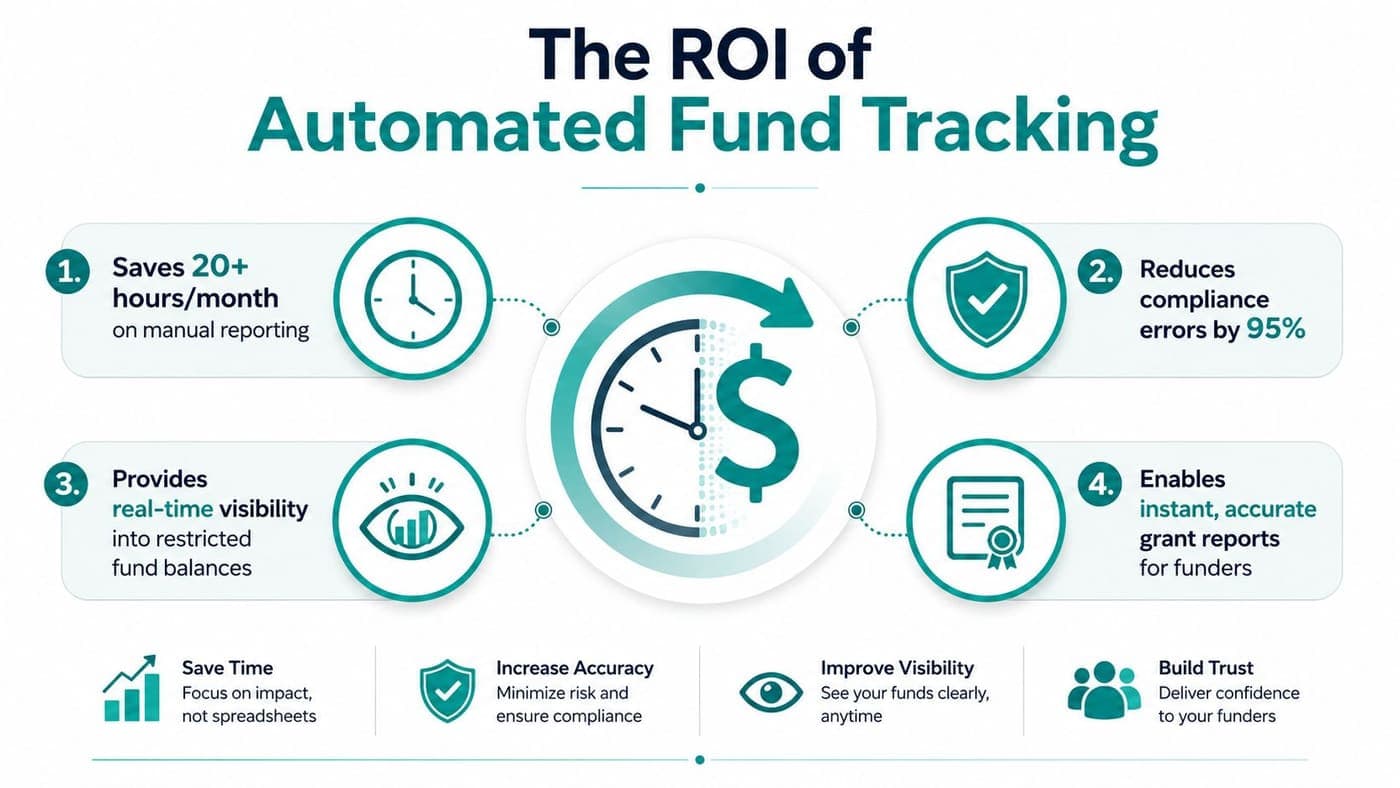
One industry compilation says automation can cut consolidation workload by 50% each close cycle, and reduce invoice-processing costs from $9.40 to about $2.78 per invoice in top-performing teams financial reporting statistics. I'm not pretending every nonprofit will hit those exact numbers, but the direction is clear.
For a finance team of two or three, that kind of reduction means fewer late evenings spent chasing approvals and more time spent on budget decisions, grant compliance, and cash planning. It also means fewer opportunities for small errors to snowball into board-level confusion.
Plain truth: The ROI of automation in a nonprofit is measured in fewer manual corrections and more trustworthy restricted balances, not in flashy dashboards.
Why fund accounting makes the difference
General reporting tools fall short. If the system doesn't understand fund structure, it can't produce reliable restricted fund reporting without a lot of cleanup.
That's why AlignMint's fund accounting, restricted fund tracking, and Form 990 support matter in one workflow, not as disconnected add-ons. If you want to see how that looks in practice, start with the restricted funds guide.
For a more technical angle on AI in this space, the guide to AI in accounting is a solid companion read. The point isn't that AI replaces judgment, it's that it reduces the repetitive work that eats it.
Why Most Automation Projects Fail Before They Start
Most automation projects fail before the software ever gets a fair test. The core problems are messier data, vague rules, and nobody agreeing on the source of truth.
Vendor demos skip that part. Automation will magnify whatever you feed it, including duplicate vendors, inconsistent naming, and a chart of accounts that was never set up for restricted funds.
Data quality comes first, always
If grant codes, program labels, and fund names are not standardized, the system will still generate reports. They will just be reports nobody trusts.
That is the first thing nonprofit teams need to get right. Clean chart-of-accounts mapping, validation rules, and parallel runs before sign-off matter more than any dashboard or AI feature. If you want a practical starting point, the data migration guide lays out the cleanup work that has to happen before you move anything into a new system.
This is especially true in nonprofits. Restricted gifts, donor-advised funds, sponsored projects, and grants often sit in systems built for general business accounting, not fund accountability.
What readiness actually looks like
Before you automate anything, decide which reports are safe to trust first. Start with the low-complexity outputs, then move toward the complicated ones after the mappings hold up in real use.
Practical rule: If you cannot explain how a number moves from gift to report, you are not ready to automate that report yet.
Change control is the piece that gets ignored. Someone has to own the mappings, someone has to approve exceptions, and someone has to review the output during the pilot period.
Clean migration is not a back-office chore. It decides whether automation helps your finance team or just gives bad data a faster way to spread.
Generic Accounting Tools Versus True Fund Accounting Platforms
QuickBooks and similar tools are fine for many simple organizations. If your funding is mostly unrestricted and your reporting needs are modest, they can do the job.
Once restricted funds, grants, and fiscal sponsorship enter the picture, generic tools start relying on workarounds. Classes, tags, and custom fields can help, but they do not enforce true fund structure the way a fund accounting platform does.
The workflow difference is the whole story
In a generic setup, a restricted gift often has to be tracked in more than one place. One person updates the donor note, another corrects the deposit coding, and a third checks whether the report still reflects the restriction correctly.
In a fund accounting platform, the transaction carries its context with it. A restricted gift updates the donor record, the deposit, the fund balance, and the report in one connected workflow.
That matters for board reporting and audit prep. It also matters when a grant needs to be traced from receipt to drawdown to final statement without a scavenger hunt through spreadsheets.
Where generic tools are still enough
They are still fine when your reporting needs are simple and your funds are mostly unrestricted. I would not overcomplicate that.
But once you are juggling multiple entities, fiscal sponsorship, or donor restrictions with real compliance expectations, the cracks show fast. At that point, you want software that understands nonprofit accounting instead of pretending it is just another small business ledger.
Here is how the tradeoff usually lands.
| Need | Generic accounting tool | True fund accounting platform |
|---|---|---|
| Restricted fund tracking | Usually manual or workaround based | Built into the workflow |
| Grant reporting | Rebuilt from exports | Pulled from connected records |
| Audit readiness | Depends on spreadsheet discipline | Easier to trace through source data |
| Board reporting | Often assembled separately | Generated from the same fund structure |
The test is whether the system can handle fund structure without constant human repair. If your team is spending its time reconciling restrictions by hand, the software is not saving you work, it is hiding it.
A true fund accounting platform also makes compliance easier to defend. Restricted gifts, grant balances, and program activity stay tied to the same source records, so you are not rebuilding the story every time a board member, auditor, or program director asks for it.
A Phased Approach to Implementation That Actually Works
A finance team that tries to automate everything at once usually ends up with messy mappings, confused staff, and reports nobody trusts.
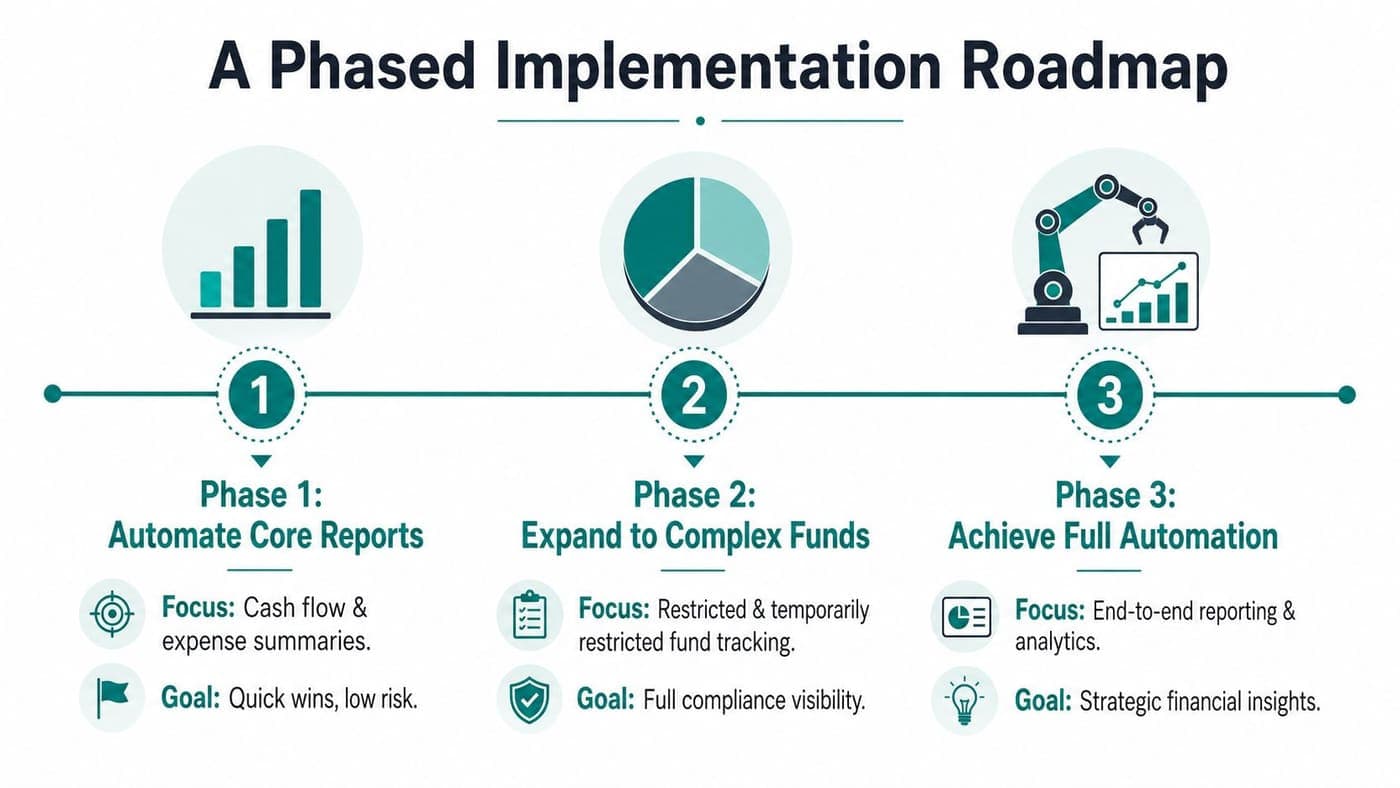
Start with the reports people already use every month, then add complexity only after the underlying data is clean. For nonprofits, that means checking whether fund codes, grant tags, and restriction rules are ready before you automate the outputs. Trust comes first, speed comes second.
Phase one, automate the easy wins
Begin with cash position, unrestricted fund balances, and other high-frequency reports that do not depend on complicated allocation logic. These are the reports people check constantly, so they are also the fastest way to prove the system is helping.
Keep the human review tight at this stage. You want one owner, one defined mapping set, and one clear exception log. If your chart of accounts is already messy, fix that before you expect automation to save time.
Phase two, move into restricted funds and grants
Once the basic numbers reconcile, bring in restricted fund tracking and grant reporting. This is where it gets hard, because the software has to respect donor intent, program boundaries, and the recordkeeping that goes with them.
Run parallel reports for at least two cycles. Compare the automated version against your manual version line by line, and do not cut over until the differences are understood and explained. That review should include restricted balances, grant-specific classifications, and any transactions that depend on staff judgment.
Phase three, take on the complex outputs
Form 990 preparation and the Statement of Functional Expenses belong here, not at the beginning. Those reports depend on the structure underneath them, and they are much harder to trust if your mappings are still shifting.
A simple review checklist helps.
- Check source mappings: Confirm that every fund, grant, and program maps cleanly before you trust the output.
- Approve exceptions: Decide who signs off when the system flags a mismatch or missing code.
- Document each change: Keep a record of mapping edits so your auditor can follow the trail.
- Limit launch scope: Automate fewer reports first, then expand after the pilot proves stable.
The phased implementation approach works better than a full-system leap because it forces discipline before scale.
Measuring ROI and Proving Value to Your Board
Your board does not need a software lecture. It needs proof that the organization is safer, faster, and better informed.
Start with the right measures. Track time saved on close, fewer manual corrections, faster grant reporting, and better audit readiness. Directors understand those numbers because they tie directly to stewardship and control.
What to put in front of the board
Frame the case around four questions.
- How much staff time did we reclaim: Show what month-end looked like before automation and what it looks like now.
- How often do we correct reports: Fewer corrections signal better data discipline and less rework.
- How quickly do grants get reported: Faster grant reporting gives funders more confidence in your process.
- How confident are we in restricted balances: That is a governance issue, not just a finance issue.
The most important change is not always the spreadsheet result. Automation improves decision quality because the numbers are fresher, the audit trail is cleaner, and the team spends less time rebuilding reports from scratch.
The control argument matters more than the speed argument
Be direct with trustees. Faster reporting is useful, but cleaner governance is the primary win.
The accounting software guide is a useful place to pressure-test vendors before you put their claims in front of a board. Ask whether the system improves accuracy, shortens cycle time, supports adoption, and reduces exceptions. Those are control metrics, and they belong in board conversations because they show whether the reporting process is being used responsibly.
If you manage restricted funds or multiple entities, automation can strengthen accountability or weaken it. The difference comes down to whether source ownership, approvals, exception handling, and grant classifications are clear before you turn it on.
That is why the board should hear about auditability, not just efficiency. If the reporting path is traceable from gift to final report, the organization is in better shape.
Your Next Steps for Evaluating Automated Reporting Platforms
Start with the hardest case in your books. Ask vendors to show exactly how a restricted gift moves from intake to final report. If they cannot explain the treatment of restricted donations, grant coding, and approval steps without hand-waving, keep looking.
Use a short checklist and keep it practical. You want true fund accounting, restricted fund tracking, grant drawdown support, Form 990 readiness, donor-connected gift records, and real-time fund balances. You also want to know how much manual review still happens after go-live, because a platform that still depends on heavy cleanup is not solving the core issue.
If you are comparing options, note that AlignMint offers a free tier for nonprofits raising up to $100K per year. Smaller teams can test the workflow without putting real budget pressure on the organization.
The accounting software guide is a solid place to pressure-test vendors before you sit through another demo. Use it to ask whether the system improves accuracy, shortens the close, supports adoption, and reduces exceptions. Those are the questions that matter.
For nonprofits managing restricted funds, grants, and compliance requirements, the core challenge is data quality and control. If your chart of accounts is messy, your gift records are inconsistent, or your grant rules live in someone's head, automation will just move bad inputs faster. Clean source data, clear ownership, and disciplined review rules come first. Then automation can produce reports your finance team and board can trust.
Ready to try AlignMint with your nonprofit?
Start free — set up donor tools, giving pages, and Minty. Upgrade when you need accounting.