

Bank Reconciliation Software for Nonprofits
You already know the feeling. The bank feed looks fine, the ledger says one thing, the spreadsheet says another, and someone asks why the restricted grant balance does not tie out again. If you're the executive director, that tension lands on your desk, even when you didn't touch the entries yourself.
Bank reconciliation software is the fix when manual matching starts eating your month. The right tool clears the noise, protects fund accounting, and gives you a cleaner answer before board questions turn into a late-night scramble.
Quick Answer: Bank Reconciliation Software for Nonprofits
Bank reconciliation software matches bank activity to ledger records, highlights exceptions, and keeps the evidence behind each decision. Nonprofits also need fund-aware workflows, source documents, and review controls so a cleared transaction still explains donor intent and grant restrictions.
For the connected finance workflow, see fund accounting. For related reading, compare nonprofit bank reconciliation software with fund accounting for nonprofits.
The Monthly Reconciliation Moment Every Director Knows
The second week of the month has a familiar rhythm in a small nonprofit. You have one tab for the bank statement, one for the general ledger, and another for the spreadsheet your bookkeeper swears was balanced yesterday. Then a donor payment lands in the wrong fund, a grant drawdown sits unmatched, and your close slips again.
That's not a people problem. It's a process problem, and manual reconciliation was never built for the way nonprofit money moves. Donations, restricted gifts, reimbursement checks, grant funding, and vendor payments all arrive with different labels and timing.
Why the spreadsheet breaks first
A spreadsheet can only track what someone enters correctly. If the receipt is missing, the memo field is blank, or the bank feed arrives in pieces, the whole chain gets shaky. When your finance team is small, every mismatch turns into a human hunt for context.
Practical rule: If reconciliation depends on one person remembering yesterday's context, you don't have a control, you have a memory test.
That's why software matters. It keeps the matching work moving in the background, so the month-end close is about reviewing exceptions, not rebuilding history. If your team is still using a manual close checklist, start with this month-end close checklist and see how much of the pain is really upstream.
The outcome you want is simple. You want fewer surprises, cleaner books, and less time spent proving that the numbers are right. That is what good bank reconciliation software should deliver.
What Bank Reconciliation Software Does
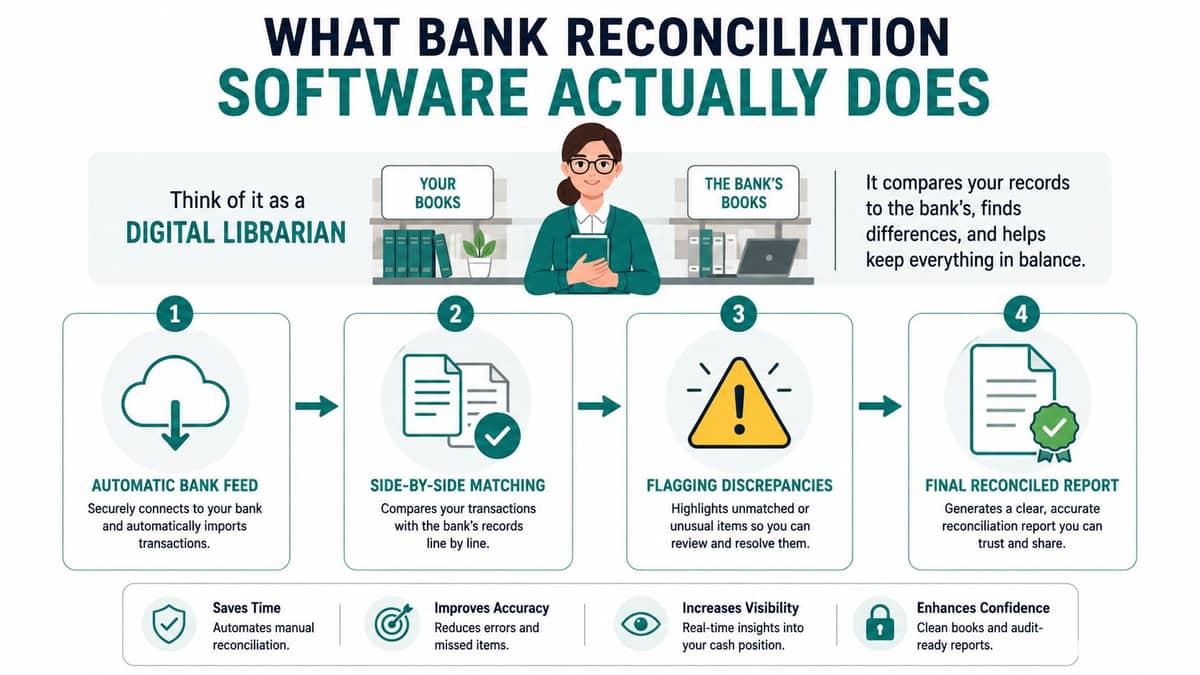
Bank reconciliation software works like a careful assistant that reads every bank line, compares it with your ledger, and applies the rules you set last month. It does not replace judgment. It handles the repetitive matching work faster, with less noise, and with fewer late-night spreadsheet rescues.
The matching logic in plain English
Good tools start with exact-rule matching. They compare amount and date, then look for recurring patterns you already approved, like monthly rent, payroll, or a regular donation batch. Modern systems also use rule-based logic and machine learning for harder cases, which helps with partial payments, timing differences, and odd memo fields, as described in reconciliation feature guidance.
That matters because not every exception is a real problem. Some items are timing differences, some belong in another fund, and some need a human to finish the job. The software should make those distinctions visible without forcing your staff to start from scratch every time.
The three jobs it has to do well
At minimum, the tool should ingest bank statement data, normalize it, and match it to ledger entries using configurable rules, while showing who matched what, when, and under which rule, as outlined in feature guidance for modern reconciliation tools. It should also preserve statements and attachments so you can trace the path later. If you want a tighter reference point for how the workflow should look, this bank reconciliation guide is the place to start.
Practical rule: If the software cannot show the source document and the decision path, it may be fast, but it is not helping your audit trail.
The stronger systems also connect to the general ledger or ERP directly and keep the audit trail automatically, which cuts down on file shuffling and makes compliance reviews easier, as noted in nonprofit-focused reconciliation guidance. The value is not just faster matching. It is cleaner evidence, fewer handoffs, and less room for a messy month-end close.
Why Nonprofits Get a Different Version of the Problem
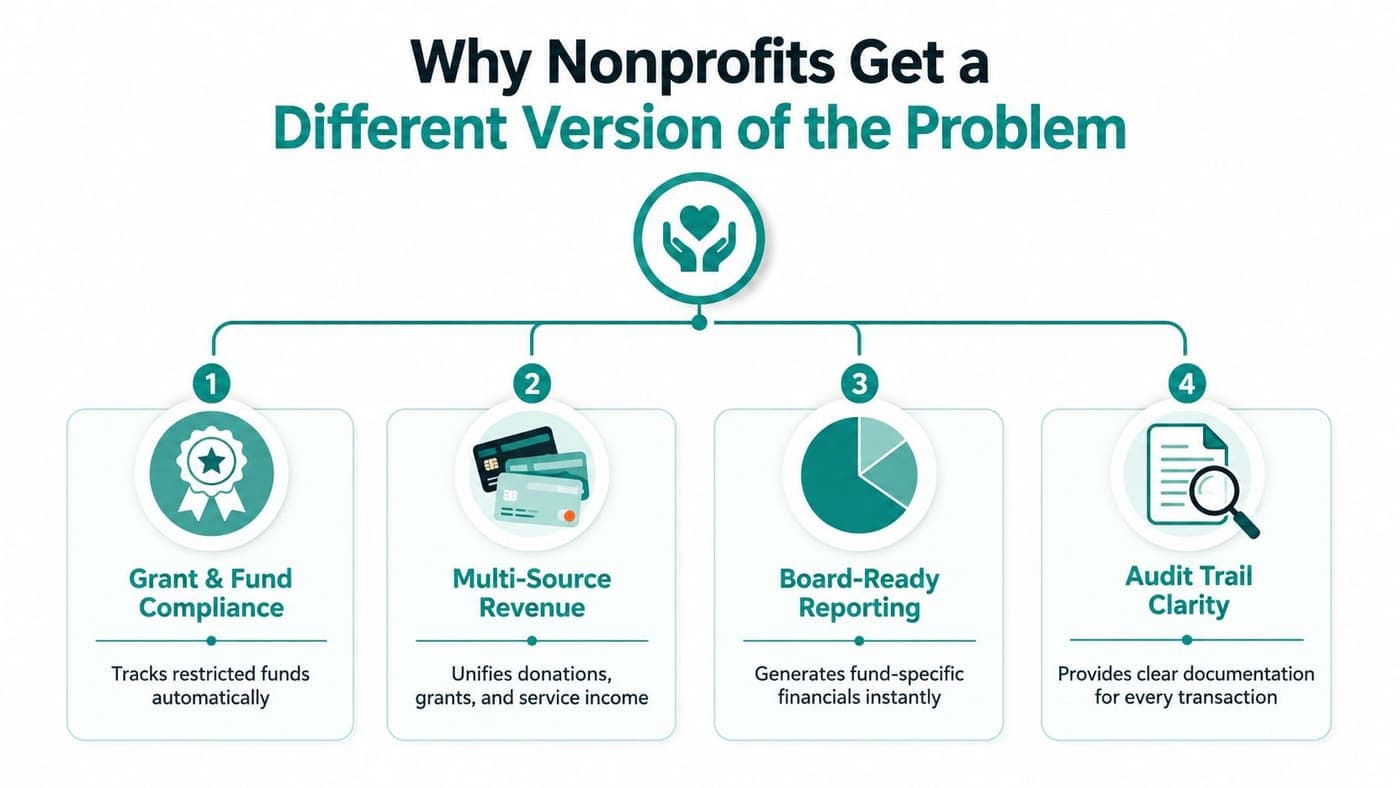
A for-profit team can sometimes live with a generic match-and-close process. You can't, because donor intent, restricted funds, and grant reporting sit underneath almost every bank line you care about. If the reconciliation tool doesn't understand those layers, you'll still spend time repairing the books after the match.
Restricted funds need clear tracing
A grant drawdown can hit the bank and still land in the wrong place if your chart of accounts or fund structure is sloppy. When that happens, you don't just have a recon issue, you have a donor intent problem. Reconciliation software helps by keeping source-to-GL lineage visible, which is the part auditors and boards care about most, especially when fund accounting is modeled correctly.
Reporting gets easier when the trail is clean
Form 990 prep and Statement of Functional Expenses work are both easier when every transaction already lives in the right fund and the right account. You're not trying to reconstruct months of activity from memory. You're reviewing exceptions that already have a paper trail.
Donor payments need to stay connected
Gift records, pledge records, and bank deposits should point to the same story. If the CRM and ledger are disconnected, someone eventually spends half a day hunting for a donation batch that was entered twice or not at all. That's where nonprofit-specific reconciliation pays off, because it keeps payment records and ledger entries in the same conversation.
Direct advice: Don't buy software that only matches money. Buy software that helps you explain money.
That difference is why generic accounting tools often feel close, but not quite right. Nonprofits don't just reconcile cash, they reconcile mission, restriction, and proof.
Must-Have Features for a Nonprofit Reconciliation Tool
The right tool should make your close simpler, not create another system for your staff to babysit. If a vendor can't show you how it handles fund accounting, source documents, and exception review, keep walking.
Start with connectivity and control
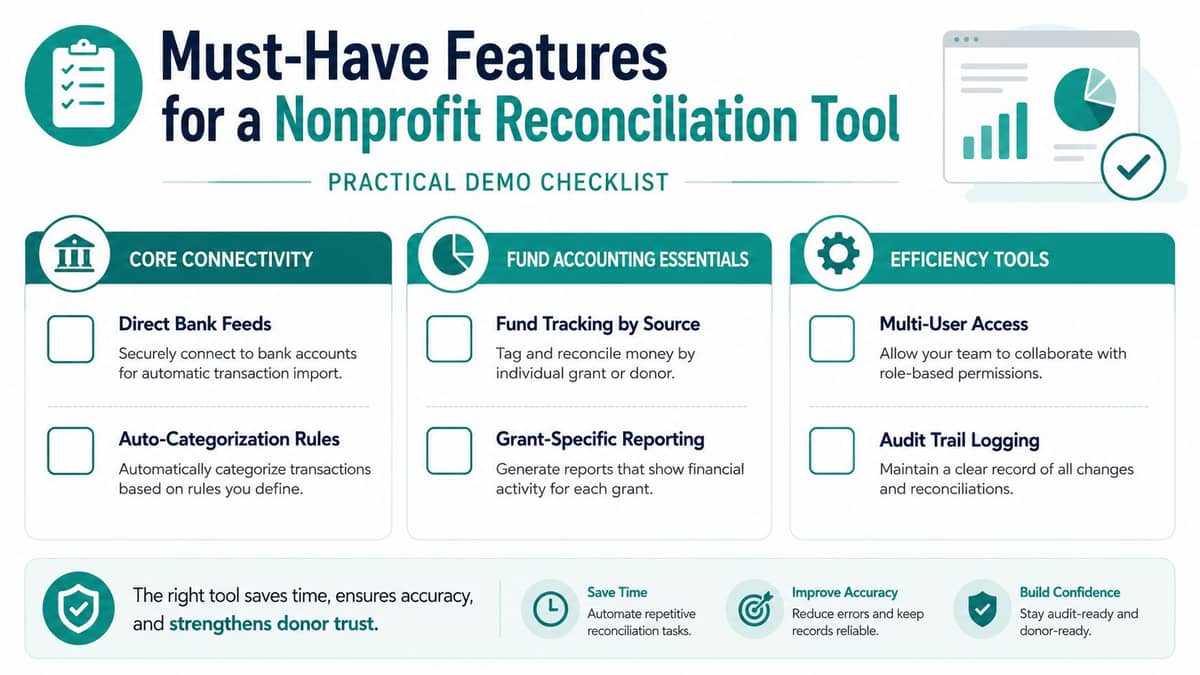
Direct bank feeds matter because they reduce file handling and missed imports. You also want configurable matching rules, because nonprofits don't live on one tidy transaction pattern. Grant reimbursements, recurring gifts, and one-off event payments all need different handling.
Demand fund-aware workflows
For fiscal sponsors, schools, churches, and nonprofits with multiple programs, multi-account and multi-entity support isn't optional. You need role-based access, preparer and approver workflows, and attachment storage for source records so restricted activity can be reviewed cleanly later. That's the difference between a useful tool and a nicer spreadsheet.
Look for exception handling that helps people act
Exception queues should surface mismatches with proposed journal entries and a clear reason. That way, partial payments, timing differences, and miscoded deposits don't sit in limbo until month-end. A good system routes the issue to the right person and records the resolution path.
If you want a useful place to pressure-test those features in the world, the nonprofit tech conference in March is the kind of event where finance and operations teams can compare notes without a sales script.
What to ask in a demo: Show me how this handles a restricted gift, a partial grant drawdown, and a bank fee in the same month.
That one question tells you whether the product understands nonprofit reality or just accounting theory.
How Leading Tools Compare for Nonprofits
The honest answer is that several tools are solid, just not built with your workflow first. Aplos is strong for straightforward fund accounting, QuickBooks Online feels familiar, Blackbaud Financial Edge is built for enterprise-scale nonprofits, and Xero has wide reach outside the U.S. Each one solves part of the problem well.
The gap shows up in reconciliation. Most of these tools treat it as a generic accounting task, not a donor-connected workflow, and few enforce true fund accounting instead of class tracking. That matters when restricted gifts, grant drawdowns, and program revenue all need different treatment.
| Tool | Fund Accounting | Donor-Connected Reconciliation | Pricing Model |
|---|---|---|---|
| Aplos | Strong for core nonprofit fund accounting | Limited, depends on workflow design | Subscription software |
| QuickBooks Online | Not true fund accounting, often handled with classes | Basic bank reconciliation, weaker donor linkage | Tiered subscription |
| Blackbaud Financial Edge | Strong enterprise fund accounting | Better for larger nonprofit finance teams | Enterprise pricing |
| Xero | Not built as true nonprofit fund accounting | Good bank matching, limited donor context | Subscription software |
| AlignMint | True fund accounting with restricted funds and grants modeled natively | Direct bank-feed reconciliation tied to donor and ledger data | Simple pricing with a free tier under $100K |
AlignMint is the option we built after too many months of stitching tools together. It combines accounting, CRM, volunteers, events, and marketing in one platform, with unlimited users and no per-seat fees. That matters when your board, finance lead, and program manager all need visibility without extra licenses.
Compare the workflow, not the brochure
QuickBooks Online is familiar and easy to start. Aplos is purpose-built for many nonprofit finance teams. Blackbaud Financial Edge fits larger organizations that need enterprise depth.
The question is whether your reconciliation depends on a donor record, a restricted fund, or a grant schedule. If it does, judge the tool on how cleanly it moves those details into the ledger, not just on whether the bank feed connects.
Security, Compliance, and Implementation Without the Headache
Security isn't a side issue when you're handling donor records and financial data. Ask about encryption, data isolation, uptime, and SOC alignment before you talk about features, because those are the things your board will eventually care about.
A practical security reference point is secure data storage for events, since the same discipline applies when your payments, registrations, and donor details live in one system. You want the vendor to explain how access is controlled and how records are protected when staff change.
Roll out in the order your team actually works
Start with clean source data. Standardize chart-of-accounts references, verify subledger-to-GL ties, and clear historical backlogs before you turn on automation. That advice sounds boring because it is, but it saves you from importing yesterday's mess into a prettier interface.
Then turn on bank feeds in stages. Let the team confirm the first flow, fix the edge cases, and only then move the rest of the accounts. That's how you avoid confusing a software rollout with a cleanup project.
If you want a formal security checklist, use this nonprofit software security guide as a reference point for what to ask in vendor meetings.
Practical rule: If your chart of accounts is muddy, software won't rescue you. It will only reveal the mud faster.
A small team usually needs a short pilot, a limited set of accounts, and one person who owns the process. That's enough to test whether the tool fits your close without putting board reporting at risk.
Real ROI, a Vendor Checklist, and What to Watch For
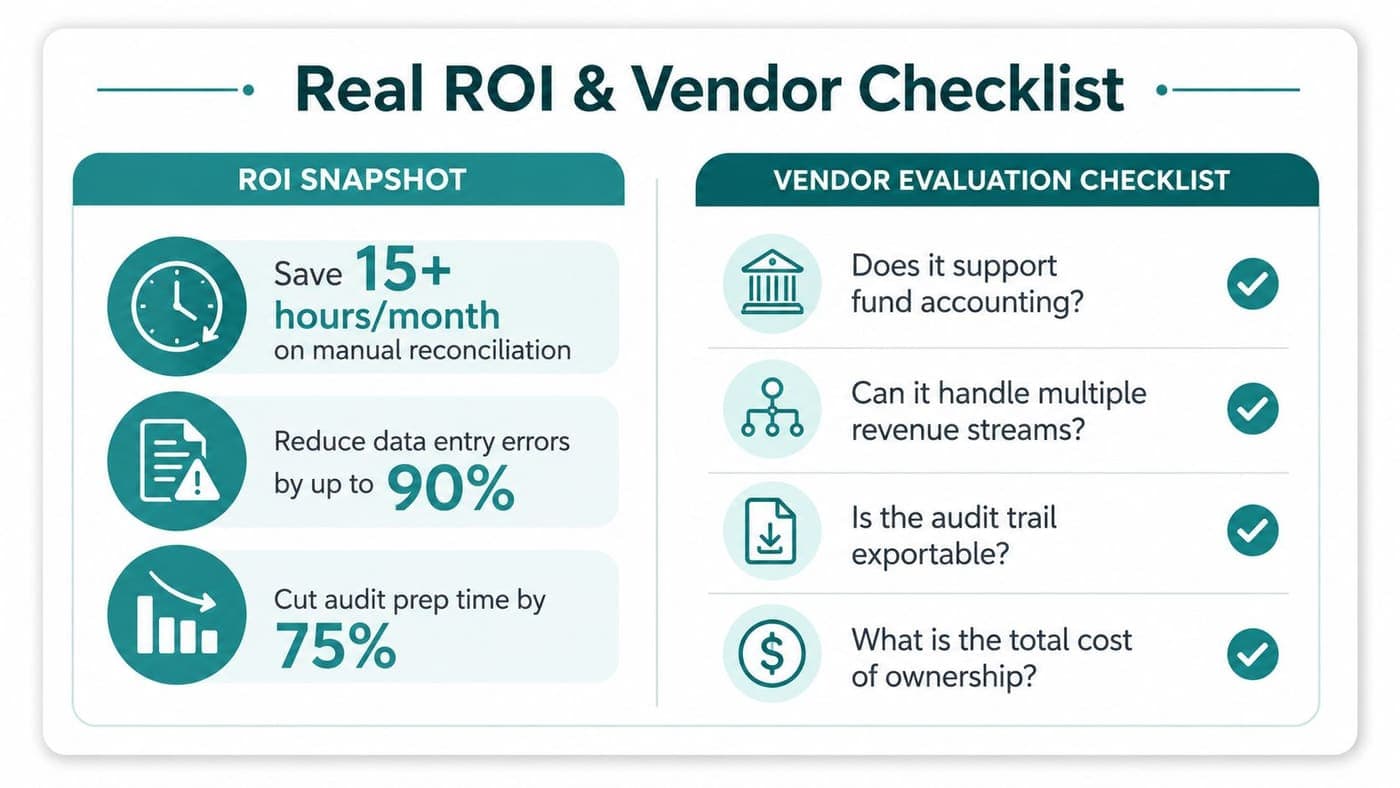
The business case is not abstract. In benchmark reporting, AI-assisted bank reconciliation was said to reduce reconciliation time by 70% on average, cut the time to reconcile 500 transactions from 3.5 hours to about 1 hour, and lower error rates to below 0.5% compared with 1–8% for manual workflows, according to 2026 benchmark reporting. The same source said organizations using AI-powered tools close their books 57% faster on average, with month-end close shrinking from 8.2 days to 3.5 days.
What your board actually wants to hear
They want fewer hours spent untangling bank lines, fewer errors entering the books, and less stress before audit season. They also want to know the money is traceable, especially when restricted gifts and grant drawdowns are involved. That's the primary return: cleaner control and fewer late surprises.
You can also use the implementation page at nonprofit data migration to plan the move before you buy. If a vendor can't explain migration clearly, the rollout is already at risk.
Print this before the next demo
- Fund accounting depth: Can it track restricted funds, grants, and programs without pretending classes are enough?
- Donor connectivity: Does the reconciliation flow tie back to gifts, pledges, and receipts?
- Exception handling: Can the team see unmatched items, supporting documents, and resolution notes?
- Security and access: Does it support role-based permissions and a defensible audit trail?
- Pricing clarity: Are users, modules, and support included, or will the invoice grow later?
The biggest rollout traps are predictable. Weak source data, partial bank-feed coverage, and sloppy chart-of-accounts hygiene will slow you down no matter which vendor you pick. Good software helps, but it won't clean up the books for you.
Common Pitfalls and the Questions Directors Ask Next
Reconciliation software won't fix a broken chart of accounts. It also won't rescue messy donor records or a team that treats bank feeds as optional. The tool helps when your workflow is already disciplined enough to support it.
Implementation usually feels lighter for small nonprofits than directors fear, especially when the vendor connects bank feeds, ledger data, and donor records in one place. For organizations under $100K in revenue, a free tier can make the switch easier if the reporting needs are straightforward. Form 990 prep also benefits indirectly, because cleaner reconciliation produces cleaner source records and fewer end-of-year mysteries.
Can bank feeds be trusted? Yes, if you still review exceptions and keep access tight. Is the software worth it for a small team? Usually, when manual spreadsheet work is stealing time from mission work and board reporting keeps slipping.
When evaluating a reconciliation platform, test whether accounting, donor records, fund context, and bank-feed review stay connected through the close.
Ready to try AlignMint with your nonprofit?
Start free — set up donor tools, giving pages, and Minty. Upgrade when you need accounting.