

Your appeal is due, the story lives in a staff member's head, and the board wants evidence before adding video. A useful fundraising campaign video connects that story to a completed gift, without creating another project your staff can't finish. You need a clear ask, accessible footage, and a donation record that keeps the donor's purpose attached.
Quick Answer: Fundraising Campaign Videos
A fundraising campaign video needs one story, one ask, and a page that records the gift and its fund. Finish with captions and a transcript before you send it.
Start with fundraising and donation pages. For the gift record, see fund accounting.
Why Your Fundraising Campaign Video Matters
Your board packet needs attention, a volunteer has canceled, and someone suggests filming before the appeal goes out. Your first question should be whether the extra work will help donors understand why their gifts matter.
A letter can name the need, explain the program, and make a thoughtful request. A face and voice give you another way to introduce the person behind that request.
That doesn't mean you need a documentary or a hired production crew. You need a credible reason for someone to stop, recognize the need, and consider responding.
Connection comes before conversion
In a randomized experiment involving more than 1,500 participants, Indiana University researchers found meaningful connection among 14.7% of video viewers, versus 10.3% reading a three-sentence narrative, approximately a 43% relative improvement, including effects among people reporting no charitable giving during the previous year (Indiana University fundraising experiment).
Treat that finding as evidence for connection, not a promise about your donation totals. The researchers measured an important intermediate outcome, not a guaranteed increase in completed gifts.
For your organization, that distinction changes how you judge the effort. A viewer might recognize your program today, respond to a later appeal, or start a conversation with someone else.
Practical rule: Ask whether the video makes the need understandable before asking whether it looks impressive.
A pantry director explaining a difficult purchasing decision can make a stronger appeal than a polished mission statement. A school program leader can show what students need without turning their circumstances into entertainment.
Choose someone who knows the work and can speak about it plainly. Your executive director doesn't have to appear because the board expects the executive director to represent everything.
Make the decision before booking the shoot
Use the fundraising readiness health check to identify missing campaign decisions before asking staff to record anything. If you can't name the intended audience or donation destination, settle those questions first.
Your fund accounting guide belongs beside the campaign plan because gifts still need their purpose attached. The story and the financial record should describe the same work.
Keep the assignment modest: a recognizable person, a specific need, and an understandable next step. That gives your board a practical proposal instead of another request to approve a marketing experiment.
Plan One Story and One Ask
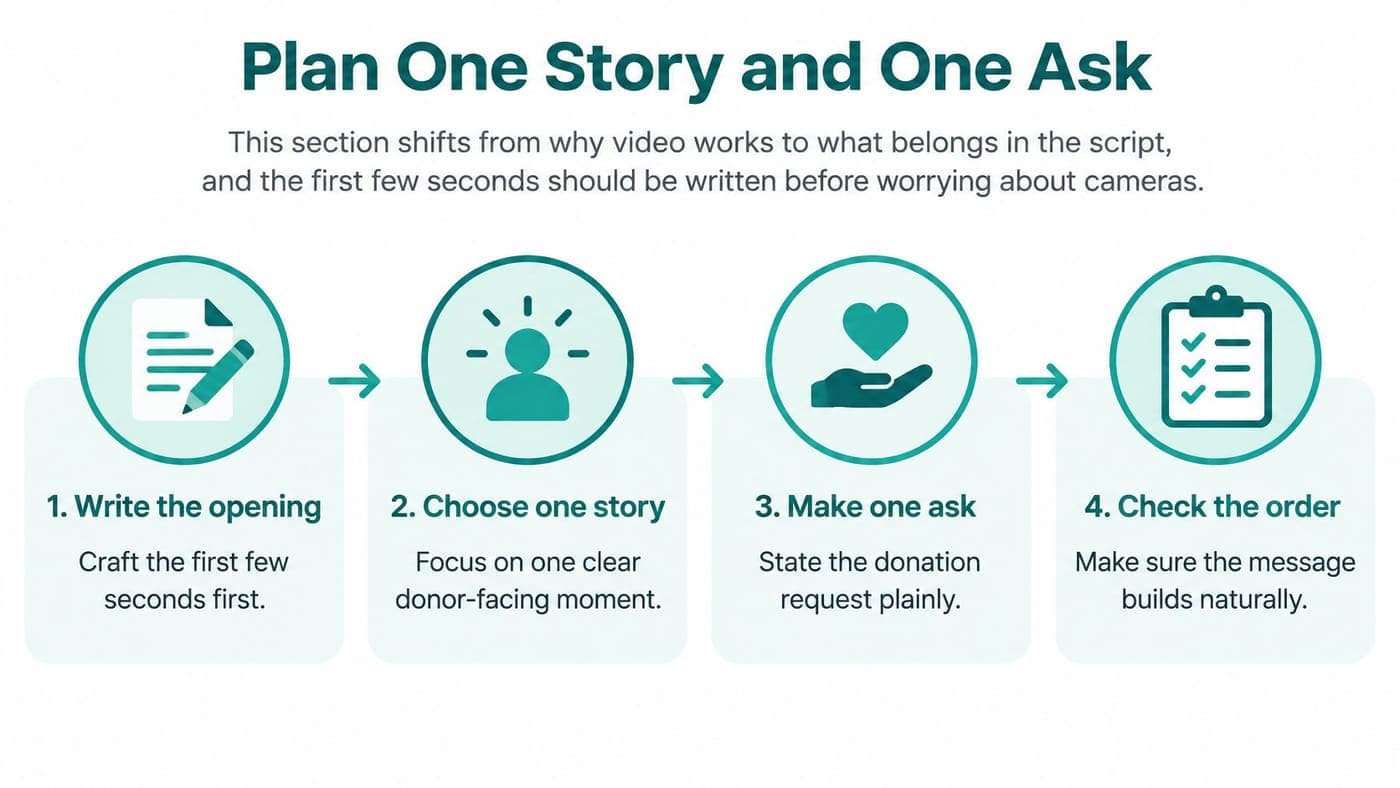
Write the opening before choosing cameras, music, or editing software. Name the person or group you help, the immediate problem, and the outcome your donor can support.
Use language a church member or school parent would understand without reading your strategic plan. Replace “expanding service capacity” with the actual work, such as keeping the pantry stocked or opening the homework room.
Then choose a result your organization already tracks and can verify. Don't introduce an impressive-sounding claim merely because someone thinks the script needs more authority.
Give the donor a concrete job
For an illustrative pantry appeal, a director might ask for $50 toward a family food box. Say that amount covers the box only if your current purchasing records support the statement.
The useful detail isn't the amount itself, but the connection between the contribution and the work. If costs change regularly, describe the gift as helping provide groceries rather than guaranteeing a fixed package.
Use this script shape as a working outline:
- Who you help: Introduce the people and program without reducing anyone to their hardship.
- What's at stake: Explain the current need and any genuine deadline in ordinary language.
- What the gift supports: State the amount and outcome your records can substantiate.
- Where to give: Direct viewers to the campaign page using the same wording they'll find there.
Aim for 60 to 90 seconds for an email-linked appeal as an editorial starting point, not a performance guarantee. Prepare a shorter version for a phone feed rather than speeding through the full script.
Read the draft aloud before anyone arrives to film. Remove the sentences your speaker keeps stumbling over, especially language borrowed from grant applications.
Keep other requests out of this appeal
Don't ask viewers to donate, volunteer, buy tickets, and subscribe in the same message. Those are different decisions, and each deserves its own invitation.
Published donation-lift claims vary widely, and vendor figures aren't interchangeable with controlled research, as discussed in this nonprofit video production guidance. Treat those claims as hypotheses to test with your audience, not promises to repeat to your board.
Before filming, decide which page receives the visitor and which program receives the gift. Review the fundraising feature overview while planning that destination.
Use the nonprofit accounting software comparison to consider where the resulting transaction will be recorded. Your editor shouldn't have to resolve that accounting decision while finishing the closing screen.
Shoot a Clear Video People Can Watch
Your donor needs to hear the speaker without working at it. Start with a phone, a stable support, and a quiet room rather than a shopping list.
Face the speaker toward a window, with the camera between the speaker and the light. Avoid placing the window behind them, which can leave their face difficult to see.
Keep the speaker's eyes near the upper third of the frame and the background relevant but uncluttered. Plain clothing is a sensible choice when patterns or large lettering pull attention away from the person.

Put sound ahead of decoration
Record a test and play it through the phone's own speaker before continuing. If you can't understand every word comfortably, move closer or find a quieter location.
Listen for ventilation, refrigerators, hallway conversations, and traffic before asking the speaker to begin. Record a few seconds of room silence so your editor has background sound available when smoothing cuts.
A church ministry lead might speak from the room where volunteers prepare meals. A school club sponsor might stand beside the supplies the appeal will help replace.
Those settings provide context without requiring an elaborate introduction or borrowed footage. Check the background for student names, private records, or anything that shouldn't appear publicly.
Protect people before collecting footage
Get written consent before featuring a client, student, or congregant, and follow your organization's safeguarding policies. For children, confirm the required parent or guardian permissions before recording begins.
Explain where you intend to publish the footage and make participation a genuine choice. Receiving services shouldn't depend on agreeing to appear in an appeal.
If consent isn't appropriate, ask a staff member or volunteer to explain the work instead. Show the program space or preparation process without exposing someone's personal circumstances.
A person's dignity matters more than getting the shot your script originally imagined.
Keep your shot list short: the speaker, permitted program activity, and a closing shot repeating the donation request. Capture enough context for the editor without asking staff to stage scenes that misrepresent daily work.
Before releasing your volunteer camera operator, check the essentials:
- Charged phone: Confirm the device has power and enough room to save the recording.
- Quiet room: Replay the speech and listen for competing noise.
- Correct names: Verify spelling and titles against an approved staff or program record.
- Gift destination: Have the donation URL ready to show on a closing card.
The benefit is usable footage your team can finish without an emergency reshoot before sending the appeal.
Edit, Caption, and Measure the Gift Path
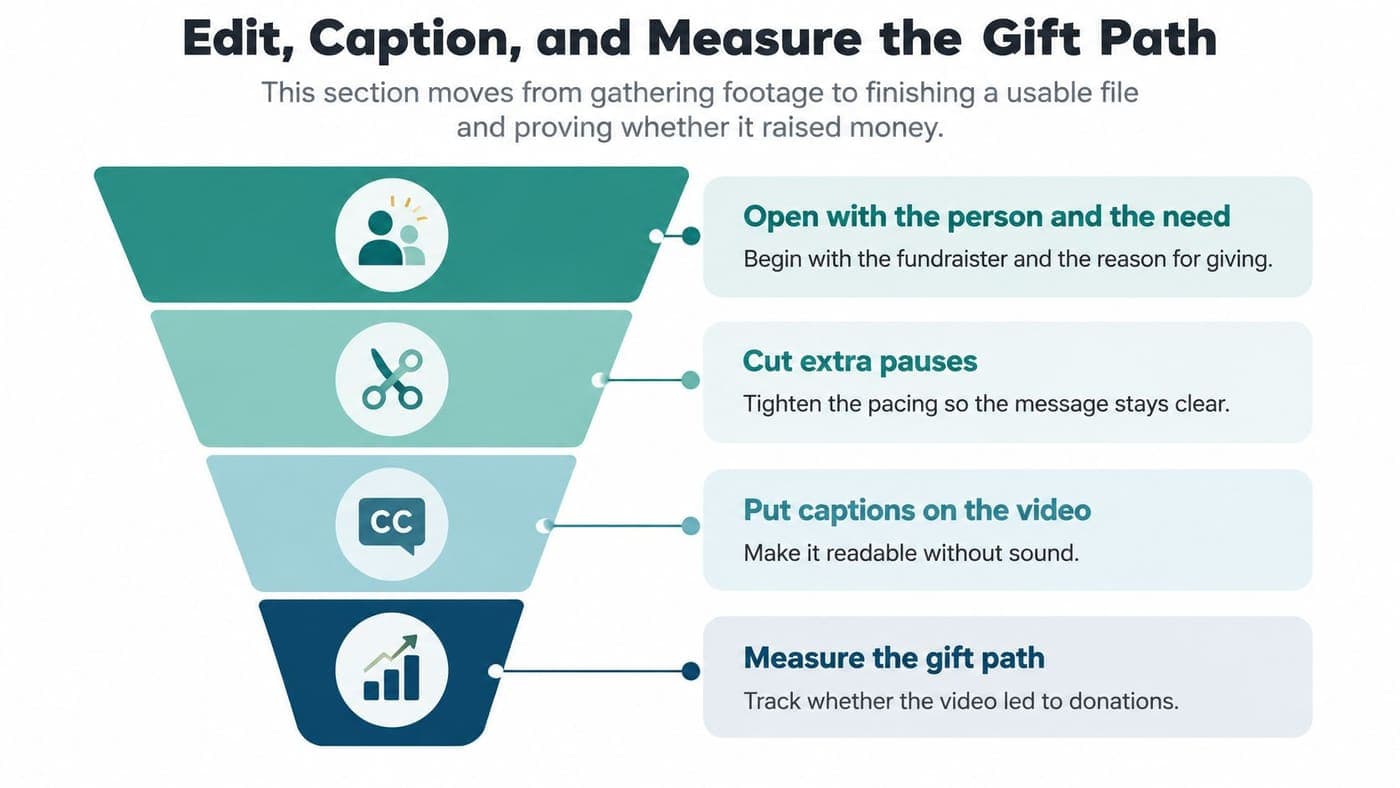
Open on the person and the need, not an animated logo. Remove unnecessary pauses while preserving a delivery that sounds like someone speaking to a neighbor.
Place the gift amount and donation URL clearly near the end, where branding won't cover either. Keep important text readable and leave it visible long enough to understand.
Make the finished appeal accessible
Deliver a captioned master and a plain-text transcript, then check both against the final recording. Correct names, donation amounts, and program terms rather than trusting automatic transcription.
A RespectAbility survey of nearly 1,000 nonprofit and foundation workers found only 14% of charities used video captions for deaf or hard-of-hearing people; a separate reported 35% viewership increase warrants caution because its methodology isn't clear (accessible nonprofit event guidance).
Accessibility doesn't need an uncertain marketing statistic to justify the work. Your donor should be able to understand the appeal without depending on sound.
- Burned-in captions: These remain visible because the words become part of the video image.
- Platform captions: These use a separate caption track that viewers can generally turn on or off.
- Descriptive script: Include essential visual information in the narration, or offer an audio-described version where needed.
- Text alternative: Publish the transcript beside the appeal for readers and people avoiding a large video download.
On YouTube, review the caption track in the subtitle controls before publishing. On social platforms, preview caption placement so interface buttons don't cover the words.
Export a horizontal version for your website or YouTube and a vertical version for phone feeds. Prepare a square crop only where the destination needs it, checking that faces and donation details remain visible.
Measure completed gifts, not applause
Choose completed donation as the primary action, then build a campaign page with a short form. Follow the donation-page documentation when preparing the destination and testing the donor's experience.
Give email, social posts, peer-to-peer shares, and page placements distinct tracking labels. These labels help identify where a visitor came from, but they don't prove the video caused the gift.
Track starts, 25/50/75/100% completion, click-through, landing-page gifts, average gift, cost per donation, and revenue per viewer; directional benchmarks place video-driven donation conversion near 4.8%, with 8.9% reported for stronger campaigns, although audiences, attribution, and page design differ (video campaign measurement guidance).
Test different opening lines while holding the audience, offer, spending, and destination steady. Where practical, randomly assign people to receive either the video appeal or the same appeal without video.
Compare the additional gifts and additional revenue against production and distribution costs. Don't credit every donation after a view to the video.
Keep a staff member responsible for approving facts, consent, and donation destinations before anything is published.
Choose Tools That Keep Gifts and Funds Together
Pick the stack your bookkeeper can reconcile on a tired Friday in January. The right setup treats the video as one ask connected to a tracked gift: viewer lands, gives, receives a receipt, and the gift posts to the correct fund without a second spreadsheet.
A simple giving page plus separate email and payment tools can suit a one-time appeal. It works only when one named person owns the transfer into donor records and the ledger.
A donor system paired with QuickBooks can also be sensible when your team already closes there. QuickBooks can remain useful for familiar bookkeeping, but classes aren't the same as true restricted-fund balances.
Where the video ask and the gift record can live
| Path | Fits when | Watch-out |
|---|---|---|
| Giving page plus separate tools | You have a limited appeal and someone responsible for reconciliation. | Campaign details and donor restrictions need a documented transfer. |
| Donor system plus QuickBooks | Development and finance have established responsibilities and a reliable monthly close. | Confirm how restrictions, fund balances, and corrections move between systems. |
| All-in-one nonprofit platform | Your team wants accounting, donor management, and campaign work in shared records. | Test the actual gift workflow before moving existing records. |
Judge the handoff, not the demo. Ask who enters the appeal code, where captions and the transcript are stored, how the gift is attributed to the video path, and how a restricted purpose appears on the receipt, donor record, fund balance, and board report.
Keep synthetic visuals clearly distinguished from documentary footage, and never present an invented beneficiary as a real participant.
Evaluate the financial record behind the page
AlignMint, built by nonprofit directors, is the all-in-one option in this comparison, combining accounting, CRM, volunteers, events, and marketing. The platform includes a point-and-click donation page builder and Video Blast for personal appeals.
Video Blast lets you record or upload a story, attach a title and fund, and publish it beside checkout. It also provides view counts and attributed-gift tracking, which should be read beside the comparison method described earlier, not as proof by themselves.
The Minty AI assistant answers questions from your organization's own data, reducing separate exports. Shared records also give staff one place to coordinate campaign responsibilities.
AlignMint offers a free tier for nonprofits raising up to $100,000 annually, with plan-based access and no per-seat fees. Review the fund accounting features against your actual restrictions and reporting requirements before choosing a system.
Restricted gifts must follow donor-specified purposes, while unrestricted gifts can generally support broader organizational needs (nonprofit accounting principles). That distinction needs to survive every transfer from campaign page to donor record to ledger.
Fundraising expenses belong in Form 990 Part IX, column D, and payments primarily purchasing goods or services aren't automatically charitable contributions (IRS Form 990 instructions). Ticket revenue needs examination before anyone treats it as a donation.
For the accounting detail, consult the fund accounting software guide. Ask whoever demonstrates the software to trace one restricted video gift through receipt, expense allocation, remaining balance, and board reporting. If they cannot do it live, keep looking.
Put Your Next Fundraising Campaign Video to Work
Book one working session with two people: the colleague who knows the program and the person who records gifts. Leave that room with named owners and a publication decision. Another document circulating for general feedback helps nobody.
You do not need every version polished before you learn whether the appeal works. You need an approved message, a giving destination that records each gift to the right fund, and one person accountable for reviewing results.
Give the week a practical sequence
A one-week sequence keeps a small staff honest. Adjust the load around your existing commitments:
- Start with the purpose: Pick the program and confirm the fund with whoever maintains the books.
- Draft the script: Write a 90-second appeal around a verified amount and one specific donor action.
- Record the speaker: Use the quiet-room setup and confirm permission before gathering program footage.
- Finish the accessible version: Check captions, the transcript, and the final donation details together.
- Publish and test: Open the giving page on a phone and run a test donation end to end.
- Send a limited release: Ask a small group to flag confusion before you approve the full send.
The email campaign documentation walks you through preparing the send and organizing your review. Have a colleague check the recipient group and destination before you approve distribution.
A clear ask on a tracked page beats a polished video with no gift path.
Make the purpose recognizable to everyone
Churches should name the ministry identically in the script and the fund record. Your bookkeeper should never have to guess whether a general church appeal was meant for a particular ministry.
Schools should use the same club or program name on the giving page and in finance records, with the finance lead approving that naming before parents receive the appeal.
Fiscal sponsors should identify the sponsored project while preserving consolidated reporting and functional expense classifications (IRS Form 990 reporting structure). Keep the project's purpose visible without treating every type of receipt as interchangeable.
When you pay for the appeal, separate program, management, and fundraising costs using the classifications established earlier. Your annual filing should not depend on reconstructing what staff meant when they entered an expense.
Give the person who films and the person who receipts gifts access to the same campaign record. Donors see a person and a purpose. You see which gifts arrived and what each one may support.
AlignMint keeps your video appeal, giving page, donor records, and fund accounting in one place, so your team can follow each gift from click to ledger. Start on the free tier if your organization qualifies, as noted earlier, and attach your campaign page to the right fund. Add your filming or finance colleague without a per-seat fee, then run the donor's path yourself before the appeal goes out.
Ready to try AlignMint with your nonprofit?
Start free — set up donor tools, giving pages, and Minty. Upgrade when you need accounting.