


6 Volunteer Hour Log Template Options
The right volunteer hour log template depends less on popularity and more on what you need to report later. The simplest log can work for a small program, but it often creates extra reconciliation work when your board asks for totals by program, your grant file needs verification, or your finance team needs clean records before close.
A good volunteer hour log template should help you capture hours once, verify them properly, and turn them into reporting you can trust. Below is a practical comparison of paper, spreadsheet, form, hybrid, dedicated software, and integrated platform approaches, along with field choices, approval trade-offs, and ways to prepare records for grant and board reporting. If you want to see how an integrated record can connect volunteers with accounting and CRM, our volunteer management tools are one example. You may also want our related posts on nonprofit volunteer registration software and community service documentation.
Quick Answer: Volunteer Hour Log Template
The best volunteer hour log template is the one your team will keep current through close and reporting. Start with paper or a spreadsheet if the program is small, move to a form when submissions scatter, then use connected software when hours must support grants, funds, and board reports.
Start with nonprofit volunteer hour tracking and volunteer hour tracking. For records, see volunteer hour tracking template.
1. Basic Spreadsheet Volunteer Hour Log
A spreadsheet remains the default for many organizations because it feels familiar and stays cheap. That matters when your staff is small, your volunteer volume is steady, and you need something people can open without training.
That popularity isn't just anecdotal. In a nonprofit survey, 30% still used spreadsheets to manage volunteers and events, and a separate survey found spreadsheets were the single most-used tracking method while only 46.7% used software to track volunteer hours or completed tasks by week. If your organization is still here, you're in common company.
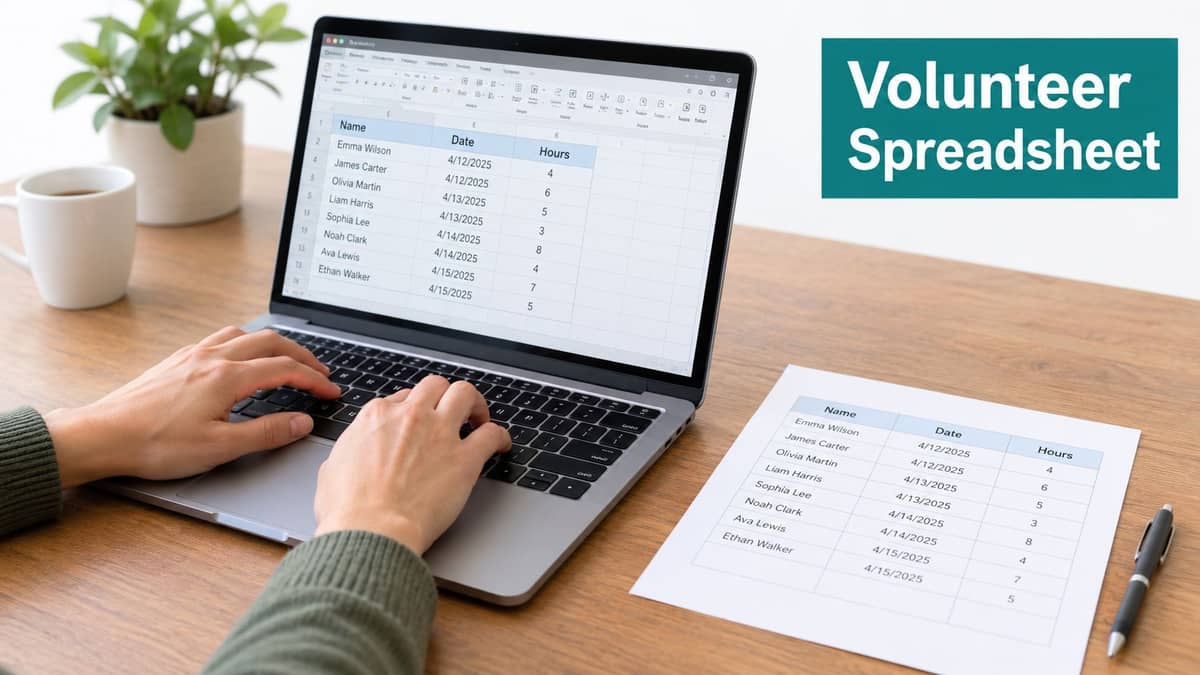
A spreadsheet works best when you keep the template disciplined. The strongest versions track one service event per row and include the volunteer's name, program, location, service date, hours, verification status, coordinator, and notes. That row-by-row structure is what makes later summaries possible by volunteer, activity type, partner, or time period.
What works well
Churches often use this well for recurring ministries. A coordinator can keep separate tabs for childcare, grounds, and pantry service, then roll monthly totals up for leadership review. Small schools and literacy programs also benefit when one administrator owns the file and volunteers follow the same naming and time format every time.
Practical rule: Keep one authoritative file. Copies sent by email create conflicting totals faster than most teams expect.
A simple spreadsheet is also a good starting point if you're using a downloadable volunteer hour tracking template and want to standardize before moving into a fuller system.
Where it starts to strain
Spreadsheets break down when your programs multiply. If you need separate approval chains, school credit signoff, grant coding, or board-ready summaries by site, staff usually end up cleaning the file by hand.
A few habits help:
- Assign one owner: One person should review entries weekly and resolve duplicates or missing fields.
- Split crowded programs: Use separate tabs or separate intake sheets when one log becomes hard to scan.
- Reconcile before close: Export and review totals before the accounting period closes, not after.
If your volunteer effort is stable and local, a spreadsheet can still be the right answer. It just stops being simple once reporting questions get more specific.
2. Cloud-Based Form (Google Forms / Typeform) Volunteer Hour Log
Cloud forms are often the first real upgrade, not the final system. They fix intake faster than they fix reporting.
For a small nonprofit, church, or school that is chasing volunteer hours through email, text, and paper slips, a single form can bring order quickly. Volunteers submit their own hours. Staff get one response sheet instead of a dozen formats. That is a meaningful step up in operational maturity from a basic spreadsheet when several people are entering data, but it still sits well below dedicated systems on audit readiness.
The fit is strongest when the program is growing, the reporting asks are still fairly simple, and one coordinator can review submissions on a routine schedule. A tutoring program might collect date, start time, end time, site, and activity notes. A church can send one recurring link for nursery, pantry, or welcome team service. A school can accept mentor and event hours without giving volunteers access to the master file.
Current volunteer logging guidance notes that templates commonly include check-in and check-out times, activity notes, supervision approval, and attestations, while digital systems increasingly support self-service entry plus approve, edit, or deny workflows. That makes forms a practical middle option between a basic spreadsheet and a true volunteer management tool.
The trade-off: forms centralize entry, not reporting
The friction usually shows up at month-end.
A form collects hours neatly, but it does not automatically connect those hours to grant codes, department budgets, donor records, or board reporting categories. If a finance lead asks for verified volunteer hours by site and funding stream, someone still has to export the responses, clean the fields, and reconcile naming issues. That reporting effort is manageable for a smaller program. It gets old fast in a growing one.
Keep the form short enough to finish on a phone, but structured enough to survive audit questions later.
That balance matters. Independent guidance on volunteer impact measurement recommends keeping end-of-shift check-ins to 3 to 5 questions and quarterly participant surveys to around 5 to 8 questions. In practice, the better form asks for the fields you will report on, then collects stories and reflections somewhere else.
A form-based log tends to work well when you need:
- one submission point for volunteers across multiple sites or service dates
- light approval or spot-check review by a coordinator
- faster monthly totals without buying specialized software
It tends to strain when you need:
- signed verification for school credit or audited records
- detailed reports by grant, campus, ministry, or supervisor
- correction workflows that staff can manage without spreadsheet cleanup
A few setup choices make a big difference. Use dropdowns for program names and roles so reports stay consistent. Require start and end times instead of a free-text total. Add a required supervisor or site lead field if approval matters. Then assign one staff reviewer to check responses on a set cadence. Without that owner, a cloud form becomes a cleaner inbox, not a cleaner record.
3. Dedicated Volunteer Management Software
Dedicated volunteer software earns its cost only after coordination starts consuming staff time. If your main pain is adding up hours once a month, this is usually too much system for the job. If volunteers need to claim shifts, supervisors need to approve service, and coordinators are fielding constant schedule changes, the math changes quickly.
VolunteerHub and InitLive sit in that middle stage of operational maturity. They are a step up from spreadsheets and forms because they organize the work around people, roles, and shifts, not just submissions. That matters for programs that run across sites, repeat events, or compliance-sensitive roles.
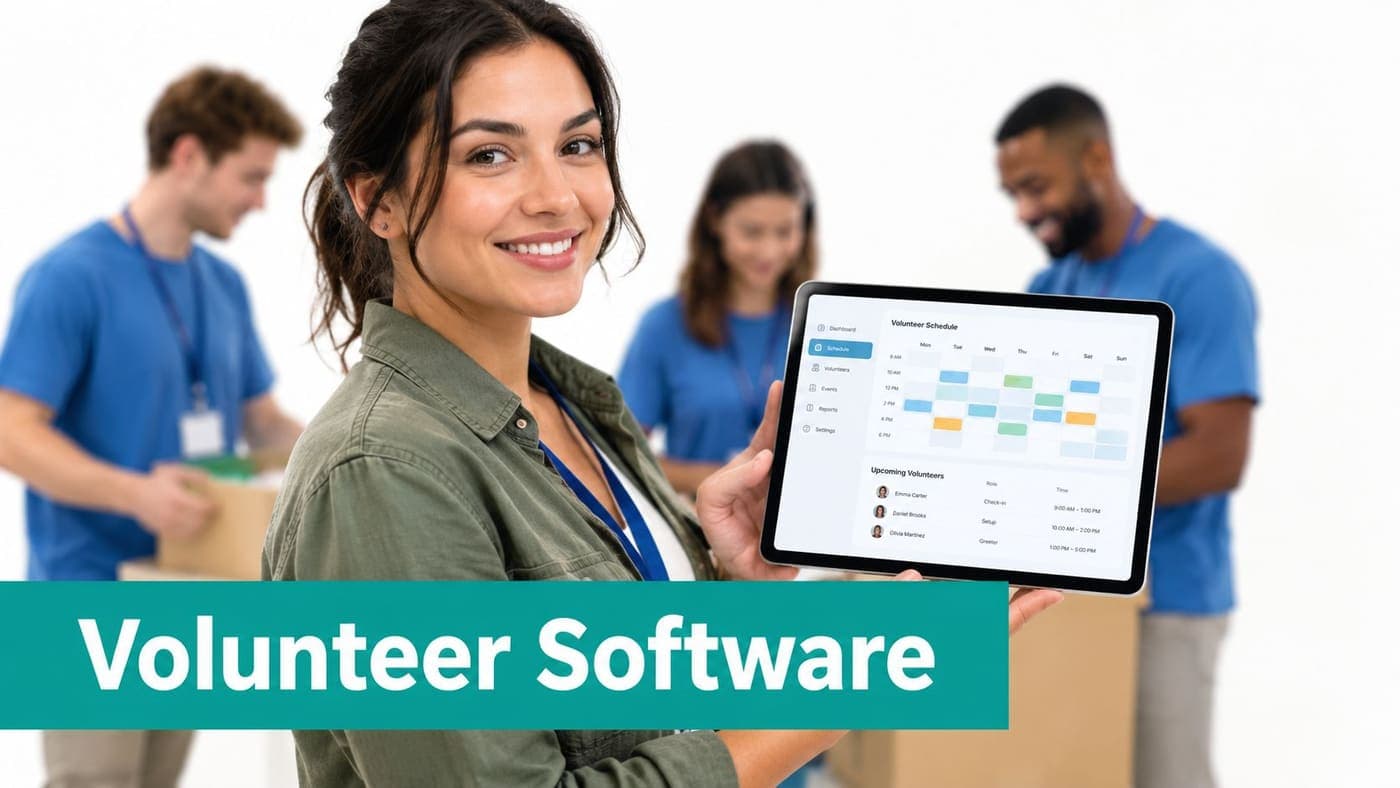
I usually see the fit most clearly in programs with moving parts. A food bank may need recurring shift coverage and attendance history. A hospital auxiliary may need role restrictions and supervisor approval. A school or church may need cleaner records for service verification, but still want volunteers to manage some of their own sign-ups. In all three cases, the gain is operational control first, and better hour logs second.
The trade-off is reporting effort. Dedicated volunteer systems are often more audit-ready than a basic form because they keep timestamps, approvals, and profile history in one place. They are less helpful once finance, development, or executive reporting enters the picture. Hours still need to be exported, mapped to programs, and reconciled with the rest of the organization's reporting structure.
That gap matters more for some organizations than others. A small nonprofit with one coordinator may accept monthly exports if scheduling relief is the bigger win. A growing program with grants, school credit forms, or board reporting may find that volunteer software solves one operational bottleneck while creating another downstream.
A practical test is simple. Choose dedicated software if you need stronger shift management, approval flow, and volunteer recordkeeping than a form can provide, and you can live with separate reporting work outside the system. Pause if your biggest need is cross-department reporting, since these tools usually stop at volunteer operations.
For hour logging itself, keep the setup disciplined. Use required fields for role, site, and supervisor. Capture actual time in and time out, not just a self-reported total. Set approval rules before launch, especially for school service hours or regulated settings. Those decisions do more for audit readiness than the software name on the invoice.
If you're comparing options in that middle tier, our comparison of VolunteerHub vs SignUpGenius vs Bloomerang vs Galaxy Digital is useful for sorting out what each system handles well, and where manual reporting still shows up.
4. Nonprofit-Specific All-in-One Platform Volunteer Hour Log
More software does not always mean better operations. For organizations that already juggle volunteer records, fund accounting, donor history, events, and board reporting in separate places, another standalone hour log often adds one more export to clean up.
An all-in-one platform works best when volunteer hours need to travel. The same entry may need to support a grant report, a restricted program summary, a donor engagement view, and a board packet. In that setup, the question is less about how volunteers submit time and more about whether staff can trust the record once it leaves the volunteer team.
Why integration matters more than another intake tool
A volunteer hour log template is still a data structure. One example template recommends one row for each service event, assigning a coordinator for follow-up, and marking hours as verified only after checking sign-in sheets or supervisor confirmation. From that same logged data, organizations can produce summaries such as total hours by activity type, hours by volunteer, and total hours and volunteers, as shown in this volunteer hours log template reference.
The difference is what happens after the entry is approved. If hours live in the same system as accounting and CRM records, staff spend less time reconciling names, programs, and date ranges across tools. A church can connect service to ministry reporting. A school can code tutoring hours to the correct restricted program. A growing nonprofit can review volunteer involvement alongside donor history and event participation without stitching together separate exports.
At AlignMint, volunteer hours sit in the same record as fund accounting and donor history, so one entry can support finance, development, and board reporting.
Best fit for growing complexity
This approach fits organizations that have outgrown simple collection problems and now face reporting problems. That usually shows up when one hour log feeds grant compliance, donor stewardship, church ministry reporting, school service verification, or fiscal sponsorship oversight.
Operational test: If the same volunteer hours must appear in finance, development, and board reports, keep them in one platform from the start.
There is a trade-off. All-in-one systems take more setup discipline at the beginning. Program codes, approval rules, and user permissions need to be defined clearly or the shared record creates confusion faster than a spreadsheet does. Small nonprofits with one program and light reporting may find that overhead unnecessary. Growing programs usually find the opposite. They spend more time every month fixing disconnects than they would spend setting up the structure correctly.
For teams that want to see how a connected record works in practice, our volunteer management feature page shows the volunteer side of that workflow. Some nonprofits also pair this transition with broader operational cleanup, such as rethinking pricing custom apparel for nonprofits when fundraising merchandise and volunteer records live in separate systems. That kind of review often exposes the same issue across departments. Staff know the information exists, but not in one place they can report from confidently.
5. Manual Paper-Based Volunteer Hour Log
Paper logs earn more trust than they deserve because they feel simple at the event. The cost shows up later, when staff have to read, verify, store, and re-enter every line.
That does not make paper a bad choice. It makes paper a narrow choice.
A manual log fits best at the earliest level of operational maturity. One site. One shift window. One staff member or volunteer lead watching sign-in happen in real time. Churches running a Saturday workday, schools tracking a single service event, and small nonprofits hosting a one-location distribution often do fine with a clipboard and a standard sheet. In those settings, audit readiness is decent because the supervisor saw the people in the room, but reporting effort is high because the record still has to be turned into something sortable.
The practice guidance is straightforward. Track hours by person and by day, note the skills used, assign one person to collect the information, and keep the method simple enough to complete before the shift ends, as noted by the MetroWest Volunteer Management Capacity Building Project guidance.
That advice explains why paper survives.
It also explains why paper stalls out once the program grows. The second site, makeup shift, off-site service day, or monthly board summary is usually where the method starts breaking down. A binder works as a sign-in tool. It does not work well as a reporting system for hours by campus, grant, age group, or volunteer role.

The trade-off is clear:
Paper is easy to launch and easy for less technical volunteers to use. Paper is harder to audit once forms leave the room, and it creates the most staff reporting work of the six options in this article.
That matters for different organizations in different ways. A small historical society may accept the extra admin time because volunteer volume is modest. A school that needs parent service verification by deadline may find paper risky because one missing sheet creates avoidable conflict. A growing nonprofit with multiple programs usually outgrows paper before leadership admits it, because every report depends on someone typing yesterday's handwriting into today's spreadsheet.
Paper can also create confusion about what volunteer hours are for. The IRS says volunteer time cannot be reported as a contribution on Form 990 Schedule A, though it may be described in Form 990 Part III, and organizations should make a reasonable estimate of the number of volunteers who did any type and amount of volunteer work during the tax year. So the log supports internal accountability, service reporting, and narrative disclosure. It does not create a tax-deductible dollar value for donated labor.
Teams in other fields run into the same attendance and verification problems. The pattern is familiar in youth and school programs too, which is why this guide to an attendance app for coaches feels relevant even outside nonprofits.
If a team stays on paper for now, set guardrails that reduce cleanup later:
- Use one preprinted form for every event.
- Require printed names, not signatures alone.
- Have a supervisor review missing times before anyone leaves.
- Transfer entries into a digital file on the same day.
- Store completed sheets by event date and program, not in one mixed binder.
Paper works best as a controlled frontline intake method. For any organization that needs faster summaries, cleaner audits, or cross-program reporting, it should be treated as a temporary stage, not the final system.
6. Hybrid Approach With Spreadsheet and Volunteer Self-Service Portal
The hybrid model is often the most honest transition stage. Volunteers submit through a portal, but staff still reconcile everything in a spreadsheet.
For many nonprofits, churches, and schools, this is a sensible middle ground. You reduce data-entry friction for volunteers without forcing a full software change all at once.
Why hybrid is appealing
A regional nonprofit with several local programs might keep accounting in one system, volunteer records in another, and reporting summaries in Excel. A school may use a self-service portal for parent volunteer entries, then review and sort hours by campus program. A service organization can collect submissions centrally without giving broad file access.
This approach also fits that one generic log rarely serves every context. Guidance on volunteer logs points to variants for schools, colleges, organization-wide logs, and volunteer programs, while also highlighting common fields such as program area, activity notes, supplies donated, people served, skills, and supervisor confirmation in this discussion of volunteer hour log design. The hard part is deciding what must be required versus optional when multiple programs and approval chains are involved.
The hidden cost is process discipline
Hybrid systems don't fail because the tools are bad. They fail when no one owns the export schedule, reconciliation checklist, or approval rules.
Keep the portal simple for volunteers. Keep the reconciliation process strict for staff.
If you choose this route, define your minimum fields early. For many teams, that means volunteer identity, service date, start time, end time, program, activity, location, supervisor, and approval status. If you reimburse mileage or support vehicle-related deductions, the IRS says volunteers need written records of the miles driven, dates, the charity's name, and a description of the volunteer work that required the vehicle. The same IRS material says both the charity and the volunteer need records supporting a return entry for three years after the return is filed.
A hybrid setup is workable when someone documents the monthly process clearly and others can cover it. If you're building around self-service, our volunteer portal documentation shows the kind of workflow many nonprofits want before they move to a more connected system.
Volunteer Hour Log Templates, 6-Option Comparison
| Solution | Core features | UX & reporting | Integration & compliance | Best for & price |
|---|---|---|---|---|
| Basic Spreadsheet Volunteer Hour Log | Manual columns (name, date, hours, task), offline, sharable file | Low-tech, error-prone, manual summaries, slow reconciliation | No integrations, poor audit trail, hard to tie to grants | Very small teams, free |
| Cloud-Based Form (Google Forms / Typeform) Volunteer Hour Log | Web form, auto timestamps, validation, mobile-friendly | Easier data entry, basic timestamps, limited built-in reports | Exports to sheets, still manual reconciliation with finance | Small orgs, free–~$15/month |
| Dedicated Volunteer Management Software (VolunteerHub, InitLive) | Profiles, skills, scheduling, bg checks, portals, reporting dashboards | Strong volunteer UX, automated reminders, good attendance reports | Good volunteer features but limited finance/donor integration; exports required; per-seat pricing | Mid–large orgs with 100+ volunteers; $2–$5/volunteer/mo (typical) |
| Nonprofit-Specific All-in-One Platform Volunteer Hour Log (AlignMint Model) | Self-service portal, skills & bg checks, auto allocation to programs/funds, real-time dashboards, Minty AI | Automated Form 990 & grant reports, real-time capacity insights, huge admin time savings | Native fund accounting + donor CRM + bank feeds, audit-ready, bank‑level security | Recommended for nonprofits of all sizes; everything included, free tier for orgs raising ≤$100K/yr |
| Manual Paper-Based Volunteer Hour Log | Physical logbook, handwritten sign-in/out | Very high error rate, illegible entries, slow transcription | No integrations, weak audit trail, high grant/compliance risk | Very small/traditional sites, free |
| Hybrid Approach: Spreadsheet + Volunteer Self-Service Portal | Simple portal + spreadsheets, exportable data, notifications | Better than pure spreadsheets, volunteer visibility, but 8–12 hrs/mo reconciliation | Partial integration; portal → manual matching to accounting; moderate audit risk | Growing orgs not ready for full integration; moderate/variable cost |
Choose the Log That Matches Your Next Reporting Cycle
The best volunteer hour log template is the one your team will maintain through close, reporting, and review. If your program is small, stable, and local, paper or a spreadsheet may still be enough. If your biggest issue is scattered submissions, a form is often the cleanest next step.
Once scheduling, role management, and approvals become more complex, dedicated volunteer software can be a reasonable move. Tools like VolunteerHub and InitLive are good at volunteer operations. They can be the right fit if your main challenge is coordinating people, shifts, and compliance tasks inside the volunteer function itself.
The bigger shift comes when volunteer hours need to connect with fund accounting, donor management, grants, online giving, church or school reporting, team communication, and board packets. That's when a disconnected log starts costing more in staff time than it saves in simplicity. An integrated platform can reduce that monthly rework because the same record supports more than one team.
No matter which path you choose, customize the template around a short set of fields you know you'll need later. In most organizations, that means volunteer identity, date, start time, end time, total hours, program, location, activity, supervisor approval, grant or fund code, and notes. Keep mandatory fields lean enough for volunteers to complete accurately, then add optional fields only when they serve a real reporting need.
At AlignMint, we built our platform around that operational reality. We combine true fund accounting, donor CRM, volunteers, events, marketing, AI assistance, and team communication in one system, and we offer a free tier for nonprofits under $100K. That matters if you're tired of moving the same volunteer data across several tools just to finish a month-end report.
If you're evaluating your next step, start smaller than you think. Pick one template, one program, and one complete reporting cycle. Then decide whether the system helped you collect cleaner data, verify hours faster, and answer your board or funder questions without rebuilding the numbers by hand. You don't need a perfect setup on day one. You need one your team can trust by the time the next report is due. For more on the connected approach, see our volunteer management page, our post on volunteer registration software for nonprofits, and our comparison of VolunteerHub, SignUpGenius, Bloomerang, and Galaxy Digital.
If you're trying to reduce reconciliation work, AlignMint brings volunteer tracking, donor records, fund accounting, events, marketing, and team communication into one place. Nonprofits under $100K can start on our free tier, and growing teams can keep plan-based access without per-seat fees. See whether that fits your reporting cycle at AlignMint.
Ready to see how AlignMint fits your workflow?
Schedule a free walkthrough — we will help you map donors, funds, and migration steps.