

The last day of the month arrives, and your inbox fills with bank statements, donation reports, unpaid bills, and questions from the board. Your Excel workbook shows a zero difference, but you still wonder whether restricted gifts, outstanding checks, bank fees, and donor records were coded correctly.
A sound bank reconciliation Excel process can give you more than a matching balance. It can create a clear trail from each bank transaction to your ledger, fund, supporting document, reviewer, and final report.
Quick Answer: Excel Bank Reconciliation
An Excel bank reconciliation can document cash if each difference has an owner, evidence, and a fund. A zero difference is not finished until restricted deposits still match their purpose.
Start with fund accounting and why bank reconciliation is important. For the monthly close, see the bank reconciliation process.
Why Month-End Spreadsheets Create Hidden Risk
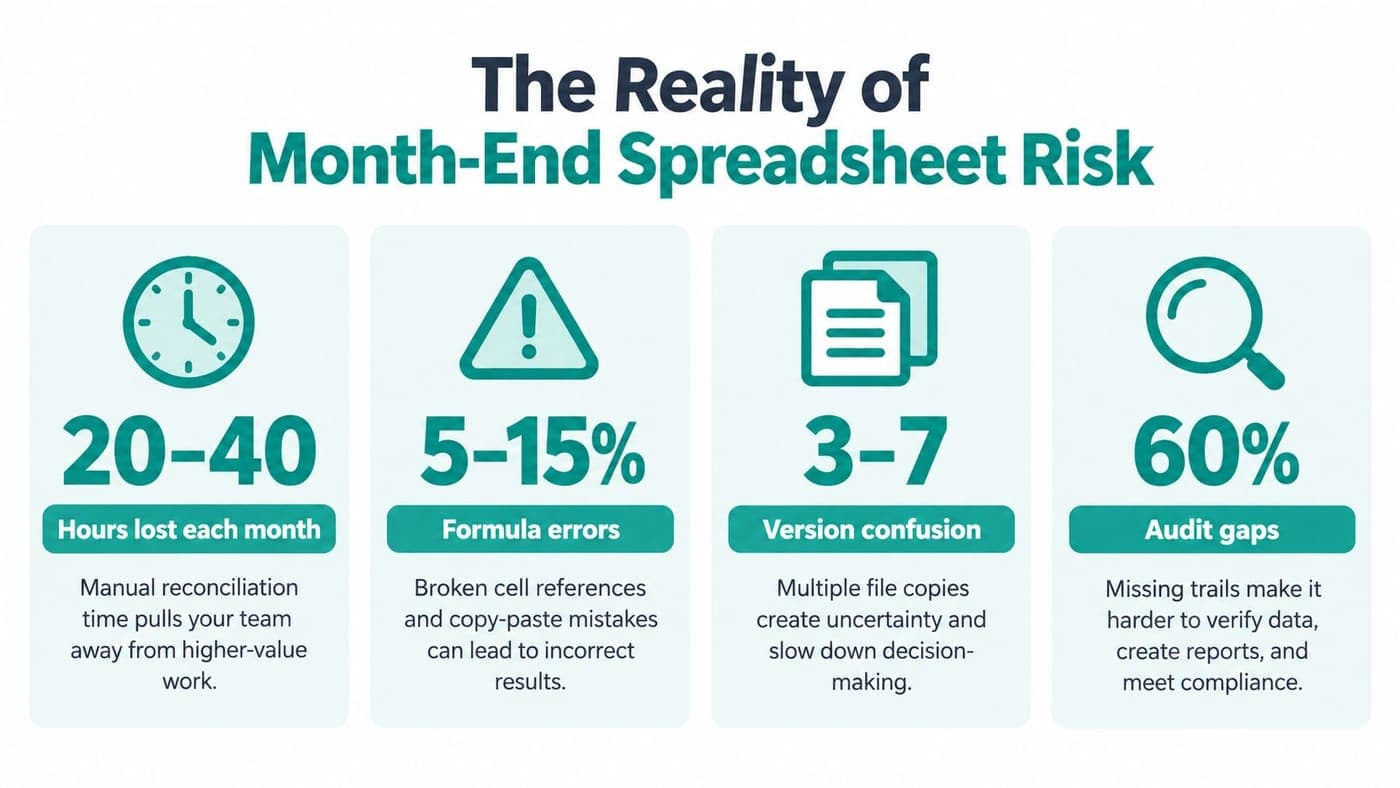
At month-end, the operating account may appear straightforward until one deposit combines several donor gifts, a payment clears in a later period, or a copied formula points to the wrong range. The visible task is matching bank activity to the ledger. The harder work is preserving donor intent, fund restrictions, and a reliable audit trail inside the workbook.
Excel works well for transparent, low-volume reconciliation. Risk rises when one file holds imported transactions, formulas, matching rules, exception flags, adjustments, and multiple worksheets without clear ownership or controls.
A systematic review presented to the UK Parliament reported undetected errors in approximately 0.5% of simple mechanical actions and about 5% of complex logical work, or roughly one error in every 20 operations. The review examined 15,770 spreadsheets from the Enron email archive and found errors in 24% of them, with 5% containing more than 100 errors. The UK Parliament review also reported that the most problematic file contained 83,273 errors.
Why a zero difference isn't enough
A balanced workbook can still contain a duplicate gift, a missing deposit, or a payment assigned to the wrong fund. Equal and offsetting errors may cancel in the final difference, particularly when review stops at the balance.
Research on operational spreadsheets reported an average cell error rate of 5.2% across 43 spreadsheets, with 94% of 88 spreadsheets containing at least one error. Results vary by study, so these figures do not establish a universal failure rate. They do show why locked formulas, independent review, version naming, documented adjustments, and tie-outs matter. The spreadsheet reliability review provides the underlying discussion.
Practical rule: Treat Excel as a controlled financial document that deserves the same review discipline as your ledger.
A consistent close calendar gives staff a defined sequence for collecting files, recording exceptions, and obtaining approval. Use this month-end close checklist with your existing procedures. A nonprofit leader reviewing account structures and banking responsibilities may also consult Bidwell's banking services hub.
Setting Up a Defensible Excel Workflow
The best workbook makes every stage visible. Separate the original data from the formulas that transform it, then keep matching, exceptions, and sign-off in their own areas.

Start with four controlled stages
-
Preserve the source files. Import the complete bank statement and general-ledger extract for the identical account and period. Keep beginning and ending balances, statement dates, row counts, and debit or credit totals visible. Don't type over the raw imports.
-
Normalize in new columns. Create separate fields for usable dates, debit and credit signs, transaction IDs, descriptions, fund, program, and cleared status. Validate that dates are real dates and amounts are numeric. Blank or text amounts should become data-quality exceptions, not silent zeros.
-
Match in defined tiers. Begin with exact date, amount, and reference. Then try exact amount within a documented processing-date window. Use controlled fuzzy or one-to-many matching only for exceptions, such as a bundled donor deposit.
-
Build the reconciliation bridge. Calculate bank ending balance, plus deposits in transit, less outstanding payments, plus or minus bank-originated items and errors, to reach the ledger cash balance. Keep a separate exception register with the unmatched item, amount, age, owner, explanation, and resolution status.
Keep the workbook readable
Use separate areas for bank data, ledger data, reconciliation calculations, exceptions, and controls. Excel Tables with structured references are safer than fragile copied ranges, particularly when a new row arrives during a busy close.
Your control sheet should confirm the prior-period roll-forward, statement-to-bank tie-out, ledger-to-trial-balance tie-out, population completeness, journal-entry posting, and independent review. A simple variance schedule can help you track bank statement variances without mixing investigative notes into the raw statement.
For your chart of accounts, a practical nonprofit chart of accounts template can help separate fund, program, restriction, and functional expense fields before reconciliation begins.
Navigating Restricted Funds and Donor Intent
A matched deposit proves that cash reached the bank. It doesn't prove that your organization can spend the cash for any purpose.
Suppose one deposit combines a restricted grant, donor-designated program support, and unrestricted gifts. The bank sees one amount. Your board, grant manager, and auditor need to see the underlying funds, restrictions, permitted uses, and remaining balances.
Track the purpose behind each deposit
The IRS states that funds without donor-imposed restrictions belong in the unrestricted category, even when the board later designates or appropriates them for a purpose. The IRS also requires fundraising expenses, including allocable overhead, to appear in the fundraising column of Part IX. The Form 990 instructions therefore matter beyond tax filing. They shape how your reconciliation connects cash activity to reporting.
Your transaction-level schedule should include:
- Donor or grant source: Identify who provided the funds and retain supporting documentation.
- Restriction description: Record the permitted program, project, scholarship, capital purpose, or time period.
- Fund and program: Connect the bank transaction to the internal fund and responsible program.
- Amount received and spent: Show the movement, not merely the original deposit.
- Remaining balance: Calculate what remains available under the restriction.
- Release support: Link eligible spending and any release from restriction to approval records.
A separate bank account isn't required for restricted money, but your accounting records must make the restricted balance, eligible spending, and release traceable. That distinction separates bank reconciliation from fund accounting. The first confirms that recorded cash agrees with the bank. The second explains who may use that cash and why.
Guard against cross-period confusion
A check can be approved and recorded as a liability in one month, clear the bank in the next, and appear on a later statement. Without a dated outstanding-items register, the same check may remain on multiple tabs or be cleared incorrectly.
Your restricted funds guidance should sit near the workbook instructions, not in a forgotten policy folder. Add a fund-level allocation check to the close, then ask whether every restricted payment has a permitted purpose and supporting document.
A reconciliation that balances but misstates restricted availability can mislead the board and create problems during grant reporting. Review the cash bridge and the fund schedule as related, but separate, controls.
Building Strong Internal Controls and Review
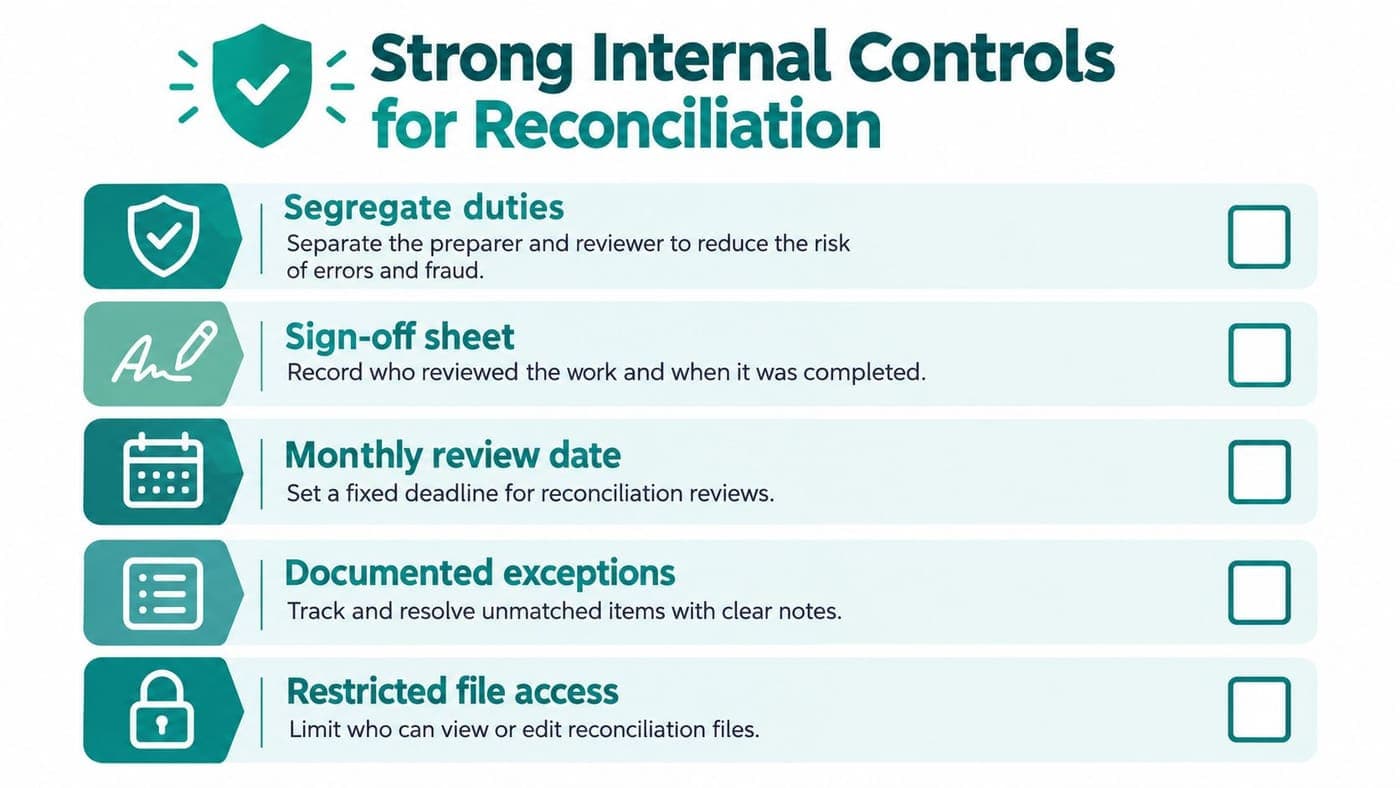
A balanced workbook is only half of the control. The other half is evidence showing who prepared it, who reviewed it, which exceptions remained open, and what happened afterward.
The OCC describes internal-control expectations around information-processing controls that protect the integrity of books and records, together with independent testing of accuracy. Its guidance supports a workflow that separates preparation, review, exception resolution, and approval. The OCC internal-control handbook offers useful background for designing those responsibilities.
Build the review around evidence
Your sign-off sheet should record the account, period, preparer, reviewer, preparation date, review date, approval status, and unresolved exceptions. The reviewer should reperform the balance bridge, inspect a risk-based sample of matches, and verify all material or aged items.
The exception register deserves equal attention. Include the transaction date, amount, description, fund, owner, explanation, next action, and resolution status. Old unexplained items can conceal duplicate payments, unrecorded fees, stale checks, or incorrect revenue recognition.
A zero difference is a result, not proof that the process worked.
Lock raw-import ranges and formula cells. Limit editing rights to appropriate staff, preserve prior-period files, and use a consistent naming convention that includes the account and reporting period.
Cover every account and revenue channel
Small nonprofits often reconcile the operating account but overlook payroll, restricted cash, investment, merchant-service, credit-card, and program accounts. Credit-card and ACH gifts may sit in clearing accounts before reaching the bank, so donor revenue can remain incomplete even when the main account balances.
Use a close calendar and account coverage matrix to show that each account received attention. Record actual volunteer hours separately from scheduled shifts, including assignment, date, hours, location or online status, supervisor approval, and relevant screening information. AmeriCorps and the U.S. Census Bureau reported that 75.7 million Americans aged 16 and older, or 28.3% of that population, formally volunteered through an organization between September 2022 and September 2023. About 18%, approximately 13.4 million people, served partly or entirely online, according to the AmeriCorps and Census reporting summarized here.
For a documented record of changes and approvals, use an audit-log convention that your finance team can follow without technical training.
Considering an All-in-One Alternative
Excel gives you flexibility, visibility, and low upfront cost. It works well when transaction volume is manageable, the workbook has clear ownership, and another person can review the work consistently.
The trade-off is maintenance. Your team must protect formulas, import statements, manage donor records, preserve fund balances, update volunteer information, and connect reconciliation results to board reporting. Separate tools can handle each job, but staff then maintain multiple records and repeated exports.
Compare the operating choices
| Approach | What works well | Where it demands care |
|---|---|---|
| Structured Excel | Familiar, inspectable, adaptable for low-volume accounts | Manual imports, version control, restricted-fund tracking, and sign-off |
| Accounting software | Ledger management and financial reporting | May need separate donor, volunteer, event, or marketing systems |
| Integrated nonprofit platform | Shared accounting, donor, volunteer, event, and marketing records | Requires careful setup, permissions, and process decisions |
Business Central is another option worth understanding when comparing broader business systems. This overview of what Business Central does for SMBs can help clarify how a general business platform differs from nonprofit-specific needs.
AlignMint is an all-in-one platform with true fund accounting, donor management, volunteer management, events, marketing, and bank reconciliation in one environment. It offers a free tier for nonprofits under $100K, plan-based access without per-seat fees, online giving pages, a built-in marketing suite, and Minty AI for questions about your operational data. Its accounting model is designed to connect restricted funds, grants, and programs rather than treating them as simple QuickBooks classes. You can review its fund accounting features when deciding whether your current workbook still fits your governance needs.

The right decision isn't about replacing Excel because software sounds modern. It is about whether your team can keep cash, donor intent, fund reporting, volunteer records, and review evidence aligned as responsibilities grow.
Taking the Next Step Toward Financial Clarity
Start with the account that causes the most month-end uncertainty. Preserve the raw statement, create a separate ledger extract, add fund and restriction fields, and document every unmatched item.
Then assign a preparer and reviewer, confirm the bridge, test the fund allocation, and record the approval. Repeat the process for every bank and clearing account, not only the account your board sees first.
A disciplined bank reconciliation Excel workflow can provide dependable visibility when the workbook remains controlled. If manual imports and disconnected records prevent timely review, evaluate a unified approach that connects accounting, donor management, volunteers, events, marketing, online giving, and team communication.
AlignMint brings true fund accounting, donor and volunteer records, bank reconciliation, online giving pages, marketing tools, and Minty AI into one nonprofit platform. Visit AlignMint to see whether it can give your team clearer restricted-fund reporting and a more manageable month-end close.
Ready to try AlignMint with your nonprofit?
Start free — set up donor tools, giving pages, and Minty. Upgrade when you need accounting.