

Bank Reconciliation Process Guide 2026
You open the monthly bank statement and find that it doesn't match the cash balance in your accounting system. A grant deposit is missing, an old check remains outstanding, and a bank fee has no obvious home. The right bank reconciliation process helps you resolve those differences while confirming that restricted gifts, grants, and sponsored-project funds are recorded correctly.
Quick Answer: The Bank Reconciliation Process
A nonprofit bank reconciliation process compares bank activity with ledger cash, then checks that deposits landed in the right restricted or unrestricted fund. Matching only the cash total leaves donor-intent and grant classification unfinished.
Use bank reconciliation with fund accounting. For software, compare bank reconciliation software.
What Bank Reconciliation Actually Means for Your Nonprofit
Bank reconciliation is the process of comparing your organization's recorded cash activity with the transactions and balance reported by the bank. You're checking whether deposits, withdrawals, fees, interest, transfers, and checks appear correctly in both records.
That sounds straightforward until nonprofit accounting enters the picture. A commercial business may focus mainly on whether cash and profit figures are accurate. Your organization also needs to show donors, grantors, board members, and the IRS how each dollar was received, spent, and classified.
Suppose a donor gives money restricted to a youth program. The cash may arrive in your operating account alongside unrestricted donations. Reconciliation confirms that the deposit reached the bank, while your accounting records confirm that the money was assigned to the correct restricted fund. Both checks matter.
Practical rule: Reconcile the bank balance and the fund classification. Matching only the cash total leaves an important control unfinished.
Think of reconciliation as a monthly inventory of every dollar that came in and went out. You compare the bank's record with your ledger, identify legitimate timing differences, correct missing entries, and investigate anything that doesn't make sense. The reconciliation definition provides the basic accounting meaning, but nonprofit teams need to take the idea further.
Why the routine protects trust
The process gives you evidence that reported cash exists and that transactions were recorded in the right places. It can also reveal duplicate payments, unauthorized transfers, stale checks, or a donor gift coded to unrestricted funds by mistake.
A clean reconciliation supports reliable board reporting and reduces unpleasant surprises during a grant review or audit. It also gives your staff a dependable starting point for the next close, instead of carrying unexplained differences forward.
Reconciliation doesn't create financial integrity by itself. It does create a regular point where someone compares independent records, documents exceptions, and confirms that the accounting system reflects what happened.
Your Pre-Reconciliation Checklist Before You Start
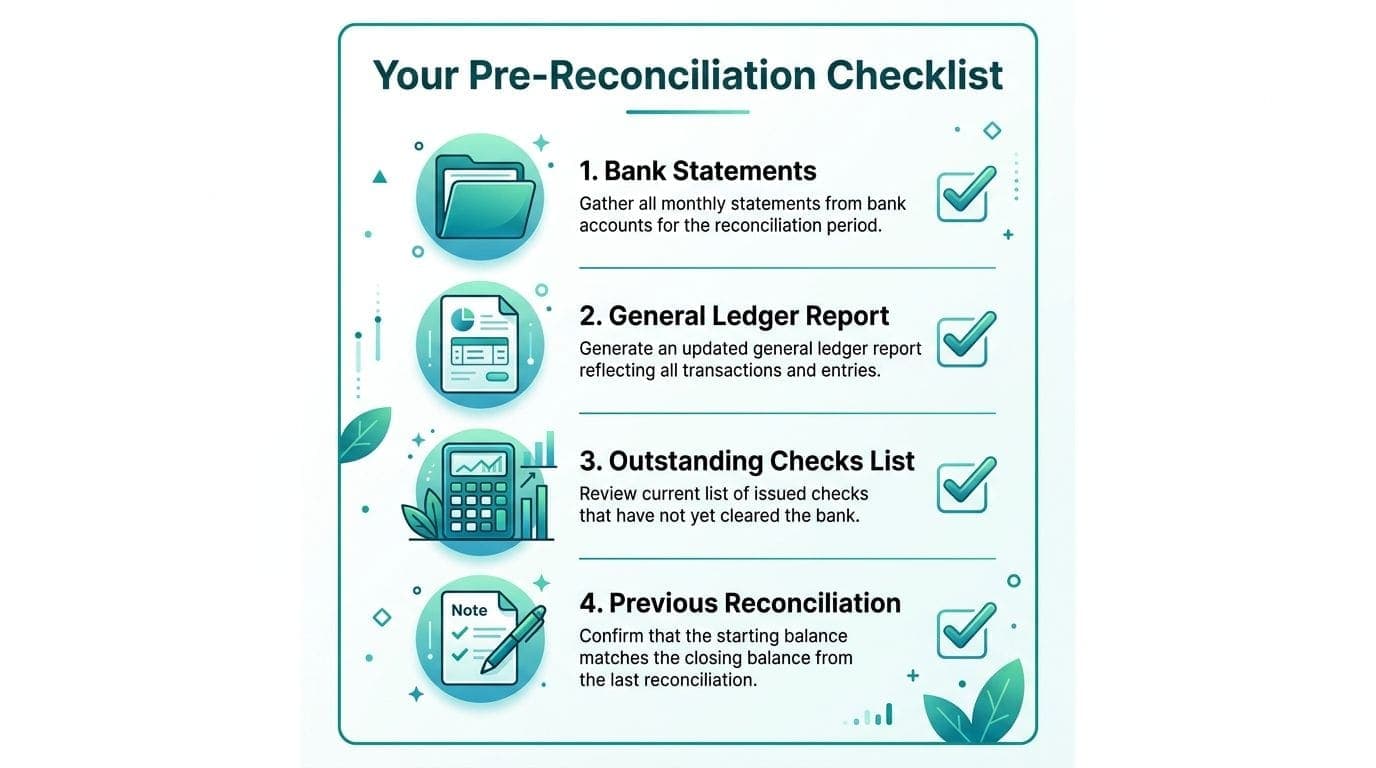
The fastest reconciliation sessions begin before anyone starts matching transactions. Gather the source records first, then work from one organized folder or accounting workspace. That simple preparation prevents repeated searches through email, spreadsheets, bank portals, and grant files.
Gather the core records
Pull these documents for the same statement period:
- Bank statement: Use the complete statement, including cleared checks, deposits, fees, interest, transfers, and the ending balance.
- General ledger cash detail: This shows what your accounting records say happened, including transaction dates, references, accounts, and fund assignments.
- Outstanding checks list: Start with checks recorded in the ledger but absent from cleared bank activity.
- Deposit records: Include deposit slips, online giving batches, processor reports, and other evidence supporting receipts.
- Chart of accounts: Keep the account structure available so you can correct entries without guessing.
- Previous reconciliation: Review unresolved items before investigating new differences.
Your nonprofit may need additional records. Pull grant expenditure reports, donor-restricted gift records, and project ledgers when grants or fiscal sponsorship are part of your operations. These documents help you distinguish a cash timing issue from a fund-accounting error.
The month-end close checklist can help your team keep these materials available throughout the month. Waiting until close to locate every supporting record turns ordinary bookkeeping into a stressful reconstruction exercise.
Arrange the steps for fewer interruptions
Put the bank statement and ledger detail side by side, preferably using matching date ranges. Keep payment processor reports near the related deposits, and group grant or sponsored-project support by fund.
Assign clear responsibility before beginning. The person preparing the reconciliation should know who can approve a journal entry, answer a grant question, or confirm an unusual transfer. That preparation makes the actual review more focused and leaves a clearer trail for the reviewer.
The Bank Reconciliation Process Step by Step
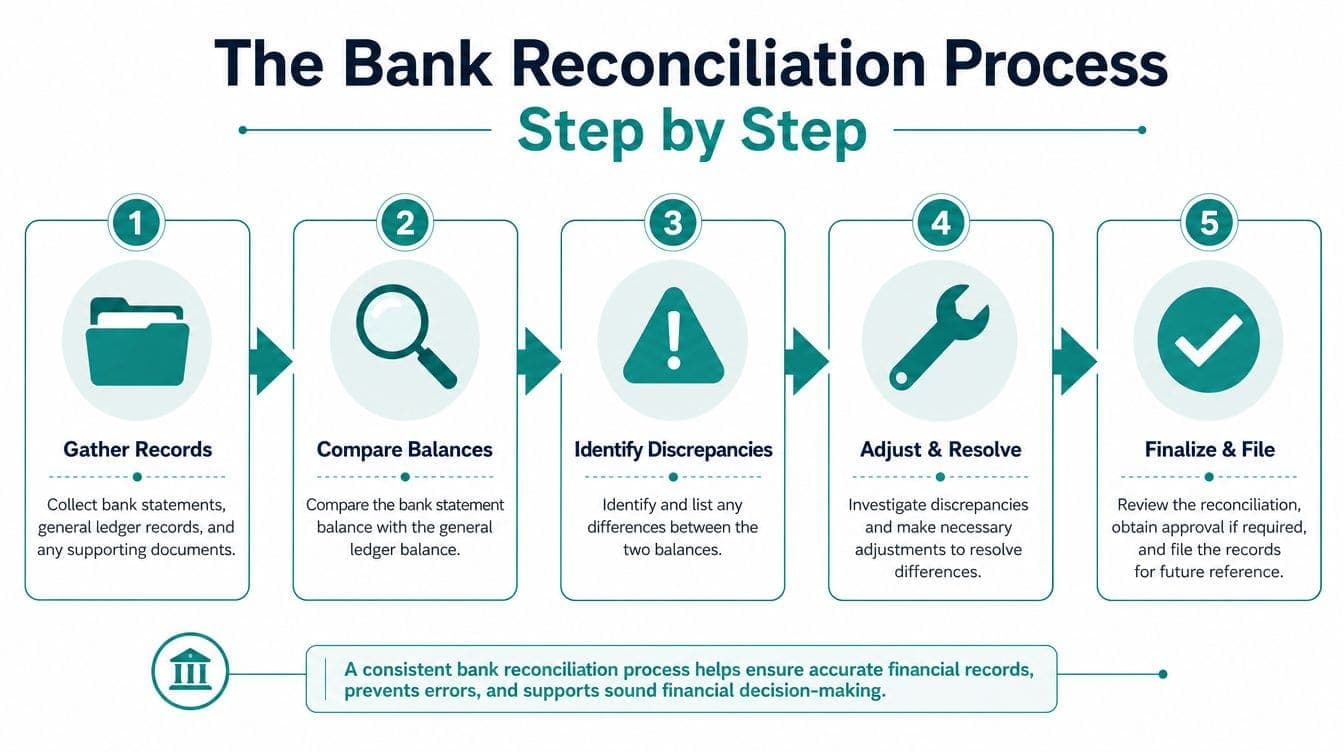
A reliable workflow follows a fixed sequence. The bank reconciliation workflow describes the accounting task, but your nonprofit process must also test fund coding, grant classification, and project ownership.
Start with matching records
Pull bank activity and general ledger cash detail for exactly the same period. Compare each transaction by amount, date, and reference, rather than relying only on similar descriptions.
Mark items that appear in both records. Then separate transactions appearing in only one record. Deposits in transit, outstanding checks, and bank-originated fees commonly explain differences without indicating an error.
Next, inspect the nonprofit coding. A cleared restricted gift should carry the right restricted-fund assignment. A grant expenditure should include the correct program or project code. If a payment processor combines several gifts into one deposit, use the processor report to connect the bank amount with the underlying donor and fund records.
Resolve timing items and book-originated entries
Timing differences belong on a documented reconciliation schedule. A deposit may appear in your ledger before the bank processes it, while a check may remain uncashed after you record the payment.
Bank-originated items usually require journal entries. Record fees, interest, returned items, or other transactions that appear on the statement but aren't yet in the ledger. Review the offset account carefully, because a correct cash adjustment can still create an incorrect fund balance.
Restricted funds don't generally require separate bank accounts. Guidance from Nonprofit Accounting Basics on restricted funds explains that restrictions are normally tracked in accounting records rather than separate cash accounts. Your reconciliation should therefore tie the bank balance to the ledger's restricted and unrestricted fund balances, not expect every restriction to have its own bank bucket.
Handle fiscal sponsorship inside consolidated books
Fiscal sponsors face another layer of review. One sponsor-controlled account may hold cash for several sponsored projects, while the books track each project through restricted funds.
For every cleared item, verify source, restriction, and project assignment. Confirm that project revenue and expenses sit under the correct restricted structure, then check that the consolidated records support the sponsor's broader reporting. Social Impact Commons describes this model through fiscal sponsorship resources, where sponsored-project activity is managed within the sponsor's accounting and compliance framework.
Finish with evidence and approval
Once the difference is explained, post necessary entries, update the reconciliation schedule, and confirm that the adjusted book and bank balances agree. Don't erase an unexplained item just to make the screen balance.
Age unresolved items and escalate older exceptions. The recommended workflow calls for explanations for items older than 30 days, with reviewer sign-off and supporting evidence outlined in this reconciliation guidance.
Save the statement, transaction detail, reconciling-item list, journal-entry support, and approval evidence together. A reviewer should be able to understand what changed without asking the preparer to reconstruct the entire session.
Common Discrepancies and What to Do About Them
Most differences fall into recognizable categories. The important judgment is deciding whether the item reflects normal timing, incorrect coding, missing data, or activity requiring investigation.

| Discrepancy Type | Likely Cause | How to Fix It |
|---|---|---|
| Deposit in transit | A recorded deposit hasn't cleared the bank | Confirm the deposit record, retain support, and monitor it until clearing |
| Outstanding check | A recorded check hasn't been presented | Confirm the payee and amount, then follow up on aging items |
| Bank fee or interest | The bank posted an item your ledger doesn't include | Record the appropriate journal entry and verify its fund or program treatment |
| Restricted gift misclassified | A donor-restricted receipt entered as unrestricted | Correct the fund assignment and preserve the donor documentation |
| Grant drawdown missing from books | The bank received money while accounting records stayed incomplete | Match the deposit to the grant report and post the receipt under the correct fund |
| Duplicate processor entry | A bank feed and manual import captured the same activity | Remove or reverse the duplicate after checking the source records |
| Missing feed transaction | A bank, processor, or accounting connection failed to sync | Compare source reports, import the missing activity, and document the outage |
| Unrecognized transfer | An unauthorized or poorly described movement of cash | Pause approval, investigate the source, and escalate according to policy |
Separate timing from a real mistake
A nonprofit team may see a grant deposit in the bank but not in the ledger. The first question isn't whether the bank is wrong. Check the grant drawdown report, deposit reference, and fund assignment before posting anything.
A different problem occurs when the amount exists in the ledger but the bank shows a different transaction. That can indicate a duplicate, an incorrect amount, a stale check, or a payment that used a different account than expected.
Cross-system gaps deserve special attention. Bank feeds, online giving platforms, payment processors, subsidiaries, and project ledgers may post on different schedules. Missing synchronization can look like a bookkeeping error, while duplicate imports can create a false cash position. Treat the source trail as part of the reconciliation, not as an optional extra.
Internal Controls and Audit-Ready Practices
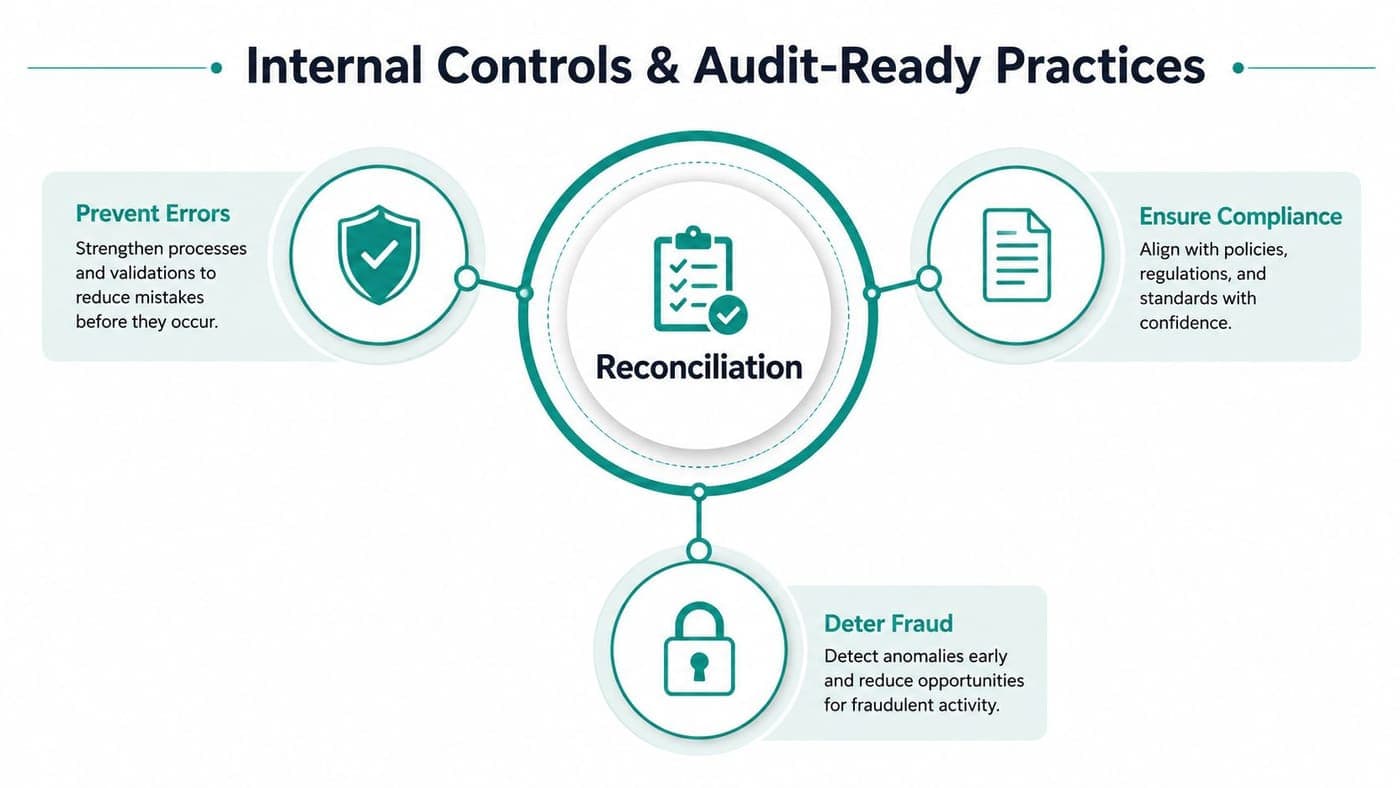
Reconciliation becomes valuable when another person can rely on the work. That requires separation, documentation, and a consistent deadline rather than a last-minute balancing exercise.
The person initiating payments shouldn't also reconcile and approve the same account. Separating those responsibilities reduces the chance that an error or unauthorized transaction passes without challenge. For a small nonprofit, complete separation may not be practical, but independent review still is.
A board treasurer or finance committee member can review completed reconciliations. A second-signer requirement for checks can add another checkpoint, provided the signer reviews the payment rather than treating approval as a formality.
Set a dependable close rhythm
A widely used control standard is completing reconciliation within five to seven days after month-end, particularly in government and public-sector accounting settings. New York State guidance, referenced in Oracle NetSuite's bank reconciliation documentation, connects that timing with asset protection, accounting accuracy, timely reporting, and segregation of duties.
Your reconciliation file should identify the preparer, reviewer, period, balances, reconciling items, journal entries, and unresolved exceptions. Require a written explanation when an item remains open beyond your policy threshold, and keep evidence with the reconciliation rather than in a separate personal folder.
Small-team workaround: If one employee handles deposits and ledger entry, assign an independent reviewer who checks the bank activity, unusual items, and fund coding.
Protect reporting downstream
Clean cash records support more than the balance sheet. They feed grant reporting, donor communication, board decisions, and annual compliance work. They also protect the details needed for functional expense reporting.
U.S. nonprofit reporting rules under FASB ASC Topic 958 require the relationship between functional expenses and natural expenses. Functional categories commonly include program, management and general, and fundraising. Natural categories include salaries, rent, utilities, supplies, interest, and depreciation, as described in this guidance on the Statement of Functional Expenses.
Your reconciliation file should preserve transaction-level coding that supports those classifications. The totals in the functional-expense matrix must tie back to the ledger and the statement of activities, so correcting cash without correcting fund or function coding leaves the reporting problem unresolved.
For organizations handling federal awards, consistent controls also support preparation for a Single Audit. The practical benefit is less scrambling because your evidence already shows who reviewed what, when, and why.
Bank Feeds and Automation That Actually Help
Automation can remove repetitive matching, but it can't decide whether a restricted gift belongs to the right fund or whether an unusual transfer deserves escalation. The most useful systems reduce routine work while keeping exceptions visible and reviewable.
Industry benchmarks cited in 2026 reporting place manual transaction workflows in a 1% to 8% error range, while AI-assisted reconciliation brings errors below 0.5% and reduces reconciliation time by about 70%. The same reporting gives an example where 500 transactions move from roughly 3.5 hours to about 1 hour with AI assistance, as detailed in this 2026 reconciliation automation analysis.
Those figures don't mean you should hand judgment to software. Automation changes the job from matching every routine item to reviewing exceptions, confirming fund assignments, and following up on unresolved activity. A dependable setup standardizes and maps inputs first, applies deterministic matching before heuristic or AI rules, and keeps automatic matches separate from manual exceptions.
Choose the system around your actual work
Look for bank feeds that sync reliably, clear exception queues, and preserve an audit trail. Fund accounting should track restrictions natively, rather than forcing your team to recreate them through QuickBooks classes or spreadsheets.
Your broader platform should connect accounting with donor management, volunteers, events, marketing, online giving pages, and team communication. That reduces the handoffs that create missing or duplicated transactions. AlignMint offers bank-feed reconciliation, fund tracking, and reporting within an all-in-one nonprofit platform, with plan-based access and no per-seat fees. On Pro and Enterprise, AlignMint imports bank transactions through Plaid from thousands of U.S. banks and credit unions.
If your team needs accounting capacity before adopting new software, you might also hire a remote bookkeeper who understands nonprofit fund coding and reconciliation review. The right person can improve the control process, while the wrong arrangement only moves spreadsheet confusion to another location.
Use the bank connection documentation to review how feeds enter your records and where exceptions require attention. AlignMint also has a free tier for nonprofits raising under $100K per year, which gives smaller organizations a way to assess an integrated approach without committing to a large software project.
AlignMint brings true fund accounting, donor and volunteer management, events, marketing, online giving, team communication, and bank reconciliation into one platform. Visit AlignMint to review the free nonprofit tier and see whether it can give your team cleaner fund tracking and a more manageable reconciliation process.
Ready to try AlignMint with your nonprofit?
Start free — set up donor tools, giving pages, and Minty. Upgrade when you need accounting.