

Your board meeting is tomorrow, but the donation numbers are scattered across an email platform, a payment processor, a spreadsheet, and accounting software. You're sending online donation requests, yet you can't easily tell which message produced a gift, which fund received it, or who needs a thoughtful follow-up.
Online giving has become a core fundraising channel, so the answer isn't sending more generic appeals. You need a connected system that matches each donor with the right ask, removes friction from the giving page, measures the full journey, and records every gift correctly.
Quick Answer: Online Donation Requests for Nonprofits
Online donation requests convert when the ask, audience, giving page, fund, and receipt are the same story. Segment first, write a specific next gift, and send people to a matching page instead of a generic homepage.
Start with nonprofit donation page best practices and fundraising. For setup, see giving setup.
Why Online Donation Requests Matter More Than Ever
A donor clicks a timely appeal, reaches a generic page, and leaves before finishing the gift. Your team then sees a weak campaign without knowing whether the audience, message, or page caused the loss.
That problem usually starts earlier. One staff member writes the email, another updates the website, finance reconciles the deposit, and volunteers share the appeal through social media. Each task may be reasonable alone, yet disconnected decisions make the donor experience harder to understand and the results harder to improve.
Online giving now represents a substantial fundraising channel. U.S. online giving was estimated at $21.2 billion in 2013, rose to $31 billion in 2017, and reached $61.2 billion in 2022, according to this historical overview of online fundraising growth. In 2022, online giving represented 12.3% of total U.S. charitable giving, compared with 11.8% in 2021.
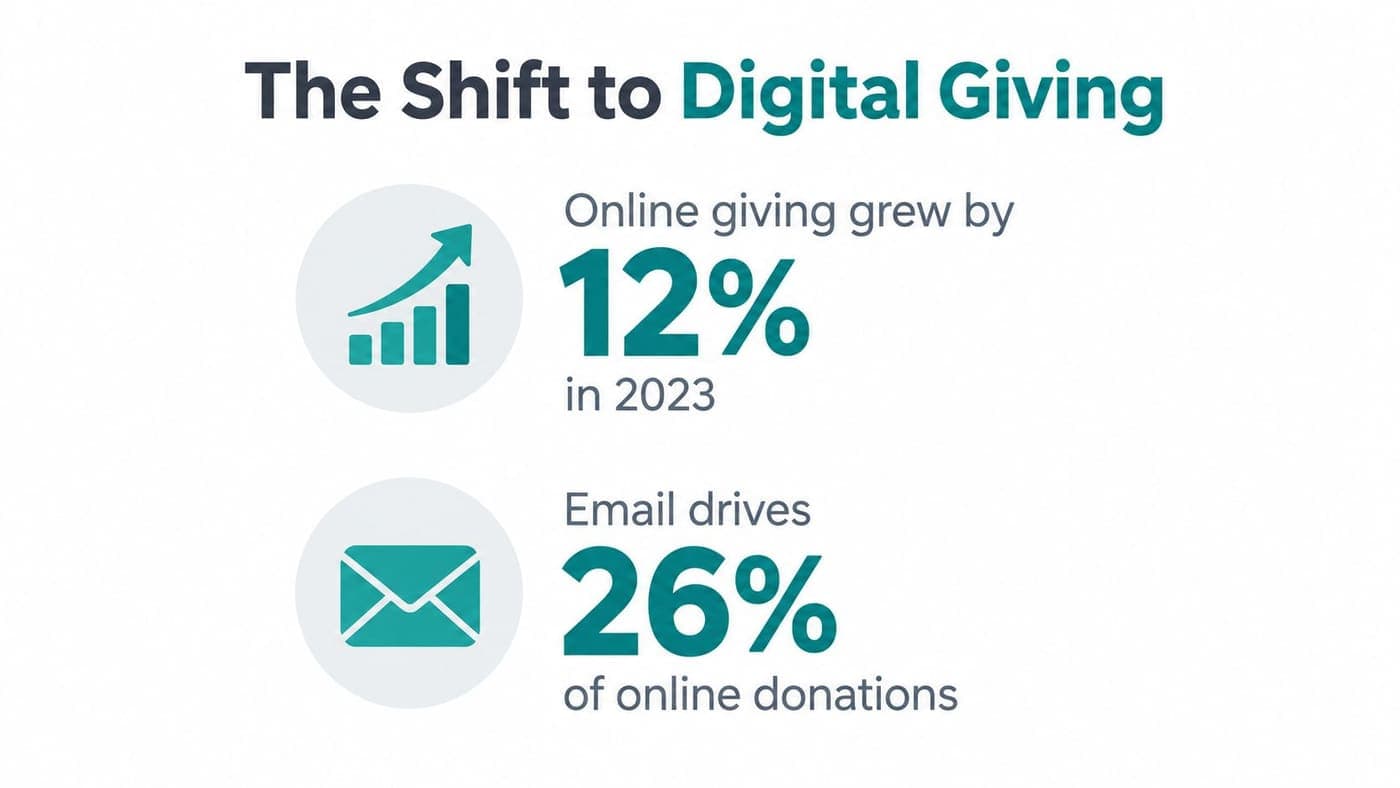
By 2023, 68% of U.S. nonprofits described online giving as a “top” or “very important” funding source. That priority changes the operating question for an executive director. The issue is no longer whether online requests deserve attention. It is whether your process earns the attention donors already offer.
Mobile changes the moment of decision
In 2025, 43% of online donations were made on mobile devices. Average gift size also differed by device, with desktop gifts averaging $168 and mobile gifts averaging $88, according to nonprofit online fundraising benchmarks.
The trade-off is practical. Mobile giving can reduce effort, but smaller screens demand shorter forms, clear buttons, and fewer distractions. Desktop donors may give larger amounts, while mobile donors may respond more readily to a timely text or social appeal.
A reliable online donation request connects three decisions:
- Audience: Who already trusts your organization?
- Message: What action fits that relationship?
- Destination: Can the donor complete that action quickly?
Those decisions also need to connect with donor records, true fund accounting, marketing, and follow-up. Some platforms, such as AlignMint, bundle these functions, but the operating habit matters more than the software.
Segment before writing, match the ask to donor intent, send supporters to a focused page, and record completed gifts against the correct fund. Review the full path from request to reconciled gift, rather than relying on open rates or deposit totals alone.
Know Who You Are Asking and What to Ask For
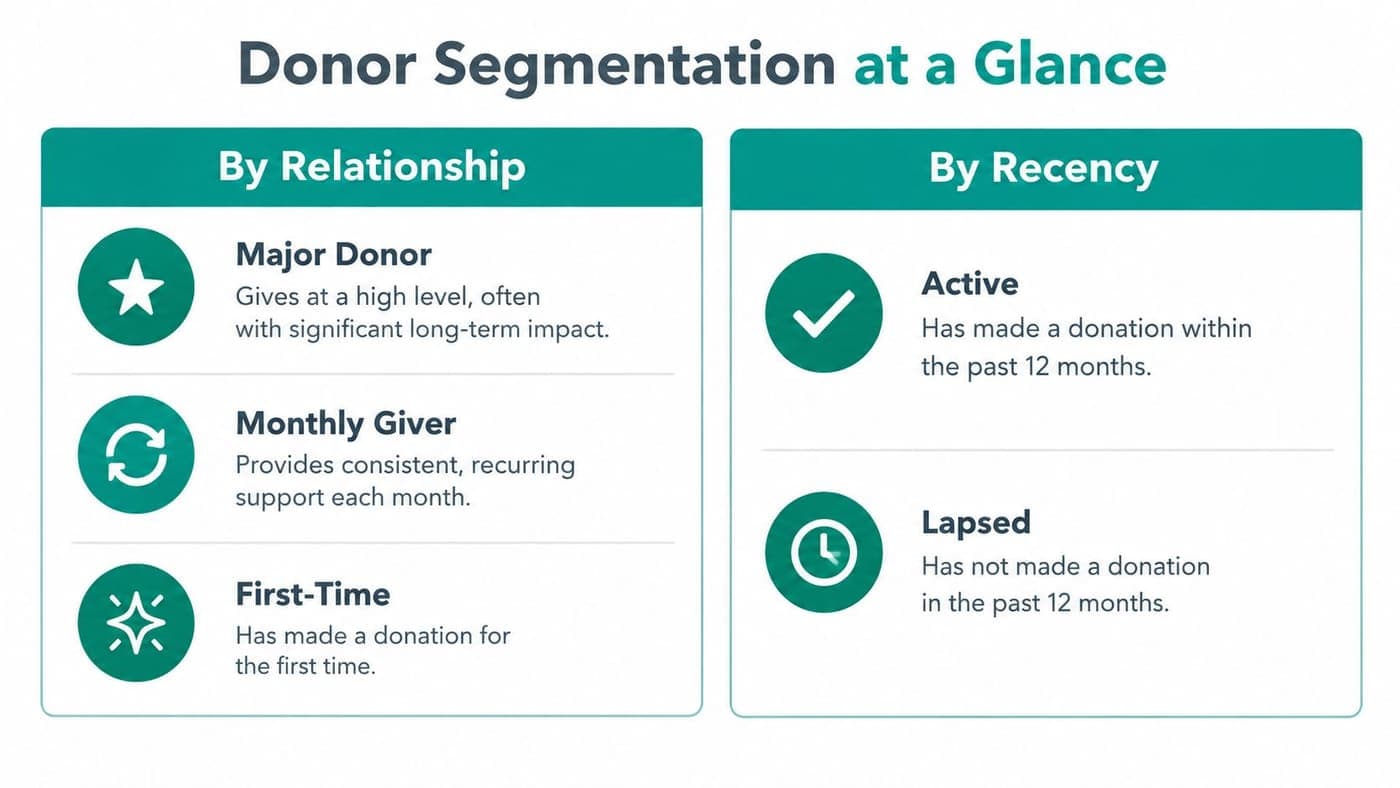
A donor list becomes useful when it helps you make a specific decision. Start with relationship, recency, and the purpose attached to the donor's prior gift.
You don't need a complicated scoring model. A small team can maintain a few practical tags, provided everyone understands what each tag means and updates it consistently.
Start with relationship
A first-time donor hasn't received the same proof of stewardship as a monthly giver. A major donor may expect a personal conversation, while an event attendee may respond best to a concrete invitation connected with that event.
Use tags your team can recognize without opening a manual:
- First-time donor: Thank them, explain what their gift supports, and invite a second interaction.
- Monthly giver: Protect the relationship with appreciation before presenting an upgrade or special appeal.
- Major donor: Coordinate personal outreach with any digital request, rather than relying on an automated message alone.
- Volunteer: Connect the ask to the work they already know, especially when volunteer hours and giving support the same program.
- Event participant: Refer to the event, ticket purchase, or experience that introduced them to your mission.
Recency helps you decide whether the next message should renew, deepen, or restore the relationship. Active donors can receive a timely program appeal, while lapsed donors may need a clear update before another direct request.
Match the ask with intent
| Donor situation | Suitable ask | Reasonable channel |
|---|---|---|
| Recent one-time donor | One-time follow-up | Email with a focused page |
| Consistent supporter | Recurring option | Email or text |
| Mobile-first participant | Wallet or simplified payment | Text or mobile landing page |
| Local event audience | Event or platform-mediated gift | Email, text, or event page |
| Restricted program supporter | Fund-specific request | Personalized email and fund page |
A recurring option may suit a donor who gives regularly, but it shouldn't replace a one-time choice. Wallet-based payments can reduce effort for mobile users, while platform-mediated gifts may help donors who already trust the platform. Your job is to offer a fitting path without forcing every supporter through the same request.
Churches and faith-based organizations often need to connect giving with ministries, missions, or seasonal campaigns. A practical ChurchSocial.ai fundraising guide can provide additional context for shaping those campaigns around a congregation's existing relationships.
Before drafting, confirm five items:
- Relationship tag
- Recent activity
- Relevant program or fund
- Preferred channel
- Single intended action
Your donor management process for retaining supporters should preserve those tags beside giving history, pledges, volunteer activity, and fund information. When staff members can see that context together, segmentation becomes a routine decision instead of another spreadsheet project.
Writing Email and Text Requests That Get Clicks and Gifts
A good appeal earns the click by making the donor's next action obvious. It doesn't try to explain your entire organization, promote several programs, and request a donation in the same message.
Email benchmarks give useful perspective. Nonprofit email open rates average 28.59%, with average click-through rates around 3.29%, while donation conversion from email recipients often ranges from 2% to 6% in optimized campaigns, according to nonprofit fundraising email benchmarks. Some real-world programs convert around 0.1% to 0.3%, so opens alone can create a misleading sense of success.
Give every message one job
Your subject line should identify the reason for contacting the donor, not hide the request behind clever wording. Use a direct pattern such as:
- A clear need: “Help keep the pantry stocked this winter”
- A donor relationship: “Your monthly support keeps tutoring available”
- A timely opportunity: “Your gift can go further this week”
- A specific program: “Support transportation for clinic patients”
The first sentence should connect the donor with a real outcome. Avoid opening with a broad organizational history that delays the reason for the message.
A useful email structure looks like this:
One message, one ask: Explain the need, show the outcome, and give donors one clear button to act.
Keep the body short enough to scan on a phone. Put the primary donate button near the opening, then reinforce the request with one brief explanation and a second button near the close. Don't add competing links to every program, your full event calendar, and several social accounts.
Write for the donor's relationship
A first-time donor might receive:
Thank you for helping our food pantry serve neighbors this month. Your first gift supported groceries and emergency supplies. Would you make another gift today to help keep that support available?
A recurring donor needs different language:
Your monthly gift gives our team dependable support for weekly tutoring. We're asking you to consider an additional one-time contribution for classroom materials this season.
These examples work because they acknowledge the donor's history before asking for another action. They also avoid promising an outcome your accounting records can't support.
Year-end appeals and matching-gift messages often perform better than general requests in the cited benchmarks, but timing won't rescue a poorly matched audience. Send renewal requests to donors who need renewal, program appeals to people connected with that program, and special opportunities to supporters who can act before the deadline.
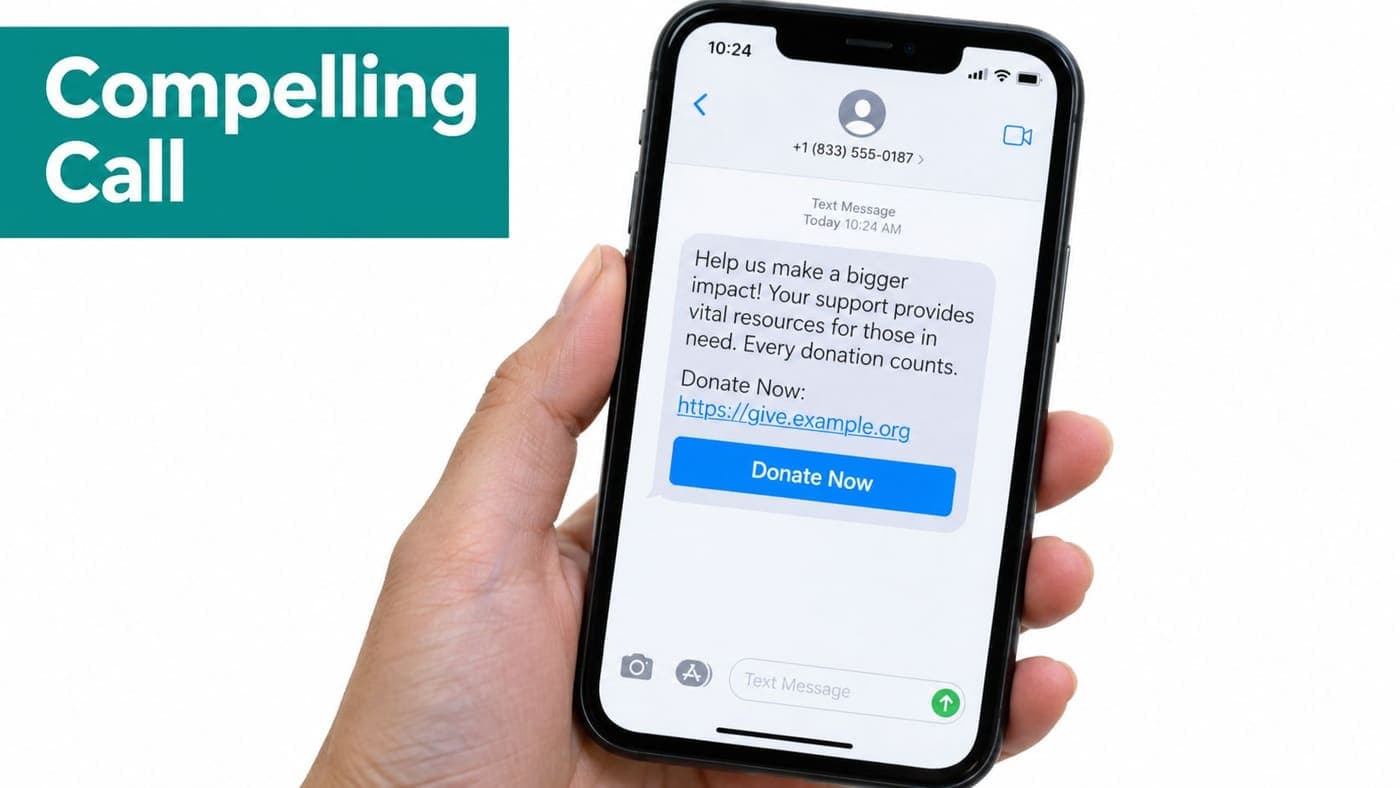
Texts should be shorter still. Identify your organization, name the immediate purpose, and provide one link. Use a prefilled or tightly matched landing page, so the donor doesn't have to reconstruct the campaign after tapping.
Your text message fundraising approach should also respect permission and frequency. A text feels personal, so repeated generic appeals can damage trust faster than an infrequent email.
Measure the click correctly
Track delivered messages, clicks, completed gifts, gift type, and designated fund. A high open rate with few clicks usually points to weak relevance or a buried call to action. Strong clicks with limited gifts usually point toward the landing page or payment experience.
Avoid sending everyone the same follow-up. Donors who clicked but didn't complete may need a reminder about the specific program, while donors who gave should receive a receipt and appreciation rather than another immediate request.
Designing Donation Pages That Turn Interest Into Completed Gifts
The donation page has one responsibility, help a motivated person finish. Every extra field, redirect, or unclear choice creates another opportunity for abandonment.
Nonprofit websites average roughly 1% to 1.6% visitor-to-donor conversion, while donation-page benchmarks vary by source. One benchmark reports about 22% page conversion, and another reports approximately 11% on desktop and 8% on mobile, according to nonprofit conversion benchmark analysis and M+R Benchmarks summaries. Those figures describe different stages and methodologies, so don't compare them as though they measure the same audience.
The practical conclusion is straightforward. Optimize the complete path from qualified traffic to completed gift, rather than treating the form as the only problem.
Remove avoidable friction
A focused page should show the campaign purpose, suggested amounts, payment options, and a prominent donation button. Required fields should serve receipting, payment, or stewardship needs. If a field doesn't support one of those purposes, question its place.
Use suggested amounts that reflect the appeal's context, while preserving donor control. Add a recurring toggle when it fits the audience, but don't preselect a recurring gift without making the choice clear.
Mobile design deserves its own review. Test the page with one hand, on a smaller screen, using the same link your text recipients will receive. The donor should see the amount options and main action without searching through a crowded layout.
Make trust visible
BBB Give.org found that 67.7% of U.S. adults consider trust essential before donating, while only 18.3% report high trust. Among giving-platform users, 62% say a charity's presence on a well-known platform increases trust, according to the Donor Trust Report.
That gap makes trust information part of conversion design. Explain what the gift supports, identify the nonprofit clearly, disclose fees, and state whether the donor can cover processing costs. Show recognizable security indicators without making unsupported promises about protection.
Your page should answer quiet donor questions:
- Who receives this gift?
- Which program or fund will it support?
- Are fees being added or deducted?
- Can I choose a recurring gift?
- Will I receive a receipt?
A restricted appeal must also connect the page selection to the accounting record. True fund accounting distinguishes donor-restricted and unrestricted net assets, and the IRS Form 990 instructions include donor-restricted endowment funds within the restricted classification when they provide income for a specified period or until an event occurs. That means your page, donor record, and finance workflow should agree about the gift's purpose.
Use your nonprofit donation page best practices as a review checklist before launch. Warm appeal traffic deserves a page that matches the email or text exactly, rather than a generic homepage with several unrelated choices.
Tracking Testing and Following Up Without Extra Work
A campaign is only useful when you can explain what happened. Track three stages separately: visitors to your website, visitors to the focused donation page, and completed gifts.
This separation shows where people leave. If site traffic is strong but few people reach the donation page, the appeal or navigation may be weak. If landing-page traffic is healthy but completed gifts remain limited, inspect the form, payment choices, trust language, and mobile experience.
Keep testing small
You don't need a complicated testing program. Change one meaningful element at a time, record the result, and keep the version that produces better completed-gift behavior for a comparable audience.
Start with subject lines, opening sentences, button language, suggested amounts, recurring-gift placement, and fee-disclosure wording. Don't change the audience, message, page, and timing simultaneously, because you won't know which decision affected the outcome.
A simple campaign record can include:
| Area | What to record |
|---|---|
| Audience | Relationship and recency tags |
| Message | Subject line, opening, and call to action |
| Page | Version, device experience, and fund |
| Outcome | Completed gifts, gift type, and follow-up status |
Fund accounting closes the loop after the payment. The finance team should see whether the gift is unrestricted, restricted, associated with a grant, or connected with a specific program. A CRM should retain the donor's communication history, receipt, pledge, and next stewardship action.
Automate stewardship carefully
The IRS requires a written disclosure statement for quid pro quo contributions over $75. Donors generally need a contemporaneous written acknowledgment for any single contribution of $250 or more, and that acknowledgment must state whether goods or services were provided in return. If something was provided, the acknowledgment must include a good-faith estimate of its value, according to the IRS charitable contribution substantiation guidance.
One combined annual summary can substantiate several separate contributions of $250 or more, according to IRS Publication 1771. Split payments that exceed $75 and include both a contribution and payment for goods or services require written disclosure from the charity.
Your receipt workflow should therefore capture the campaign, fund, payment details, benefit received, and acknowledgment language. An automated receipt is helpful only when the underlying record is accurate.
For event-driven fundraising, a practical lead capture playbook can help your team collect permission and relationship details before sending follow-up appeals. AlignMint's donor journey documentation provides a way to connect those stages with giving, communications, and stewardship records.
Minty can answer questions from your real nonprofit data, helping staff identify campaign results without exporting multiple spreadsheets. The important practice remains human review, especially for restricted funds, acknowledgment requirements, and unusual gifts.
Put Your Online Giving System Into Action
Your team can improve online donation requests without launching a large technology project. Assign one person to confirm audience tags, one to review the message, and one to verify the donation page and fund mapping.
Use this weekly operating sequence:
- Segment: Identify relationship, recency, and relevant program.
- Choose: Select one-time, recurring, wallet-based, or platform-mediated giving.
- Write: Build one message around one action.
- Send: Direct donors to a matching, mobile-friendly page.
- Review: Compare visitors, page arrivals, completed gifts, and follow-up status.
An all-in-one platform can reduce the handoffs behind that routine. AlignMint combines true fund accounting, donor management, volunteers, events, marketing, online giving pages, and team communication, with plan-based access and no per-seat fees. Its free tier supports nonprofits under $100K, while larger organizations can evaluate whether consolidated records fit their needs.
Blackbaud offers broad nonprofit fundraising and operational capabilities for organizations with complex requirements. Aplos is known for nonprofit and church accounting, fundraising, and related management tools. Those platforms may fit teams seeking established category-specific options, while an integrated approach can appeal to leaders trying to reduce separate systems and duplicate records.
Review the giving setup documentation, then choose one upcoming appeal for a controlled test. Connect its audience, message, donation page, fund, receipt, and follow-up before expanding the process.
AlignMint gives nonprofits branded online donation pages, donor records, true fund accounting, marketing tools, volunteer management, and team communication in one place. Visit AlignMint to review the giving workflow and decide whether it can help your team turn more trusted requests into completed, correctly recorded gifts.
Ready to try AlignMint with your nonprofit?
Start free — set up donor tools, giving pages, and Minty. Upgrade when you need accounting.