

In a Pew survey published in December 2000, 83% of more than 1,300 congregations said internet use had helped congregational life, according to reporting in Christian Standard. Email, websites, and online gifts followed, and the pile of separate tools grew with them. If restricted gifts, volunteer lists, and deposits live in different places, your books will not match your ministry. This guide shows how to pick software for church work by funds, workflows, and real cost, not by a feature slideshow.
Quick Answer: Software for Church
Church software has to keep restricted gifts, people, and reports together, then show what that record costs. Compare funds and workflows before you compare a feature list.
Start with fund accounting and church accounting software for small churches. For a wider comparison, see best accounting software for churches.
Church Software Types Compared at a Glance
In 2025, 86% of U.S. churches used church management software, and 67% used a church mobile app, according to Pushpay's findings reported by Religion Unplugged. This is standard office infrastructure now, not a specialty purchase. The useful question is which type fits the work your staff does each week.
| Software type | Strength | Gap to check | Example products |
|---|---|---|---|
| Church management suite | Membership, check-in, and church workflows | Accounting depth and restriction tracking vary | Planning Center, Breeze, Ministry Brands |
| Giving-first platform | Online giving pages, recurring gifts, and mobile giving | Membership and volunteer depth vary by product | Tithely, Pushpay |
| Generic accounting with classes | Familiar, low cost, and one program | Classes do not enforce donor restrictions | QuickBooks with classes |
| All-in-one nonprofit platform | Accounting, donors, volunteers, events, and marketing on one record | Confirm church-specific check-in and membership features | AlignMint |
Church management suites go deep on people. Planning Center, Breeze, and Ministry Brands are built around membership, check-in, and Sunday workflows. That depth is real. Ask whether a restricted gift keeps its own balance, or whether finance still exports to another program.
Giving-first platforms such as Tithely and Pushpay lead on giving pages, recurring gifts, and phones. Members can give without a paper envelope. Membership records and volunteer schedules are not equally deep in every product, so test those screens yourself.
QuickBooks with classes is familiar, and many bookkeepers already know it. A class can label youth, building, or missions. It does not stop someone from spending a restricted gift as general cash, and it does not produce a purpose balance on its own.
All-in-one nonprofit platforms keep accounting, donors, volunteers, events, and marketing on one database. We publish solution pages for churches, schools, fiscal sponsors, and clubs and associations, so you can see the fit before a demo. Still confirm check-in and household fields if children's ministry is central.
Which gap costs your church the most time today: membership records, restricted gifts, or giving?
Must-Have Features for Church Operations
The test that separates one system from a pile of tools is simple. One household record should hold membership, gifts, volunteer roles, event attendance, and messages, with no second typing.
Buyer research from Software Advice treats donor management, membership management, and donation tracking as the most consistent core needs. Built-in accounting, volunteer coordination, online giving, and tax receipts show up often as the next priorities. A church of 80 may not need every module. Rank the three jobs your staff does every week, and ignore the rest until those three are easy.
Questions to ask every vendor
- Native links: Can one person record connect status, gifts, service, events, and mail without a duplicate profile?
- Reports you can change: Can you filter by fund, ministry, and date without a consultant?
- Role-based access: Can a volunteer see a team list while finance stays closed?
- Import and export: Can you leave with your people and your gifts in a file you can open?
- Connections: Is there an API, or a clean export, for the one tool you will keep?
Our fund accounting, fundraising, donor management, volunteers, events, and payments share the same operating record. A Sunday gift does not get typed again for the ledger and again for the thank-you. Donor management for churches is where that household view starts.
Volunteer work on the same record
Volunteer tools should put people in groups and teams, track hours by person, event, and program, store signed waivers, and support simple recognition. Hour totals by program matter when a grant or a board asks who served. If you screen volunteers who work with children, read FCRA compliance for church volunteer checks before you store results in any system. Background-check tracking belongs next to the person, not in a separate spreadsheet only one coordinator can find.
Practical rule: If a weekly task needs an export, it is not finished inside the software.
Copy this into a vendor email. Ask them to show one household, one restricted gift, one volunteer hour entry, one receipt, and one fund report, with no retyping. Then ask who on your team can do that alone after one sitting.
Fund Accounting Versus QuickBooks Classes
Nonprofit statements report two net-asset classes: net assets with donor restrictions and net assets without donor restrictions. Under FASB ASU 2016-14, both classes appear on the statement of financial position and the statement of activities. You still track each purpose and each time limit on the gift.
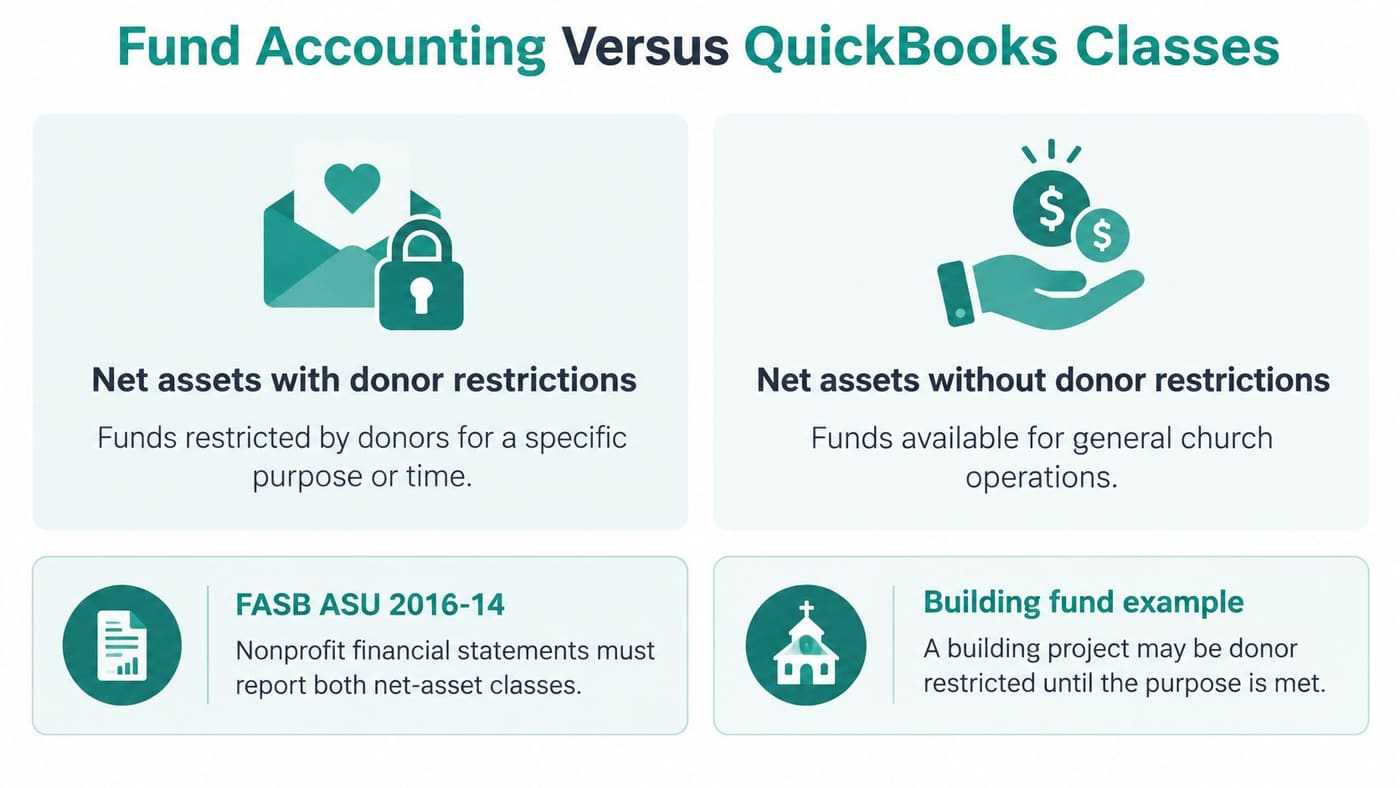
A building gift, a youth-program gift, or an emergency-relief gift is not general operating cash. Your records must show whether that gift is still restricted or has been released for its purpose. A class in QuickBooks is a department label on ordinary bookkeeping. It can sort a report. It does not block a wrong spend, and it does not keep a balance for each promise you made to a donor.
A class is a label. A fund is a balance.
When a class is enough
Generic accounting is enough when you have no donor restrictions, one bank account, and a bookkeeper who already closes the month. If every dollar may be used for ordinary operations, a label does not hurt you. Do not buy fund structure you will not use.
The threshold is one restricted gift that needs its own balance. A building campaign, a scholarship, or a missions promise crosses that line. After that, labels start to hide shortages until someone rebuilds the spreadsheet.
Endowments and the Pro tools
Endowment math is stricter. When fair value falls below the original gift, or below the amount you must maintain, the notes disclose current fair value, the original or required amount, and the deficiency for each affected fund. Those amounts stay inside net assets with donor restrictions. You need the original restriction, the current value, and the deficiency fund by fund, because one blended investment total hides the shortfall.
Our Pro plan includes everything in Plus, plus up to five funds, statements by fund, and compliance, close, and Form 990 tools. Bank reconciliation is included on Pro and Enterprise. Church accounting is the place to see how a restricted gift stays tied to its purpose on the same books as the deposit. I would not move a church with only unrestricted giving onto five funds. I would move one the week a building gift arrives with a letter attached.
Fiscal Sponsorship and Multi-Project Funds
Fiscal sponsorship is an arrangement in which a charitable organization agrees to act as sponsor for people running a new project, often because that project lacks its own tax-exempt status. The accounting requirement is separation: project receipts, expenses, restrictions, and reports must stay identifiable before they roll into consolidated records.
Say you sponsor three projects. Each one needs its own fund balance, even when the same bank account receives the money. Donors can share one record if they give to more than one project, while each gift still needs a project and restriction tag. Each sponsored group should get the same monthly report, with its receipts, its spending, and what is still restricted.
- Project balances: Each initiative shows its own remaining amount.
- Restrictions per project: A gift for one project stays out of another project's balance.
- Shared donor records: One household is not copied three times.
- Exportable reports: Each group can receive a standard packet without a custom rebuild.
A church that runs a school or a mission project under its own umbrella faces the same split. The school's money and the congregation's operating cash need separate balances inside one set of books. A single-project church may never need this structure. Organizations that do can review fiscal sponsor accounting and ask how project balances roll up. The practical test is month-end: can you close the organization and still show each sponsored group exactly what it raised, spent, and owes?
How to Test Software Against Your Own Workflows
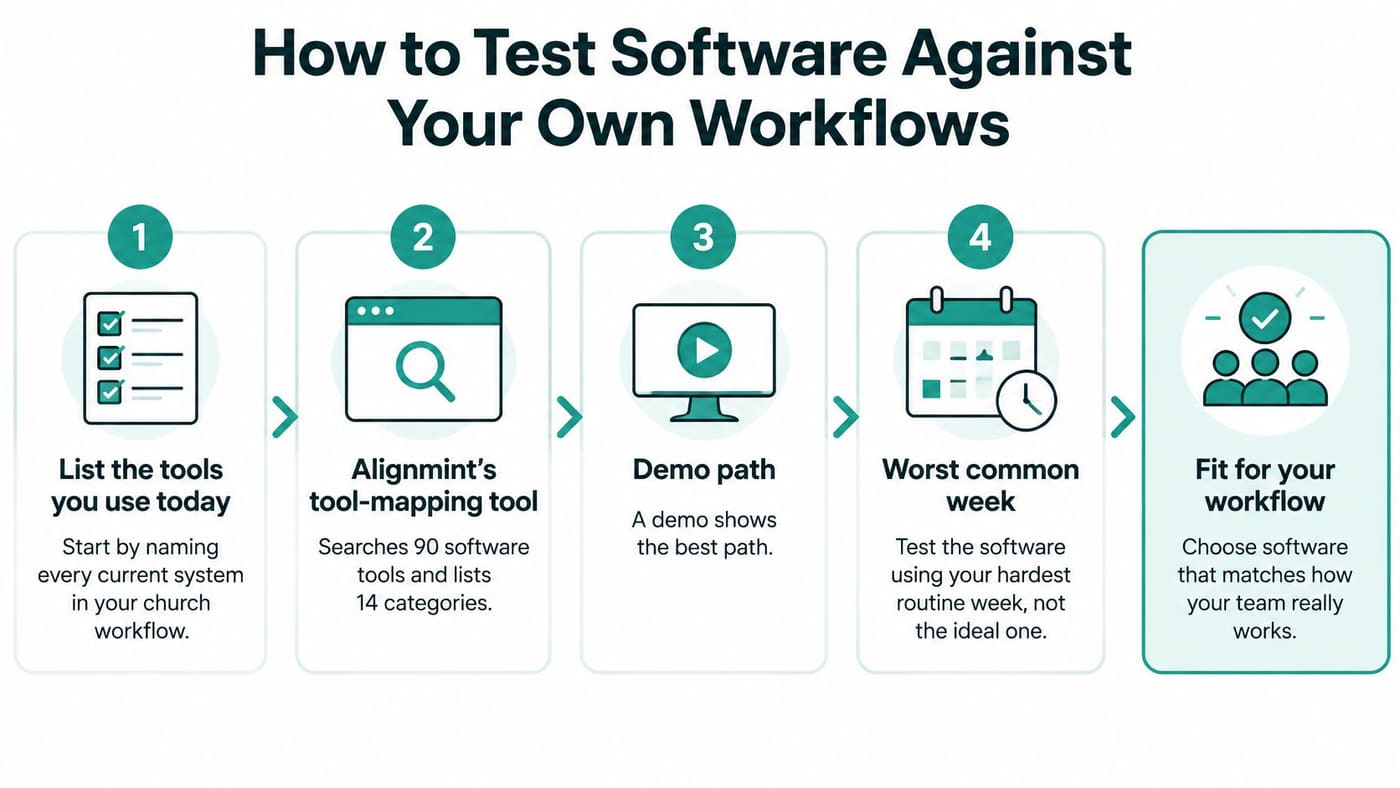
A demo shows the best path. Your test should follow your worst common week, the one with a restricted check, a last-minute volunteer, and a receipt someone needs before they leave.
A survey of nearly 2,200 U.S. church technology decision-makers and influencers found church-management and donor-management software adoption of 89%, reported by Outreach Magazine. These systems are mainstream. An academic study of church organizations, cited in that same report, found a significant relationship between IT-management results and business processes, strategic planning, worship size, and the number of IT staff. Buying a capable product does not fix a vague process.
Run this sequence
- List every tool you use today. Our tool-mapping tool searches 90 software tools, lists 14 common ones, and needs no email. You see the overlap before anyone sells you a replacement.
- Add a household with a new member, a spouse, and two children. You are checking whether family links survive the first entry.
- Record a gift, generate the receipt, and confirm the gift appears on the donor record and in the ledger. A gift that lives in only one of those places will be retyped later.
- Classify a restricted gift for a named ministry and confirm the fund balance moves. This is the step generic classes often fail in silence.
- Assign a volunteer to a team, log hours, and attach a waiver. Children's ministry and outreach both depend on this trail.
- Run a fund balance report and a donor statement. If either needs a spreadsheet, write down the extra minutes.
- Send one message to one group, not to the whole church. Targeted mail is where separate contact lists usually break.
- Time each task. Count screens, exports, and handoffs between people.
Record median time, error rate, and training time. Also note whether a nontechnical volunteer can finish the task alone. Test permissions separately for pastors, finance, ministry leaders, volunteers, and parents. Mobile use matters if your team works from a phone on Sunday.
Time the hard week, not the polished click-path.
A free setup call is available after you run this test. We walk through fund accounting, donations, and reporting on your plan. Bring your notes on screens and handoffs. Phased setup, written workflows, and role-specific training matter more than a long feature list. I would not sign a paid year until step 4 and step 6 both pass with your own sample gift.
Pricing Tiers and the Real Cost of Digital Giving
Price the plan against annual donations first. Then price the giving channels, because fees and reconciliation often cost more than the subscription.
| Plan | Best fit for annual donations | Users | Storage |
|---|---|---|---|
| Free | Up to $100K | 1 | 10 GB |
| Plus | Up to $250K | 10 | 25 GB |
| Pro | Up to $2.5M | 25 | 100 GB |
| Enterprise | Above Pro scale, custom setup | Unlimited | Unlimited |
The Free plan needs no credit card and covers donor records, giving pages, and fundraising drafts for one user. Plus adds fund accounting, Plaid bank feeds, standard reports, and volunteer and event management. Bank reconciliation is included on Pro and Enterprise. Pro builds on that with up to 5 funds, statements by fund, and compliance, close, and Form 990 tools. Enterprise adds switching among organizations, unlimited funds, and a dedicated manager with custom setup. Included users matter when many volunteer leaders need a login, so ask any per-seat vendor what ten leaders would cost before you compare these rows. Payment processing fees belong in that same comparison, next to the plan price.
What small churches actually receive online
In 2025, electronic giving was about 38%–41% of annual church giving overall, but only 28% for small churches and 14% for very small churches, as covered by Christian Standard. A separate 2025 congregational survey in that reporting found only about 27.74% of regular monthly giving came in online, and roughly 25.48% of participants donated online. Checks and cash still carry much of a small church's budget. Moving every giver online is a choice, not a default.
Model the full cost, not the advertised rate.
- Channel fees: ACH, cards, checks, and text each carry a different charge.
- Platform charges: Some products add a monthly fee on top of processing.
- Labor: Someone must match deposits to donors and to restricted funds.
- Migration: Old recurring gifts do not move themselves.
Compare that mix by attendance, not by a national average. Ask whether a recurring gift can pause, and how fast a deposit lands on the right fund, since a restricted gift that posts to the wrong place creates the same retyping work a manual system does. Before you sign, ask Planning Center, Breeze, Pushpay, and Tithely for per-user, per-transaction, and platform fee schedules, and put each answer in a row beside these plans. For a starting shortlist, our tool-mapping tool lists the software you use today and shows a comparison, with no email required. A very small church should weigh its online giving volume against the added tool and matching costs before moving fully online, whatever the demo made look easy.
AI Tools and Governance Before You Adopt
AI can draft a newsletter, answer a question about last month's gifts, and shorten a board report. That appeal is real. The gap is that many churches turn the feature on before anyone writes a rule.
Later 2025 reporting found that 91% of church leaders supported AI use and 61% used it frequently, yet 73% had no AI policy, according to MinistryWatch. A 2025 Barna study for Pushpay, covered on Barna, found 83% of leaders concerned about data privacy, while only 5% reported having AI guidelines. Adoption is ahead of the paper that should govern it.
Answer these before any demo.
- What may enter: May names, giving amounts, or pastoral notes be typed into an AI tool?
- Who approves: Who must read an AI-written pastoral message before it is sent?
- What you tell people: How will you disclose that a draft was machine-written?
- What stays out: How are children's records and counseling notes excluded?
Minty, our assistant, answers questions about your real data without exports or add-on products. You can see the idea on our AI feature page. The assistant does not replace a policy. You still decide who may ask what, and which topics are off limits.
Ask any vendor about role-based permissions, consent and retention, human approval before a message goes out, data isolation, and encryption. A short written policy is a low-cost step your board can finish this month. List acceptable uses, banned data, and the person who approves a send. I would adopt the writing help only after that page exists.
Choose Your Church Software Before Your Next Budget Cycle
Match the situation you have, then take one next step. A product that is strong for another church can be the wrong buy for yours.
| Your situation | Best fit | First step |
|---|---|---|
| No restricted gifts, one bank account, bookkeeper closes monthly | Generic accounting with classes | Stay for now and review at the next budget cycle |
| Several restricted gifts, building funds, or endowments | True fund accounting | Set up one fund per restricted purpose |
| Multiple ministries, volunteers, and events on separate tools | All-in-one nonprofit platform | Run the workflow test on two products |
| Fiscal sponsor overseeing several projects | Project-level fund accounting with standard reports | Confirm project balances during the test |
Write down three workflows you must keep. Run the timed test on two products, including the restricted-gift step and the fund report. Review the times, the errors, and the fee rows with your board or finance committee. Our marketing tools for email, text, events, and donation pages sit on the same record, so you are not adding a fifth login just to invite people to give.
If your annual donations fit the free plan, start there and run the test before any paid tier. No credit card is required. A free setup call can walk your bookkeeper through funds, donations, and reports on the plan you are considering. Pick the option that closes your worst week with fewer handoffs, then leave the rest of the catalog alone until the next budget cycle.
We built AlignMint so churches and other nonprofits can keep restricted funds, donors, volunteers, events, and messages on one record instead of reconciling five tools after Sunday. You can start on the free plan, run your own workflow test, and see whether the fund balances match the gifts you receive. Visit AlignMint when you are ready to map your current tools and try the books with your own numbers.
Frequently Asked Questions
Restricted gifts, donor receipts, volunteer assignments, and the fund balance. A class label in generic accounting does not keep a separate balance for each promise.
Free is $0 for one user and nonprofits with up to $100K in annual donations, with no credit card. Plus is $199 per month and adds fund accounting, bank feeds. Bank reconciliation is included on Pro and Enterprise. Pro is $599 per month and adds up to five funds and Form 990 Builder.
Ready to see how AlignMint fits your workflow?
Schedule a free walkthrough — we will help you map donors, funds, and migration steps.